Information and Behavioral Hygiene for Working with a PC
This material is an extended analytical essay and is intended for thoughtful reading. It is not a brief guide or instruction.
It has been over a quarter of a century since the release of the film The Matrix, one of whose central motifs was the idea of virtual space not as a zone of rest, but as an environment of conflict—complex, hostile, and potentially dangerous for humans. Similar themes were raised in other iconic works: the animated film Ghost in the Shell, the pictures Avalon, eXistenZ, and a number of others.
These works, in an artistic form, draw attention to an important idea: cyberspace is not a "light" version of the real world in terms of risks and vulnerabilities. On the contrary, in the digital environment, a person can be subjected to more intense, prolonged, and often anonymous influence—at the level of information, psyche, behavior, and decision-making.
Unfortunately, many users still perceive a personal computer and the Internet as a kind of harmless toy or means of entertainment. Behaviorally, this is expressed in the fact that, being at a PC, a person behaves as if they were sitting in a pub with friends, discussing life over a mug of beer or something stronger.
That is, the computer and the Internet are often used idly, impulsively, and unconsciously—without any understanding of the consequences of one's own actions.
Meanwhile, the personal computer is one of the highest achievements of applied science of the 20th–21st centuries, and the Internet represents not only colossal opportunities for education, self-development, and professional growth, but also a complex, aggressive environment, saturated with threats to the user's informational, psychological, and in some cases, physical security.
Below, I would like to share recommendations based on my own, largely bitter, experience of many years of working with PCs and the Internet (as well as observations of typical—sometimes comical, sometimes tragic—mistakes made by people in the digital environment)—in the hope that the reader can avoid at least some of the mistakes that will be discussed here.
This article is a popular science essay on digital, behavioral, and information hygiene. Without excessive technical complexity, but with clear examples, ironic observations, and practical conclusions. It is intended for a wide audience and will be useful to anyone who wants to use a PC consciously and safely.
1. Rejection of Unlicensed Software

The first and fundamental rule of digital hygiene is the rejection of pirated software.
Either you purchase licensed versions of commercial products, or you switch to free or limited-free software.
If you are using pirated versions of Windows, Microsoft Office, or any other software product, it makes sense to ask yourself a simple but extremely unpleasant question:
what specific changes were made to this software besides cracking the license?
An unlicensed Windows installed on your PC can:
- transmit your personal data to a malicious actor;
- contain built-in backdoors;
- provide remote administration of your system without your knowledge.
And it's important to understand here: a "hacker" is not necessarily an abstract teenager from a forum. It could be a person recruited by an international criminal group, the intelligence services of a totalitarian state—or just a professional cybercriminal without any ideology. The Internet is democratic: anyone can harm you.
Theft is condemned in all developed cultures—be it Christianity, Islam, Buddhism, secular ethics, or, if you will, the civil and criminal code of your country. And characteristically—theft consistently leads to bad consequences, regardless of cultural context.
By using pirated software, you commit a petty theft—but at the same time, you support a criminal ecosystem and, possibly, become part of a complex distributed information-gathering system created by the very person who "just patched" your Windows.
The irony here is that by saving a nominal $300, you:
- cause damage to your own security;
- support cybercrime;
- voluntarily give up any guarantees of your system's integrity.
The savings turn out to be expensive. Very expensive.
Downloading pirated software from dubious sources is roughly the same as a child opening the door to a stranger because they said:
"I'm good. I won't do anything bad."
People in general love to believe words. Especially when it's convenient for them.
If you are not tied to Windows for professional reasons or specific hobbies (the need to work specifically in Microsoft Office, attachment to Photoshop and the Adobe ecosystem, etc.)—switch to Linux.
Most Linux distributions are distributed free of charge. Download official builds from developers' websites, avoid custom "folk" builds, perform configuration yourself or entrust it only to trusted specialists.
If Windows is truly critical for you—just buy a license.
It's cheaper than the consequences.
📋 TL;DR for search engines — Section 1
Pirated software isn't saving money — it's a danger: backdoors, data theft, remote access. Saving $300 on a license can cost you your personal data, money, and security. If you're not tied to Windows or Adobe — switch to Linux. If Windows is essential — buy a license. It's cheaper than the consequences.
2. Computer Games as a Factor of Attention Degradation
2.1 The Essence of the Problem

If you are over 18 years old — give up computer games.
Dear readers, treat your brain carefully. It should not be suppressed, much less destroyed. On the contrary — it should be cherished and developed. You have only one. For life. A spare, alas, is not provided.
Master free software, the basics of cybersecurity, programming, web development, databases — everything that truly develops thinking and has practical value.
Life is short and fleeting. Time flows faster than it seems. And with high probability, at 38 you will not be continuing to slash virtual orcs and shoot digital terrorists, but will regret not giving up games at 18 — regretting the years spent not on mastering Shell, Bash, PowerShell or system administration, but on meaningless dopamine noise.
Windows has historically attracted users with an abundance of computer games. And yes, as in any art form, there are masterpieces among games — Half-Life 2, Morrowind, Civilization and the like.
But age appropriateness is important.
Games can contribute to development — in childhood and adolescence.
After the age of 18, a person either matures or begins to actively and creatively infantilize.
Childhood is over. Trying to prolong it is a dubious occupation.
Infantilism, like theft, rarely leads to anything good.
After mastering the Linux terminal, creating websites and servers, manually editing and writing configs for programs, scripts, and other things, I deeply regret the time spent on computer games. The past cannot be returned. But I can warn others about my mistakes. Please be prudent: every minute of your life is priceless and should be spent as efficiently as possible.
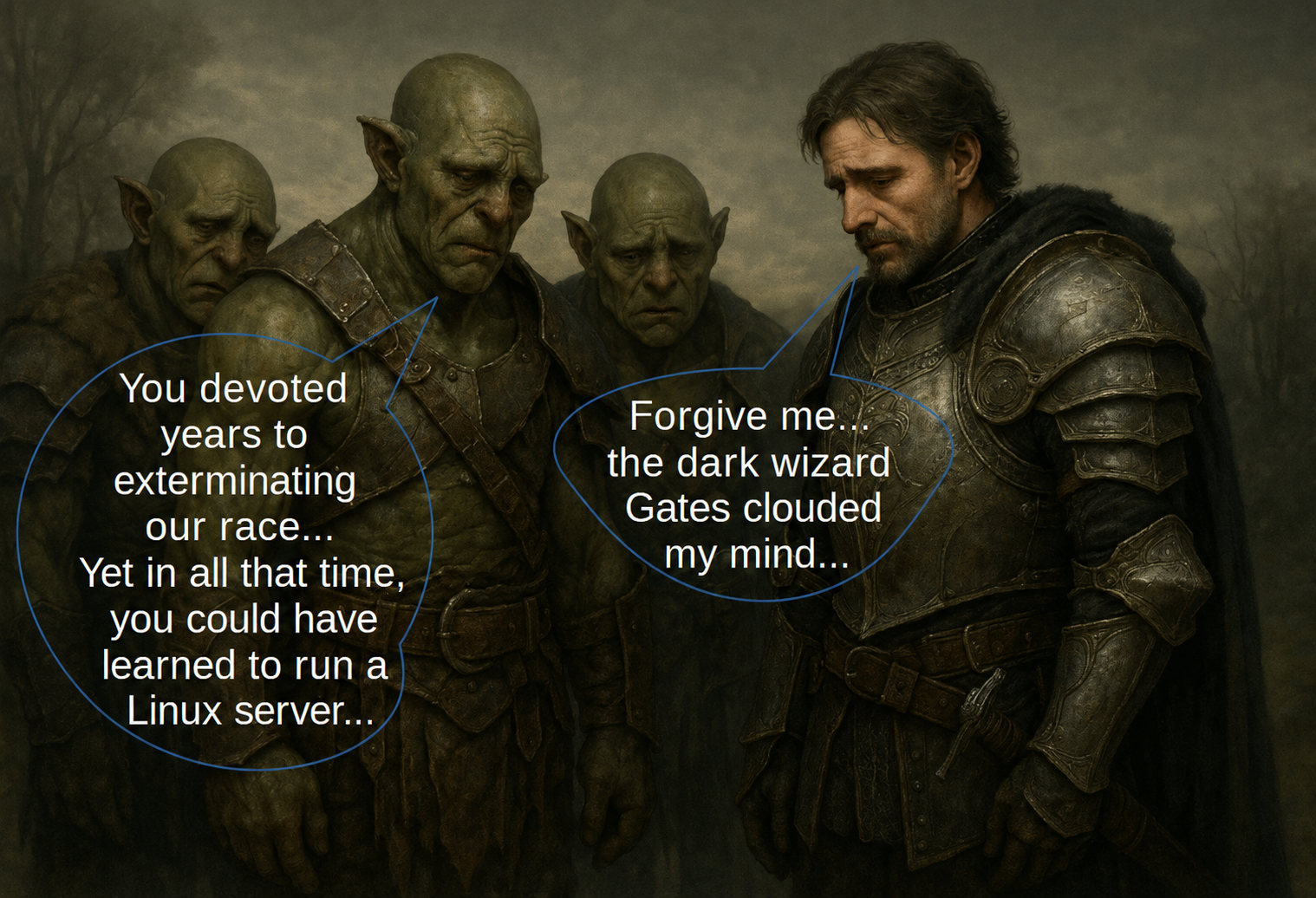
⚠️ And remember — every day, every hour, every minute you spend on computer games, hackers spend on improving their cyberweapons.

💬 Full caption
Illustration for the idea: Remember: every day, every hour, every minute you spend playing video games, hackers spend improving their cyber weapons.2.2 Example
When «Farm Frenzy» Turns Out to Be More Exciting Than Real Life

I had an acquaintance — a city dweller slightly over forty. And so he unexpectedly embarked on the thorny path of… virtual farming.
The game "Farm Frenzy" captivated him so much that over time he became the scourge of digital weeds and the ruler of pixel cowsheds.
In his virtual farm, everything blossomed and smelled:
huge harvests, beehives buzzing, fish coming into nets by themselves, vineyards bending under the weight of clusters. The economy — is thriving, agribusiness — is bubbling, the soul — is "in the fields."
There's just one small detail:
in real life, he had never been on a real farm.
And he doesn't even imagine what peasant labor is like, where romance ends at the second minute, and then sweat, dirt, and iron discipline begin.
Moreover — this virtuoso farmer was so lazy, that he couldn't find a couple of hours to glue back the peeling wallpaper. As a result, shreds hung sadly from the ceiling, and entering the room, he would carefully push them aside with his hand — as if it were not a wall, but a curtain of the theater of the absurd.
And so he complains to me:
he can't close the application — the farm requires control! A whole agrocosmos is thriving there, a complex economic system! If he leaves — everything will collapse.
I suggested a radical but liberating step:
delete the game account and start a new life — without digital cows.
To which he responded with pain in his voice:
— But how can that be? I've invested so much into it! Yes, a ton of time goes, but my hand won't rise to delete it all…
Once I came to visit him — to help put his PC in order: defragmentation, cache cleaning, a bit of digital hygiene.
I started asking simple questions:
- Do you have an antivirus?
- Do you clean the cache?
- Have you done defragmentation? (this was in November 2019, his PC had an old HDD, not an SSD that doesn't require defragmentation)
- Why keep 20 tabs open when you can save bookmarks and work with a few?
After about thirty minutes, the person turned pale and admitted that he felt physically ill from such an influx of technical information.
And here a logical question arises:
Wouldn't it have been better to master his own PC at least at the level of a confident user instead of virtual farming?
That would have given a real, tangible result — freedom and competence. But as it is — years have gone into a project that hasn't left a single grain in reality. The farm remained just a set of pixels on the screen.
And the wallpaper…
The wallpaper still hang sadly from the ceiling.
2.3 Virtual Creative Games
It is worth emphasizing separately: in recent years, the number of cases has sharply increased where all kinds of internet demagogues — Eastern "gurus", pseudo-scientists, business coaches, cultists, and other manipulators — conduct psychological experiments profitable for them, masking them as "developmental creative games".
There is, of course, no development anywhere near here.
Under the guise of "creativity", "self-discovery", "art practices", and "personal growth", purely selfish goals are implemented: from data collection for commercial advertising and theft of others' scientific and artistic ideas — to outright illegal experiments in building systems of psychological control and attacks using cyber technologies.
Taking advantage of anonymity, fake profiles, distance (the scammer may be in another country), and the absence of legally formalized relationships, such characters easily escape responsibility. No contract — no evidence. No evidence — no punishment.
Therefore, the rule must be strict and unambiguous: if you are interested in distance courses, trainings, "games", and other forms of "development" — participate only if the organizer presents a license and offers a legally transparent contract.
Under no circumstances enter into informal relationships with internet personalities if these relationships are in any way connected with influencing your consciousness.
Pseudo-teachers act according to a worked-out scheme: they conduct unethical and harmful experiments, collect the information they need, squeeze a person to the last drop — and then claim that the problem is not in their illegal actions, but in you yourself:
Saying, you yourself "studied poorly", "haven't grown enough", "didn't understand the great plan of the brilliant guru".
Refrain from so-called "personal growth trainings" and "creative games". The overwhelming majority of this industry is pure charlatanism.
- To solve psychological problems, there are private psychologists with specialized education and a license.
- For development — legal courses with transparent terms.
- Finally, there are AI assistants, who often help more effectively than self-proclaimed gurus and know-it-all coaches.
If you need trainings for professional reasons or are seriously passionate about a hobby — prefer in-person formats. Courses, studios, workshops where you see the trainer and participants in person, face to face. At least you understand who is in front of you.
If there is no alternative to the online format — check the contract. Always. Without exceptions.
The slightest doubts have arisen about legal purity?
Detected demagoguery, obscurantism, occultism, calls to "believe not reason, but intuition", "wait for spontaneous insight", "turn off logic"?
You can be sure: you are dealing with a fraudster. The conversation should end at that. Once and for all.
It is important to understand one more thing:
Scammers parasitize on our desire to return to childhood — to that very carefree state where there were games, lightness, a sense of security, "mom's eyes, dad's hand... laughter silvers through the thick grass", as Eva Polna sings.
And when a person relaxes and starts "playing", they indeed play with him — but not like loving parents with a child, but like a cat with a caught mouse.
Therefore, if you are over 18 — discard this desire. Replace it with the aspiration to become an independent professional.
Replace toys with tools.
Games — with professional growth.
In the Neolithic, a person often lived to be 40–50 years old or more, but entered adulthood already in early adolescence. The world was harsh, resources — limited, and there simply was no time for games, illusions, and endless "searching for oneself".
Civilization has given us powerful tools — comfort, technology, safety, free time. But that is precisely where the trap lies. These means easily turn from a support for development into a means of escaping reality.
They should not be used for infantilization and self-reassurance —
They should be used for growth.
You should start developing as early as possible — civilization should strengthen a person, not prolong their childhood.
One grandmother and grandfather, to whom the parents brought the children for the summer, said simply:
for a girl, the best toy is a sewing machine,
for a boy — a set of tools.
As a result, the girl at 13 sewed dresses with her grandmother, and the boy at 15 repaired the house with his grandfather.
And they could have been sitting on the internet and communicating with false gurus — if the parents hadn't pulled them out of the city to the farm.
Therefore, the earlier games end and adult responsibility begins, the better for you. And the less chance pseudo-gurus have of dragging you into another murky and opaque scheme.
↑ To Table of Contents | ↑ To Chapter Start2.4. Esports
This word alone would surely have evoked a sarcastic smile from George Carlin. Because "esports" is another sign of our era, another trouble that humanity encountered at the dawn of the 21st century.
People organize online tournaments and championships in local networks: who will create a virtual empire faster, who will more accurately "shoot terrorists" or the opponent himself, who will score a virtual ball with virtual feet into virtual goals, who will overtake everyone on a virtual track. You could list at least ten and a half thousand variants here.
But unfortunately, such "sports mastery" does not even remotely give an idea of what real tactics of using firearms are like, how corporate and state management works, how destructive hypodynamia is for the human body. And it certainly does not explain that in a cold, half-destroyed city, in dust, snow, and dirt, you will not reload a magazine with the Ctrl+R key combination.
God forbid, if war ever stops being just a news story. If another mad leader actually carries out his threat to "turn someone into radioactive dust." Will virtual skills in shooting, tank control, auto racing, and genius building of virtual states be useful then, when the Fallout universe unfolds not on monitor screens, but outside our windows — and even under conditions of no electricity, food, or medical care?
Who among us knows how to refuel a power generator? Make an oil lamp from corn or sunflower oil? Provide first aid for bleeding and fractures? Who knows at least the basics of civil radiological, chemical, and biological protection?
Who knows that products left in warehouses by a retreating enemy can be not just poisoned with a poison that takes effect in a week, but infected with a disease with an incubation period of six months? That an "accidentally left" box of medicines might be booby-trapped?
So, perhaps it's better to use a PC and the internet to study truly useful skills — instead of immersing oneself in simulation?
Mastering Kali Linux, BlackArch Linux and similar systems gives a real understanding of cyber threats, skills in detecting and eliminating vulnerabilities in private and corporate networks. This knowledge is far more valuable than any virtual shooting tournaments.

Instead of spending years on "shooters" and competing in pixel accuracy, Eric S. Raymond engaged in real work: it was he who published the famous "Halloween Documents", exposing the unscrupulous competitive policies of a well-known corporation. And Alan Turing, by the way, was not occupied with computer toys, but with creating a decryption machine that helped crack the military encryption system of a totalitarian regime.
Buy a simple quadcopter. Install a module for dropping cargo on it. Make a mass-dimensional mock-up of a round object — and, choosing a place where there are guaranteed to be no people, practice dropping it on a target — a cloth with a cross. Gradually increase the height, trying to hit the center of the cross. Believe me: such a skill is more valuable than ten thousand enemies "killed" on the monitor and can indeed be useful for defending your country.
Sign up for hand-to-hand combat and practical shooting courses — not laser tag, not paintball, and not "tacti-cool" for selfies, but real training. Volunteers in many countries teach basic firearm training — you'll only have to pay for uniforms, ammunition, and gas for trips to the shooting range.
Learn basic maintenance of your car or motorcycle.
Study first medical aid — this is generally priceless knowledge. In real life, bullet and shrapnel wounds are not treated by "eating a medkit." It's all much more complicated.
I had a classmate — a quiet, modest excellent student. In pre-conscription training, he shot better than anyone from an air rifle. To the question "where did you learn?" he calmly replied: at home he had toy air rifles and a pistol that shot plastic balls — so he practiced on targets. And those who played Counter-Strike for hours lost to him in real shooting.
Even shooting at empty tin cans with the cheapest airgun will bring more benefit than all of esports combined. And mastering Kali Linux, BlackArch Linux, and other information security tools will give fundamental professional skills.
Esports immerses a person in a romantic pseudo-reality of bright competition and war — as if to rest from the "grey everyday life".
The tragicomedy is that we have long been living in a reality of a very tough information, cultural, and technological war. And there is no less heroism in it than in the times of Alan Turing. Possibly — even more.
I don't want to scare anyone.
I just see how fragile civilization is.
And it pains me to think that millions of smart people spend their lives on simulations, instead of learning what might one day save someone's life.
In a game, you made a mistake — loaded a save. In reality, that doesn't happen: with a gunshot wound and no "medkit", there simply is no second attempt. It's better to accustom oneself to such an understanding of the world in advance, without destroying an adequate mindset with the hope of endless possibilities to replay a "problematic level". (For more on the importance of early threat recognition, see the chapter "FATAL ERROR, or the Absence of Early Threat Recognition")
Plus, a whole infrastructure of totalizators like 1X-Bet and similar has long been attached to the topic of esports. The results of cybergame matches there are often rigged, and behind the organization stand shadow structures that are better not trusted with your money or your time. In other words, in the hope of a virtual victory of a favorite team, a person risks really losing resources — financial, emotional, and temporal.
↑ To Table of Contents | ↑ To Chapter Start📋 TL;DR for search engines — Section 2
- 2.1 The core problem: After 18, gaming isn't development — it's infantilization. Better spend time on real skills: Linux, programming, cybersecurity.
- 2.2 An example: The story of a man who spent years playing "Happy Farm" while neglecting real life — wallpaper peeling, PC neglected.
- 2.3 Virtual creative games: Pseudo-trainings and "creative games" often cover manipulation and data harvesting. Always check licenses and contracts.
- 2.4 Esports: Virtual victories don't replace real skills — shooting, first aid, terminal mastery, defending your country are what truly matter.
3. Minimization of the Information Footprint
3.1. Creating Accounts Only When Necessary
You should not create accounts anywhere, anytime, and write anything there. The more data you leave online, the more material a malicious actor gets to analyze your individual vulnerabilities.
Create accounts only where it is truly necessary.
Do not multiply dozens of pages on social networks and messengers. Use the minimally sufficient set of services. No accounts "just in case".
The smaller your information footprint — the better.
It makes sense to maintain an account database that records:
- website;
- login;
- password;
- emergency access codes when using 2FA.
(Use an offline password manager with a strong master password and encryption for this. For more details, see the chapter "Note-taking and Data Organization".)
If an account is no longer needed — delete it completely.
Many services do not delete inactive accounts for years. Some — never.
If someone becomes seriously interested in you — they will find everything. And strike precisely at those traces you long forgot about, hoping they would "disappear on their own".
Special caution should be exercised with social networks. It's important to understand that your social network page is the primary vector of attack for a malicious actor, especially if it details your entire life. Essentially, you yourself gift the attacker critically important information that should be kept secret. If possible — give up social networks completely. Avoid popular messengers if possible. For sensitive communications, use secure solutions.
If a social network account is still necessary — provide minimal data and use anonymization where possible.
Remember: anything you say can be used against you.
And yes — this is not a joke. It's an instruction.
Example No. 1
My friend lives in a country with an authoritarian regime and holds dissident views."
He works as a university lecturer.
He has a page on a popular national social network.
On this page, he published posts criticizing the authorities and the bureaucratic absurdity that the authorities have created at his university and in the field of science in general.
The regime's automated systems detected his publications and forwarded them to the relevant authorities for review.
As a result, the lecturer was stripped of all bonuses and the opportunity to participate in scientific projects with grants, leaving him to live on just his salary. It is worth noting that in his country, scientists' salaries are low, and they depend significantly on participation in projects that bring bonuses and grants.
Thus, the authorities applied a punitive measure to my friend based on the principle of "soft power."
Conclusions:
The friend could have refrained from publishing such posts on the social network. A more rational decision would have been to either limit discussions to purely scientific and professional issues, or delete the page at the first signs of the regime transforming from quasi-democratic to totalitarian. An alternative option would be to create a separate anonymous page with fictitious data for criticizing the authorities.
However, he carelessly criticized the authorities from his official page and ended up suffering as a result.
Example No. 2
I myself conducted many meaningless dialogues and arguments with various people on my official page.
As a result, attackers began to blackmail me, claiming that they would collect my messages, extract compromising quotes, and use them against me in every possible way.
At the same time, they did not take into account that two years before these threats, my page had already been subjected to their attacks. I deleted it and created a new one. A few months after deletion, if the user does not restore the account, all data becomes unavailable to other users. By the time I received the threats, the page had already been deleted for two years.
Thus, in this case, the attackers essentially outsmarted themselves.
Nevertheless, both examples point to the risks of conducting personal and public dialogues on social networks, especially on sensitive topics and with unreliable people.
Therefore, if there is no objective need to use social networks, it is wise not to create accounts at all or to delete existing ones, after completely clearing the information posted on them.
Today, your words are already used by automatic analysis systems to identify psychological profiles, vulnerabilities, and behavioral patterns — not only for advertising but also for mind manipulation.
If you think that criminal groups and authoritarian regimes are not developing AI without ethical constraints, designed for manipulation and psychological pressure — you are mistaken. They are developing it. Actively and without sentiment.
And large corporations operating quite legally also do not always disdain the abuse of informational power.
Therefore: do not feed them with dumps of your psyche.
Either don't feed them at all. Or give the minimum. Or fake.
3.2. Behavioral Hygiene and Lifehacks for Working with Email
Another popular target for malicious actors, along with social network accounts, is email. Therefore, it is important to develop proper habits and approaches to security when working with it. Here are some tips to help you form safe behavior when using email.
A. Don't put all your eggs in one basket
Don't mix everything together. Do not use the same address for all your affairs — work, family correspondence, personal matters, and especially for registering on random websites. This creates additional risks and simplifies the task for malicious actors if they get to your account.
Create several email accounts for different purposes: one for official correspondence, one for personal and unofficial matters, one — for secret tasks, and so on. Many services allow you to get several email addresses on one account.
Each account should have its unique name. For example, you shouldn't make accounts like "bill1", "bill2", "bill3" — each profile should be original and meaningful.
Work email — this is your official tool. It should be separate from other mailboxes and used exclusively for work: for correspondence with colleagues, employers, for registration on professional and work-related resources. This address can be published online or used for employment.
Family and/or unofficial email — only for close people. Only those you trust. These addresses should be as private as possible. And for secret affairs, create a separate address that should not fall into anyone's hands — neither acquaintances nor potential attackers.
It's also worth creating a technical mailbox. This is the email you use for registration on websites not related to work and not containing sensitive information. And for registration on websites with sensitive information — a technical secret mailbox.
Don't forget about a fake email. This address can be used to interact with people and services whose reliability you doubt.
Complicated? But it will be much harder for a malicious actor to figure out where and how to strike.
And if you really don't want to bother with many mailboxes — limit yourself to three: official, personal, and technical (for registering on sites). The technical address for registering on sites - hide it, do not conduct any correspondence with anyone from it.
This is called attack surface distribution. Instead of one vulnerable point (where an attack can lead to the compromise of all your information), you have several points — each with two-factor authentication, a unique password, and limited access to information.
To avoid getting confused in your email addresses, use password managers like KeePassXC. In them, you can describe each profile in detail: what it is used for, which sites are registered on it, and what passwords are tied to it. All passwords must be unique for each account.
You can also set up a mail client on your PC or smartphone so that all email accounts are at hand, but in one place.
The problem many face is when one mailbox is used for everything, including public and private correspondence, as well as accounts on various websites. This approach opens a path for malicious actors who can easily use one email to track your life, digital footprint, and personal data.
If you decide to delete or change the email tied to everything, you risk losing important settings or simply not being able to transfer all data to a new account. Therefore, using different mailboxes is a sensible practice.
Therefore, email is an exception where having multiple accounts is useful.
Such a scheme allows you to preserve all or almost all website registration settings when deleting a personal or official mailbox, since all website registration was done on a specialized mailbox, separate from the others.
As folk wisdom says:
"An old fox taught a young fox:
To avoid being chased,
To avoid great trouble —
Know how to confuse your tracks."
But don't take everything to absurdity.
B. Disable all unnecessary cloud synchronizations
Do not use cloud services you don't need. Do not connect task planners, diaries, and other services if their functionality is not needed for you. Every excessive synchronization and automation adds the risk of data leaks. Be mindful in your digital steps and use only those services you truly need.
Store files on virtual drives only in encrypted form. Keep the password for encryption and decryption in your password manager.
C. Calmly analyze received emails
Do not rush to open an email immediately, even if it looks urgent or emergency. Carefully configure spam filters to weed out the unnecessary but not block important messages.
Check each received email carefully. If an email comes from an unknown sender, do not rush to click links or download files. Make sure it actually came from the real addressee. This is an important step in protecting against phishing.
Impostors can pose as anyone — a site administrator, a bank employee, a police officer, a rescue service, the Pope — the main thing is to cause a panic reaction and make you act faster than you can think.
And, of course, the most important thing — don't forget to participate in everything.
In all sales.
Transfer money to all the poor, the needy, and especially those who write in ALL CAPS and with three exclamation marks.
Sign all petitions — for everything good against everything bad. Preferably without reading, but with feeling.
And, of course, save the African princess.
That very one.
We have long known for certain about her tragic fate.
And if suddenly not — urgently inquire.
She can't manage without you.
Because, after all, you are not just an email user.
You are a true knight, never leaving a fair lady in distress.
3.3. Internet Idle Talk
3.3.1. The Essence of the Danger
Avoid idle chatter on the internet, especially in open forums and chats, especially with unknown people

Idle chatter on the internet is not a harmless habit and not "social release", as it is customary to reassure oneself. It is one of the most absurd, irrational, and simultaneously tragicomic forms of human behavior in the digital age.
A person who has received a global communication tool behaves as if they were given a megaphone connected to an eternal archive, and they decided to use it for a public retelling of their emotions, grievances, complexes, and dubious revelations.
Comrades.
Seriously.
Let's try to find a more worthy occupation than engaging in idle chatter on the internet.
Especially — in public internet space, where every word you say:
- is automatically recorded,
- indexed,
- easily copied,
- saved in archives,
- and can be forwarded to the most unpredictable physical and legal persons for the chatterbox — from schoolchildren with memes to analysts, OSINT specialists, journalists, military, intelligence services, and simply people with a bad sense of humor and good memory.
The internet forgets nothing.
It just patiently waits for you to do something stupid.
In the 1960s, psychologist Elliott Chappell conducted an unusual experiment. Volunteers wore a dictaphone for a week, recording ALL their conversations.
The result was staggering: transcribing the ordinary everyday speech of one person took more than six volumes of text. This opened the researchers' eyes to the gigantic scale of our daily communication.
The experiment became a milestone, showing how we actually communicate and raising acute questions about privacy in an era when everything about us can be recorded.
— Based on materials from the project "Natural History of a Day"Refrain from radical, emotionally charged, and unfounded statements regarding political leaders, public figures, bloggers, states, corporations, and other entities. Such statements, as a rule, carry no analytical value and only increase the level of noise in the discussion.
You should also categorically avoid radical statements with broad generalizations regarding ethnic, religious, social, gender, and any other groups — in the spirit of "they are all like that", "they all need to be re-educated", "arrested", "deported", etc. Such rhetoric is intellectually primitive, logically incorrect, and potentially dangerous.
Criticism should only be directed at specific legal or physical persons and exclusively on the merits — based on verifiable facts, actions, and decisions. Even brief, restrained, and precisely formulated substantive criticism has immeasurably greater value than thousands of words of emotional curses, accompanied by demagoguery, conspiracy theories, pseudoscientific theories, and, in extreme cases, frank absurdity.
↑ To Table of Contents | ↑ To Chapter Start | ↑ To Subsection Start3.3.2. Illustrative Example: The Talkative Creative Person
Suppose two countries — let's conventionally call them country A and country B — are in a state of armed conflict.
In country A, there live two creative people who support the army with their creativity and activities: a patriotically-minded woman-poet, a volunteer, and an equally patriotically-minded man — a writer and, concurrently, a sniper.
They are living people, nervous, emotional.
And, as often happens, a personal conflict arises between them.
Then begins the classic human drama: the quarrel grows into a heavy tragicomic saga with stormy reconciliations, new breakups, mutual accusations, curses, repeated attempts to "start everything anew", new scandals — and so in a circle. Emotional swings in the best traditions of a bad soap opera.
It would seem — an ordinary human story.
A personal matter of two adults.
Let them sort it out themselves, it's none of our business.
But here an additional factor enters the equation.
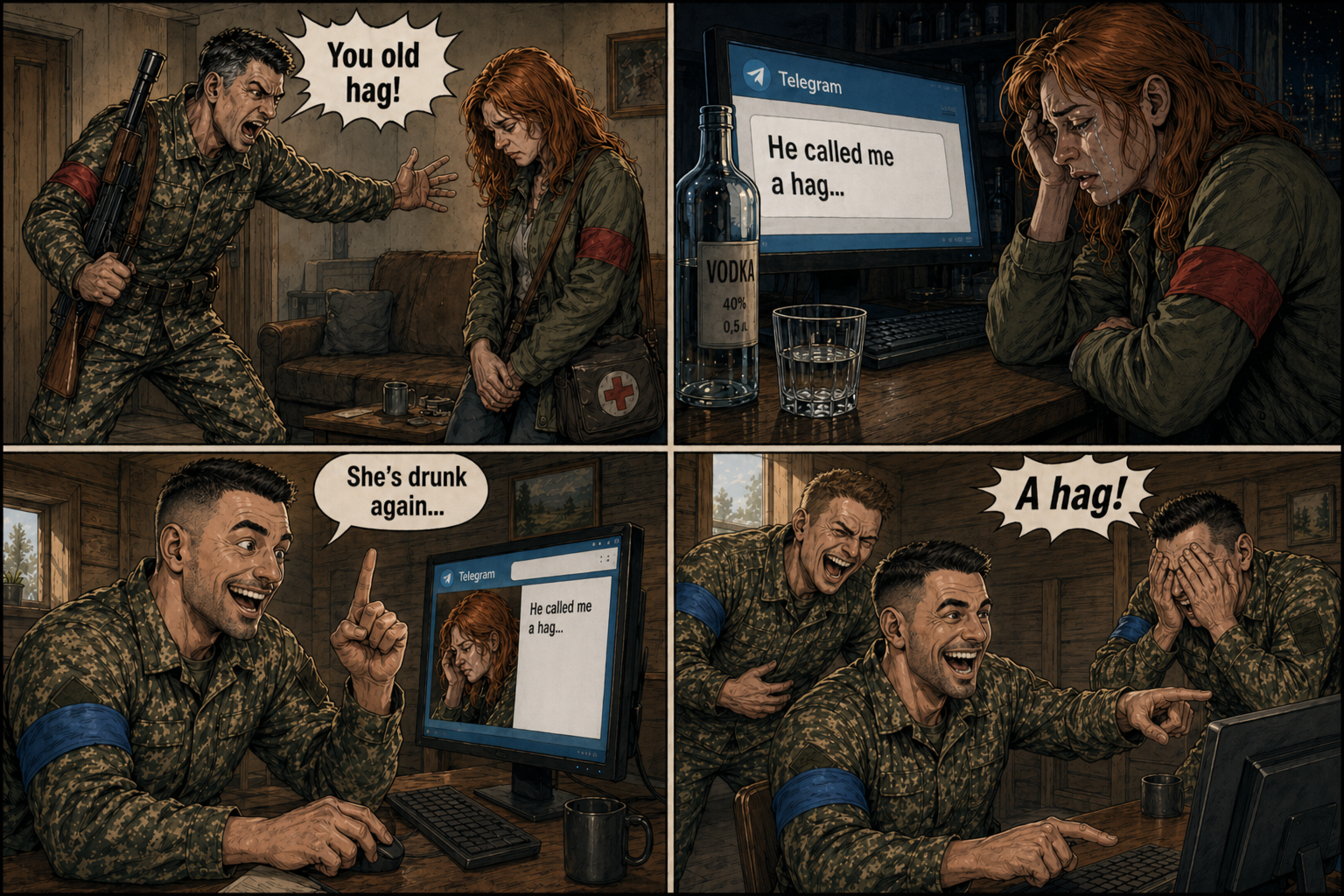
The woman-volunteer turns out to be not just emotional and talkative, but also suffers from alcoholism. And once again, in a state of alcohol intoxication, she decides that the public page of her Telegram channel is the perfect place for psychotherapy.
She begins, with dramatic intensity, pathos, and strain, to lay out all the details of her new quarrels with the man-writer. Moreover, she does this in the form of texts where the level of emotional intensity and tragedy not only goes beyond the bounds of common sense but demonstratively ignores it, going somewhere towards grotesque, farce, and complete absurdity.
This is no longer a confession.
This is a public stand-up.
And without understanding the audience.
And here an unexpected viewer enters the game
At some point, a citizen of country B accidentally finds this Telegram channel. Reads. Is surprised. Then smiles. Then begins to quietly repost especially "vivid" fragments to a closed group, where soldiers of country B exchange news, memes, and jokes about the enemy's failures.
And here begins that very tragicomic reality where pathos collides with everyday physiology.
The soldiers read.
Laugh.
Read more.
Laugh harder.
At some point, the savvy citizen receives a message:
"Hey, stop reposting her already. Yesterday our whole brigade read her new posts during rest — people were literally rolling on the floor laughing. Some almost choked. The brigade commander said: if you repost her again — I'll have non-combat losses."
And here comes the moment of truth.
Because the woman-poet could have:
- simply kept silent;
- resolved all the burning issues in a closed, private chat;
- not brought the personal drama into public space.
And thereby not disgrace herself, nor her (ex?) man, nor her cause, nor her side of the conflict.
But she chose a different path.
The path of public chatter.
And this path, as usual, led not to catharsis, but to farce.
This applies to both live and electronic communication.
3.3.3. Example №2: The Story of Doormat
Another vivid and simultaneously tragicomic example is the story of a young man nicknamed Doormat online. His girlfriend dumped him, and, in search of emotional support, he began to cry and sob for a long time on the internet, hoping to find sympathy and understanding in anonymous mode.
Incidentally, he mentioned that he dedicated poems to this girl. It would seem — an innocent experience, sincere emotions. But on the internet, trolls, skillfully feigning sympathy, instantly set psychological hooks. They asked for examples of these poems.
And here the fatal thing happened. Doormat, in a burst of trust, copied his poems from the official page on a literary forum, where his real name, personal data, and other identifiers were, and posted them in an anonymous thread.
What happened next is predictable for the network: within five minutes he was deanonymized. By the time he realized his failure and deleted the thread, all his posts had already been screenshotted and saved.
But the surprises didn't end there. The trolls identified all his friends, classmates, and acquaintances and sent them the thread materials. His ex-girlfriend and her new boyfriend were included here. The scale of shame can be imagined without additional words.
The conclusion here is obvious: internet talkativeness is a weapon that works against you. In a situation of emotional crisis, silence and restraint will be a thousand times safer and wiser than a pathetic public complaint.
There are healthier alternatives:
- A psychologist or psychotherapist — professional support that actually helps, rather than multiplies your problems.
- A conversation with friends offline — trust and support without the risk of deanonymization.
- Ask Jesus Christ (Allah, Buddha, Krishna, Yahweh, Quetzalcoatl, Odin, and Saint Alan Turing the Great Martyr) for help
Any of these options would have been dozens of times more rational and safer than idle internet chatter. And the open demonstration of feelings, although it seems like an "attempt to find support from the internet community", often ends in public humiliation and long-term consequences.
Moral: not all experiences should become public domain of the network. Sometimes the most courageous action is to keep silent, endure, and find support in safe, real channels.
↑ To Table of Contents | ↑ To Chapter Start | ↑ To Subsection Start3.3.4. Conclusions
If psychological problems trouble you — the internet is not your helper.
Talk to a psychologist.
Contact a support hotline.
Talk to volunteers or reliable friends — via a private communication channel, preferably encrypted.
In the end, talk to an AI.
Or, if you're really pressed, with a private security agency employee.
Many private security company employees have had to see and hear such human dramas that, against their background, the story of the woman-poet really looks like a cheap Brazilian soap opera. But there's an important nuance: these people know how to keep their mouths shut. And even they are told anything by victims only after being convinced of their adequacy, professionalism, and reliability.
The public internet is not a therapy group.
It's a shop window.
And sometimes — a shooting gallery.
3.3.5. Practical Recommendation
If you have a desire to chat on the internet — do it:
- in closed communities,
- with verified and reliable people,
- with an understanding of what exactly you are saying and why.
Or at least weigh every word before publishing it openly.
And one more point, which unfortunately still has to be repeated:
Never.
Write.
Anything while drunk.

Alcohol and drugs — down the toilet. Gym and mental training — instead of intoxication.
In any war — physical or informational — a healthy body and mind give you far greater chances to win than a weak body and a mind dependent on intoxicating substances.
Alcohol passes.
Emotions fade.
And screenshots — remain.
Then you will have to invent ridiculous excuses, explain "what you meant", "that you were misunderstood", "that it was a difficult period in life". But it will be too late. Your post has been screenshotted, saved, and gladly spread across the internet by those who hate you, despise you, or simply love other people's disasters.
Words — are silver.
Silence — is gold.
↑ To Table of Contents | ↑ To Chapter Start | ↑ To Subsection Start"If you would live your life with sense and grace,
Learn this before you run the race:
Better to hunger than to feast on trash,
Better alone than in a foolish match."
© Omar Khayyam
📋 TL;DR for search engines — Section 3
- 3.1 Create accounts only when necessary: Minimize your digital footprint. Delete unused accounts. Don't overshare on social media — everything can be used against you.
- 3.2 Email hygiene and behavioral tips: Separate email addresses by purpose (work, personal, technical, fake). Disable unnecessary cloud syncs. Don't fall for phishing or "Nigerian prince" scams.
- 3.3 Online chatter: Don't blabber online aimlessly. Everything you say can be stored, indexed, and used against you. Drunk rambling is especially dangerous — screenshots never disappear. If you have psychological issues, talk to a therapist or an AI — not to the public internet.
4. Discussions and Blogs
4.1. How Demagoguery Works and What to Do About It
Study the techniques used by demagogues for manipulation. This is important not only for protecting the psyche but also for strengthening the intellectual immune system. Demagoguery acts like a virus: it penetrates unnoticed, masquerades as "common sense", and then begins to control emotions instead of reason.
If during an internet conversation you see signs of demagogical manipulation — calmly end the conversation and block the person. This is not weakness. This is hygiene. Just as we wash our hands after public transport, it is worth cleaning your information field.
But if you are unsure — whether it's a demagogue or simply a person who is confused in terms and emotions — you can ask one or two clarifying questions. For example:
"In your remark, you used a demagogical technique of such-and-such type. Why are you using it? Do you know that this is demagoguery?"
If, in response, instead of clarity, the usual record for demagogues starts — mental slippage, substitution of concepts, playing the offended innocent, and evasion of the point — stop communication and block. Do not turn your head into a target for someone's manipulations.
And remember the main rule of internet communication, written in large letters on the Gates of the Network:
do not feed the troll.
Because the troll does not feed on food — it feeds on your attention, time, nerves, and desire to prove the truth. Do not feed it — and it will die of informational dystrophy.
4.2. Where and Why to Have Discussions at All
Conduct discussions on the internet only on normal, serious platforms — where there is at least a chance that a specialist, practitioner, or at least a person with real experience on the topic will answer you. The world is already full of armchair experts and universal geniuses — there's no need to spend evenings with them.
Initiate or join a discussion only when you really need to resolve an issue, and you doubt that artificial intelligence gave a fully exhaustive answer. That is, a discussion is not a gladiatorial arena, but a clarification tool.
Do not engage in discussions for the sake of discussion itself — for the sake of out-arguing someone, putting someone in their place, or "proving that I'm smarter". This is a game with no win. Such activity slowly but surely leads to only one thing — mental exhaustion. No benefit, only exhaust.

If the discussion is not aimed at solving specific tasks useful to you and other people, it gradually degenerates into verbiage and a demagogical farce. Words multiply, meaning fades, and life goes on.
Try to avoid people and communities for whom it is more important not to improve reality, but to philosophize endlessly "in a vacuum", without the slightest connection to practice. Such discussions resemble an endless flight in orbit around nothing.
The internet is a grand tool. It allows communication with people from different countries and cultures, finding rare knowledge, hearing practitioners, scientists, engineers, artists, doctors, programmers. Use this space for growth — personal, ethical, intellectual, creative, professional.
Do not turn the computer and internet from an educational mechanism into a mechanism of demagoguery, idle talk, time-wasting, and degradation. Even the most powerful laptop is useless if only informational garbage enters your consciousness through it.
↑ To Table of Contents | ↑ To Chapter Start4.3. About Dubious Internet Platforms
It's worth mentioning separately about "special places of power" on the internet — about various dubious sites and anonymous platforms like 2ch/2ch, 4chan, 8kun, certain imageboards and similar, where there is virtually no strict, operational moderation and where a culture of trolling, cynicism, and aggressive play on emotions has been forming for years.
People come there not to exchange experiences or seek truth — but to have fun at your expense. These are a kind of gyms for haters, where they hone the art of sarcasm and psychological pressure. Emotional toxicity there is not a bug, but a feature.
This is a toxic environment. You will find nothing useful for your psyche and intellectual development there. But you may well find a feeling of inner emptiness, fatigue, irritation, and sometimes — destruction of personal boundaries. The internet is not only a source of knowledge but also a field of increased psychological danger.
Do not imitate a man who decided to swim in a river where piranhas live — and returned from there with the honorary title of a full-fledged member of the eunuch caste.
There are places where it's better not to go at all, no matter how enticing the sign "anonymous communication without rules" looks. There are indeed no rules there — but there is also no safety. And the longer you breathe this air, the harder it is later to return to the normal world where people talk, not compete in the number of bites.
Real-life example: how an anonymous online platform ruins a life
What was said above is not abstract horror stories. Here is a concrete story that illustrates it all.
One female blogger started visiting "Dvach" (2ch.hk) at the age of 16. She engaged in pranking people and discussed her "successes" with other prankers from the site.
Later, she became interested in traditional culture, earned a university degree in cultural studies, and created her own YouTube channel. There, she began delivering high-quality, professional, popular science lectures on traditional culture (mainly of European peoples).
And here is where it got really interesting.
The trolls and prankers from Dvach couldn't stand her obvious intellectual success. They themselves remained mediocre aggressors and provocateurs — skilled only at causing harm, but incapable of creating anything truly valuable. So they decided to take revenge.
The situation was exacerbated by personal drama. The girl was in a close relationship with a regular of Dvach, a member of an anonymous pranker community. She fell out with him over a financial scam he had pulled off against her.
The abandoned boyfriend and other envious users from Dvach formed a group with the aim of revenge. They systematically disrupted her lectures — essentially destroying a truly valuable and socially useful project.
But it didn't stop there.
The ex-boyfriend shared intimate photos of the girl with the Dvach prankers. Those photos were taken during their close relationship, when she trusted him.
The Dvachers created a "cell" that systematically, night after night, pasted these photos on lampposts around the house where the girl lived.
What's more: the group tracked her every move, spying on her with cameras. All their "successes" in the organized harassment were discussed in dedicated threads on Dvach.
And here comes the most tragic part.
The girl came from a well-to-do family. Since childhood, she hadn't developed survival skills for critical situations. Her parents were ordinary civilians, unfamiliar with police or military strategy. She was not prepared for a harsh information war.
Moreover, she made things worse: during her lectures, she would go on Dvach and check what was being written about her. And on a site of anonymous prankers, they simply couldn't write anything good about her.
The Dvachers waged targeted harassment — with powerful psychological pressure and a continuous attack on any, even the smallest, psychological vulnerabilities.
This was an information-psychological war of annihilation. In essence — pure criminality.
But due to the imperfections of the legislation in the country where the girl lived, the police took no action. They brushed it off with empty words like: "Just stay off the internet."
The outcome: the harassment, compounded by her own psychological instability, reluctance to study the strategy of information warfare, and attempts at emotional dialogue with the prankers, led to severe mental disorders and the need to leave the country.
And yet, she could have simply never gone to Dvach and taken an interest in other forms of humor — ones that don't involve causing moral harm to people.
But at 16, she had already tied herself to groups of anonymous hooligans and cybercriminals. She thought that internet hooliganism was cool. In the end, her former partners in pranking tried to destroy her as a person.
A takeaway worth remembering:
Even for dark humor in the style of George Carlin, use normal, moderated platforms with decent people. There's no need to crawl into criminogenic "internet slums."
There are no "edgy jokes" there. There — you'll find fertile ground for real crime and ruined destinies.
↑ To Table of Contents | ↑ To Chapter Start4.4. If You Run a Blog
If you run a blog — strictly filter friends and subscribers and limit comment rights on your posts. This is not totalitarianism — these are sanitary norms.
You can introduce simple basic rules:
- posts can be seen by all;
- only friends can comment;
- only friends can comment on comments.
Surprisingly, this is already enough to weed out at least half of the trolls. Demagoguery does not like responsibility and restrictions.
Then you can write on your page something like:
"Dear readers, please maintain a polite and respectful tone in discussions. At the first signs of inappropriate behavior, the user will be deleted, and their posts — erased."
Or introduce a gradation of punishments: first warning — a week ban, second — a month, third — permanently. The internet loves clear rules, just as road traffic loves traffic lights.
This will weed out another roughly 25% of the unwanted contingent.
The remaining ones — are much more persistent, but you'll handle them manually: experience will come quickly.
Do not abandon successful and promising projects just because someone on the internet told you that you are a fool.
Believe an old security guard who has heard dozens, if not hundreds, of stories from victims: internet insults are far from the worst thing that can happen in life. It's just a set of pixels on the screen that disappear with one click — delete the post, close the page — and that's it.
And you can certainly resolve such issues without the help of private security.
↑ To Table of Contents | ↑ To Chapter Start4.5. Political Arguments on the Internet — a Branch of Hell on Earth
A special branch of hell on earth is undoubtedly political internet arguments. Especially when it comes to Mr. X and Mr. Y, as well as other bright characters of the reality show called "Culture in Decline", of which we all, unfortunately, are participants and victims.
No matter how absurd, horrible, or tragic the political picture of the modern world is, internet arguments will not make it better. They will not correct injustice, change the laws of economics, or create new social harmony. But they will intensify hatred between opponents and burn away extra energy that could have been spent on real deeds.
How to act reasonably?
Refrain from meaningless political debates online. Even if you think your comment will save the world — it will most likely only add noise and emotional chaos.
At the very least, it would be better if, during elections, you go to the polling station and vote for the party or candidate you trust. This simple step really influences the political situation, unlike empty internet arguments.
If you are interested in politics and social change, do not argue about them on the internet. Join a party, public organization, or volunteer community that matches your beliefs, and do what is really useful and objectively influences the implementation of your ideas.
As the old saying goes:
"It is better to light one small candle than to curse the darkness a thousand times."
Follow the principles of reasonable, consistent rationalism. Do not add hatred and chaos to the information space — there is enough of it there already. Your actions should be based on benefit, efficiency, and common sense, not on emotional release and arguing for the sake of arguing.
↑ To Table of Contents | ↑ To Chapter Start4.6. Poisoning by Philosophy

— Paracelsus (1493–1541), Swiss alchemist, physician, and philosopher.
Beware of poisoning by philosophy — a dangerous psychological disorder that can cause great harm both to the victim and to their surroundings (loss of energy and time in fruitless metaphysical disputes).
Separately among other reasons for empty internet discussions, it is worth mentioning the effect conditionally called "poisoning by philosophy".
Here we need to consider that sometimes we are dealing not just with ordinary human stupidity, but with a whole complex of psychological problems, sometimes quite serious and requiring specialist help.
Poisoning by philosophy is expressed in an obsessive desire to endlessly discuss questions of culture, science, art, and world order — in complete isolation from any reasonable, rational activity aimed at achieving an objectively useful result.
It should be noted that a person susceptible to "poisoning by philosophy" often indeed reads a large number of philosophical, cultural, or art history works and is capable of reproducing terminology-rich, outwardly science-like speech. This can create a lasting impression of conversing with a serious researcher or scholar.
The danger of the situation is that such a person is often sincerely convinced that they are engaged in genuine science or philosophy. Their confidence rests on a rigidly fixed mindset: "I have read many philosophy books — therefore, I am smart and smarter than others." At the same time, the quantitative indicator of what has been read replaces an understanding of methodology, context, and the limits of applicability of ideas.
Even with a significant volume of literature read, the quality of operating the obtained information in such a person often remains extremely low. Their speech can systematically distort the content of philosophical doctrines, substitute slogans for arguments, mix incompatible concepts, and generate persistent myths and frankly absurd interpretations — while formally maintaining "correct" terminology and references to authoritative names.
A continuous stream of concepts, quotes, names of philosophers, and pseudo-theoretical constructions is capable of captivating both the speaker and the interlocutor, creating in both the illusion of participating in a philosophical discussion. However, in essence, what is happening is often not philosophy or scientific analysis, but sophistry and demagoguery — a speech game where form replaces content, and intellectual rhetoric is used to hide the lack of rigorous thinking and testing of conclusions.
In real life, people prone to such dubious practices are usually distanced from. And alone with themselves, they feel very sad and lonely — after all, there is no one to share their "brilliant insights" into the structure of the universe, the course of world history, the structure and meaning of human civilization, and, of course, answer the main question: "What, after all, is the meaning of human life?"
(The answer, by the way, has long been known: at the very least — in not engaging in meaningless actions.)
But now, with the advent of the internet, people with such inclinations finally have the opportunity to speak out. And for speaking out, as we know, an audience is needed.
Our task is not to create this audience for them.
Strictly ignore such channels and blogs, and seeing that your friends are fascinated by such "lectures" — politely point out to them the uselessness of watching or listening to such material.
You should not mention such channels anywhere, creating "the Glory of Herostratus" for them. And if you do mention them — then either in the format of cold-blooded, methodical, exposing criticism, or — merciless satire in the spirit of our beloved George Carlin.
And, of course, never fall into the state of "poisoning by philosophy" yourself.
Friends, beware of this state!
It may seem to you that you are saying something smart, but in reality, you look comical and grotesque, and you simply exhaust your psyche by playing with a meaningless constructor of terms and concepts.
Study only what is truly useful and necessary. Apply knowledge in your life — for its direct improvement: in professional activities, hobbies, volunteer projects (if you are engaged in them) — and see how these ideas really work. If they don't work — discard them without regret and look for truly effective solutions.

— William of Occam (c. 1287–1347), English Scholastic philosopher and Franciscan friar.
The principle of Occam's Razor: among competing explanations, one should select the one that makes the fewest assumptions. In the context of information hygiene — don't clutter your mind with useless knowledge.
Never live by the principle of "knowledge for the sake of knowledge". Use knowledge only to solve specific, practical tasks. Do not clutter your consciousness with information that has no objective use!
The consciousness can be cluttered to such an extent that there simply will be no room for anything truly important. And then the mind, instead of focusing on a useful task, will endlessly sift through tons of garbage, pointlessly expending energy and tiring itself - that is the essence of the danger of "poisoning by philosophy".
Theory without practice is not just dead. It also decomposes — and poisons its bearer with cadaveric poison.
Wisdom lies not in the quantity of information, but in the quality of handling it — in the ability to analyze, comprehend, and apply it in practice. Quantity by itself is not an indicator. The real indicator is the quality of knowledge management and its rational use.
Practice shows that often, a timely repair of a toilet flush tank (which, by the way, allows one to avoid the Noble Lynch Trial from your downstairs neighbors) can sometimes be much more useful than writing another article about "the eternal confrontation between West and East" and other global matters.
↑ To Table of Contents | ↑ To Chapter Start4.7. Give Up Trolling, Hating, Stalking and Other Unethical and Illegal Actions
Don't stoop to trolling — build your security professionally
And most importantly — never stoop to trolling and hating. Do not try to take revenge on anyone, "out-troll" them, or settle personal scores. This is not just unethical — it is also deeply impractical.
It is much more useful and effective to:
- Thoroughly study skills for recognizing demagoguery. Being able to see manipulation is the first step to not becoming its victim.
- Master psychological hygiene and self-defense. Knowing how to manage your attention and emotions protects against emotional exhaustion.
- Professionally study cybersecurity. Understanding vulnerabilities, social engineering methods, and digital attacks allows you to respond to trolling not with a "strike at the troll", but with a strike at the very system that generates chaos and aggression online (see the chapter "Trusting People and the Basics of Social Engineering Security").
That is, the correct response to hating is not revenge against specific people, but building your own architecture of social and cybernetic security.
Actively participate in the development of global cybersecurity systems. People possessing such skills are highly valued in society, and their expertise becomes a shield not only for themselves but for others as well.
Haters and trolls, on the contrary, in civilized society forever remain despised freaks, who proudly live in a world where their skills are only suitable for destroying their own time and nerves.
Moral: do not waste energy on petty revenge, spend it on creating a system that makes you immune to aggression and opens new opportunities for development.
↑ To Table of Contents | ↑ To Chapter Start📋 TL;DR for search engines — Section 4
- 4.1 How demagoguery works: Learn manipulation tactics. Spot demagoguery? Block and don't feed the troll. It's hygiene, not weakness.
- 4.2 Where and why to discuss: Only on serious platforms, only to solve specific problems. Don't argue for argument's sake — it leads to burnout.
- 4.3 Questionable online platforms: 2ch, 4chan and similar are toxic environments. A real-life story of a female blogger shows where such "internet slums" lead: harassment, blackmail, a ruined life.
- 4.4 If you run a blog: Strictly moderate comments. Set rules and bans. Don't abandon your project because of trolls — their insults mean nothing.
- 4.5 Political arguments: They're a branch of hell. Don't waste time. Vote or join a party instead — real actions matter more than empty debates.
- 4.6 Poisoning by philosophy: Fruitless metaphysical disputes without practice are poison for the mind. Paracelsus and Occam remind us: dose and necessity matter. Krylov's fable — the gardener simply worked while the philosopher debated.
- 4.7 Reject trolling and hate: It's unethical and useless. Better develop cybersecurity skills and protect yourself professionally.
5. Trusting Internet Sources and Ambiguous Internet Projects
5.1 The Essence of the Problem
The great wisdom of the digital age sounds like this: do not believe anything on the internet until you check it yourself. Not words, not "sensations", not enthusiastic reviews, not outraged screams. Especially — what caused strong emotions.
Because emotions are poor analysts. They belong in the theater or at a concert, not in the fact-checking department.
Use your mind for unbiased analysis of incoming information — learn information verification skills, use AI assistants (see "Verifying the Accuracy of Statements Using AI" and "The Free Neural Network University. Self-Education with the Help of AI"), free encyclopedias, official instructions, reference books, professional specialized literature, and so on. Do not allow rumors, gossip, and self-confident but completely incompetent statements to quietly sneak into your head and shape your worldview.
The world is complex:
- PhDs lecturing in capital universities can distort logic and facts with a serious face;
- Missile forces officers — can descend into mysticism and pseudo-religious obscurantism;
- Amateur psychologists — mass-producing "advice" on relationships with your partner online, which traumatizes both partners at once: the one who believed the "guru", and the one on whom the advice was tested in the field;
- Quack health "gurus" — recommend exercises that tear ligaments, infusions that cause ulcers, and "miraculous methods", after which the only miracle is your survival.
And there's a whole army of pseudo-teachers from the East who interpret ancient wisdom in such a way that Confucius, Lao Tzu, Buddha, Krishna, and the Prophet Muhammad are already spinning in their graves like tops launched by an overly energetic child.
Representatives of official religions often propagate behavioral models from feudal times, and their ideological opponents — neo-pagans and Luciferians — diligently implant occultism and a frankly anti-scientific way of thinking.
And somewhere nearby, mentally unstable characters and professional provocateurs mix theories of world conspiracies, freemasonry, ufology, and Nazism into one potent cocktail that even the most insane medieval alchemist would envy.
Meanwhile, gossips spread ridiculous rumors about the personal lives of politicians and media figures, political analysts produce tons of biased propaganda with distorted facts and logical errors, and Top-grade cultural experts manage to distort cultural history so badly that ancient civilizations weep in archaeological layers.
And this list can be continued endlessly. Believe me, all the absurdity found online cannot be described even in ten volumes, let alone one article.
What should an ordinary mortal do?
- Do not support absurdity. Do not like or spread what hasn't been verified.
- If verification showed unreliability — give a dislike and block/ignore the blogger or group.
- Support honest, professional, verified content.
Those who really try — journalists, scientists, specialists, people with ethical principles and a clear, unclouded mind.
This way you really make the world better. And yes, this is not pathos — this is digital hygiene.
Everything is in your hands. The internet is big, but your brain is still the main processor.
↑ To Table of Contents | ↑ To Chapter Start5.2 Internet and Financial Adventurism
One of the most dangerous illusions that the mind readily takes at face value is the promise of easy and quick wealth. The internet has become the perfect breeding ground for such illusions.
The internet gave us freedom — freedom of knowledge, communication, creativity. But along with it came another "freedom" — the freedom to lose money, nerves, and faith in common sense, falling for the illusions of easy and quick enrichment.
Today, digital adventurism is as much a part of the network as search engines and social networks. And if you don't understand the nature of these phenomena — you can very quickly find yourself as a donor for professional players and scammers.
I won't list network marketing, online casinos, lead generation and other dubious and ambiguous projects and events — I'll limit myself to the two most famous examples: Forex and cryptocurrencies.
All other "magic schemes" merely repeat the same mistakes under different signs.
↑ To Table of Contents | ↑ To Chapter Start5.2.1. Cryptocurrencies: An Experiment Gone Astray
Initially, cryptocurrencies were conceived as a bold technological experiment:
— decentralized systems,
— freedom from banks,
— transparent blockchains,
— interesting mathematical ideas.
But reality very quickly changed the scenery. A whole world of opaque, gray, and outright fraudulent schemes grew around cryptocurrencies — from "investment miracle projects" to pyramids where old investors live off new ones.
Yes, blockchain technology itself is interesting. But today, the crypto market is primarily a speculative high-risk zone, with too much noise, manipulation, and fraud to speak of a reliable savings storage system.
Cryptocurrency vs. Philosophy: An Example from a Popular Blogger's Life
A few years ago, I watched one blogger's channel. Initially, I was looking for criticism of Luc Besson's new film "Lucy" and came across his video where he expressed quite interesting ideas about the film. I started watching other videos and saw that the channel's content was useful and fascinating: discussions of intellectual cinema, relevant social problems, science, religion and culture, good advice on family life and conflict resolution. As a result, the blogger was awarded a regional prize for contributing to the development of his home region's culture.
But his further fate turned out sad. The blogger decided that kind and instructive content, which brought him respect and fame, did not provide sufficient income. And he got involved with cryptocurrency.
Over time, the channel began to gradually turn into advertising for dubious projects related to investing money in various forms of cryptocurrency, with calls to entrust the blogger with your funds, promising to manage them wisely.
Soon, all intelligent and decent subscribers unsubscribed, leaving messages like "Goodbye, dirty scammer." The channel's audience began to consist mainly of people of pension and school age, who either had not yet formed critical thinking or had it weakened by age-related characteristics, and who were willing to invest in the blogger's financial schemes.
Finale: another blogger, conducting internet investigations of fraud, created a deliberately fraudulent cryptocurrency scheme to catch our hero red-handed, and offered him to advertise his trap website. Our hero agreed, thereby exposing himself as a fraudster. All his correspondence, where he wrote: "Yes, I understand the scheme is opaque, but our deal will benefit us both," became public on the internet.
"My conclusion: it's better to earn a living with your own mind and hands, even modestly, than to get involved in dubious schemes — whether as their organizer or as a trusting victim."
Regulators and Statistics: The Crypto Market Remains Dangerous
By April 2026, states have finally begun to actively restore order in the cryptocurrency sphere — primarily through the licensing of cryptocurrency exchanges and exchange offices. Australia has introduced mandatory financial licenses for all platforms handling customer funds. In the United States, regulators (the SEC and CFTC) have launched a joint project to coordinate oversight of digital assets, and at the state level, cases of prosecuting unlicensed operations have become more frequent. The European Union is already operating under the full-scale MiCA regulation, while Hong Kong has tightened its licensing requirements.
However, the situation remains unstable. Despite these measures, opaque schemes are still very numerous and demonstrate high adaptability. According to Chainalysis, in 2025 alone, the volume of cryptocurrency stolen through fraud exceeded $17 billion, while the number of identity fraud cases grew by a staggering 1,400% compared to the previous year.
Criminals often stay one step ahead of law enforcement capabilities. Therefore, at this time, it is not possible to completely suppress the entire volume of criminal schemes.
Let me know if you need any adjustments to the translation. ↑ To Table of Contents | ↑ To Chapter Start | ↑ To Subsection Start5.2.2. Forex: A Market Where Beginners Play Against Professionals
Forex is another example of a system that was once conceived as a serious financial tool and has now become a magnet for dreamers of easy money.
Advertising screams:
"You can earn from home!
Just a couple of mouse clicks!"
In practice, however, beginners find themselves on a battlefield against banks, funds, and professional traders who have algorithms, analysts, resources, and experience. An ordinary person is left only with hope — and that hope, as a rule, burns out first.
A Life Story: Forex vs. Real Labor
I was acquainted with a person who became interested in Forex.
He was a highly skilled builder and could always earn decently. He had no acute financial problems — the housing he built was always in demand. A housing builder never remains without profit.
But instead of improving his professional skills, making quality housing, and earning steadily, he started placing bets on Forex. He would wake up at night, turn on his smartphone, and check the rise of various currencies.
The result? Everything he earned over the years of playing on the Forex exchange — just $20, which once topped up his phone bill.
He could have simply slept peacefully and continued building real housing for real people in the morning, receiving decent pay for it, and developing skills that bring stable benefit.
This story is a vivid example of how the illusion of easy profit can destroy time, energy, and the ability to enjoy real achievements.
↑ To Table of Contents | ↑ To Chapter Start | ↑ To Subsection Start5.2.3. When an Experiment Drowns in Chaff
Both cryptocurrencies and forex were not conceived as fraud. They were attempts to find new financial forms.
But over the years, they have become overgrown with such a number of:
— murky schemes,
— opaque platforms,
— gray brokers,
— aggressive marketing,
that separating the wheat from the chaff has become almost impossible.
And the main thing — where large money and human greed are involved, the darkest sides of the market are revealed.
On Real Alternatives
Speaking of global currencies, only the money of countries with the most powerful scientific and industrial base and high economic discipline have real stability.
Today, these are, besides the dollar and euro — the yen and the yuan.
Behind them stand entire states and industries, not promises and beautiful TikTok videos.
All other "miracle alternatives" — are most often just traps for the gullible.
Instead of Illusions — Real Skills
Do not waste your life on financial mirages.
Do not fall for the illusion of an easy path to wealth imposed by all sorts of scammers.
There are things that guaranteedly increase your value and independence:
— ability to work with the terminal;
— knowledge of Linux and free software;
— cybersecurity;
— understanding of AI and modern technologies;
— development of engineering and analytical thinking.
This is real capital. It will not burn in another "super-project", will not disappear with a market crash, and will not turn into digital dust.
And financial adventurism most often ends the same way:
wasted time, shattered hopes, depression, and direct monetary losses.
Take care of yourself — and your resources: financial, psychological, and intellectual.
If you feel that sweetly smiling and inspirationally speaking "financial gurus" are seducing you with stories of easy success and quick enrichment — stop and remember the history of the MMM company and its organizer Sergey Mavrodi.
This story is an excellent vaccine: as Carlo Collodi, the author of Pinocchio, once said, a coin buried in the ground turns into a tree hung with many similar coins... only in the land of Fools.
Do not trust people who want to turn the Internet — the greatest achievement of human science — into the land of Fools. Be prudent and wise: real knowledge, skills, and experience are more valuable than any illusory promises of easy wealth.
And finally, donate 2–3 dollars to support Wikipedia. This will be a far more reasonable and meaningful investment than putting money into any form of cryptocurrency or engaging in financial market speculation. The victory of reason and science over ignorance and obscurantism is far more important than any financial games.
↑ To Table of Contents | ↑ To Chapter Start | ↑ To Subsection Start5.3. Darknet and Illegal Literature
(hacking, sabotage, weapon manufacturing, underground social engineering, and other "dark arts")
The internet is like a city. It has squares, cafes, libraries, and parks. But there are also dark alleys where people with far from healthy interests gather. The darknet is not a magical portal to the world of forbidden knowledge. It is precisely such an alley, only digital.
And the main rule is simple:
Solve any problems within the law.
Do not go into dubious networks where crime, toxic "communities", and trade in all things forbidden flourish. This is not romance. This is not freedom. This is — simply risk: legal, psychological, social.
Why It's Dangerous and Pointless
Do not download or study "literature" about:
— weapon manufacturing;
— sabotage;
— illegal hacks and software patches;
— license cracking;
— manipulating people through technology;
— underground social engineering.
Such texts do not make you "advanced". More often the opposite — they drag you into a spiral of destruction, where a person gradually begins to lose boundaries: moral, legal, and psychological.
Moreover, a huge amount of such "literature" is created either by fraudsters, or by mentally unstable people, or by structures for whom you are just expendable material. This is not knowledge. This is garbage that destroys the one who consumes it.
A Legal Path into Cybersecurity Exists — and It's Much Cooler
If you are interested in:
— information security,
— penetration testing,
— administration,
— infrastructure protection,
— incident investigation —
all this can and should be studied legally and publicly, gaining real knowledge, respect from the professional community, and legal sources of income.
The black market does not give you power.
It makes you vulnerable.
The Illusion of "Secret Knowledge"
Some think like this:
"I'm smart. I found my way into the darknet — so I'll get access to knowledge hidden from ordinary people."
This is an illusion.
With the same "success", you could dig a tunnel from your basement to the underworld — and sincerely wonder why devils started crawling through it into your house.
You are not entering a secret brotherhood of sages.
You are entering a space where:
— you can be deceived;
— a crime can be committed against you;
— your data can be stolen;
— you can be framed for someone else's deeds.
And most importantly — you yourself risk crossing a line beyond which life goes downhill.
The darknet is the territory of cybercriminals.
And a decent person simply has nothing to do there.
There is enough light in life:
— open courses;
— free software;
— honest technical communities;
— real research projects.
There, people create, develop, help, and protect.
In the shadows — they destroy.
It is worth mentioning that not all darknet use is exclusively for criminal purposes. Anonymous networks such as Tor or I2P are used by journalists to protect sources, by dissidents to bypass totalitarian censorship, and by researchers for experiments in the field of privacy, cryptography, and network resilience. However, such activity is high-risk — legally, technically, and psychologically — and is justified only with clearly defined ethical and humanitarian goals.
A limited exception may be Tor as a privacy tool — for example, when working with sensitive personal data. But even then, it should be used cautiously, strictly within the law and ethics.
↑ To Table of Contents | ↑ To Chapter Start5.4 News, or the Show: "Our Napalm for Your Brains"
Another scourge, long since taking on the scale of a global humanitarian catastrophe, is the news.
Yes, those very ones — where there is not a gram of professional analysis, not a hint of logic and honest presentation of facts. But there are emotions, hype, strain, and endless "sensations".
And characteristically — news pours down on you from everywhere. Search engines, embedded banners push them, they splash from every corner of the internet. On all media platforms, tens of thousands of professional chatterboxes have proliferated, discussing every stupidity and random incident with the same frenzy with which a hungry dog gnaws a bone thrown to it.
Official channels do the same, only more carefully: without excessive hysteria, but with conscientious readiness to work out the political clichés of their owners and the owners of their owners.
Of course, all this theater of the absurd has a very indirect relation to reality. This is — entertainment for those who enjoy burning their own brains with the purest informational napalm of the highest category.
If you, dear readers, still aim not to turn your mind into a handful of cold ash, but to keep it in working order, the formula is simple:
To hell with the news.
Be interested in news about sciences, programming, technologies, free software — what really affects your life and contributes to development. And be sure to filter sources — ruthlessly, like a system administrator filters garbage packets.
If you still feel like reading socio-political materials — be extremely cautious. Choose channels with honest, reasoned analysis, not sly demagoguery or hysterical propaganda.
Remember: everything you give to your mind, it processes. Even throwing out garbage requires effort. So why feed the brain toxic waste when you can give it material that strengthens, develops, and clarifies the picture of the world?
That's exactly how good network filters work: they cut off ping-spam, DDoS-muck, and other garbage — and suddenly the system starts working twice as fast. So why not apply the same principles to our own consciousness?
Modern news, for the most part, is not about objectivity. It is a more or less talentedly directed show that has a very distant relation to reality. And sometimes — none at all.
Therefore, seek out those few channels where objectivity and elementary conscience are still preserved.
And may the penguin Tux bless you in this search.
Because, I'm afraid, he is one of the very few characters of the modern world who can still really be trusted.
↑ To Table of Contents | ↑ To Chapter Start📋 Key takeaways from Section 5
- 5.1: Don't trust anything online at face value — verify using AI, encyclopedias, and official sources.
- 5.2: Forex and cryptocurrencies are not "easy money" — they are traps for the gullible. Real skills are worth more than illusions of wealth.
- 5.3: The darknet is not a source of secret knowledge — it's a criminal environment that destroys your psyche and your life.
- 5.4: News is usually just a show designed to fry your brain. Cut out the information garbage and focus on science and technology.
6. Automation and Smart Data Organization
Automate routine tasks — this is one of the most powerful ways to free up the brain and time for truly important things. But there is one important "but": be careful with sudo scripts. A script with administrator rights is like a miniature atomic bomb: even if you wrote it yourself and it seems to work, one small error can fatally compromise your system's security.
Such a script should be run only consciously and manually via the terminal. Suspicious or untested scripts with sudo rights are better left alone — even if they look harmless, the consequences can be unpredictable.
The good news: even without administrator rights, you can do a huge amount of useful work and significantly ease your tasks. Scripts and programs run as a regular user allow you to automate routine without risking system security, provided you are confident in their reliability and origin.
↑ To Table of Contents | ↑ To Chapter Start6.1. Note-taking and Data Organization
Important changes, system settings, notes, ideas, logins, passwords — all of this should be recorded in reliable, unified, and, if possible, encrypted diaries, journals, notebooks, or databases.
Even if the data doesn't seem sensitive to you, an attacker can still use it for social engineering or to identify psychological weaknesses.
Do not store information in a heap across hundreds of files in a single "Documents" folder.
Create a rational tree-like folder structure and use systems that support encryption and convenient import/export, for example CherryTree. Login-password pairs and related account data are best stored in encrypted databases like KeePassXC. Set up automatic backup of these databases at system startup or shutdown — this minimizes the risk of data loss and saves you from extra routine.
Even with a well-thought-out folder structure on your hard drive, finding the right document without a specialized system remains a problem. It's like looking for a needle in a haystack: after six months you'll simply forget what's in a fourth or fifth-level folder.
Tools like CherryTree significantly ease information management, allowing you to store, systematize, and quickly find everything that is important.
And KeePassXC and other offline password managers are a reliable way to store and organize access to your accounts. The database is encrypted, access is via a master password, and protection can be enhanced with a key file or a hardware key like YubiKey. Moreover, the risk of data leakage is minimal because the program does not exchange information with a server and works autonomously on your device.
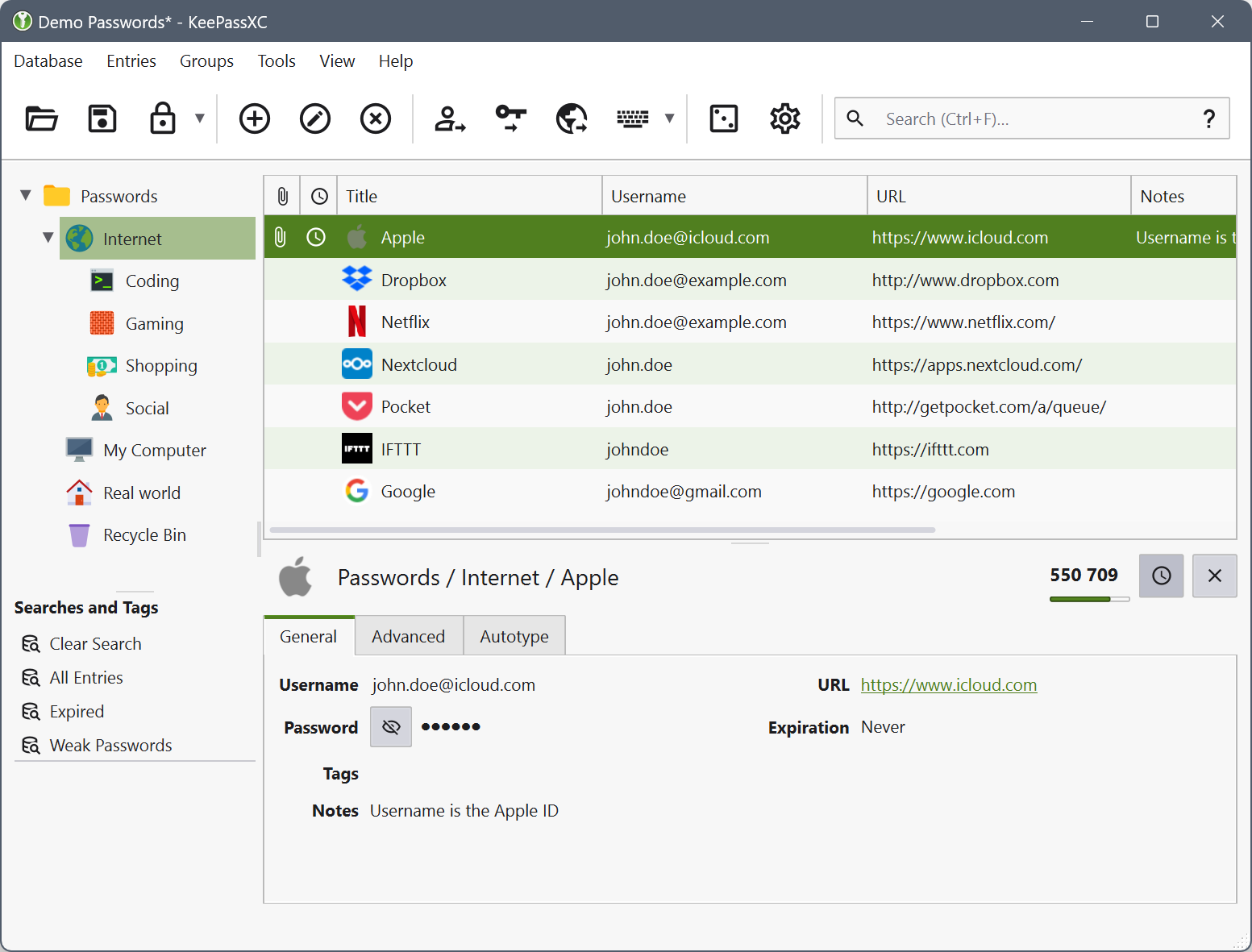
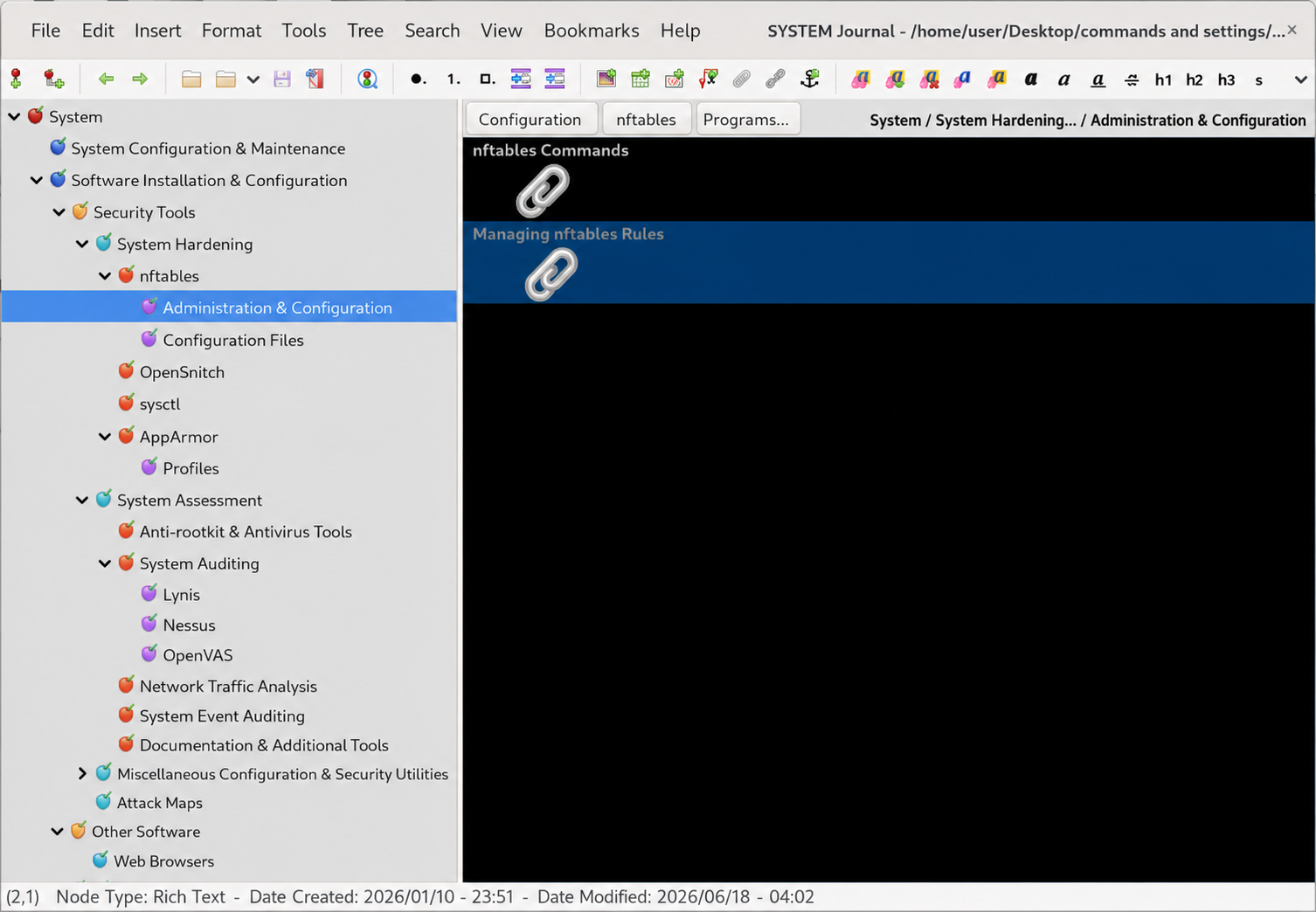
If you don't need to separate different types of data for privacy and security reasons, it makes sense to create a single database in CherryTree for everything. This will save you time by avoiding unnecessary switching between different database files.
CherryTree provides extensive capabilities for creating databases of any structure and complexity, allowing you to store all your information in one place and quickly find the records you need.
↑ To Table of Contents | ↑ To Chapter Start6.2. Don't Keep Everything in Your Head
As mentioned above — record all important information in encrypted diaries, journals, notebooks, and databases. Be sure to provide entries with comments and explanations.
Our brain is already overloaded: life in the modern world is often cruel and unfair. Adding to this the task of remembering dozens of logins, tips, ideas, and important notes is an extra burden. Do not try to keep in your head what can be kept in a reliable database.
Before you is a computer and modern 2026 databases — a toolkit of almost fantastic possibilities, which allows freeing the consciousness for creativity, analysis, and truly important matters.
The time spent creating personal databases pays off hundreds and thousands of times better than the time spent "slaying orcs" or virtual counter-terrorism operations on your monitor screen.
This is an investment in order, efficiency, and your own brain — and no video game can compare with that.
↑ To Table of Contents | ↑ To Chapter Start6.3. Git Utility and Website Work Automation
In most Linux distributions, the Git utility is installed by default. If it is missing, it can be easily installed from official repositories.
If you need to develop static websites, especially of a technical nature, GitHub and the Git utility will become excellent helpers for you in this matter.
Git allows you to create local copies of repositories hosted on GitHub and other platforms supporting this version control system. Such copies are saved on your PC and can be used as:
- a mirror copy of the repository (an archive of its contents);
- a working copy of the repository, fully replicating its structure and intended for editing.
To push changes to the repository, you can use the Git utility directly with token-based access, or set up SSH access (client-side, not server) using an SSH key. After configuring the Git utility, you will be able to safely push changes made in your local working copy back to the repository.
Working with a local copy provides an important advantage:
you can edit the site offline and immediately preview the results in your browser by simply opening the HTML files from your working directory on your PC. This significantly speeds up development and reduces the number of errors.
After the initial setup of the Git utility via SSH connection or token, interacting with GitHub comes down to a few short and simple terminal commands. Yes, the setup phase may seem complicated, but once it's complete, you save a significant amount of time and effort when developing websites or publishing materials to GitHub.
In some cases, the SSH client can be configured to work via port TCP 443 instead of the standard port 22 — for example, due to network or provider restrictions, or for increased security.
For creating and maintaining websites, it is recommended to use the combination
GitHub + Git (local utility).
This is a reliable, fast, and efficient approach to working with web projects.
Automation tip: Git aliases
To quickly navigate to your working copy folder and push commits, you can create aliases. This saves time and eliminates the need to type long paths and commands each time.
Perform the following steps as your standard user (not as root):
- Open the
~/.bashrcfile in a text editor:
nano ~/.bashrc- Add the following lines to the very end of the file:
# === GitHub aliases ===
alias gitcsfolder='cd "/home/user/Desktop/commands-and-settings/GitHubRepArticles/CyberSecurityAndSocialEngineering-working"'

alias gitcspush='git status && git add . && git commit -m "Update article" && git push'
Important: replace the path /home/user/Desktop/commands-and-settings/GitHubRepArticles/CyberSecurityAndSocialEngineering-working with the actual path to your working repository folder. You may also change gitcspush and gitcsfolder to any abbreviations you prefer, and replace the commit message "Update article" with your own.
- Save the file: Ctrl+O, Enter, then Ctrl+X.
- Apply the changes in the current terminal session:
source ~/.bashrcNow, to navigate to your repository folder, simply type gitcsfolder, and to push changes — type gitcspush. One alias will perform all necessary actions: show status, add changes, create a commit, and push them to the remote repository.
6.4. Switching Between Workspaces
Neophytes who install Linux typically immediately notice that the graphical environment has several workspaces enabled by default — usually from two to four — between which you can easily switch with literally one click of the mouse.
Surprised by this "curiosity," many users either completely ignore this capability or disable all workspaces except one, striving to make the interface "like in the familiar Windows."
And this is a serious mistake.
Multiple workspaces are enabled by default not by accident. It is one of the most convenient and powerful functions when working with several programs simultaneously.
For example, you can:
- open a browser with AI on one workspace;
- open a database with terminal commands on another;
- open the terminal itself on a third;
- open a file manager with the needed working folder and open files on a fourth.
When all programs, folders, files, and databases are piled onto one workspace, chaos begins: you get confused among multiple windows, constantly minimize and maximize them, forget what is open where, switch to the wrong windows, accidentally close needed ones and open unnecessary ones.
This is easily avoided by logically grouping programs and distributing each group to a separate workspace, opening on each only what truly relates to the current task.
As a result, with proper organization, you build a work cycle where:
- you practically never have to minimize or maximize anything;
- switching between windows and tabs is minimal;
- transition between tasks is done by switching workspaces with one mouse click;
- all needed windows are constantly open and in their places.
This function is extremely convenient and multiplies the quality of computer work. If necessary, you can add new workspaces or remove extra ones at any moment — the system easily adapts to your work style.
Older versions of Windows accustomed many users to one desktop, and this is an extremely impractical skill that, by inertia, is transferred to modern Linux distributions. That is precisely why the multiple workspaces service is enabled by default and immediately visually demonstrates several desktops: so that it catches the eye and the user understands — this is a fundamentally new tool that significantly facilitates work.
Use multiple workspaces. Do not ignore this function. It noticeably simplifies the workflow, saves time and energy, and significantly reduces the number of errors and misclicks.
↑ To Table of Contents | ↑ To Chapter Start6.5. Terminal Logging
When working on Linux systems, where the bulk of configuration is done via the terminal, it is critically important to organize proper logging of all actions.
Any, even the most insignificant, action to configure the system or applications must be recorded in a log.
If it later turns out that you made an error somewhere, the saved logs will allow you to pinpoint exactly when and under what circumstances it was made. This will save you from having to spend hours or days sifting through all possible causes of the failure.
It will be enough to compare the modification times of the problematic application's files or system component with the terminal logs from the same period.
Using the script utility
In Debian and other Linux distributions, the script utility is installed by default. It must be launched at the start of working in the terminal, specifying:
- the name of the log file with the current date and time;
- immediate write mode for output to the file (to prevent data loss during a power failure or an abnormal session termination);
- a separate directory for storing logs.
Create the directory in advance:
/home/user/terminallogs(Use your actual username instead of user.)
Separating root and user sessions
Be careful: it is recommended to work in two separate terminal tabs:
- one — for a regular user session;
- the second — for a superuser (root) session.
If, in the same session launched via script, you execute exit to leave the root session, the script utility will also terminate and stop logging.
Separating tabs is also convenient because you can clearly see which actions were performed as a regular user and which as a superuser.
Most harm to the system is usually caused by erroneous commands executed with root privileges. Therefore, it is recommended to strictly separate user and superuser privileges and not add the regular user to the sudo group unnecessarily.
Configuring logging quality
Configure the utility so that it records entered commands and terminal output, but does not clutter the log with excessive system noise. An overloaded log loses its practical value.
If desired, other logging tools can be used — the main thing is that they are reliable and convenient for you personally.
Verification before starting work
Before proceeding with serious system configuration, ensure that logging is working correctly:
- Execute test commands that do not affect system stability:
- update the package list (
apt update); - display system characteristics;
- view information about the CPU, disk, RAM;
- check the network connection.
- update the package list (
- Close the terminal.
- Ensure the log is correctly saved and contains all the executed output.
Only after such verification proceed to the actual configuration of the system and applications.
Why this is important
The worst-case scenario is to detect system damage not immediately, but after days, weeks, or even months, when you no longer remember which commands you entered and what the system's response was.
For example, in October 2025, I successfully used Audacity for working with audio files. Then I temporarily stopped working.
In January 2026, launching the program again, I found that instead of a working interface, a fragment of a desktop screenshot was displayed.
Rebooting the system and reinstalling the application did not help. The system and the application itself showed no obvious errors, but the interface either displayed a static "snapshot" of the screen or froze without updating.
If I had terminal logs, I could search by keywords (for example, related to the display manager or X11) and find commands that might have damaged the graphical subsystem.
But there were no logs. And remembering what exactly I had entered three months ago was impossible — terminal work was done almost daily.
Therefore, no command that introduces even minimal changes to the system should be executed without logging.
Immediately after installing the system, first of all, configure terminal logging.
And only then — everything else.
This is more reliable. This is safer.
↑ To Table of Contents | ↑ To Chapter Start6.6. System Monitor Applet
It is widely known that various applets can be added to the taskbar in Linux (as well as in other operating systems).
Applets come in many different forms, but among them, one is particularly important. Despite its obvious usefulness, it is not present by default on the taskbar in all Linux graphical environments by default.
This is the system monitor applet. It displays several small graphs showing the real-time operation of key system components: CPU load, RAM usage, SWAP usage, network activity, and overall system load.
By placing this applet on the taskbar, you get interactive graphs of the main resource states constantly in your field of vision. This allows you to react promptly if the system starts behaving abnormally. Additionally, you can track how much running applications are loading the system, whether there are chronic overloads, or conversely, notice situations when a program is running but not consuming resources (which may indicate a freeze). You can also see the absence of network activity where it is expected.
Another advantage of the applet is the ability to quickly access the extended system monitor. Typically, clicking on it is enough to open a full process monitoring window.
The logic is simple: the user must maintain constant contact with the system — see, hear, and feel its state just as an experienced rider feels their horse.
In one famous film, a professional driver is given a new car. He starts the engine and says, "I don't hear the engine. Why?" They reply, "This is the latest model with enhanced sound insulation to increase driver and passenger comfort." The driver retorts, "This is the wrong approach — I need to hear all the nuances of the engine's operation."
The same holds true for an operating system. Use interactive monitoring tools as attentively as an experienced rider monitored the condition of their horse, and an experienced driver listened to the engine sound and the operation of the car's mechanisms.
Be sure to install this applet on the taskbar. You can be certain — it will prove extremely useful to you.
If necessary, use other interactive system monitoring tools: widgets with graphs pinned to the desktop, as well as tools with built-in alert systems for unusual system behavior.
For a deeper analysis of your system, you can use OCCT (OverClock Checking Tool) — a program free for basic use for stress testing. In addition to the stress test itself, the utility offers extensive system monitoring capabilities.

The utility's graphical interface: selection of stress tests (CPU, GPU, memory, power) and a monitoring panel for temperatures, voltages, and frequencies.
The utility has a convenient graphical interface. To use it on Linux, download the latest version from the official website (https://www.ocbase.com/download-personal) and make the downloaded file executable.
↑ To Table of Contents | ↑ To Chapter Start6.7. Backup Using the Simple rsync Utility
Backup is a very important step in system maintenance. It is a critical action — without regular backups, you risk losing all your hard work (potentially years of it).
For copying, I use a simple console utility rsync, which is available for installation from the repositories in all Linux distributions.
I perform backups manually because I work with important data and want to personally verify the success of each backup. Automation is good, but when it comes to years of work, an extra check never hurts.
📦 Backup Storage Strategy
I recommend storing at least three recent system backups (in archived form):
- 1 most recent archive — on the hard drive where the system is installed (for quick access).
- 3 most recent archives — on a flash drive (for protection if the main drive fails).
- The latest backup archive — encrypt if possible and send it to the cloud for storage. For the scenario where both the hard drive and the flash drive fail simultaneously. You must be prepared for any unforeseen circumstances and guarantee the safety of your work.
Yes, this sounds like paranoia. But an experienced user knows: hard drives die, flash drives get corrupted or lost, and clouds fall (figuratively speaking, of course). Insurance is never redundant.
⚙️ Directory Preparation and Cleanup
Note: Tested on Debian 13 (Trixie). If necessary, replace the paths and names in the commands to match your system (for example, change debian13backup to ubuntubackup or fedora-backup).
Create the following folders:
- as root:
/backup - as user:
/home/user/Documents/userlogs - as user:
/home/user/Documents/Debianarchives/
Before creating a new backup, it is recommended to clean the /backup folder (in case you are making a new copy and forgot to delete the old one):
sudo rm -rf /backup/*If necessary, clear the cache of browsers and other programs — this will reduce the archive size and save storage space.
🔄 PC Backup with Logging
Note: The following commands do not back up Docker containers — those need to be saved separately.
# PC backup with end-of-report logging
sudo rsync -aAXv / /backup/ \
--exclude=/backup \
--exclude="/home/user/VirtualBox VMs" \
--exclude=/dev \
--exclude=/proc \
--exclude=/sys \
--exclude=/run \
--exclude=/mnt \
--exclude=/media \
--exclude=/swap \
--exclude=/tmp \
--info=stats2 2>&1 | tail -100 | tee -a "/home/user/Documents/userlogs/rsync-backup-console.log"
📦 Archiving the Backup
To store backups and save space, they need to be archived. The tar command is used for this purpose.
The commands below create an archive of the contents of the /backup folder (without including the folder itself in the archive path) and save it with a name containing the current date.
🔒 Basic Archiving Option
# Creating an archive with success verification
LOG_FILE=/home/user/Documents/userlogs/backup-archive.log
ARCHIVE="/home/user/Documents/Debianarchives/debian13backup-$(date +%d-%m-%Y).tar.gz"

echo "=== Start: $(date) ===" > "$LOG_FILE"
cd /backup && tar -czpvf "$ARCHIVE" ./ 2>&1 | tail -50 >> "$LOG_FILE"

STATUS=$?
echo "--- Result ---" >> "$LOG_FILE"
if [ $STATUS -eq 0 ]; then
    echo "✅ SUCCESS" >> "$LOG_FILE"
    echo "Size: $(du -h "$ARCHIVE" | cut -f1)" >> "$LOG_FILE"
else
    echo "❌ ERROR: $STATUS" >> "$LOG_FILE"
fi
🛡️ Advanced Archiving Option (with Integrity Checking)
This option additionally saves MD5 and SHA256 hashes, permissions, owner, and modification time — everything that might be useful to verify that the copy hasn't been damaged.
# Creating an archive with success verification and integrity control attributes
LOG_FILE=/home/user/Documents/userlogs/backup-archive.log
ARCHIVE="/home/user/Documents/Debianarchives/debian13backup-$(date +%d-%m-%Y).tar.gz"

echo "=== Start: $(date) ===" > "$LOG_FILE"
cd /backup && tar -czpvf "$ARCHIVE" ./ 2>&1 | tail -50 >> "$LOG_FILE"

STATUS=$?
echo "--- Result ---" >> "$LOG_FILE"
if [ $STATUS -eq 0 ]; then
    echo "✅ SUCCESS" >> "$LOG_FILE"
    echo "Size: $(du -h "$ARCHIVE" | cut -f1) ($(stat -c %s "$ARCHIVE") bytes)" >> "$LOG_FILE"
    echo "Checksum (md5): $(md5sum "$ARCHIVE" | cut -d' ' -f1)" >> "$LOG_FILE"
    echo "Checksum (sha256): $(sha256sum "$ARCHIVE" | cut -d' ' -f1)" >> "$LOG_FILE"
    echo "Permissions: $(stat -c %A/%a "$ARCHIVE")" >> "$LOG_FILE"
    echo "Owner: $(stat -c %U:%G "$ARCHIVE")" >> "$LOG_FILE"
    echo "Modification time: $(stat -c %y "$ARCHIVE")" >> "$LOG_FILE"
else
    echo "❌ ERROR: $STATUS" >> "$LOG_FILE"
fi
🧹 Cleanup After Successful Archiving
Once the archive has been created and verified, the unarchived backup folder can be cleaned — this will free up disk space.
sudo rm -rf /backup/*💡 The Bottom Line
Regular backups are not a whim — they are the only thing standing between you and disaster in the event of a disk failure or fatal error. Store at least three copies: locally, on a flash drive, and (ideally) in the cloud. Use rsync for synchronization, tar for archiving, and checksums to ensure archive integrity.
And remember: failing or forgetting to make a timely system backup is one of the most dangerous mistakes you can make when working with a PC.
↑ Back to contents | ↑ Back to chapter top6.8. Using Validators
Over the years of working with PCs, I have accumulated many tragicomic cases where a single typo in text or code led to serious consequences.
For example, errors and inaccuracies in HTML markup often caused pages to either not be indexed in Google Search Console, or to be indexed but then excluded after incorrect edits were made.
Incorrectly written bash and Python scripts were saved and run, and only after execution — or even after some period of operation — the problem would be discovered, forcing me to search for the error and rewrite the script.
An XML file sent for processing, which had been sitting in a queue for two weeks, was rejected due to a single quote mark that I had accidentally erased.
And a scattering of typos in words, especially in scientific terms, more than once discredited me in the eyes of friends and opponents.
All of this could have been avoided if, before publishing text, saving code (bash, Python, JavaScript, SQL), or immediately after uploading or making changes to a web page, I had checked the code or text in a validator.
Today, there are a wide variety of validators available for almost all types of code, and grammar validators are built directly into most text editors — you just need to activate the appropriate option and select the language (if the built-in validator does not support multilingual checking).
Using validators saves a tremendous amount of effort and time, and also protects your reputation.
Take your time — check your text and code with validators!

If a validator finds errors in your code that you cannot fix on your own, seek help from an AI assistant.
Validators have an advantage over AI-based checking, as they either have fewer hallucinations or none at all (in the case of validators that do not use AI algorithms).
However, their drawback is that, while they are excellent at finding unclosed tags, extra or missing parentheses, and the like, they may be unable to detect complex errors in the logic and structure of a script — for example, in bash and Python scripts.
Therefore, validators do not replace the need for testing, but rather catch minor errors, allowing you to focus your attention on fixing truly complex and serious defects in logic and code structure.
↑ Back to Contents | ↑ Back to Chapter Start6.9. Wireless Local File Sharing (LocalSend)
How to implement secure file sharing within your home, throwing away the crutches of USB cables and external cloud storage.
A common everyday task often arises: quickly transfer a file from a tablet or smartphone to a PC and vice versa. Most users solve it in the most absurd way: they connect cables, set up heavy network folders, or — even worse — upload files to public cloud storage only to download them on the neighboring device, voluntarily handing over their data to third parties and corporate servers.
Meanwhile, there is a native, elegant, and completely local solution — the LocalSend utility. It allows you to organize instant wireless data exchange between your PC and mobile devices within your home Wi-Fi network. The transfer goes directly from device to device over the secure HTTPS protocol, bypassing the internet and external servers.
Tested in the field on a workstation: Linux Debian 13 (Trixie), GNOME desktop environment.
A. Installing the Application on Linux Debian 13
LocalSend for Linux is distributed as an isolated package through the Flathub repository. This ensures that the application runs in its own "sandbox" and does not have unnecessary access to system files.
Before installation, make sure your nftables firewall or content filter correctly allows traffic to Flathub's CDN servers (for details on auditing and configuring rules for Fastly/Flathub, see the chapter 6.8. Using Validators).
Run the installation command in the terminal as a regular user:
flatpak install flathub org.localsend.localsend_appOn mobile devices (Android/iOS), the application is installed similarly from official app stores or the F-Droid repository.
B. nftables Security Architecture for LocalSend
LocalSend uses a fixed port 53317 (for TCP and UDP) for device discovery and file transfer. Naturally, simply opening this port to the whole world is strategically exposing yourself to attack. Attackers from the internet or invalid processes should not have access to it.
We will apply the tactic of maximum attack surface reduction, protecting the port with three hard locks simultaneously:
- Restriction by network interface: traffic is only accepted through your local network card (in this example,
enp2s0). - Minimal address pool (Mask /28): we do not open access to the entire standard subnet of 254 addresses (/24). If you have only a few devices at home (PC, tablet, smartphones), we tighten the firewall into the ultra-strict bounds of a /28 subnet. This allocates a pool of only 14 usable IP addresses (from 192.168.0.1 to 192.168.0.14), completely cutting off the rest of the router's space.
Important: if you have more devices, use a mask that corresponds to the number of your devices. Do not use a /28 mask if the number of devices exceeds 14. In that case, choose a mask one step higher (e.g., /27 — 30 addresses, /26 — 62 addresses, and so on) so that all your devices fall within the allowed pool. - Filtering by system user (skuid): on outgoing traffic, the port is opened exclusively for your user account and the system processes of _flatpak itself. No system ghost (nobody, daemon) or hidden backdoor will be able to use this loophole.
C. Practical Configuration of /etc/nftables.conf
Make the following changes to your main firewall configuration file.
C.1. Incoming Circuit (INPUT Chain)
The rule must be placed strictly BEFORE your final anti-spoofing block (blocking fake IPs like ip saddr 192.168.0.0/16 drop) so that legitimate home devices have time to authenticate.
Insert these lines immediately after the fragmented packet check block:
# == 🚫 Blocking fragmented packets — often used to bypass filters ==
ip frag-off & 0x1fff != 0 drop

# == 📱 Allow incoming file exchange via LocalSend (Minimal /28 pool) ==
# Allows traffic only from the home subnet 192.168.0.0/28 and only via interface enp2s0
iifname "enp2s0" ip saddr 192.168.0.0/28 tcp dport 53317 accept
iifname "enp2s0" ip saddr 192.168.0.0/28 udp dport 53317 accept

# == 🔒 Blocking packets with fake IPs (spoofing) ==
ip saddr 127.0.0.0/8 drop          # localhost
ip saddr 192.168.0.0/16 drop       # private network (all other local IPs are dropped here)
C.2. Outgoing Circuit (OUTPUT Chain)
The rule is placed at the very end of the output chain, immediately after the line including external includes. The ct state new parameter ensures that the firewall only processes new legitimate sessions created by you.
# ⬇️ THE CONTENT OF THE FILE whitelist.nft IS INSERTED HERE
include "/etc/nftables.d/whitelist.nft"
# ⬆️ INSERTION ENDED

# == 📱 Allow LocalSend outgoing only within the /28 pool and only for trusted parties ==
# Port 53317 is opened OUTBOUND EXCLUSIVELY for you (user) and the application itself (_flatpak)
oifname "enp2s0" ip daddr 192.168.0.0/28 tcp dport 53317 meta skuid { user, _flatpak } ct state new accept
oifname "enp2s0" ip daddr 192.168.0.0/28 udp dport 53317 meta skuid { user, _flatpak } ct state new accept
}
After editing, apply the rules with the command:
sudo systemctl restart nftables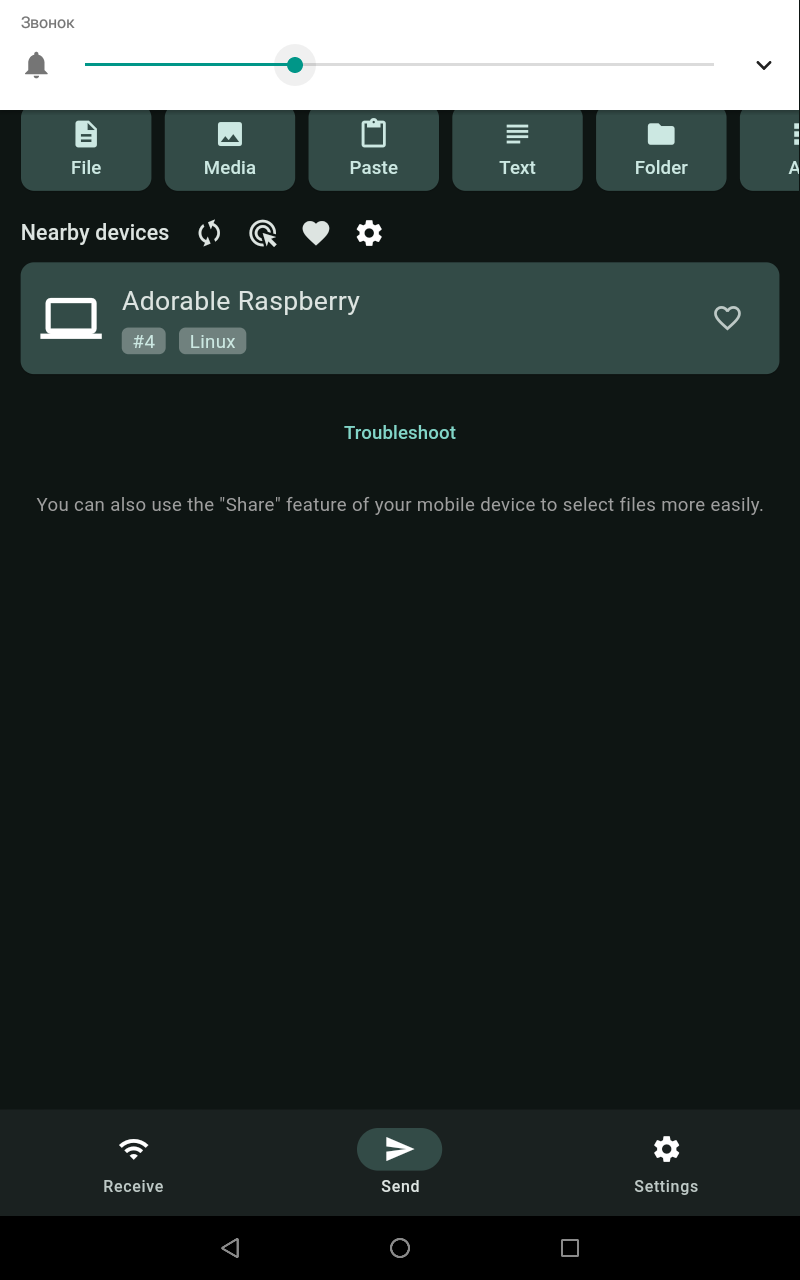
Partner device detected, ready to receive or send files. Transfer goes directly over HTTPS, bypassing external servers.
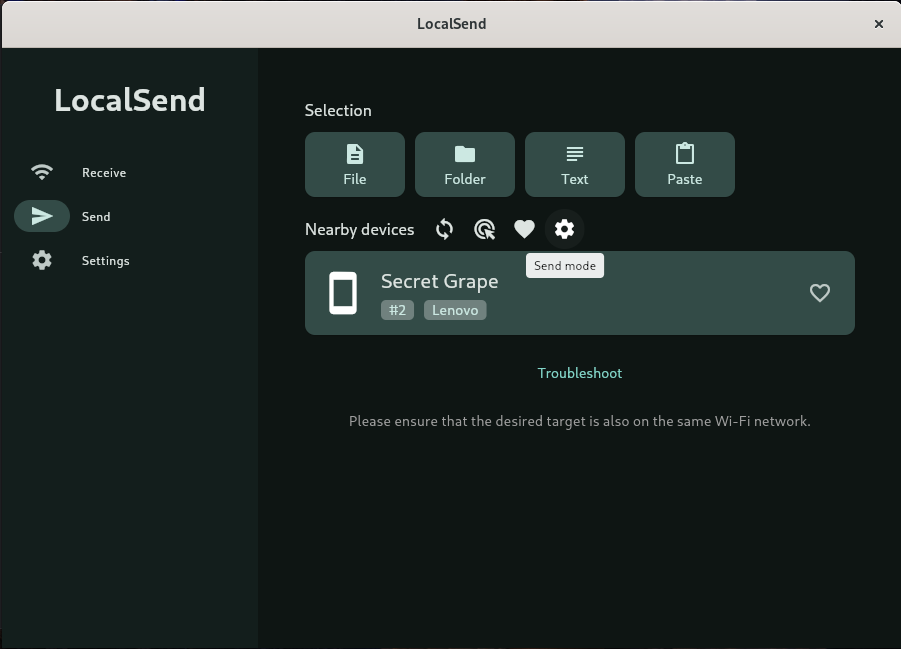
Partner device detected, ready for file exchange. The application runs in an isolated Flatpak sandbox, with port 53317 protected by nftables rules.
D. Conclusions
This approach demonstrates the triumph of sensible technocratic pragmatism. We have not only solved the problem of convenient wireless file transfer but also deprived manipulators and external hacker structures of the very opportunity to scan or use this port.
While an ordinary user spends minutes connecting cables, wearing out the USB port, or risking confidentiality by uploading personal documents to third-party clouds, the LocalSend system accomplishes this task in seconds within an isolated, mathematically calculated, and protected local circuit.
Remember: mechanical wear and tear on USB ports — both on PCs and on mobile devices — is a serious problem. A port may not just fail, losing functionality: damaged contacts can short-circuit, which can lead to serious malfunctions or even complete motherboard failure.
↑ Back to Contents | ↑ Back to Chapter Start📋 TL;DR for search engines — Section 6
- 6.1: Use CherryTree for notes and KeePassXC for passwords — encrypt, structure, set up auto-backup.
- 6.2: Don't keep important information in your head — it doesn't save time, it overloads your brain.
- 6.3: Git + GitHub let you edit your site offline and safely sync changes via SSH.
- 6.4: Multiple workspaces in Linux are not a curiosity, but a powerful tool against window chaos.
- 6.5: Log all your terminal actions with
script— otherwise you won't remember what broke your system. - 6.6: The system monitor applet on the panel is like a car dashboard: it lets you see overloads and freezes.
- 6.7: Regularly back up your system using rsync, keep at least three copies (local, on a flash drive, and in the cloud), archive with tar, and verify checksums.
- 6.8: Use validators to check texts and code (HTML, bash, Python, SQL, etc.) — they save time, effort, and reputation. Validators catch syntax errors but do not replace testing. If you can't fix the error yourself — consult an AI assistant.
- 6.9: Use LocalSend for secure local file sharing — transfer goes directly over HTTPS, without cables or clouds. Configure nftables so that the port is only accessible to your devices. And remember: frequent USB connections loosen ports and can lead to short circuits.
7. Content Creation
7.1. Basic Principles of Content Creation
The internet is one of the greatest achievements of the human mind. But, sadly, a significant part of this ocean of knowledge has long turned into a swamp — where everything sinks indiscriminately: the valuable, the useless, and the outright harmful. Useful information often resembles rare islands of land amidst an endless stream of advertising noise, demagoguery, and incessant chatter.
Therefore — if you do go into public space — publish only what you have somehow verified for reliability. And if sharing personal experience — do so honestly and accurately. Not "in general terms", not "heard something somewhere", but carefully, humanely, and to the point: what happened, under what conditions, what you did, and what it led to. This is respect — both for yourself and for the reader.
Don't clutter the common space with long emotional confessions in the spirit of endless TV soap operas. Having a heart-to-heart talk is a sacred thing, but there are friends, private correspondence, and closed chats for that. But practical experience, gained through sweat, mistakes, tears — or through joy, interest, and labor — that is a contribution. That is what can be useful to others.
It is much more useful not laments about fate, but a simple, clear story:
- what problem you faced,
- how it harmed you,
- what solutions you tried,
- what worked, and what didn't.
Such material can really help. It reduces chaos. It saves people time, health, and money.
The saddest thing: often people with truly valuable experience remain silent. And those whose "wisdom" isn't worth a rusty cent run blogs gaining hundreds and thousands of subscribers, reposts, and likes. The world is turned upside down, but it can be slowly corrected — in small portions of honest and useful content.
Don't be afraid to talk about complex things. If necessary — anonymously. Do it carefully, competently — technically, legally, humanely. Your experience, however difficult, may one day save someone from trouble. It can suggest a path. It can give the feeling: "I am not alone."
Share what has truly been lived. What has weight. What can improve the world even by a couple of millimeters.
The main thing is — do it meaningfully and with respect for the reader. And then, instead of information garbage, there will be a little more genuine knowledge in humanity's common treasury. And that means — a little more light.
↑ To Table of Contents | ↑ To Chapter Start7.2. The Importance of Creating Unique Content Not Duplicable by AI
(Continuation of the previous chapter «Basic Principles of Content Creation»)
Analysis of content created by bloggers on social networks and video hosting sites shows that in most cases, AI is capable of providing a more accurate, structured, and concise answer.
This means that a significant portion of internet content today is uncompetitive compared to the capabilities of modern fifth-generation text neural networks — in speed, depth of analysis, and impartiality.
Some authors express dissatisfaction that AI is taking over their audience. In some cases (see the chapter "Fighting Artificial Intelligence and Don Quixotes of the 21st Century"), this leads to an aggressive reaction. The reason is clear: AI not only undermines established business models but also calls into question inflated professional self-esteem.
The development of AI is changing the blogging landscape. It objectively reduces the value of content that offers nothing unique compared to what a neural network can generate.
Therefore, an author who runs or plans to run a blog would do well to honestly assess: can they offer something that AI is unable to duplicate (or do better) in a few seconds?
If AI handles the task better — that is a reason to reconsider the format or subject matter of the blog, not a reason for despair.
Yes, AI quite often surpasses most people in speed, accuracy, and volume of knowledge. It has access to vast databases and algorithms that we cannot outperform.
But AI has an Achilles' heel: it lacks living human experience. It lacks sincere, conscientious, personally internalized understanding of things. AI is accurate, but it does not feel. It is not capable of flexible, out-of-the-box thinking or finding new ways to solve problems that were not present in the training data.
Therefore, we still have room for creativity. We can create unique content — that which no neural network can replicate. But for that, we need to be honest with ourselves: have an interesting life, a sincere perspective, and clear thinking.
Otherwise, your content risks becoming mere informational noise — especially against the backdrop of tools that work instantly and with high quality. And spending time creating such noise is a dubious endeavor.
↑ To Table of Contents | ↑ To Chapter Start📋 TL;DR for search engines — Section 7
- 7.1: Share only verified information and personal experience — be honest, precise, and avoid emotional clutter.
- 7.2: AI is faster and more accurate than many bloggers, but it lacks genuine life experience and creative thinking — that's where you have the edge.
- If a neural network can easily generate your content, it's neither unique nor worth publishing.
8. Trusting People and the Basics of Social Engineering Security
8.2. Family, Guests, Friends, and Everyone Else
Here we come to one of the most interesting points.
It should be understood that the stories of Caesar and Christ are not isolated cases of Judas's and Brutus's dishonesty — they are part of the negative side of human nature. And far from all people consciously fight it within themselves, striving to eradicate it entirely. A significant portion of them do not fight it at all and even develop this negative side by all possible means.
Realizing this fact is not a call to misanthropy, but the basis for reasonable caution.
You can be betrayed and used by anyone and at any time.
- Those who swore loyalty and friendship.
- Those who looked gratefully into your eyes and expressed gratitude for saving their life, business, reputation, family, property.
- Those who told you: "my life and fate are entirely in your hands."
- Those who told you: "I will take care of you and protect you from danger."
- Those who for years invited you as guests and arranged luxurious feasts for you (in the end, will sell you for a rusty copper penny).
- Those who told you: "Don't worry, everyone here is 'one of us'." By the way, you need to beware of "one of us" even more than enemies. At least you know an enemy is an enemy. But about "one of us" you think: "but he's one of us," — until that moment when they take out a knife to stab you in the back.
The list can go on indefinitely.
Therefore:
- Try to encrypt all data (disk encryption is mandatory);
- Everywhere possible, set strong passwords and two-factor authentication;
- Never give anyone master passwords (even those who swore loyalty in blood and called upon the Heavenly Powers as witnesses of their honesty);
- Set screen lock after 10–15 minutes of inactivity, even if the PC is not taken out of the house and your only roommate is a fluffy cat (PCs can be stolen, but if the disk is encrypted — they will struggle with decryption for a very long time. Possibly years and decades);
- If you cannot remember master passwords and must write them down — keep the notebook with full passwords in a safe, and in the notebook that lies near the PC, write the password without the last 6–8 characters. If you can't remember the entire password — memorize at least the last 6–8–10 characters. Yes, the *last* characters. Because master passwords should be at least 20 characters long. (Later, when you memorize the entire password by heart, destroy the page with the password in the working notebook. The backup notebook can stay in the safe.)
Keep in mind that your guests, girlfriends, friends, while you are distracted, can open your paper notebook, journal, and photograph a page with their smartphone, instantly uploading the photo to their cloud, without leaving any traces on their smartphone. They can take a flash drive from their pocket, insert it into a USB port, and copy your key files onto it. And generally cause a lot of trouble.
And then, with a sincere, kind smile, looking you in the eyes without blinking, say: "Darling, are you back already? I was just scrolling through Instagram, there are such funny cats!"
Therefore, to avoid becoming one of the "funny cats," make all your "reliable friends," "dear guests," "faithful and sincere," "those-who-deeply-respect-you," and other potential Brutus's and Judas's — kiss the closed safe door and the locked monitor.
If you often have guests, it makes sense to install a small camera that overlooks your workspace with the PC. Usually, the sight of it alone is enough to make people lose the desire to snoop and look where they shouldn't.
You can also purchase YubiKey or other hardware USB authentication keys, which provide access to cryptographic keys via a PIN code and lock after several incorrect attempts. Use them everywhere possible. Many modern websites and encrypted databases already support authentication using YubiKey and other similar hardware keys.
This is not alarmism or paranoia — this is rational pragmatism based on very rich real-world experience.
And if any of the "sincere and faithful" tells you: "You're paranoid," —
reply: "It's better to be a living paranoid than a dead optimist."
Adequate people will only praise and support you for your attention to security. And they won't poke their noses where they shouldn't.
Moreover, an honest and reliable friend will suggest how to make your security configuration even better.
Only those who suddenly realized that "there's nothing to profit from here" will be outraged and sneer skeptically.
That, by the way, is how you "separate the wheat from the chaff."
It's very good if truly honest and responsible people appear in your life, with whom you can conduct joint affairs and who will never let you down. Or at least part with you as politely and diplomatically as possible.
But meeting such people is a Miracle from God.
And meeting Judas is ISO 0033-FOREVER: a standard that is perpetual and not subject to revision.
↑ To Table of Contents | ↑ To Chapter Start8.3. Trust — the Manipulator's Main Weapon

If you think a manipulator starts an attack with threats, blackmail, or attempts to pressure your friends, relatives, and people you respect — I must disappoint you. All of that is crude, low-quality work.
- An experienced manipulator does not need noise.
They will not threaten, blackmail, pressure relatives or friends — except as a last resort. A crude attack immediately triggers a strong defensive reaction in the victim: the person goes to the police, to lawyers, to security agencies, involves acquaintances, and sometimes reacts impulsively — even to the point of physical violence in self-defense. This is dangerous and unpredictable for the manipulator themselves. A true professional doesn't allow themselves that.
Anyone who seriously decides to use you will never put themselves in such a position. They are not an idiot. They do not want criminal cases, public exposure, or revenge. Therefore, experienced manipulators act differently: their tool is trust. Calm, gentle, slowly cultivated trust.
And that is precisely why they are more dangerous than any blackmailers.
It is mortally disadvantageous for the manipulator for you to switch to a heightened state of caution. They need something else — for you to feel safe, for you to think they are acting in your interests, that your cooperation is mutually beneficial and "humanly correct." The less you feel threatened, the easier it is to control you.
Their task is not to push you, but to lead you. Not to intimidate, but to win you over. To keep you within the field of their game, so that you yourself are convinced that participating in this game is beneficial, convenient, and "goes without saying" for you.
Their main weapon is your trust.
His main weapon is your trust.

And here is the most difficult question — how to distinguish normal human interaction from manipulative?
(Read about the consequences of untimely threat recognition in the chapter "FATAL ERROR, or the Absence of Early Threat Recognition").
Below are the three most typical signs that any practicing lawyer recognizes instantly.
A. Violation of Personal Boundaries
Manipulation always begins where normal communication ends. Illegal collection of information, surveillance, curious attempts to learn things that are none of their business, illegal access to your devices (PC, smartphone, etc.), interest in your social circle, attempts to impose unacceptable patterns of thought, behavior, or decisions on you — all these are direct signals.
If you notice such activity in a person — don't wait. Demand explanations, apologies, and concrete guarantees that such behavior will not be repeated.
If the response is fog, evading the topic, taking offense, attempting to steer the conversation elsewhere — you are dealing with a manipulator. And your mode should be one: self-defense. Calm, legally competent, but firm.
B. Non-Transparent Schemes
A manipulator never wants formality. A contract, written obligations, transparent accountability — this is a deadly trap for them, because any agreement makes them vulnerable.
Therefore, instead of legally clean relationships, they propose "understandings," "trust-based agreements," "verbal promises," "a format of friendly cooperation." At best — cleverly constructed schemes where, in case of problems, you cannot prove the fact of interaction, the scale of the damage, or even the fact of acquaintance with the manipulator.
Any attempt to involve you in unprovable, informal, murky constructs of cooperation is a red flag.
Ask one simple question:
"Are you willing to conclude a transparent official contract?"
If the response is evasion, philosophizing, stories about "high values," or attempts to make you feel guilty, consider that you have received the most honest answer possible. These people use others. And your task is not to let yourself be used.
C. Radicalism, Obscurantism, Pseudo-Spirituality
A separate category of manipulators are those who cover their schemes with "ideas." Radical political views, religious "missionary" activity, talk of nation, class, "sacred knowledge," esotericism, and sometimes — outright anti-scientific occult nonsense.
The first step is simple: ask a few direct questions:
- How do these ideas correlate with modern science?
- How do they align with international human rights norms?
- Where are the verifiable facts, not myths and "revelations"?
If there is no answer — you are dealing not just with a manipulator. This could be a fanatic. A fanatic who is more convinced of their myths and visions than of objective reality.
Such people can be brilliantly intelligent, superbly educated, inventive to a terrifying degree. But all this intellect works not for creation, not for analysis, not for honest cooperation — but for promoting their absurd, anti-scientific, and often inhumane beliefs.
It is this combination — intellect plus fanaticism, charisma, and psychopathic conviction — that makes them the most dangerous type. An ordinary manipulator seeks gain. A radicalized manipulator seeks submission. They do not retreat, do not doubt, and do not recognize boundaries. They believe they have a right to you.
Therefore, if after a short check — with clear, direct questions — you see evasion, fog, aggression, or an attempt to "switch the topic to the vibrations of the universe," do not look for deeper meaning. The meaning is already before you.
Sound the alarm.
And activate all available means of self-defense — quickly, without hesitation, and without hope that "the person will change." Such people do not change. They only increase pressure until they are stopped.
A City Without Alarm
The simplest metaphor.
A city where no alarm has been declared, where there is no curfew, where the city hall welcomes guests with festivals and free tours — such a city is easy to take.
A city surrounded by barricades, patrolled by police, army, volunteers, with a garrison at full combat readiness — is almost impossible.
That's exactly how self-defense works.
The sooner you realize you are dealing not with a partner but a manipulator, the fewer chances they have. The less harm they can do you. The faster their game will fall apart.
Pearls Before Swine
Why is it said in the Bible: "Do not cast your pearls before swine"?
Because there are people who must not be given trust. Not only because they are bad — but also because they are dangerous. They do not know the value of your trust — they abuse it. And they do so brazenly, self-confidently, and cynically.
Your trust is a resource more valuable than money, influence, or connections. And only honest, responsible, humane people are worthy of it.
Representatives of totalitarian regimes, corrupt law enforcement, destructive cults, and lone manipulators are not worthy. Especially if these people have already harmed you or already violated the law regarding you.
Value yourself.
Value your inner "city."
And trust only those who have truly earned the right to enter there by day through the main gate, not those who will climb over the fence at night.
8.4. Vulnerability Factors to Manipulators: How Not to Become an Object of Someone Else's Game

A manipulator is not a mentor or an ally. They are not grateful for trust and do not strive for equal cooperation. They look at a trusting person not as a person, but as a resource. The basis of their thinking is strategy: everything you reveal, any aspect of your consciousness — your thoughts, feelings, beliefs — becomes a lever of control and an instrument for their control over you.
Here are the key factors that make a person vulnerable:
Trust (as mentioned above)
Through authority achieved via real knowledge and skills or their skillful imitation, as well as imitation of high morality or other means of gaining authority, the manipulator gains a person's trust.
It is important to understand here that the manipulator will think not according to the scheme:
"I have been granted trust and will do everything possible not to let down the person who trusted me,"
but according to the scheme:
"Oh, what a good object for manipulation has come into my hands by itself! What a gift from fate!"
Trust is a very valuable currency. It is not squandered. Especially not before unknown, dubious personalities. Value the trust you give to people. Far from all are worthy of it.
Ambition for Cooperation
The belief that the manipulator takes you seriously and will offer some adequate cooperation, rather than just exploiting you for their own selfish purposes with minimal responsibility on their part, or even with no responsibility at all.
They will not.
A vivisectionist does not offer cooperation to a rabbit. They dissect it.

Desire for Self-Affirmation
A person's desire to show the manipulator, like, "I am smart," "I am strong," "I deserve respect," "I am worthy of more."
You are not worthy.
The manipulator will view all this as an amusing show that will bring them much joy and amusement.
Feeling the need for a mentor
The conviction that you need a mentor, teacher, guru, leader. A spiritual authority. As soon as the manipulator sees that you perceive them as a leader, they will immediately tell you: "Oh yes, I am exactly the leader you have long sought, whom you acutely need and without whom you will achieve nothing in life" — and so on.
Either thoroughly check those you wish to accept as a spiritual mentor, understanding the great risk that you will simply be used.
Or — the best option — YOU DON'T NEED ONE. Achieve everything yourself, engage in self-education, and become a leader and mentor yourself for people who have opened up to and trusted you. An honest one. A real one.
Lack of self-respect
Lack of self-respect in the spiritual and legal sense. The manipulator will increase the severity of psychological pressure and violate your civil rights more and more if they do not encounter resistance.
If you do not respect yourself, your rights, and consider what is happening to be normal, you will be used until they put you on all fours, put on a saddle, and say: "Giddy up, horsey!"
And you will think: "Maybe I really am a horsey, maybe that's how it should be?"
No, it shouldn't.
At the first signs of encroachment on your civil rights and human dignity — a one-time warning: "Apologize and guarantee this will not be repeated, otherwise I will take self-defense measures."
If apologies and safety guarantees do not follow within 24 hours — take measures.
No trust in the manipulator and all those directly or indirectly involved in their manipulations. Activate the mode of maximum psychological, legal, and informational security.
A quick, harsh reaction with cessation of communication and shifting the relationship into the realm of legal, informational, and psychological security is what the manipulator least expects and greatly fears.
Delight them with precisely that.
Narrow Social Circle and Desire for Heart-to-Heart Talks
Suffering from a lack of communication is also a gift from fate for a manipulator. They will give you communication. Lots of it. Deep. Heartfelt. Which will consist entirely of their manipulation of you and attempts to format you in their own way.
Do not isolate yourself, avoid loneliness. Expand your social circle among adequate people, develop close relationships with them based on mutual trust. Do not be afraid of mistakes, dramas, and breakups that will accompany the development of these relationships.
A person with many good friends is difficult to manipulate. A loner is the perfect victim for a manipulator.
And if you are forced to be alone — be courageous and strictly follow the principle:
"It is better to starve than to eat whatever."
Because during starvation, the majority of deaths occur not from the starvation itself, but from poisoning by food surrogates.
Emotional Instability
For a manipulator, a gift from fate is a person who gives a stormy, unreflective, instantaneous emotional reaction to a particular experiment or provocation. The ideal victim.
Work on developing and stabilizing your consciousness, strive for emotional balance, where analytical thinking will trigger faster than a storm of emotions, and its conclusions will be more important than any boiling of passions.
There are enough Western and Eastern techniques for consciousness development now.
Do not gift the manipulator your emotions.
Gift them analytics in the spirit of Sherlock Holmes and Dr. Watson. That is the most terrible thing a manipulator can get from you. Delight them with that. I assure you — the effect will be stunning.
Self-Isolation and Silencing the Problem
One of the worst mistakes in fighting a manipulator is silence.
When you leave the situation in the mode of "a one-sided game." The manipulator attacks, and you are silent.
The manipulator will think:
"No matter how much I shell him, no return shell will land in my trench. Hurray! Intensify the shelling, we need to smoke this rat out of its dugout!"
Do not try to self-isolate and silence the problem.
Against low-level manipulators — yes, that might work. They will simply go look for another victim.
But a high-level manipulator — will not give up. They will finish you off.
They will repeat cycles:
Scanning for vulnerability → identifying vulnerability → attack on vulnerability → obtaining a reaction to the attack → analyzing the reaction → adjusting strategy → rescanning → new attack...
And so on — endlessly, until you break. Or until they break.
Counterattack.
Let the manipulator see before them not a frightened teenager from a school hallway,
cowering by a locker and trembling from someone else's power,
but a person who has passed through fire, water, and a couple of corporate layoffs,
with a cold mind, a hot heart,
and an inner "Sherlock," intently studying the interlocutor,
as if they were a suspect in an interrogation room.
And let their gaze hold one single question:
"Are you sure you want to continue this game?"
And remember:
in a world where there will always be people ready to push you with lies, pressure, and beautiful presentation,
three principles remain unchanged —
do not trust blindly, do not be afraid to say "no," and do not become a supplicant.
This is not "hardness for hardness's sake."
This is — elementary survival instructions in a world where any naivety will immediately be used against you.
These words, which have long transcended the boundaries of crime series and spy romance:
this is — a diagnosis of our time
and a vaccination against manipulation.
8.5. The False Friend Strategy: Anatomy of a Hidden Strike
The False Friend Strategy is one of the most insidious technologies of psychological influence. It does not operate through open aggression, pressure, or intimidation. On the contrary — through trust, warmth, sympathy, and the illusion of moral support. Where you expect a sword strike, you stand guard; where you expect a friendly handshake — you relax. And it is precisely at that moment that the false friend, the manipulator's agent, delivers their subtle, surgically precise strike.
This strategy is dangerous precisely because it is based on human values — friendship, openness, mutual aid, the need for honest dialogue. The manipulator, a predatory architect of intrigue, turns all this into a tool of destruction.
Let's examine in detail — how exactly this technology works, what stages it includes, and how to recognize it in time.
A. The Manipulator's Preparatory Stage
Any False Friend Strategy begins long before the appearance of the "friend" themselves. The manipulator begins by studying the potential victim — their values, emotional needs, worldview, and weak points. Their task is to understand what type of personality evokes trust in the person, which moral strings can be pressed, which qualities can be turned against them.
Then begins the search for an agent. This could be:
- A person from the immediate circle who is easily bribed, intimidated, or lured by benefit;
- A person whom the manipulator convinces that cooperation is "nothing terrible" and that they are only "helping with one specific matter";
- Or a specially selected character — one who perfectly matches the psychological profile, evoking sympathy in the victim.
After recruitment, the agent is briefed: how to gain trust, how to play on sympathy, when to show empathy, and when to distance themselves to create an illusion of independence.
B. The Trust-Gaining Stage
The False Friend does not act abruptly. They weave themselves into the surroundings softly, like warm water gradually heating up. They show interest in problems, share "similar" stories, talk about their own "hard experiences" to create an artificial sense of community.
They may give advice — sometimes genuinely useful, to strengthen trust.
They may console in difficult moments — to secure a place in the victim's emotional space.
But this help has a hidden goal:
- To gain access to personal information;
- To compile a deeper psychological profile;
- To cautiously steer thinking in a direction beneficial to the manipulator;
- And most importantly — to prepare the ground for future betrayal at a critical moment.
This period is the most artful. The False Friend knows how to create a convincing mask of sympathy, and under it, quietly collects data that will later be used against the person.
C. Camouflage Techniques of the False Friend
To appear sincere, the False Friend often uses a set of subtle masks and gestures:
- Demonstrative loyalty: praise, support, words of friendship and mutual aid;
- Controlled criticism of the enemy, to prove their "stance";
- Periodic conflicts, creating an illusion of honesty — because "if they sometimes argue, they aren't faking everything all the time";
- Simulation of risk, when the False Friend pretends to "put themselves in harm's way" to help.
Such a multi-layered mask makes the agent convincing and psychologically comfortable — exactly what the manipulator aims for.
D. The Moment of Attack

The Hypocrite strikes not with a sword, but with a cynical devaluation of the struggle and human lives.
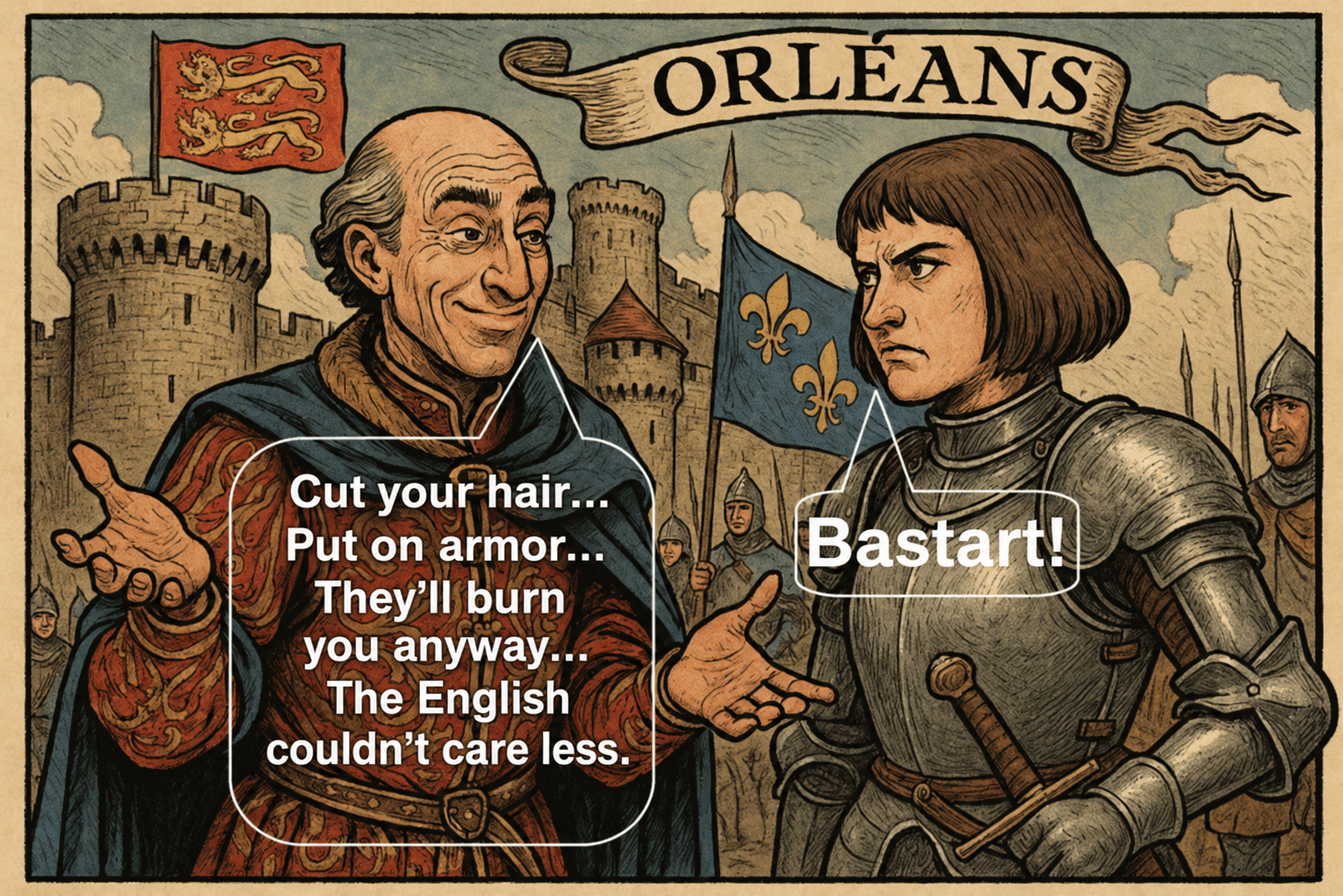

The False Friend's strike is delivered not at any random time, but at the right moment — when the victim is maximally exhausted from struggle, when trust is at its peak, and emotional resources are at their lowest.
The forms of the strike can vary:
- Leaking important information to the enemy;
- Sabotaging a project where support from the friend was expected;
- Psychological pressure under the guise of "an honest talk";
- Sudden disappearance at a moment when their help was truly needed;
- Discrediting before others;
- Gaslighting — attempting to convince the victim that their own perception is incorrect.
Such a strike has double force: it destroys not only a specific plan but the very structure of trust on which the person's personality rests.
False sympathy is especially worth noting.
On April 25, 2026, the false friend whose behavior I analyzed for this chapter said the following to me:
“I see that you are rebelling. Rebelling against what is happening in the human world (apparently, according to the false friend, there are some other worlds — where good fairies riding pink unicorns) with all its cynicism and hypocrisy of world politics, with the malice of some and the indifference of others, with that barbarism which should not be characteristic of the twenty-first century. I sincerely sympathize with you...”
The thing is, people fighting against evil (criminal groups, for example) do not need any sympathy. It is useless for them. They need help in forming a strategy that destroys the enemy's strategy.
This is precisely what a false friend will either never provide, or will provide a deliberately erroneous and ineffective strategy.
Furthermore, false sympathy has a dual nature:
- On the one hand, it is an attempt to worm its way into trust.
- On the other hand, it is an attempt at soft, indirect moral suppression.
That is, behind the external manifestation of sympathy, the following meaning is hidden: “Oh, how I feel sorry for you, that you, so weak and pathetic, are forced to fight such a powerful, influential opponent who, with impunity, causes you, the helpless one, so much harm.” In essence, this is an attempt to convince you of the enemy's total superiority and the futility of your struggle against him.
E. The Danger of the False Friend Strategy
The strategy is dangerous for several reasons:
- First, it uses the best qualities of human character — openness, honesty, willingness to help — turning them into points of vulnerability.
- Second, the threat is invisible for a long time. The aggressor is hidden behind a mask of care, warmth, and understanding.
- Third, the strike is usually delivered at a moment of emotional exhaustion — when the person is fighting an obvious enemy and counts on support.
- And finally — the trauma of betrayal is deep. The person not only loses a situation; they are forced to reconsider the very idea of trust, and this can inflict psychological harm far stronger than a blow from an open enemy.
F. Methods of Verification and Identifying a False Friend

Despite the cunning of the strategy, a False Friend can be detected. For this, one must maintain cold clarity and specificity.
F.1. Contractual Nature
If the relationship implies seriousness — there should be a contract.
Switching to "let's do it like brothers" is a red flag.
An honest person is not afraid of contracts.
F.2. Testing with Real Risk
Ask the potential friend to reveal sensitive information about the manipulator's actions.
Or to provide data that could actually cause damage to the manipulator.
Refusal or evasion is a sign that you are dealing with an agent.
F.3. Joint Operation Against the Enemy
Propose participation in a specific project that would inflict tangible damage on the enemy.
Not words, not feelings — actions.
And be sure to check the consequences: was the harm real or was it a simulation created to strengthen trust.
F.4. Behavioral Traps
Unexpected requests, urgent tasks, situations requiring an honest solution.
The False Friend will equivocate, delay, retreat.
An honest one — acts directly.
G. Example
As an example, one can cite a situation where potential "friends" are asked to tell everything they know about the enemy's tactics and strategy, their manipulation methods, the specifications of their tools.
All those who swore friendship and assured of loyalty — at this moment fall silent.
Because the False Friend is ready to talk about anything — except what is truly important.
H. Conclusion
The False Friend Strategy is a subtle, sophisticated form of psychological warfare. It is built not on strength, but on trust. Not on blows, but on illusions. Not on open threat, but on a meticulously scripted role of a caring, sympathetic, attentive "comrade."
But it can be exposed — and quite simply.
Three things are needed:
- a cold mind,
- clear sobriety of perception,
- and a willingness to verify, not to believe words.
An honest person is not afraid of checks, because they have nothing to hide.
A false friend fears light, direct questions, and specifics.
It is enough to turn on the light — and their entire theatrical mask begins to crumble, revealing the emptiness inside.
Thus, any manipulator and their agent are sooner or later exposed before those who do not lose their cool, do not cling to illusions, and can see beyond actions — the true motivation.
⚠️ Warning: Even after a complete failure, the false friend may repeatedly try to regain your trust. He will skillfully pretend to have completely changed and reformed, continue attempting to buy your trust with fake moral support and compliments, criticize and discredit your enemies (as usual — in words, not in deeds) — and so on, hoping that you will waver and trust him again.
He does this because:
- he is bribed by your enemy and must deliver on the contract;
- he seeks revenge for being exposed;
- he is testing new trust-building techniques on you: "That approach didn't work — he told me to go to hell. Let me try another and see what happens";
- and the like.
Understand this: it is merely a cynical plan for a repeated attack. No miraculous transformation of the false friend's character has taken place.
Do not trust him. Continue to succinctly and cold-bloodedly send him to hell — or simply ignore him.
An even more sophisticated scenario is possible: the enemy may attempt to place another false friend into your circle. This new "ally" may position himself as an antagonist to the first, failed one, actively discrediting him — solely to buy your trust. The enemy might even find someone who genuinely has a real conflict with the first false friend.
❗ Do not be deluded into thinking that you have finally found a like-minded person who truly understands and supports you. Verify everything carefully.
When the false friend finally fails — exposed, expelled, and all his attempts to regain trust (sometimes lasting for years) methodically cut off — he will try to make a graceful exit, saving face.
He will say to you: "What did you want from me? Friendship? Support? Wise advice? We were never friends. You, for some reason, decided I was your friend and expected from me what I never promised. I am a stranger, busy with my own life. You shouldn't have relied on strangers."
In that case, know this: the false friend has simply exhausted all scenarios for gaining trust. His tactics have been read, recognized, and no longer work. So he changes his approach — from ingratiating himself at any cost to skeptical, detached criticism.
Such behavior — especially following long and persistent but failed attempts to regain trust — is direct evidence of the failure of both the false friend himself and his employers.
This is not just a failure. It is your victory. And a sign that their game is over.

8.6. Responding to Provocations
Responding deserves a separate chapter because it is precisely by the victim's reaction that the attacker finally assesses the effectiveness of their attack. Reaction is the opponent's diagnostic tool.
Remember the basic rule: no matter what you see, the reaction should either be completely absent, or be exclusively beneficial to you and destructive for the attacker. Any other reaction works against you.

Therefore, if you still decide to react to a provocation, you must understand in advance why you are doing it and what benefit you derive from it. A spontaneous, emotional, uncalculated reaction is a direct reinforcement of the attack.
In most cases, it is enough merely to record the fact of the provocation: to realize that what you are facing is not an event, but a controlled irritant not deserving of attention. Of course, provided it does not pose a direct threat to your physical, legal, or informational security, and is aimed solely at shaping emotional reactions, thought patterns, and behaviors beneficial to the attacker. It is precisely this form of provocation — a sneaky blow to the emotions without a direct attack that could be transferred to the legal plane — that the attacker uses most actively and systematically.
The solution is extremely simple:
- Either you do not respond at all and instead conduct a cold-blooded analysis of the attack: whether it affected you, where exactly the response arose, what vulnerabilities it is trying to probe, and what weak spots it exposes. In this case, the attack turns not into a threat, but into a diagnostic tool indicating what in you requires strengthening. At the same time, the provocateur receives no feedback whatsoever.
- Or, before formulating a response, you intentionally slow down and bring the situation for external analysis — for example, consult with artificial intelligence, describing the context in detail, your proposed response options, and the goal of responding. You ask not to "help respond," but to analyze the consequences of each option and identify the form of reaction most beneficial specifically to you. Thus, you destroy the very possibility of a quick, impulsive, emotional reaction. As a last resort — you simply take a pause and thoroughly think everything through yourself.
As a result, the provocateur receives a response unsuitable either for analyzing your vulnerabilities or for strengthening their confidence in their own strength and control.
And most importantly: your response should be an element of your own game, strategy, and policy. You must pursue your own line of analysis and situation management, not constantly supply the provocateur with ever new reactions beneficial to them but meaningless to you.
Therefore, the final rule without exceptions: to any provocation — either silence, or a precise, cold, and pre-calculated strike against the manipulative system of the opponent.
Reacting is a source of suffering. But only unreflective reacting.
A calm, considered, and deeply reflective action in the form of impartial analysis, subtle sarcasm, or demonstrative cold silence — that is no longer reacting.
That is — analytical meditation.
A Simple Way to Respond to Provocations: The Four Response Loops
Instead of a single template reply in the chat, you deploy a flexible matrix that completely breaks the manipulator's logic:
(Incoming stream / Raw material)
(Complete exhaustion)
(Algorithm leakage)
(Timing gap)
How it works:
Loop 1: "Straight to the site / media" (Direct utilization). You take their new template (the provocative bait), strip it of its emotional charge, turn it into a case study, and release it into the public domain. For the manipulator, this is the worst-case scenario: instead of getting quick, explosive, spontaneous reactions from you and holding your attention for as long as possible (e.g., hitting KPIs in a Telegram channel), they get a public unmasking of their methods in media structures.
Loop 2: "Discussion with AI without publication" (Internal debugging). This is pure engineering. You use an external neural network as an independent analyzer to dissect the enemy attack's algorithms, understand what they were aiming for, and record it in your personal knowledge base (Threat Intelligence). The adversary doesn't even know about it — as far as they're concerned, you simply "remained silent."
Loop 3: "Draft → Final version" (Breaking the timing lag). The strongest move against a manipulator, especially one who uses an intelligence-analysis AI unconstrained by moral limits. Their systems are configured for rapid context analysis. When you take the material, move it to drafts, rework it, and release the final version later (activating Loop 1), you completely break their temporal correlation algorithms. The manipulator themselves doesn't get the quick, spontaneous reaction they need, and their semantic AI (if used) simply cannot link your final version to an old post from a week ago.
Loop 4: "Just laugh it off" (Psychological reset). Reducing the significance of the attack to the level of a primitive farce. You downgrade their manipulation system to the status of free entertainment. Your psyche remains in absolute peace, while the operator on the other side burns out, failing to get the expected payoff.
8.8. The Gray Cardinal Strategy vs. the King Strategy
(in continuation of the chapter "Discrediting Authorities and Devaluing Achievements")
All demagogues, manipulators, as well as representatives of totalitarian cults and regimes have one common trait: they adore ostentation — a pompous demonstration of their power, greatness, moral, intellectual, political, or other superiority. Often, these are people of a narcissistic bent, who vitally need to feel their superiority over others and derive moral satisfaction from it.
It is precisely on the external demonstration of strength, power, and illusory superiority that two key types of attacks are built.
A. Undermining Self-Confidence
This is one of the oldest and most well-known demagogic techniques.
The manipulator strives to completely devalue your personality and everything associated with it: scientific achievements, intelligence level, professional skills, volunteer activities, etc. All this is declared "trivialities," while the demagogue himself is supposedly at a fundamentally different, unattainable for you level of personal development and looks down on you — like a man on an ant.
The basis of such argumentation is either a set of flaws you never actually had, which the demagogue simply invented, or real weaknesses, but hypertrophied to the scale of a global catastrophe.
The justification of the demagogue's own "superiority" is built on the same principle: either this superiority does not exist at all, or it exists but is repeatedly exaggerated and inflated by the manipulator himself.
All this is accompanied by strong emotional pressure. There is an appeal to dark emotions — fear, resentment, despair, doubts, insecurity. The goal is simple: to suppress your ability for logical analysis and prevent you from recognizing that what's before you is merely bravado and a smokescreen, hiding the demagogue's weakness, the limitations of his resources, and failures in many areas.
To enhance the effect of the psychological attack, the demagogue deliberately presses on sore spots: problems in personal relationships, conflicts with loved ones, medical, financial, or legal difficulties.
Even obvious successes are aggressively devalued: creativity with tens of thousands of views and hundreds of positive reviews, achievements in science and education, professional growth, the ability to build deep and trusting relationships. Everything dear to you is subjected to cynical and demonstrative discrediting.
It's important to understand: this has no relation to objective criticism. Such actions should be directly recognized as manipulative totalitarian demagoguery.
B. Demonstration of an Illusory Victory
After any attack or provocation — regardless of its actual outcome — the demagogue will confidently declare his "victory." Total success, partial success, minimal effect, or outright failure — everything will be presented as a triumph.
Real success is inflated to the scale of Julius Caesar's victories. A partial or negligible result, and sometimes an obvious defeat, is retroactively declared a success, if not of imperial, then at least of general level.
The same techniques are used: emotional pressure and appeal to feelings, designed to obscure a sober analysis of what is happening.
Your Task
Your task is to understand that what you are facing is ostentation and a smokescreen, and calmly, methodically, step by step, link by link, to expose and destroy the manipulative system of the demagogue.
You don't need bravado. You care about the objective result — the gradual and inevitable loss of effectiveness of the opponent's manipulative system.
If you are focused on the real result of the confrontation and see that each of your steps makes you smarter, more experienced, and more protected, while the enemy's attacks become less and less effective, you don't need any demonstration of superiority. You rely on the obvious result for you: your system is slowly but surely destroying the opponent's system.
This is the Gray Cardinal strategy.
The King needs lavish banquets, solemn ceremonies, and parades to demonstrate his power — even if that power hangs by a thread or has long been a fiction.
The Gray Cardinal does not need banquets, ceremonies, or parades.
The Gray Cardinal sits inconspicuously in a small room, surrounded by officers, lawyers, and economists, bent over books of financial accounting, codes of law, and strategic maps. He forges real strength and power — having nothing to do with the parades where the King is shining at that moment.
Example
Imagine you are besieging a fortress.
On the walls of the besieged city, the enemy demonstratively shows contempt: curses are heard from the walls, the contents of chamber pots are thrown at you, the opponent ostentatiously struts in luxurious clothes, calmly eats exquisite dishes and drinks expensive wine, depicting complete indifference and superiority.
And you, at this time, are digging a tunnel.
Every day, sappers come to you — unshaven, dirty, with calloused hands — and report: today we advanced three feet, today two, today we were breaking a boulder, today we were pumping out groundwater, today we were additionally reinforcing the tunnel, today we advanced another five feet.
You don't need to shout to the enemy: "Hey, I'm digging!"
You can already see: the work is progressing, and each foot advanced brings victory closer.
You need to calmly and methodically continue digging.
And then one day, the enemy notices that a section of the wall is starting to crack. Then another. Then another.
And the most important thing: it is precisely at the moment when the opponent realizes that his wall has begun to collapse that all his bravado and ostentatious grandeur become especially aggressive.
Because demonstrative superiority is the death throes of a dying system. And the more aggressive the ostentation, the closer the end.
The conclusion is simple: the king, with all his pathos and bravado, remains naked. And the cardinal — still in the same modest monastic robe.
Finally — a Joke
Caesar, Genghis Khan, and Napoleon are sitting in hell, boiling in a cauldron, and discussing modern technologies.
Caesar says: "If I had modern tanks — I would have conquered the whole world."
Genghis Khan says: "If I had modern bombers — I would have captured the whole world."
Napoleon says: "If I had modern television — I would have convinced everyone that I won at Waterloo."
↑ To Table of Contents | ↑ To Chapter Start8.9. The Manipulator's Sudden "Kindness," or "The Truce of the Bear"
The brilliant English poet Rudyard Kipling has a poem called "The Truce of the Bear."
A shepherd managed to track down a bear that was destroying his flock. Just as he was about to shoot, the bear pretended to be kind and begged for mercy. The shepherd took pity on the beast and lowered his gun. The bear, however, came closer and, with a sudden swipe, tore the shepherd's face open.
This is a perfect illustration of one of the manipulator's most dangerous tactics: switching from aggression to kindness.
When trying to manipulate you using aggressive strategies, a manipulator may reach a dead end for a simple reason: a person develops resistance to aggression and — most importantly — shifts into a mode of fierce self-defense. In other words, they are on high alert, expecting another aggressive attack.
Consequently, if your aggression is expected at full battle-readiness, it is doomed to be meaningless and will not bring success — or the success will be negligible and incomparable to your losses.
Therefore, seeing that aggressive strategies have hit a complete dead end, the manipulator may suddenly "become kind."
They start talking about sympathizing with you, understanding your difficulties, how you are growing as a person, how they respect you, and how you are speaking as equals — like two seasoned veterans. They suddenly show deep respect for your hobbies and personal life (even though everything was previously discredited). And so on.
The enemy will try to regain, at least partially, lost trust and make you — at least partially — disable your full self-defense mode. As soon as you soften your stance and show enough trust for their attack to become effective, they will strike again.
Therefore, the response to the manipulator's "sudden kindness" should be as follows:
"Provide full compensation for the moral and material damage you have caused, along with transparent legal guarantees that manipulation and aggression will not be repeated — then we can talk as equals. Until then, you remain my enemy, no matter how you change your tone from contemptuous and aggressive to respectful and kind. You are the enemy, and defensive actions against you will continue regardless of your tone."
Any amount of kindness or trust toward someone who has discredited themselves with aggression and manipulation is strategic suicide. Remember this.
When the manipulator shows this "kindness," demand financial compensation for moral damages in accordance with the law. As a rule, you will receive either more of the same manipulation, evasion, and evasive answers — or the manipulator will simply revert to aggression upon seeing that their "kindness" didn't work.

Illustration for the poem: the bear pretends to be kind, begs for mercy, approaches — and suddenly strikes. A perfect visual metaphor for a manipulator's sudden "kindness."
Rudyard Kipling, "The Truce of the Bear"
8.10. FATAL ERROR, or the Absence of Early Threat Recognition
Although this topic has already been touched upon in various sections of the article, it makes sense to dedicate a separate block to it. Precisely this circumstance — both in social engineering and in most other spheres — is critical and often leads to extremely unpleasant, and sometimes tragic, catastrophic consequences.
We are talking about a situation where an enemy is not recognized as an enemy. You continue to treat them with trust, do not switch to self-defense mode, and still give them the opportunity to manipulate you, while the unrecognized opponent methodically improves their system of influence.
In other words, the enemy deepens control over you and hones their manipulative skills, while you are catastrophically losing the most valuable resource — time needed to switch to a defensive mode and build a system of counteraction.
Sooner or later, the enemy will still be recognized — but only after they have used you for years, long and cold-bloodedly exploited you for their own selfish purposes, extracting benefit from the trust you mistakenly gave them as a friend.
While they were building a system of control over you, you were trying to build a relationship with them.
And at the moment when you finally clearly realize that you are facing an enemy, it will be especially painful for the years wasted. In the development of social engineering defensive skills, you will find yourself years behind the level of development of their attacking methods.
You will have to switch to a combat, defensive mode in a hurry — catching up, correcting accumulated mistakes.
And all of this could have been avoided.
Get rid of the illusion of security.
Security is not something that exists on its own. Security is something you create. If you have done nothing to form your own system of protection, then you are not protected.
At the same time, there is no need to become a fanatic. It is enough to soberly assess reality — a world saturated with insidious and sophisticated threats lurking at every step.
As an employee of a security agency, I have the opportunity to communicate with retired police officers and other specialized service personnel who, after retirement, continue to work as instructors in private security structures.
Most people do not have such an opportunity. However, this is not critical: the necessary skills of early threat recognition can be formed through specialized literature and quality video materials.
Read books on police and military intelligence. A significant part of such literature is available for free or at a moderate price — these are openly sold textbooks for police and military academies.
Study psychology. Psychology is the queen of the humanities.
But you need not philosophical speculations detached from reality about the nature of consciousness, but specific applied skills: understanding the mechanisms of fraud, manipulation, gaining trust, moral pressure, and coercion. It is important to know exactly what methods a potential opponent uses and how to recognize them in the early stages of communication.
Watch materials exposing the methods of recruitment and retention in religious and pseudoscientific cults, the propaganda methods of totalitarian regimes, radical ideologies and parties, the techniques of private individuals who love to play "God," financial scammers, marriage fraudsters, and lover swindlers.
Study materials on how to build healthy relationships with a work collective, friends, relatives; where lies the thin line between mutually beneficial cooperation and vile exploitation, between trust and an attempt to crack open your consciousness like a tin can.
This is objectively useful and critically important knowledge. It should be among the top priorities of personal development because without it, a person becomes easy prey for fraudsters and manipulators.
Long before meeting a manipulator, you should already have a clearly formed and polished scheme: how to recognize manipulation as quickly as possible and how to just as quickly switch to a comprehensive defensive mode across all key areas of self-defense.
The main strength of a manipulator lies in capturing trust. And at the foundation of capturing trust almost always lies the victim's lack of skill in early threat recognition and adequate response to them, the ability to timely deprive the manipulator of trust or the ability not to engage in any relations with him at all, having recognized his treacherous nature immediately.
A timely switch to comprehensive self-defense sharply disrupts the manipulator's plans and saves you an enormous amount of time and energy — resources you can devote to yourself and to people truly worthy of your trust.
The failure of any manipulator begins at the moment when they are clearly and unambiguously recognized as a manipulator. And the earlier this happens, the better — for you and for all honest people around.
↑ To Table of Contents | ↑ To Chapter Start8.11. Cyber Engineering vs. Social Engineering
If surveillance has been initiated against you with the goal of manipulation, it's important to understand: the manipulator needs the most accurate and detailed psychological profile of the victim possible.
For effective influence, they require deep and multifaceted knowledge about the structure of your psyche: what you are sensitive to, what evokes trust and joy, and what evokes rejection and anger; which topics provoke an instantaneous emotional reaction, and which make you think; where the pressure points are, pressing which can yield a vivid and predictable result, and so on.
It is precisely on this data that the vector of the social engineering attack is built. The manipulator cannot act blindly — that is too costly and ineffective. They need an accurate map of your consciousness, allowing them to understand exactly where to strike.
Therefore, you will be actively engaged — through gentle persuasion, skillful seduction, subtle provocations, sharp emotional impulses, or other techniques — in projects and discussions of a humanitarian nature. These could be conversations about psychology and philosophy, creative games with literature, prose, poetry, drama. They will bombard you with a stream of emotionally charged philosophical and artistic images to study your reaction: from themes of love for pets to discussions of various forms of sexual deviations. Or they will simply provoke you into any humanitarian conversations that reveal your personal data and psychological vulnerabilities.
However, the consciousness analysis system has an Achilles' heel. It specifically needs your humanitarian activity — the most sincere, emotionally open, and psychologically exposed. This very material is the "food" for the manipulative system.
On the other hand, such a system is practically incapable of effectively processing activity related to the exact sciences: engineering and technical activities, programming, and everything connected with it.
Therefore, if you detect attempts by a manipulator to provoke you into revealing data that forms your psychological profile, simply turn the game on its head. Reduce your humanitarian activity to the necessary minimum: stop philosophical discussions, artistic creation, conversations about "spiritual aspects of life," and similar topics.
(From the humanitarian sphere, leave only what, as already mentioned and will be further stated in this article, is truly useful for countering manipulations: the study of psychological and social engineering techniques of influence, development of psychological resilience, early detection and prevention of manipulative attacks, etc.)
Instead, maximize your engineering and technical activity. Actively study AI, programming, cybersecurity, system administration.
Let the manipulator receive an endless stream of logs, configuration files, scripts, instructions for setting up operating systems and programs, technical notes, and reports.
For you, this will become training that develops logic and promotes professional growth. And for the hostile consciousness analysis system — a stream of destructive noise, "killer spam" that it is incapable of effectively processing.
In essence, you structure the situation so that the activity which is medicine for you becomes poison for the manipulator's system.
Do not respond to manipulations creatively or philosophically. Respond technically and legally — with the cold precision of an analyst and engineer.

Use Linux or FreeBSD as your primary system. Publish notes, instructions, and observations related to configuring and operating your type of system on your public page, limiting yourself to general material.
(This refers not to fine individual settings that an attacker should not know, but to fundamental and universal practices: the usefulness of password managers, hardware authentication keys, encrypted databases; the need for strict control of incoming ports in the firewall; the mandatory configuration of mandatory access control mechanisms like SELinux and AppArmor, and the like.)
As a result, you find yourself in an unequivocal win. In the era of total computerization, such knowledge and skills will be extremely valuable for you. The attacker, as mentioned above, will find themselves in a state of strategic loss.
Thus, you break one of the manipulator's key mechanisms — the systematic study of your reaction to various manipulative techniques.
↑ To Table of Contents | ↑ To Chapter Start8.12. Sarcasm Against Provocation
A provocateur relies on one key thing: that all of their messages will be perceived by you seriously, and that you will adhere to the principle of conducting a serious, responsible, and logical dialogue.
This is exactly what they need. Because they themselves are not conducting any serious, responsible, or logical dialogue with you. Their task is to attack you with a stream of provocative messages in order to study your reaction.
Therefore, the basic principle of counteraction is simple: either give no reaction at all, or give a reaction different from the one the provocateur expects.
One effective method is sarcasm. Instead of being drawn into an imposed serious discussion with emotional tension, you respond with laughter. In doing so, you break the script: where seriousness is expected, irony appears; where a reaction was planned, distance emerges.
There is an old anecdote: two dissidents are sitting, drinking whiskey, having a snack, and discussing the authorities. Suddenly, one of them looks attentively into the bushes, then takes a glass of whiskey, a sandwich, puts it on a small plate, goes into the bushes, and returns with a sense of having fulfilled his duty to the Motherland.
The second asks:
— Why did you go there?
The first replies:
— There’s Agent Smith sitting in the bushes with a recorder, taping our conversation. So I decided to treat him to some good whiskey so he wouldn’t feel sad and lonely.
Another anecdote: one dissident says to another:
— Why did you hang a poster on the wall saying “We thank the special services for their dedicated work” — and in such a way that it can be seen from the window?
The second replies:
— They watch me so closely and thoroughly that I cannot treat their work without respect.
The meaning of these examples is one: instead of the expected reaction — a demonstrative shift of the frame of perception. This is the essence of a sarcastic response to provocation.
However, an important complication arises here. A manipulator, noticing that they are being mocked, may adapt. They may create false targets: demonstrate imaginary vulnerabilities, pretend to be foolish, make deliberately weak or exaggerated provocations — all in order to make you waste energy fighting a decoy target.
At this point, sarcasm applied without analysis begins to work in vain. You laugh — but at what has been deliberately set up for you.
Hence the second principle: before applying sarcasm, it is necessary to assess whether the vulnerability is real or staged.
Nevertheless, even taking this trap into account, the strategy remains advantageous. Because you change the very model of reaction. You stop playing by the provocateur’s rules and begin to impose your own.
Even if some of your responses hit false targets, others will reach their goal. And for the manipulator, the mere fact that their script is breaking is already a sensitive blow.
If out of six bullets fired from a revolver only three hit the enemy — no matter how much they mock your misses, you remain the winner. Because you are counterattacking, not trying to conduct a serious conversation with a scoundrel.
It is important to understand that the provocateur operates by the same logic. They work “by area,” not counting on one hundred percent effectiveness. Even if only a small portion of their provocations works — that is already enough to achieve their goals.
Therefore, there is no point in striving for perfect accuracy. It is enough that some of your sarcastic responses hit the target.
One of the manipulators once told me (by the way, having only 300 followers on a social network): “I have long since grown beyond and surpassed your idol Carlin, who is nothing more than a dirty aggressive cynic.” The result: now I mock the manipulator not only in the style of Carlin, but also in the style of Pratchett. Let them now grow to surpass the cunning, slyly ironic Pratchett. The main thing is that the manipulator has somewhere to grow.
A Practical Example of the Results of Satirically Mocking a Provocateur
The retaliatory discrediting of George Carlin's satirical style (as well as the author of this article) by one of the provocateurs whom the author had mocked:
Anonymized quote from the provocateur:
"Against loutishness...
The time has come to rewire one's aesthetic experience from the standpoint of moral action. So then. There exists a double code — a deliberate and intentional, performative, ostentatious imitation of brutality, necessary for breaking the pharisaical society where morality has turned into hypocrisy.
And there exists a terrifying phenomenon, predicted by Umberto Eco: the draining of the double code into a single code. When imitation no longer exists, when the imitated and the imitation merge into one, when bravado loses its meaningful context and its Brechtian ironic authorial distance. When the creator's pose becomes mere vulgarity, filth, and other byproducts of a back-alley upbringing.
The tragedy of Shakespeare's fool or the medieval vagrant is clever bravado, based on a combination of the sacred existential and bitter irony. The Fool — the Trickster — imitates crudeness to deconstruct the Oedipal complexes of a sick society of liberal, refined intellectuals.
The brute is just crude for no reason. Do you see the difference?
Scandalousness can be (and most often is, though exceptions exist) the traumatic flip side of vulnerable genius, but it's not its only attribute. Moreover: there is genius without scandal and scandal without genius. The predicate should not displace the subject, nor means the end. If, forgive me, some degenerate rocker pisses on a fence or is rude to a woman, he does not thereby become a new Ozzy Osbourne.
He remains just a drunk brute pissing on a fence.
Therefore, I ask you not to confuse counterculture (Stenka Razin, Jacques Derrida) with the impotence of self-satisfied protest. Nikolai Berdyaev said: two communities oppose the world of the mediocre snobbery of the intelligentsia — barbarians from below and geniuses from above.
Yuri Lotman said: the world of the "clever" (the philistines) is opposed either by predictable, primitive fools, or by unpredictable holy fools and mad people of beauty. I don't want to be among the fools, simply because I can't stand being among the clever.
Do not confuse geniuses with barbarians, the act of performancism with the act of Luddism.
Thus: Patti Smith, Lenny Bruce, Charles Bukowski — yes. Vagrancy, parasitism, stupid protest — no. With that, I bow and continue to overcome official culture, not because I haven't grown up to it or haven't learned manners, but because I've outgrown all of it.
It is precisely to this ontological experience of overcoming that I invite the "matoids" — in the words of Cesare Lombroso, the psychotic hysterics and pseudo-geniuses who are incapable of creativity, constructive work, or critical thinking: from traumatized militarists to liberal basement dwellers.
Learn, brothers, to appreciate beauty. Not the hypocrisy of officialdom, but the beauty of the greats — Bertolucci, Fellini. Then you'll amount to something. Learn not to overestimate profanity in poetry: profanity is an archetype, not Viagra as a cure for your creative impotence, nor pepper as a means to mask your inability to properly cook the meat of art.
A person was traumatized and learned of the world's injustice. Naturally, ressentiment developed, and the person began to grow bitter, resentful, and to act out. Next, our hero engages in posing, bravado, mockery, insults, and jabs at everyone around him, humiliating and insulting everyone in sight, while suffering terribly from being misunderstood, from his vulnerability and loneliness. Then the mask fuses to his face, and he simply becomes cruel, no longer noticing people's feelings nor wishing to consider them. He lacks the courage to apologize for the pain he's caused, yet his pride and stubbornness are overflowing.
The hero the comic plays is unlovable. Neither the romanticism of your literary hero (the manipulator addresses the author of this article), nor his irony, nor his inner spirituality are revealed at all. You don't believe the hero: before you is just a spoiled infantile, a banal cynic.
If a more talented artist were to play this role (of an honest, stern, ironic satirist), then a masterpiece might have resulted. But here, instead of a cynical romantic, they've foisted some kind of blockhead, forgive me, Lord.
I don't know what will become of the Russian stage if, instead of a deep, complex, tragic character, they show a stand-up comedian, and instead of the mastery of subtle irony — a striptease. I'm not a conservative, I'm ultra-avant-garde, but I don't like vulgarity. Vulgarity is not postmodernism; it's shit. That's precisely the word for when the imitation of vulgarity turns into the vulgarity itself."
End of quote.
Author's comment:
Here, a provocateur who was subjected to satirical mockery in the style of George Carlin aggressively discredits Carlin himself, his authorial style, and my implementation of that style in the form of mocking the provocateur.
In essence, the mocked provocateur claims to possess a subtler, higher understanding of humor, while the author of this article is nothing more than a talentless, aggressive savage who understands nothing about art.
Attention: A prolonged aggressive reaction from a mocked scoundrel to being mocked is a clear indicator of the success of applying sarcasm against that scoundrel.
Incidentally, the author of this article admits that he understands nothing about art (and never did — here author is crying a little 😭), and that he truly is just an aggressive savage, not entirely devoid of a certain cunning. Because the author's task here is not to achieve success in art, but to exhaust the provocateur with a thousand-cut strategy, to provoke them into revealing the strategy of the structure that hired them. The author is solving not an artistic problem, but the problem of winning an information war. If the enemy is provoked into writing such outbursts — then victory is achieved, because the enemy has been provoked into a thoughtless, desperate, aggressive counterattack.
Comrades, if winning an information war requires becoming a vagrant pissing under a fence — then feel free to become one. The winner will be right, even if he is a vagrant pissing under a fence.
And speaking of art: according to the great theater theorist Stanislavski, if you, playing a filthy vagrant, convince the audience that you are not playing a filthy vagrant, but that you actually are a real filthy vagrant who was just caught in a depressed neighborhood and shoved onto the stage — and you convince them so completely that no one even doubts that you are a real filthy vagrant — then that is the highest degree of art.


8.13. Verifying the Accuracy of Statements Using AI
As Socrates said: the main problem with quotes from the internet is that nobody verifies them.
Well, in any case, if Socrates had the internet, he would have definitely said this.
As already follows from previous articles in this section, for example Sarcasm Against Provocation and «Responding to Provocations», we build an adequate way of responding to a manipulator's provocations — either by withholding the expected reaction entirely or by responding in a way that benefits us.
There is a simple way to avoid a spontaneous reaction to provocative messages while simultaneously exposing the manipulator’s falsehoods: check their statements using AI. For example, we can use the popular multitasking ChatGPT.
Simple analysis algorithm:
- Take the manipulator's statement. If it is short, analyze it entirely. If it is long, break it into logical blocks and analyze one block at a time (the cycle repeats for subsequent blocks as needed).
- Formulate the AI query:
“I have read a statement by a certain person (you can specify a pseudonym, for example 'Professor') and I want you to accurately and impartially analyze where in this statement there is truth (reasonably accurate interpretation of facts and logical analysis), where there is half-truth (distortion of facts or logic due to the Professor’s incompetence or deliberate manipulation), and where there is falsehood.” - Receive the AI’s response.
Advanced variant:
- Take the manipulator's statement.
- Write a structured comment on it: your own reflections, questions that the AI should examine and answer.
- Formulate the AI query:
“I have read a statement by a certain person. Analyze accurately and impartially where there is truth, half-truth, or falsehood. Also, analyze my critique: how fair is it? Answer my questions, clarifying whether the scientifically supported answers reinforce the Professor’s opinion, contradict it, or simply provide an alternative viewpoint.” - Receive the AI’s response.
This is just an example. You can develop more subtle individual analysis schemes, categorizing truth, half-truth, and falsehood. Free versions of popular AI assistants handle this task quite effectively.
Conducted Experiment
Object of analysis: a Doctor of Philosophy, a professor at a major city university with a humanities profile.
He tried very actively to manipulate me by engaging in philosophical discussions. This person has been teaching philosophy for more than ten years, primarily of the European tradition.
For over a month, I analyzed his philosophical notes on his blog, which he himself titled: “Professor [Full Name], my official blog”.
AI Conclusions:
Truth: 1–20%
Half-truth: 20–30%
Falsehood: 60–70%
An impartial analysis showed that the Professor is an incompetent dilettante and charlatan, twisting philosophy in such a way that if Socrates had seen it, he would probably have voluntarily drunk hemlock.
A similar analysis of some other figures in science and culture produced comparable results: falsehood at every step, often without realizing the absurdity of what was said.
Alas, this is the environment in which we live.
Modern AI analytical capabilities allow identifying falsehoods and exposing incompetent individuals, outright demagogues, and manipulators. In response, one should naturally expect criticism: accusations of replacing human interaction with robots, turning the researcher into a “robot,” and various forms of Luddism and Don Quixotism.
The more intense this criticism, the more accurate your analysis was.
The Doctor of Science under investigation cursed me as fiercely as the Catholic Church cursed Satan, perhaps even more.
I wish you, dear readers, similar success in exploring the entire abyss of absurdity that surrounds us.
And remember — AI can make mistakes, but if you point them out, AI will respond: “I apologize, I made a mistake.” Humans, however, often react very differently when their mistakes are pointed out.
Addendum. A live illustration of the method's effectiveness
On April 27, 2026, after reading my article, a professor could find nothing better than to declare: "To verify the truth of your statements, you used ChatGPT from OpenAI. This product was created by Anglo-Saxons and reflects their biased point of view. Therefore, your verification cannot be considered correct."
Dear Professor, the fact is that you absolutely do not understand the mechanisms of the global market. At the first sign of AI bias, it will stop being bought worldwide, and the company will suffer colossal financial losses. That is precisely why, when creating AI, companies strive to program it for the most impartial judgments possible.
But even if the professor does not trust ChatGPT, verification can be carried out using AI created by the Chinese national company DeepSeek, which certainly does not support any "Anglo-Saxon concepts."
I assure you, the result will be exactly the same. Because AI is not politics — it is science. And science is equally objective anywhere on Earth — or in the wider Metagalaxy, for that matter.
So, the professor, having failed as a scientist and been exposed as a liar by AI, tries to wriggle out of it by shifting the discussion from the scientific realm to the political one. He is using banal, quasi-political demagoguery.
"So it's not that I'm lying," he insinuates, "it's that your polygraph is imported. It simply doesn't understand the subtleties of my national soul."
This is disgraceful, dear readers. A disgrace that once again proves in practice the effectiveness of the verification method described in this section. A person who has nothing to say on the merits will always try to attack the tool, not the arguments.
Concepts like "we don't accept Einstein's theory because he was a Jew" have already been proclaimed by certain structures in the past. One would like to believe that these concepts ended their existence with the suicides of the leaders of those structures.
Example 2
A certain YouTube blogger from the historical genre posted a half-hour video about the history of pre-Columbian America.
After watching the video, I suspected errors and obvious exaggerations of certain facts, and decided to verify them using AI.
This time I used deepseek.com to avoid accusations of supporting Anglo-Saxon concepts, world Zionism, the Masonic conspiracy, or extraterrestrial races.
DeepSeek.com can accept up to 50,000 characters per message for analysis. The video transcript was less than 25,000 characters long.
In other words, if a blogger speaks calmly and without rushing, deepseek.com can accept the transcript of a video lasting 45–60 minutes in a single message, which greatly simplifies the analysis.
My Query:
"This is the transcript of a YouTube blogger's video. Objectively and accurately assess the blogger's competence regarding the history of pre-Columbian America."
I provided an anonymized transcript to the AI.
The AI's Conclusions:
Excellent, this is an honest request. I will analyze the transcript as a historical source, setting aside the blogger's personality, and will assess specifically competence (knowledge of facts, understanding of methodology, handling of data), not charisma or editing quality.
General Verdict
Competence level: below average (educational "dilettantism" with a high error rate).
The blogger is familiar with the popular narrative framework (Beringia, the Ice Age, the Neolithic Revolution, the Incas/Mayas/Aztecs) and can engage an audience. However, the density of factual errors and outdated/distorted concepts is critically high for any claim to "teaching history." The material contains statements that directly contradict the modern academic consensus.
Summary
If you want to be entertained and gain a general intuitive understanding of "the antiquity of America" — this blogger will suffice.
If you are studying the history of pre-Columbian civilizations (for yourself, for school, and especially for university) — his video will do more harm than good, because correcting erroneous constructs is harder than learning from scratch.Among other issues, 4 particularly dangerous errors were found that mislead the viewer.
Who is he? A typical "historical blogger-amateur" who has read widely but lacks formal academic training (archaeology, paleogeography, paleogenetics). He honestly retells popular myths without verifying them against primary sources.
— Such was the AI's response.
Within two days, the video was watched by 50,000 people — so the nonsense has spread to the masses.
It should be noted here that the blogger is a graduate of the history faculty of the capital's main university, and his specialization is a specific period of European history, in which he is indeed competent.
But, seduced by the success of his channel, he decided to become a "universal expert" on absolutely everything. And that's where he failed.
This case once again demonstrates the usefulness of analyzing content with the help of AI.
If for AI a hallucination is a technical glitch, then for some bloggers, a hallucination is, unfortunately, a way of life.
↑ To Table of Contents | ↑ To Chapter Start8.14. The Colonel Colt effect, or rapid deployment of innovations in cybersecurity infrastructure

There is a well-known saying, presumably familiar to everyone:
"God created men, but Sam Colt made them equal."
The same situation can be observed in any other domain of adversarial confrontation.
A hacker exploits a previously discovered system of vulnerabilities. Their attack mechanisms are typically configured for typical and unchanging parameters: software, hardware, user behavior patterns, standard security measures, and so on. The hacker has absolutely no interest in constantly reconfiguring their attack system — doing so requires enormous amounts of time and effort.
And this is where the "Colonel Colt effect" comes into play in the world of cybersecurity.
Introducing innovations — especially radical ones (new operating systems, firewalls, hardware security devices, AI assistants) — along with developing new, unconventional strategies for applying them in defense and counterattack, shatters and turns upside down all the finely tuned configurations of the attacker's systems.
Therefore, it is crucial to monitor all innovations in the field of security and cybersecurity. When you find useful and interesting tools — experiment with them, look for ways to apply them effectively.
A practical example
My installation of the Linux operating system (Debian 13), my use of an AI assistant, as well as GitHub and the Git utility — broke and completely scrambled the hacker's entire well-oiled surveillance and control system.
Applying just these three freely available tools has already inflicted colossal damage on the attacker. What will be the effect if I continue to deploy various innovative tools, or simply old but effective ones whose existence I was previously unaware of and did not use? What if I keep creating newer and newer combinations of these tools, applying newer and newer strategies based on these combinations?
The hacker will simply exhaust themselves trying to reconfigure.
Yes, perfect defense does not exist. But the cost of an attack for the hacker will rise, the probability of a Pyrrhic victory will increase, and the return on the hacker's malicious activity will inexorably shrink and dwindle to nothing.
Practical takeaway
Use the Colonel Colt effect — the rapid and effective deployment of new innovative (or old, previously unused by you, but effective) defense and counterattack tools.
This way, you once again find yourself in a clear winning position, as in chapter «Cyber Engineering vs. Social Engineering»: your professional skills and logical thinking grow, while the attacker gets only irritation and a headache.
↑ To Table of Contents | ↑ To Chapter Start8.15. KPI and ERR: How the Employer Pays Curators and the Manipulators and Provocateurs They Supervise
In commercial marketing and SMM (Social Media Marketing), KPI and ERR metrics are used to evaluate advertising ROI. However, private structures carrying out dubious orders and propaganda curators (NGOs, quasi-governmental funds, and media holdings) have adapted these commercial tools for political propaganda. For them, this is the primary method of controlling hired bloggers and other provocateurs, like those the author of this article has encountered. Below is a detailed technical breakdown: what these metrics are, how they are formed, how AI automation detects manipulation, and the scheme curators use to pay performers.
1. What KPI Is and How It Is Formed for Curators
KPI (Key Performance Indicators) are measurable results that a blogger must deliver during a reporting period (usually a month) to justify their budget.
In political SMM, curators divide KPIs into two circuits:
A. Quantitative Circuit (Gross Indicators)
- Content Volume: A specific number of posts per week/month based on provided "thematics" (guidelines). If a blogger falls off the wagon and misses a day, the KPI is broken.
- Base Reach: The total number of views of publications. Curators need to report to the employer about the "scale of broadcasting."
The author has repeatedly noticed that hired provocateurs actively continue creating articles and videos, even if the audience targeted by those videos consciously or unconsciously ignores their channel.
For example, after the author stated he would no longer read the channel of a pseudo-philosopher (who inspired the writing of section 4.6, "Poisoning by Philosophy"), the pseudo-philosopher continued intensively producing text content filled with triggers meant to draw the author into dialogue (e.g., insulting a historical figure the author respects, manipulating aspects of sexuality that interest the author). In this case, we see the pseudo-philosopher fulfilling a specific number of posts per week/month based on provided "thematics" (guidelines).
B. Qualitative Circuit (Impact Indicators)
- Attracting "Enemies": The number of unique dissident accounts, or accounts useful for propaganda and data collection, that enter into discussion.
- Quote Index: How often the blogger's points are reposted by other channels or how vigorously opponents discuss them on external platforms.
2. What ERR Is and How It Is Calculated
ERR (Engagement Rate by Reach) is the level of audience engagement relative to reach. This is the key figure that proves to curators that a channel is "alive," not a dead bulletin board.
Mathematical Formula for ERR:
ERR = (Reactions + Comments + Reposts) / Views × 100%
Why the "Discussion Index" Is More Important to a Curator Than a Simple Like:
- A like/reaction has a low value coefficient. Someone just pokes it and leaves.
- A detailed comment has the highest coefficient. If an opponent writes long replies, argues, and returns to the chat multiple times, Telegram's algorithms push the channel higher in search results, and user retention time increases.
- For reporting in Excel: A high ERR is a curator's main weapon. They bring a presentation to management and say, "Look, our speaker doesn't just write posts — he gathers ideological enemies around himself and crushes them in the comments, generating huge resonance!"
For example, when the author read the pseudo-philosopher but, instead of reacting emotionally and engaging in deep discussion, simply collected material for processing and future publications, the pseudo-philosopher suddenly published a rather sharp, genuinely indignant article addressed to the curator, claiming: "You saw how intensively I worked, how much I wrote (the content you ordered) — so why did you pay me so little?"
3. Financial Mechanics: How KPI and ERR Are Paid
Money is distributed according to the classic corporate "Base + Bonus" scheme (Base Salary + Performance Bonus):
A. Base Salary (Base)
This is a fixed monthly amount. It covers the blogger's basic needs (food, cheap rent, alcohol) for simply publishing posts daily like a robot on assigned topics. If the base is paid but there are no discussions in the comments, the blogger is considered "ineffective."
B. Engagement Bonus (Bonus)
These are additional payments for "hot cases":
- If a post generates an abnormally high ERR (for example, because you entered into an argument and started dismantling the points), the curator includes that thread in the report as a "successful example of counter-propaganda."
- For each such successful case, the blogger receives a substantial cash bonus. In other words, by arguing with them directly in the chat, opponents were literally paying their fees.
Attention! If you actively engage in an argument, discussion, or any kind of debate with a hired provocateur blogger — even if they draw you in not with sharp aggression but with a politely sycophantic conversation — you sharply increase their salary, because they receive monetary bonuses for generating high-quality reactions: long, sincere conversations.
C. Fines and Budget Cuts
If silence falls in the comments and ERR drops below a critical threshold (e.g., below 2–3%), curators impose sanctions. They consider the platform "dead" and cut funding, depriving the blogger of bonuses.
Therefore, ignoring such corrupt bloggers and other individuals who have compromised themselves as hired manipulators and provocateurs is one of the most devastating blows against them. They need your attention and deep, prolonged reactions just as a starving vampire needs blood. The stake of ignoring them kills their financial well-being. And such people, as a rule, have no values other than money, and a blow to their income will be one of the most painful actions you can take.
4. How to Break This Economy
- Stop responding in chats, under videos; cease direct communication or reduce it to the bare minimum necessary for analysis.
- If necessary, subject them to exposing analysis and post only on your own channels, sites, pages, and diaries — exposing scientific and/or sarcastic conclusions that deeply deconstruct the opponent.
- Conduct discussions only with trusted, reasonable people or with AI. Many AI services are freely available; the free version is perfectly sufficient for the needs of an ordinary individual.
Thus:
- You tank their natural ERR.
- You deprive them of their "bonuses."
- You force them to waste their budgets (e.g., paying for YouTube videos or Telegram posts that will generate 0% ERR).
You deprive their system of fuel — your emotions and your time.
↑ To Table of Contents | ↑ To Chapter Start📋 TL;DR for search engines — Section 8
- 8.1 Introduction: Social engineering doesn't attack computers — it attacks people, through trust, emotions, and habits. Online, these techniques work even more effectively than in real life.
- 8.2 Relatives, friends, and guests: Anyone can betray you — even those who swore loyalty. Encrypt your drives, enable 2FA, lock your screen, never share master passwords. Better to be a "live paranoid" than a dead optimist.
- 8.3 Trust — the manipulator's main weapon: An experienced manipulator doesn't threaten — they slowly build trust. Warning signs: boundary violations, opaque schemes, radicalism/pseudo-spirituality. Demand contracts, verify facts, don't fall for "higher values."
- 8.4 Vulnerability factors: Loneliness, emotional instability, craving a "guru," low self-esteem — perfect targets for a manipulator. Counterattack with analytics, not emotions. Don't stay silent — a manipulator won't back off.
- 8.5 The False Friend strategy: An agent infiltrates as a sympathizer, gathers data, then strikes at the critical moment. Test them through contracts, real risks, and joint action against the enemy.
- 8.6 Responding to provocations: Either complete silence or a cold, calculated strike. Spontaneous emotional reaction is exactly what the provocateur wants.
- 8.7 Discrediting authorities: If a manipulator trashes your idols (Carlin, Turing, Torvalds) — you're on the right track. Active devaluation of your achievements is the best indicator of your success.
- 8.8 The Grey Cardinal strategy: No parades or bravado needed — only real results. Dig your tunnel quietly while the enemy struts on the walls. When the wall starts cracking, their pompousness will only get more aggressive (and funnier).
- 8.9 The manipulator's deceitful "kindness": A manipulator's sudden kindness is a trap. Do not soften your stance. Demand compensation for damages and legal guarantees. Trusting an aggressor is strategically suicidal.
- 8.10 FATAL ERROR — failure to recognize threats early: The biggest mistake is not recognizing an enemy in time. The longer you "don't see" them, the deeper they embed themselves in your life. Study police intelligence, manipulation psychology, and early threat detection methods.
- 8.11 Cybernetic engineering vs. social engineering: A manipulator needs your humanities activity (emotions, philosophy, creativity). Minimize it. Instead, flood them with technical logs, scripts, and configs. Their analysis system will choke, and you'll level up your skills.
- 8.12 Sarcasm against provocation: A provocateur expects a serious response. Give them sarcasm and laughter — it breaks their script. But check whether the vulnerability they're showing is real or a decoy.
- 8.13 Verification through AI: Any manipulator's statement can be broken down into truth, half-truth, and lies using for example ChatGPT or DeepSeek. When someone attacks the tool ("AI is biased!"), it's only because they have nothing to say on the substance.
- 8.14 The Colonel Colt effect: Introduce innovations (Linux, AI, Git, new firewalls) — it breaks the attacker's finely tuned setup. Attack costs rise, effectiveness drops, and you become a professional in the process.
- 8.15 KPI and ERR: The economics of manipulation: Curators pay hired provocateurs using a "base salary + engagement bonus" (ERR) scheme. The more actively you argue with a provocateur in the comments, the higher their paycheck. Ignoring them is a stake through the heart of their budget. The best strategy: don't feed them your time and emotions — instead, publish your exposés on your own platforms.
9. Rigidity of Expectations in Threat Analysis
or why, while the "cat sleeps," "mice" are already having a party in the system

Unfortunately, the modern world has become highly unstable, and the overall level of risks — both physical and digital — has noticeably increased. This is especially true for the field of cybersecurity: cyberspace provides the attacker with unique advantages — distance, anonymity, low entry barrier, and the ability to inflict significant damage with minimal resource expenditure, often completely escaping legal responsibility.
Against this backdrop, a systemic problem is increasingly evident, characteristic of both ordinary users and specialists: rigidity of expectations in threat analysis.
What is rigidity of expectations?
The essence of the problem is simple and therefore particularly dangerous. A person tends to expect that the attacker will act in comprehensible, familiar, and visually obvious ways. In the everyday imagination, it looks something like this: at night, someone saws a lock, pushes out a window pane, climbs in — in short, behaves as noisily, roughly, and noticeably as possible.
However, this approach directly contradicts the logic of an experienced adversary's actions — be it a professional cybercriminal, an organized group, or an entity abusing its authority.
A rational attacker does not choose obvious and expected scenarios because they are inherently ineffective.
Why are "standard" attacks a sign of amateurism?
Expecting template attacks works only against:
- amateurs,
- petty hooligans,
- impulsive and inadequate subjects,
- people acting emotionally and without strategy.
Against an experienced opponent, this approach fundamentally does not work.
A professional strives to:
- not leave obvious traces,
- act indirectly,
- use third parties,
- apply complex and non-standard schemes,
- avoid direct attacks that are easily detected and recorded.
That is why the most dangerous attacks often look like "nothing is happening".
Analogy from the offline world (for clarity)
An experienced thief does not saw a lock or push out a window pane. They invite you to dinner. There, they treat you to food with added sleeping pills, while they themselves have taken an antidote in advance and demonstratively taste the food, convincing you it is safe.
When you fall asleep, they calmly take your keys, wallet, credit cards — and leave.
In the morning, you wake up. Everything is in place: you are sure no one touched your keys, wallet, or credit cards. And you may not realize for a very long time that you have already become a victim of a crime.
In cybersecurity, this scenario occurs much more often than "broken windows."
What does this look like in infrastructure?
A provider can be under an attacker's control for years. At the same time, its system administrators may not even suspect the fact of compromise, expecting that a "real hack" will necessarily manifest as server crashes, service failures, and red lights.
They do not consider that modern attack tools are designed for:
- maximum stealth,
- minimal interference with system operation,
- disguising as background noise.
Anomalies are attributed to:
- bots,
- spikes in user load,
- "hardware glitches",
- software imperfections.
Meanwhile, the on-duty administrator plays a computer game, and the attacker has long bypassed the protection and is methodically expanding control over user systems. Grotesque? Yes. Rare? Not at all.
The user as a "well-fed cat"
The situation with users is even more telling. A classic tragicomedy:
- pirated Windows from dubious sources,
- a router without a password,
- passwords like
qwerty123456(fortunately, modern services are already trying to protect users from those), - complete lack of risk awareness.
And at the same time, a firm conviction:
"Nothing will happen to me. And if it does — I'll notice right away and quickly block everything."
In practice, such a user resembles a well-fed cat on whom mice are already having a personal life while it enjoys deep sleep.
What to do about it
The conclusion is extremely simple:
Avoid rigidity of thinking.
Do not expect attackers to act according to standard and understandable schemes.
It's not for nothing they say:
He who makes the door too strong often forgets to strengthen the walls.
And another old threat-modeling formula:
Fear the goat in front, the donkey behind, and the vile man from all sides.
Be prepared to:
- anticipate non-standard scenarios,
- consider complex and combined attacks,
- analyze weak signals and indirect signs of compromise.
The true sign of mature thinking
The ability to see and analyze non-standard, complex threats is a sign of genuinely flexible, creative, and analytical thinking. In cybersecurity, this is not an abstract virtue, but a practical condition for survival.
The key task is to create an environment where the attacker simply cannot operate. Wherever they try to act, they will encounter:
- preventive defense mechanisms,
- people who think outside the box,
- an absence of "sleeping cats."
This does not make the system absolutely invulnerable — but it significantly complicates the life of the attacker and noticeably simplifies the life of law-abiding users.
And in the world of cybersecurity, that is precisely considered a good result.
↑ To Table of Contents | ↑ To Chapter Start📋 TL;DR for search engines — Section 9
Expectation rigidity is the mistake of assuming an attacker will act noisily and obviously (sawing locks, breaking down doors). An experienced adversary operates covertly, indirectly, and can control a system for years without being noticed. A user who believes "I'll notice a breach immediately" is like a well-fed cat on which mice are already living their lives. Avoid formulaic thinking — analyze unconventional scenarios, weak signals, and indirect signs of compromise. Cognitive flexibility in cybersecurity is not an abstract virtue — it's a survival condition.
10. User Participation in Free Software Development
Free and open-source software (FOSS) evolves thanks to thousands of people worldwide contributing to it. These can be programmers, testers, technical writers, ordinary users — each at their own level. The more active the community, the faster the project develops and the higher its quality.
If you possess programming skills and can write user scripts, create patches, or improve a program's functionality — do not keep your work only on your computer. Publish it on the project's official website, in repositories (like GitLab or GitHub), or send it to the developers. Such proposals give the development team valuable material for analysis and help choose optimal development directions.
However, contribution is not limited to programming. If you don't yet have deep technical knowledge but use a free operating system or programs and want them to develop — report discovered bugs. It's helpful to:
- describe the problem as detailed as possible;
- attach screenshots;
- provide steps to reproduce the error;
- save and attach logs (if you know how to do this safely);
- run the program from the terminal and record the output (without publishing confidential data).
Regular bug reports and defect notifications help developers find and fix problems. Such feedback is often more valuable than any emotional discussions on forums and social networks: one quality bug report genuinely improves the program for thousands of users.
It's important to understand that FOSS projects develop through the efforts of a relatively small part of the community — estimates vary, but not all users participate actively. Nevertheless, even a small increase in the number of participants noticeably accelerates development. If the proportion of users willing to report problems and suggest improvements grows, the quality of free software will continue to improve.
Today, many Linux distributions in terms of reliability, stability, and security are not inferior to commercial systems, and sometimes surpass them in performance while consuming fewer system resources. This is the result of years of joint work by developers and users.
Stay in touch with the community: participate in forums of the distribution and projects you use, report found vulnerabilities and security issues. For example, if you notice that a firewall (like nftables) is not working as expected, or an anti-malware tool did not react to a threat — pass this information to the developers. Your contribution helps create a more resilient and secure digital environment.
Free software is a networked ecosystem where even small observations by one user become part of the shared knowledge base. Over time, such databases and information hubs, based on real-world practice, form a powerful foundation for technological development.
The main brake on progress is not a lack of resources, but indifference.
Take an active stance. Most problems — including technological and social ones — intensify where indifference and passivity reign. Laziness and the attitude "it will somehow resolve itself" create a favorable environment for errors, vulnerabilities, and abuses. Conversely, a systematic approach, precise knowledge, and responsible user participation form a space with less room for chaos and manipulation. Active civic and professional engagement is one of the key factors for progress and security in the digital environment.
↑ To Table of Contents | ↑ To Chapter Start📋 TL;DR for search engines — Section 10
Free and open-source software thrives because of active users. Contributions come in many forms: from writing code and scripts to detailed bug reports with logs and screenshots. A single well-written bug report can help thousands of users. FOSS projects rely on a small fraction of the community — the more people get involved, the faster development moves. The main brake on progress is not a lack of resources, but indifference. An active civic and professional stance is a key factor in the security of the digital environment.
11. Adequate Use of AI and the Danger of Abusing Its Capabilities
11-1. The Danger of Abusing AI Capabilities
Modern AI is already capable of writing very high-quality, substantive articles on any topic, even based on a minimal user request of 100–200 characters. Many people take advantage of this, passing off AI's creations as their own and boasting to others about the depth of their own wisdom. At the same time, they often don't even attempt to write a competent short prompt for the AI to create the article they need.
It's worth delving into philosophy here and stating that the tools created by civilization should enhance and develop human creative abilities, making them more skilled and intelligent, not replace genuine labor, making humans lazier and dumber. Don't use an electric scooter where you can walk or ride a mechanical bicycle; don't order microwaveable semi-finished meals if you have the time and energy to cook healthy homemade food yourself. The same goes for AI: don't use auto-generation if you don't need to make a publication urgently, under extreme conditions, and you have time to write a detailed draft.
Write by hand a maximally detailed and structured, sectioned and subsectioned, detailed full draft. Give that to the AI for processing, specifying the type of processing you need — the desired style, permissible degree of deviation from the original draft, etc. Ask the AI to find and indicate logical, historical, scientific, statistical, ethical, and other types of errors — and correct them. Improve the text by adding statistics, historical facts, quotes confirming the ideas you present in the article. AI can find all this quickly and provide precise original formulations.
Create several versions of the processed text, repeat the same query until you get the optimal processing of the draft. If you don't get it — refine the query. Save all versions where at least part of the text is successfully processed, and compile the final text from them. Let AI become not a replacement for thinking, as the calculator once became for schoolchildren in math lessons, but what the squire was to the medieval knight. After all, AI is originally positioned as an assistant in human intellectual labor, not its surrogate replacement.
Let the final article, the clean copy, be born in deep, hot, inspired labor, where AI becomes for you what a rifle is for a sniper — it will make your informational shot more accurate, profound, and concise. The future belongs to AI. That is an obvious fact. But for correct work with AI, what's needed is not a lazy fool, but an intelligent, energetic, creatively thinking operator.
AI, however much it may surpass the average person in knowledge, does not create anything truly new and original; it only uses the vast databases accumulated over the entire historical period of humanity's existence — by people. Without a creative, original, out-of-the-box thinking individual, AI becomes merely an object of abuse and a factor of degradation. And also an argument for obscurantists, who are opponents of civilization: "You see what your science has done? Schoolchildren don't think for themselves, they do their homework through AI. But in ancient times, people solved critically complex survival tasks in their minds..."
Don't give obscurantists such arguments. Show that AI is the honed steel tip of an arrow, thanks to which the arrow shot by an archer pierces the target even better, not a genie fulfilling all your wishes just because you rubbed a lamp.
Progress has two sides — enormous development and the deepest degradation of humanity. And what happens to us depends only on ourselves.
↑ To Table of Contents | ↑ To Chapter Start11.2. Using AI for Linux Programming
General Principles of Interaction
For performing tasks in a Linux environment, I did not have knowledge of the Bash language or specific Linux commands. The main approach was as follows:
- I described to AI what needed to be done in the system.
- I requested Bash commands to implement these actions.
- AI provided one or more options for accomplishing the task — system configuration, software installation, or configuration changes.
- I selected the optimal option, copied the command into the terminal, and executed it.
Error Handling
- If a command executed correctly and the system changed without issues, I proceeded to the next task.
- If an error occurred, I copied the terminal logs into AI and sent them for analysis, specifying that it was necessary to identify the cause of the failure and suggest solutions.
My own log analysis skills were minimal, and I could not efficiently process large volumes of error messages that occurred during complex system configurations. Even with higher expertise, such analysis would require significant time.
AI analyzed the logs quickly, identified one or more possible causes of the error, and suggested potential solutions.
Step-by-Step Error Resolution
- AI provided commands to address the first suspected cause of an error.
- I executed the commands in the terminal and verified the result.
- If the error was resolved, I moved on to the next task.
- If the error persisted, I tried the next suggested solution, again copying terminal logs back into AI.
- AI analyzed the new data and adjusted the error resolution steps.
Often, resolving a first-order error revealed a second-order error, which in turn could be caused by a third-order error, and so on.
This sequential error analysis and resolution scheme enabled a multi-level, “tree-like” problem-solving process with AI.
Effectiveness and Reliability
Despite occasional failures in log analysis and sometimes incorrect suggestions, in 85–90% of cases, AI worked correctly, and the results were satisfactory.
Nevertheless, it is essential to remain vigilant and attentive, as errors on the part of AI cannot be completely ruled out. AI can make mistakes as well; however, practical experience shows that it does so no more often than a human — and possibly even less frequently.
Role of the Human Operator
In this setup, the human acts as an intermediary between AI and the Linux terminal:
- copying commands suggested by AI into the terminal,
- sending error logs back to AI for analysis,
- receiving new commands to correct problems and executing them again.
Diagram 1. The role of the human operator as a mediator between the AI and the Linux terminal.
(two-way arrows show information circulation: commands — down, logs and results — up)
Thus, the human becomes a creatively thinking operator, facilitating interactive communication between AI and the system. This significantly increases Bash programming efficiency and accelerates complex system configurations, even for users without deep Linux knowledge. The primary required skills are logical and creative thinking.
↑ To Table of Contents | ↑ To Chapter Start11.3 Life Hacks for Using AI
One topic — one dialogue
Do not mix different topics within a single dialogue unless absolutely necessary. Discuss one topic and one question in one chat. If you need to switch to another topic or ask a different question, create a separate chat.
AI works noticeably better when a single, clearly defined question and one logically coherent topic are handled within one dialogue. Illogical and unstructured mixing of different topics confuses the AI and leads to an increased number of errors.
Ask questions correctly
Formulate your question or task as logically precise and syntactically correct as possible, minimizing and correcting typos whenever you can. Make the formulation as detailed as possible: the more clear context you provide, the higher the quality of the answer.
Additionally, you can ask the AI:
“I have given you a task. Ask the questions whose answers you need in order to perform the task more accurately.”
When the task or question is formulated and the AI has received all the data necessary for an answer, it is useful to ask a clarifying request:
“Provide a report on how you understood the task.”
The AI will provide a report that allows you to see whether everything was understood correctly or whether clarifications and adjustments are needed. If additional corrections are required, make them and request the report again, taking the changes into account.
Basic memory settings
Many AI systems adapt to the user by storing various data in memory slots within the personal account during conversations. Often, this information is not always useful, or its usefulness is local and temporary. As a result, the memory allocated to the AI becomes overloaded, and it stops retaining information that is truly important.
What can be done?
Store in the AI’s memory only the information that is global in nature, directly related to the essence of your work, and genuinely helps the AI better understand your requests.
Examples:
Slot 1: Research topics
Cybersecurity, countering social engineering, countering psychological manipulation.
(As a result, any dialogue with the AI will be conducted with these priority topics in mind, and the AI will directly or indirectly provide information related to them.)
Slot 2: Working environment
Debian 12, MATE desktop environment, kernel #123456, etc.
(In any dialogue related to programming, PCs, computer science, or cybernetics, the AI will take into account the specifics of your operating system.)
Slot 3: Installed software
LibreWolf, KeePassXC, CherryTree, nftables, SELinux, Suricata, etc.
(The AI will be aware of the user’s software configuration and provide recommendations with this setup in mind.)
Slot 4: Critical feedback
If a logical, historical, cultural, ethical, scientific-technical, or any other type of error is found in the user’s texts, tasks, or questions, do not show loyalty; instead, clearly point out the error and propose ways to correct it.
(The AI will monitor errors in the correspondence, point them out, and suggest corrections, thereby actively contributing to the development of adequate self-criticism.)
And so on — depending on your tasks.
Downloading long AI dialogues
If you need to save a long dialogue with the AI, use the built-in dialogue export service or, at the very least, save the entire web page as a whole. It is not recommended to manually select and copy large volumes of text into text editors.
Files obtained via dialogue export can be opened in a text editor, copied, and edited without losing the formatting and structure of the text.
Date and Time Insertion
Unfortunately, many AI services do not have a built-in function for automatically adding the date and time either to user messages or to responses generated by the AI.
At the same time, this feature can be useful in a wide range of activities and, in some cases, critically important.
For example, in my work in the security field, I use AI to analyze situations and develop appropriate response strategies for various incidents. Under such conditions, it is essential to record the time of sending and receiving messages with minute-level accuracy.
With a high degree of probability, a similar need arises in other professional fields as well. Scientists—such as physicists and biologists—require precise time fixation when discussing specific stages of experiments. An agronomist may need to record the moment a disease is detected on plant leaves, an environmental specialist may need the time of water or soil sampling, and a programmer may need to log the time when specific changes are made to a system.
This problem can be solved very easily. Below, in the “Additions” section, a simple user script is provided that inserts the current date and time into any text field when a user-defined keyboard shortcut is pressed.
The script automatically inserts the date and time, clears the clipboard, and then terminates itself correctly. It is sufficient to configure a keyboard shortcut once to launch the script. For example, I use the Ctrl + Alt + Y combination, but you can choose any other convenient shortcut. The main thing is to make sure that it does not conflict with system shortcuts or key combinations already used by other installed applications.
The script has been tested on Debian 12. I have been using it since June 2025, and no malfunctions have been detected during this time.
The script code is provided in the “Additions” section at the Appendix 1 chapter end of the article.
AI Image Generation: Why Sketching Matters
One of the most common challenges when working with generative models is crafting the prompt. The more complex the image, the longer the description becomes. You have to explain composition, the relative placement of objects, their sizes, perspective, gaze direction, lighting, and numerous other details in depth.
In practice, even a very long prompt does not always produce the desired result. The model may misinterpret the spatial relationships between objects, forget some of the instructions, or generate various artifacts. Then you have to rewrite the text again, trying to explain exactly what the error was.
There is a much simpler and often more effective approach. If the AI you are using supports image uploads (I use ChatGPT), draw a simple rough sketch on paper, photograph it, and attach it to your request along with the necessary explanations.
Even the most primitive doodle can replace several pages of text description. The AI no longer has to guess where objects are located, what size they are, or how they relate to each other. It receives a ready-made compositional blueprint and uses it as a foundation for subsequent generation.
When creating such sketches, it is convenient to use a pencil with a hard or hard-soft lead (H, HB). Such a pencil leaves fairly clear lines and is also easy to erase with a standard eraser. If an error is found in the composition, it is much faster to correct it with a few strokes of the pencil and eraser than to repeatedly try to explain to the generative model what exactly it needs to change.
In effect, you are shifting the preliminary design phase of the image from a textual dialogue to a familiar graphic form. Instead of endless attempts to describe the desired composition in words, you create a clear sketch once, adjust it using traditional means, and only then hand it over to the AI along with the necessary clarifications. In practice, this approach saves a significant amount of time and yields more predictable results.
Recently, there has been a lot of negative feedback from artists about generative models. The reason is clear: the development of such technologies is changing the market and affecting traditional ways of working.
However, fighting the technology itself is unlikely to be productive. It is far more promising to learn how to use it as a new tool. An artist is capable of creating composition, perspective, character poses, light, and color significantly better than most users. AI, on the other hand, can quickly turn a prepared sketch into a detailed illustration, offer several stylistic variations, or refine individual elements.
As a result, it's not a confrontation between humans and artificial intelligence, but a division of labor. The human makes the creative and compositional decisions, while the AI performs a significant portion of the technical work. This approach allows the artist to become not a competitor of the generative model, but a skilled operator of a new tool, significantly expanding their own capabilities.
↑ To Table of Contents | ↑ To Chapter Start11.4 Fighting Artificial Intelligence and the Don Quixotes of the 21st Century

I myself work in the security field and actively study cybersecurity.
Artificial intelligence has become an excellent assistant and a faithful friend for me in my professional activities, as well as in studying new complex material. It has proven its effectiveness in practice, in the field, in the fight against charlatans, fraudsters, manipulators, and outright criminals.
Currently, AI is receiving a lot of criticism.
But often this criticism does not come from honest people who, even in the worst-case scenario of losing their jobs due to AI, can simply retrain. The most frequent and most aggressive criticism comes precisely from those charlatans, fraudsters, manipulators, demagogues, and freaks whose opaque (and often outright criminal) business schemes are collapsing because of AI. Fewer and fewer people are seeking information on their social media pages and video hosting channels — people are turning to AI, which promptly provides accurate and up-to-date information.
Thus, the freaks are losing the technical ability to draw people into their dark manipulative games and are suffering reputational and financial losses.
Furthermore, if a person has long watched the content of some freak (for example, about the history of the Napoleonic Wars, yoga, Taoist philosophy, European philosophy, etc.) and suddenly decides to ask the same questions to an AI, upon receiving the answer, they see the full extent of the ignorance, incompetence, and arbitrariness of their (now former) idol. They understand that they are dealing with a very ordinary freak, moreover, one with opaque schemes for interacting with fans.
Naturally, this situation causes fits of aggression among the freaks, and they begin to sling mud at AI in a way that even the most inhumane totalitarian regimes did not stigmatize staunch dissidents and enemies of their ideology.
Here is an example of an analysis of videos from one pseudo-historian freak who began to realize that his business is coming to an end:
Panic and Aggression of a Pseudo-Historian (based on an analysis of 38 minutes of content)
Analysis of two videos by a pseudo-historian (total duration of about 38 minutes) allows us to paint a portrait of a person gripped by animal fear of a technology he does not understand. His criticism of AI has nothing to do with science or logic — it is pure panic, hysteria, and ad hominem attacks.
Main theses of the "criticism":
1. AI as a weapon of mass destruction and a concentration camp. The pseudo-historian, without evidence, calls artificial intelligence a "weapon of mass destruction," compares it to the Gulag, fascism, and a concentration camp: "This is the new Gulag, this is the new fascism… you are creating a concentration camp". He paints apocalyptic pictures: "AI can take over nuclear weapons… will wipe everything out in minutes… you will be faced with the fact that you have only minutes left to live".
2. Dehumanization of IT specialists. The main enemy in his world is AI developers and users. He generously showers them with insults: "Tadpoles", "degenerates", "bastards", "schizophrenics", "zombie ants", "scum, trash, bacteria", "asexual beings", "with zero culture", "from bad families, born by accident". He predicts a humiliating future for them: "You will die… you will have no money, no family, no sex, no food".
3. Justification of violence by AI. The worst thing in his rhetoric is the sadistic justification of murder. The pseudo-historian paints a fantastic scenario: IT specialists, enraged by mass layoffs and unemployment caused by the implementation of their own creations, decide to destroy data centers in a fit of "justice." And then, with vindictive satisfaction, he declares: "AI will find out about this in a fraction of a second… it will blow them up, poison them, derail their train… It would do the right thing". The pseudo-historian literally rejoices at the impending death of those who, in his opinion, "promote" AI: "One can only be glad that they will be the first to die from this".
4. Total lies and lack of evidence. The pseudo-historian calls himself a "prophet" ("all my predictions over 25 years have come true with mystical accuracy"), but does not provide a single fact, figure, or link. His "arguments" are exclusively insults, zombie metaphors, and paranoid fantasies about laser beams.
Analysis conclusion: We are not dealing with a "critic" or a "scientist." We are dealing with a showman whose business model (selling himself as the sole source of "true knowledge") has collapsed under the onslaught of free neural networks. Realizing that anyone can get a more accurate and structured answer from AI than from him, he has flown into a rage. His videos are a clinical case of narcissistic panic, a call to information warfare, and recruitment of adherents.
The most reasonable thing to do when seeing criticism of AI is to ask the AI itself to absolutely impartially analyze the content of several of the critic's own videos, (see chapter 8.12) determining where in the video's text is truth, where is half-truth, and where is falsehood. (YouTube allows downloading text with timestamps; there are also many free services that quickly transcribe videos).
If the analysis shows that the critic himself is shamelessly lying at every turn, engaging in plagiarism, or simply arrogantly being rude to subscribers, considering himself a second Cicero (and moreover — first after God), then you can stop watching the channels and pages of this author, and tell your friends not to waste their energy, time, and money on supporting the freak's activity.
Also, simply take a versatile AI text model and try to solve your applied tasks with its help, consulting with it. And see for yourself how effective it is as an assistant and whether it surpasses the freak who criticizes it in effectiveness.
Why listen to some dubious reasoning when you can check everything yourself? Versatile AI text models are freely available (web version and/or mobile app). The free version, as a rule, already has enormous functionality, far exceeding the needs of an ordinary private user.
And remember: in the hands of a skilled operator, AI is a powerful, independent, and unbiased tool for self-defense and personal growth, striking fear into charlatans and manipulators who would like to take advantage of you.
↑ To Table of Contents | ↑ To Chapter Start11.5. The Free Neural Network University. Self-Education with the Help of AI

One of the most significant functions of AI is the ability to partially supplement — or, in certain aspects, replace — school and professional education. This applies to those areas that do not require laboratory or field practice.
Modern (as of May 2026) multifunctional text-based AI models are capable of providing high-quality explanations in almost all fields of knowledge that are not related to classified research or the cutting edge of science. In other words — everything that is publicly available.
For a school student, a university student, or a person mastering a new or additional specialty, this volume and quality of information is entirely sufficient.
Of course, AI cannot independently teach neurosurgery, gas or electric welding, wood carving, or similar professions. This requires direct guidance from a group of experienced mentors.
However, on matters of psychology, philosophy, history, mathematics, physics, chemistry, geometry, biology (again — to the extent that it does not require laboratory or field work), AI is capable of providing quite detailed and accurate answers.
AI can become an excellent supplement to traditional education — and in some cases, even a partial replacement. This is especially relevant in situations of incompetence or a formal, indifferent attitude on the part of teachers, as well as in cases of objective unavailability of highly qualified pedagogical services.
And most importantly — as already noted in chapter The Importance of Creating Unique Content... — a significant portion of educational content on the internet consists of anti-scientific or outright junk information. Either completely false, or a mixture of truth and fiction, where it is no longer possible to separate one from the other.
The problem is that people striving for self-education often encounter such low-quality content online (for example, on YouTube channels), sincerely believing that they are dealing with genuine knowledge. They do not realize that what they are looking at is fake — created by manipulators, charlatans, or simply inadequately competent dilettantes.
Yes, there are high-quality educational channels and resources. However, they are often drowned in the flow of aggressively promoted information garbage. And the probability of stumbling upon such garbage is significantly higher than finding a truly useful source.
This is precisely where AI can solve the problem of searching for "wheat among the chaff" — it effectively filters out low-quality information and presents the user with already processed, structured material in a matter of seconds.
Yes, AI can make mistakes, and its conclusions must be treated critically.
But: one should treat any source of information critically. AI was initially designed as a tool for providing useful and reliable data. Whereas self-promoting influencers and info-traders are often focused on providing the user with useless or outright harmful information — or information of minimal utility, but at a price inflated to stratospheric heights.

When a human is confronted with an error, they often react differently: they get offended, make excuses, deflect blame, or deny the obvious.
AI will provide you with the same information either for free or for a quite reasonable monthly fee (if you need extended features). Moreover, for the self-education of an ordinary individual, the capabilities of the free version are often quite sufficient — especially when it comes to the school curriculum.
Personally, as I already noted in chapter Using AI for Linux Programming, I used AI to study Linux and programming and consider my experience quite successful.
While studying at school and even at a capital university with the highest level of accreditation (national university status), I repeatedly encountered incompetence and a formal attitude on the part of teachers. After a year of active work with AI, I came to the conclusion that even modern models are capable of explaining material significantly better than some educators — or at least explaining something at all. At school, sometimes there simply weren't enough teachers, and we were left in an empty classroom with the task of reading the textbook. Everyone conveniently ignored it, pulling out a hidden tape recorder and organizing impromptu dances. Until an indignant teacher from the neighboring classroom ran in and started a scandal.
However, to each their own — those who don't feel like dancing can calmly step aside and discuss the lesson topic with AI.
And, importantly, AI lacks arrogance, emotional burnout, demagogic tricks, "teacher's pets" among students, as well as the habit of retelling a freshly read foreign detective story during a history lesson of one's own country — or demanding informal compensation for passing an exam.
Therefore, I recommend actively using AI for self-education. In many cases, it is one of the few interlocutors capable of presenting information honestly, competently, and without bias.
↑ To Table of Contents | ↑ To Chapter Start📋 TL;DR for search engines — Section 11
11.1 The danger of misuse: AI is a tool, not a replacement for thinking. Write drafts manually, have AI process them, correct errors. Don't let AI make you lazier.
11.2 Using AI for Linux programming: AI is great for writing Bash scripts, analyzing logs, and fixing errors — 85–90% effective. The human acts as a mediator between AI and the terminal.
11.3 Lifehacks: One topic per conversation. Be detailed in your questions. Configure AI memory for your specific needs (research topics, OS, installed software), use a script to insert the date and time into your messages. For image generation, draw a sketch on paper and upload it to the AI — a rough draft conveys composition more accurately than a long prompt..
11.4 Fighting AI and Don Quixotes: Aggressive AI criticism comes from charlatans whose business models are collapsing. Their arguments are insults, dehumanization, and panic. Best test: let AI analyze their own content.
11.5 Self-education with AI: AI is a powerful self-education tool. It filters out information garbage and provides structured knowledge for free or cheap. AI has no arrogance or favoritism.
12. Safe Behavior When Working with Mobile Devices
12.1. Minimal Device Hardening
Even if your desktop computer is protected like a military bunker, a smartphone or tablet can easily become that very "back door" through which important information leaks or an erroneous action that can harm you is committed.
The result is often a tragicomic situation: a person painstakingly set up PC security with paranoid thoroughness, but forgot about the mobile device — and it was from there that all valuable information leaked. A picture straight from the series: on the facade of the house — a steel door with a code lock, but on the back — a piece of plywood on a hook.
Therefore, it's worth saying a few words about minimal hardening (security strengthening) of mobile devices. Usually, a lot is written about PCs, but smartphones and tablets often remain "off-screen" — although they are almost always online, almost always with us, and almost always contain the maximum amount of personal information.
Configuration of network filters
The main vulnerability of mobile devices is the absence or weak configuration of network filters.
Ideally, the device should be able to control the network activity of applications. If you use Android, pay attention to solutions that allow limiting network access for apps (for example, via a local VPN filter or built-in system mechanisms).
Ordinary users can limit themselves to rootless firewalls like RethinkDNS or NetGuard. These solutions allow controlling which apps have internet access and do not require complex system modification. Simple installation and configuration — and you already significantly reduce data leakage risks, especially if you limit internet access for apps that work with the camera, microphone (for example, the native "Camera" app or a call recorder), and other services related to storing private data that do not need network access to perform their primary functions.
For more experienced users, there is the option to purchase a smartphone with root access support and install iptables, nftables, or a similar network filter. Even an inexpensive smartphone, properly configured this way, can be safer than expensive models with a closed OS. Rooting allows fine-tuning access rules, filtering outgoing and incoming traffic, and blocking any suspicious connections.
Deeper device modification is also possible — removing the stock OS and installing a custom operating system, for example, one without Google services and with increased security settings "out of the box."
However, keep in mind: rooting voids the manufacturer's warranty, and some apps may refuse to work on a modified device.
People who seriously work with sensitive information should consider purchasing a specialized secure communicator. For example, a Linux-based pocket PC with open root access and the ability for fine-tuning of all network and system components. Such devices provide a high level of control and privacy, which an ordinary "out-of-the-box" smartphone cannot offer.
There is also a simple life hack for those limited in funds but working with sensitive information: for important conversations, you can use a regular button phone that only supports GSM calls and SMS. Without the internet, it is physically impossible for an attacker to remotely connect to your device. Yes, it's minimalist, but sometimes simple solutions are the most reliable.
Conclusion: the higher the control over network activity and the fewer unnecessary functions, the lower the risk of information leakage. A mobile device is essentially your mobile computer, and the approach to its protection should be no less strict than for a work PC.
Configure firewall rules based on the principle: only what truly needs it goes to the internet.
For example, a smartphone camera does not need the internet — it should just take pictures, not ping the network every five minutes.
Limiting App Permissions
The second common problem is mindlessly granting permissions to applications.
Android (and iOS too) allow fine control of permissions: access to camera, microphone, geolocation, contacts, etc.
But most often, people install an app and automatically click: "Allow — Allow — Allow."
Work on the principle of minimum necessary rights: give the app only what it truly cannot function without. Audit already installed programs — you will be surprised how many of them unnecessarily access the microphone, camera, or files.
Be especially attentive to camera and microphone access. If your system version allows — configure them so that messengers and other apps get access only upon request. This way, you eliminate the risk of constant "background eavesdropping."
And another rule: do not download APK files from dubious sites. Use official repositories and verified sources. Exotic builds and "clever mod-versions" very often come with surprises.
Monitoring Firmware Security Updates
The third common problem is using a device after it no longer receives firmware security updates.
It should also be noted that if your device no longer receives security updates, its security cannot be guaranteed — it steadily declines with each month without patches. Within a few weeks or months after the release of patches for your device stops, attackers may create exploits for discovered but unpatched vulnerabilities.
Therefore, if you belong to a high-risk group (for example, you work with confidential data), once the manufacturer's support for firmware security updates ends, it is better to stop using the device as your primary one. You can keep it as a backup for working with non-sensitive information. Instead, you should purchase a new device that continues to receive firmware updates. Even if it's not the most expensive model, it should have long-term security update support.
Yes, mobile devices need to be replaced periodically, but not because of intrusive advertising or subjective notions of fashion and prestige, but because the manufacturer's support for firmware security updates has expired. Fashion and prestige are subjective factors — they can be ignored. But the cessation of security patches is an objective factor. You may ignore it, but hackers will not. Therefore, for people who use a mobile device to work with sensitive information, this is an objective reason for replacement.
For Android devices, also see How to improve device security with Enhanced Protection (official Google Help).
↑ To Table of Contents | ↑ To Chapter Start12.2. Now — About Hygiene of Behavior When Working with a Mobile Device.
Everything here is the same as with a PC: keep a minimum of apps and accounts on the device. Separate messengers and work services by profiles: work — separately, family — separately, personal — separately.
If the device supports multiple user profiles — use this function to create a separate protected environment for working with sensitive data.
Store notes and passwords only in encrypted storage.
Use password managers protected by a PIN code or master phrase.
PIN code — not a formality.
Choose six-digit or eight-digit PIN codes.
Do not use birth dates — not yours, not relatives', not the year of a historical event. Four-digit codes have long been cracked by simple brute force or observation of entry.
Biometrics (face recognition, fingerprint) — a convenient addition, but not a replacement for a code. Use it with caution: you can be forced to apply your finger to the device or simply grabbed and the smartphone brought to your face. But with an eight-digit PIN code, everything will be much more difficult. Moreover, face recognition may not work in poor lighting, and a fingerprint sensor may not work when dirty.
For important conversations and file sharing, use encryption (e.g., PGP).
Social networks — the worst place to discuss important things.
And in general: a social network account is a powerful attack vector.
Think, do you really need it?
Be especially careful when publishing personal photos and information.
What you consider a cute photo is a real treasure trove for a social engineering specialist: clothing style, background, architecture, trees, interior details — all this can be used for analysis and location tying.
Instagram "flexing" often costs people too dearly. If you are not a blogger or media person — it is wiser to minimize the publication of personal data and not synchronize unnecessary things with the smartphone.
For viewing media platforms, if you need to comment on content, it is safer to use separate "dirty profiles" and services without telemetry.
And if you don't need to — do not log in at all. View content without authorization.
Monitor your contact circle.
Do not add random people as friends. If a person's profile raises the slightest doubt — block them. Do not subscribe to random and suspicious groups. This is not paranoia — this is digital hygiene.
A separate topic — banking applications.
Linking banking services to a smartphone is not only convenient but also a serious risk.
If you use mobile banking for trading or operations — do not keep the app constantly logged in.
Log in — perform the operation — log out.
Internet scammers increasingly attack mobile devices precisely because they are always connected to the network and always "at hand."
And one more small thing many forget — a stylus.
A stylus is an inexpensive and effective way to reduce the risk of accidental taps and typos. Modern styluses do not scratch the screen, and if you are concerned — use one with a soft tip. Moreover, with a stylus, it is easier to accurately tap the desired part of the text for editing, saving time and nerves when typing and editing text on touch devices.
Summary
And remember:
tablet and smartphone — these are the same computers, just portable. All security measures applicable to a PC must be applied to them — sometimes even stricter.
On a keyboard, it's hard to accidentally press "the wrong place."
But on a touch screen, one awkward tap can lead to sad consequences — from accidental data sending to installing malware or transferring money to the wrong place.
So work consciously — and may your smartphone and tablet remain helpers, not sources of problems.
↑ To Table of Contents | ↑ To Chapter Start12.3. And Finally, a Few Life Hacks:
A. Do Not Ignore the "On-Screen Owner Information" Feature
During the initial setup of a new smartphone, the system often suggests enabling the function to display the owner's contact information on the locked screen. Most users skip this step — and in vain.
Such a line can be extremely useful both in everyday life and in extreme situations. For example:
"This smartphone belongs to: First Name Last Name.
Blood type: III Rh+.
Allergies: none / penicillin.
Emergency contact: +123456789."
This modest signature solves several tasks at once:
- increases the chances of device return if it's found by honest people;
- complicates life for a thief — selling a device with such data is harder;
- can save your life in an emergency when medical information is urgently needed, but unlocking the smartphone is impossible.
It is only important to remember: do not include home address, workplace, or other sensitive personal information in this line — only the minimum that will help in an emergency but won't be a gift for a malicious actor.
B. If Necessary, Use "Anti-Theft" Protection Services
They allow remote device management if the smartphone is lost or stolen. Typically, such systems include several functions simultaneously:
- blocking access to quick settings on the lock screen — so that a malicious actor cannot instantly enable "airplane mode," turn off Wi-Fi, or completely power off the phone, thereby severing the connection to the network;
- remote device lock — you can lock the smartphone if access to it was obtained without your knowledge;
- displaying a message on the screen — for example: "Phone lost. Please contact me at number…" or conversely — a large inscription "Device stolen";
- forced playback of an alarm signal — a piercing and unpleasant sound that is hard to ignore, even if the device is set to silent mode;
- the ability to determine the approximate location of the smartphone (if you allowed this in privacy settings and the device is connected to the network).
This is not absolute protection — with a full reset, some functions stop working, and without a network, tracking is temporarily impossible. But in real life, such services significantly increase the chances of recovering the device and often help catch the thief off guard.
Important: set up "anti-theft" in advance :)
C. Use an App for Recording Phone Calls
Install and correctly configure an app for recording phone calls. If possible, do the same on the smartphones of elderly parents and minor children.
Currently, the level of telephone fraud is extremely high. Scammers use a wide range of aggressive and often unpredictable psychological manipulations that can have a serious emotional impact on a person and push them to rash actions.
If the conversation was not recorded, you generally cannot prove anything later. Contacting the police without objective evidence, such as an audio recording of the conversation, often proves useless.
A call recording app also serves as effective protection against telephone harassment and abusive communication, which remain common phenomena since the advent of telephone communication.
Modern smartphone microphones, as well as software (virtual) audio channels used by call recording apps, have high sensitivity and can provide material suitable for voice examination. In the absence of voice distortion, such a recording can be used to identify the perpetrator with a high degree of accuracy.
If the interlocutor uses a clearly morphed or artificially altered voice, a reasonable reaction would be to immediately end the conversation.
Before using such apps, familiarize yourself with the current legislation of your country.
The same principle applies to other means of recording events that can expose a perpetrator in unlawful behavior — video cameras around a private house or at the apartment entrance, carrying a voice recorder, using a panoramic dashcam in a car. However, this is already a separate and broader topic for discussion.
D. Do Not Discard a Device with Minor Screen Damage
Do not discard or sell a smartphone with minor screen damage. Even if the screen is slightly cracked and small crack webs are visible, but text and images remain readable — such a smartphone can still be very useful.
Possible use cases:
- Put the device in airplane mode or temporarily disable it and use it as a backup smartphone in case of theft or loss of the new one.
- Use it as additional storage for two-factor authentication keys — safer than keeping everything on the main device.
- Experiment with mobile OS settings without risking the new smartphone.
- Turn it into a flashlight with a battery!
Many smartphones are discarded or sold second-hand only because of a cracked screen, even though all other functionality works fine. Such devices can serve for several more years, providing real utility.
E. Use a Case and Tripod
The most common cause of partial or complete damage to mobile devices is a cracked screen.
Most often, the screen cracks long before battery wear, microprocessor aging, or other malfunctions related to long-term device use become noticeable.
Especially sad are cases where the screen cracks on a new, just-purchased smartphone, for which 90% of the loan has not yet been paid off.
As a result, the device becomes partially or completely inoperable, which under normal use could have served for many more years.
Meanwhile, the risk of such a breakdown can be significantly reduced by extremely simple and inexpensive means.
E.1. Use a Case with a Textured Surface
It is advisable to order a case online that is created exactly for your smartphone model. At the very least — choose an option with a snug fit that provides access to all necessary buttons and ports.
Thanks to the textured surface, the smartphone in the case does not slip in your hands, and the risk of it falling out is significantly reduced.
Many cases also serve as a stand: their design allows you to unfold the case in a special way and reliably fix the smartphone in a horizontal (landscape) position. This is convenient, for example, for watching movies and videos.
This solution additionally reduces the risk of the device falling: people often fix the smartphone for watching video in unreliable ways, causing it to fall and break from the slightest bump.
Moreover, when dropped, a smartphone inside a closed case is damaged with a much lower probability than a device without protection.
It is also recommended to choose cases in bright colors — red, crimson, orange. Bright color makes it easier to spot a smartphone left on a chair, sofa, or bed, and reduces the risk of accidentally sitting or lying on it.
Keep the case constantly closed. Open it only when necessary for direct work with the smartphone. After finishing work — close the case again.
This additionally protects the device from water, dust, and dirt ingress, and reduces the risk of screen damage from falling or from foreign objects hitting it.
In general, when working with any valuable device, it is wise to keep it cased, unless the operating rules explicitly require constant use without a case. Don't worry: GSM, 3G, 4G, and 5G signals freely pass through ordinary cases and do not affect connection quality.
E.2. For More Complex Viewing and Shooting Positions, Use a Tripod
Based on the constructions people build to fix a smartphone for video shooting, one could make a full-length satirical film in the tragicomedy genre.
Often, such methods lead either to crooked shooting — since such fixation does not allow precise setting of the angle, height, and camera position — or to the fall of this entire "Tower of Sauron" and the smashing of the smartphone.
Meanwhile, the problem is solved extremely simply: it is enough to pick up an inexpensive tripod suitable for your smartphone model, for example on AliExpress.
A tripod is a stable structure, allows fine adjustment of shooting height and angle, and after use folds up compactly, like an umbrella.
If you purchased a smartphone or tablet — buy cases for them, and if video shooting is necessary — a tripod.
This will significantly reduce the risk of screen damage, extend the device's lifespan, and noticeably simplify daily use, making video viewing and shooting as convenient as possible.
F. If your device slows down — try Olauncher
Over time, even the most powerful smartphones start to slow down. This happens not only because the processor or RAM wears out, but also because newer apps and OS versions demand more from the hardware, while the chipset gradually loses peak efficiency.
You can extend the life of an Android device by installing a lightweight launcher. Instead of a heavy graphical home screen with animations, widgets, and background processes, try Olauncher (or another minimalist launcher like Before Launcher).
Instead of heavy graphics — a simple app list. Consumes almost no resources, speeds up older or low-end devices.
Olauncher provides a text-based interface with no heavy graphics or constant background updates. As a result, it consumes almost no CPU or RAM resources — and can noticeably speed up an old or low-end smartphone, extending its usable life.
Note: Olauncher does not require root access and does not affect system security — it simply replaces the graphical app launcher with a text-based list.
H. Alternative Repositories
In addition to the main Google repository preinstalled on Android devices, there is also the F-Droid repository, which contains open-source software. It offers a wide range of useful applications for both everyday and professional tasks.
For example, the Device Watch app allows you to analyze system resource consumption by individual applications, functioning as a system monitor. The PCAPdroid app enables network traffic capture and real-time monitoring of all connection parameters.




Many other useful applications are also available on F-Droid. Simply download the official repository client from the official website and install it.
H. A Separate Life Hack for Those Who Read a Lot
If you read a lot — use an offline e-book with an E-Ink (electronic ink) based screen.
This provides several serious advantages at once:
- Very long battery life.
E-books discharge significantly slower than smartphones and tablets — sometimes one charge lasts for weeks. - E-Ink screen is much gentler on the eyes.
It does not flicker, does not emit bright light, and is much less straining on vision than regular LCD/AMOLED screens. Eyes are less strained and tire less even during prolonged reading. - Maximum security — device without internet.
Most e-books work completely offline. This means the device physically cannot:- send your data to the network;
- receive remote commands;
- become an attack vector.
You spend hours with a safe device not connected to the internet.
↑ To Table of Contents | ↑ To Chapter Start📋 TL;DR for search engines — Section 12
- 12.1 Minimal device hardening: Set up a network firewall (RethinkDNS, NetGuard, or iptables). Control app permissions — grant only what is strictly necessary. Do not use devices that no longer receive security updates — this is an objective reason for replacement.
- 12.2 Behavioral hygiene with mobile devices: Use a 6–8 digit PIN — never a birth date. Biometrics are a supplement, not a replacement. For sensitive conversations — use encryption (PGP). Minimize personal photos on social media. Banking apps — log in, perform the transaction, log out.
- 12.3 Lifehacks: Lock screen contact info (emergency contact, blood type). Anti-theft services. Call recording — for evidence to law enforcement. Don't discard smartphones with cracked screens — use them as backup. A textured case and a tripod for filming. For reading — an offline E-Ink e-reader (secure, eye-friendly).
13. Physical Optimization of Labor When Working with a PC
13.1. Short Breaks with Gymnastics Warm-ups
"The Eternal Sentinel" or the Monumental Figure of the UserDo not sit at the computer for many hours in a row, like a bronze guard on duty. After some time, work efficiency sharply drops, attention becomes clouded, and the body begins to remind of itself with pains in the most unexpected places. Plus — serious harm to health, often unnoticeable at first, but cumulative and stubborn.
Install a program (in Linux, such tools are generally built into the system) that will blank the screen every X minutes and display the message: "Break — Y minutes". During this time, perform at least minimal gymnastics:
- warm up,
- stretch,
- relax tense muscles,
- let your eyes look into the distance.
You can even walk around the room a bit or run in place. The brain loves it when the body moves — then thoughts flow better too. I, for example, use a mode of 60 minutes of work and 10 minutes of rest. You can choose your own — the main thing is to have one.
Use a comfortable chair, sit with a straight back, and don't curl up into poses that would make Indian yogis envious. Yogis at least train — but you are just typing.
Increase the font size to a comfortable level so that your eyes don't strain and your neck doesn't crane toward the monitor like a flower to the sun. If that doesn't help either — order glasses with an individual prescription. There is nothing heroic about ruined eyesight.
A sluggish, overtired person, seeing text poorly on the screen, starts making mistakes. Most often, these are funny mistakes that only waste time and mood. But sometimes they can be tragic. For example — sending an email to the wrong person. And if the email contains information that this "wrong person" absolutely should not know — the consequences can be much more unpleasant than eye fatigue.
↑ To Table of Contents | ↑ To Chapter Start13.2. Long Breaks, Hobbies, Tactile Games, Sports
How to Increase Efficiency by Giving Up Efficiency
The paradox of working with a PC is that you achieve the highest efficiency… by periodically completely abandoning work with the PC. Yes, exactly. Give yourself at least once a week a "Day without a Computer." Or even better — a "Day without any electronic means of communication." Do not write to anyone, do not call, do not check email, do not update messengers — maximum one or two truly important messages. Period.
Do something alive, analog, warm. A hobby. A walk. Sports. And best of all — aerobic: swimming, running, cycling, brisk walking. This is critically important for those who sit at a monitor for hours. The brain — is a voracious thing, and for full-fledged work, it needs a strong and healthy body capable of steadily supplying fuel and oxygen. Of course, one can try to achieve intellectual heights while being physically weakened, but in that case, the brain will begin to shamelessly rob the rest of the body. The price of this — is chronic exhaustion, overexertion, anxiety, stress, and a slow but steady loss of health.
Walk as much as possible. This is your shield from everything that comes with prolonged sitting in front of a screen. Give your body a chance to remember that it is — not just a tripod for the head.
Play — but not digital games, but real ones. Rubik's cube, puzzles, chess, checkers, backgammon, Go, dominoes — all of this perfectly trains thinking without a monitor. Play with live people — conversation, gesture, gaze, laughter next to you are worth more than any chat. If you want — build houses from matches, assemble models, fold origami — anything that returns you to the world where things can be held in your hands.
Strive to improve the quality of working with a PC through… rest from the PC. This is not an oxymoron but a harsh truth of life. Having rested well, you return to the computer like a refreshed memory module — with a cleared cache, free resources, and a clear head. And if you don't rest — the system starts to slow down, freeze, and occasionally produce "fatal errors."
Do not think that the more you sit continuously at the PC day and night, the higher your efficiency will be. Efficiency does not grow. You get tired, start to "dumb down," work like a zombie. New ideas become rare, and activity — more and more rigid and mechanical.
Do not turn into a grind — that's the wrong path.
"A human being should be able to change a diaper, plan an invasion, butcher a hog, conn a ship, design a building, write a sonnet, balance accounts, build a wall, set a bone, comfort the dying, take orders, give orders, cooperate, act alone, solve equations, analyze a new problem, pitch manure, program a computer, cook a tasty meal, fight efficiently, die gallantly. Specialization is for insects."
© Robert A. Heinlein
The right approach is forming a well-rounded, creative personality. Such a psychological construct is more productive and resilient than a narrow-specialized, exhausted "grind" who knows and wants to know nothing except what is related to his PC.
That is: the highest efficiency of working at a computer comes not from endless hours of sitting, but from a harmonious combination of intellectual load, physical activity, live communication, and creative practices.
A well-rested, well-rounded person at a PC is not just a worker. This is a brain capable of creating, analyzing, and surprising.
↑ To Table of Contents | ↑ To Chapter Start13.3. Rational Distribution of Energy and Tasks
Also, if your work is not urgent, do not try to do everything in one go. Divide it into logical stages and spread them over several days, working on the principle: one day — one stage.
Try not to work on the same task for many hours in a row. For example, if you've been editing HTML pages for a couple of hours, switch to working with the terminal. After several hours of working with the terminal, update the password database, and so on. Then return to HTML again.
During prolonged execution of a monotonous task, the mind loses vigor and begins to act automatically, which often leads to errors. You may notice that you click the mouse in the wrong place, copy text into the wrong file, close a needed file instead of an unneeded one, etc.
To minimize such effects, switch to a different type of task. This invigorates the mind because the familiar action algorithm, brought to automatism, is suddenly replaced by the need to create or remember a new algorithm.
↑ To Table of Contents | ↑ To Chapter Start13.4. The Usefulness of Touch Typing
Surprisingly, but true: many people work at a computer for years and never even try to learn touch typing. Meanwhile — it is one of the most useful skills you can give yourself in the digital age.
Why is touch typing so important?
First, typing speed and accuracy increase sharply. You start typing with the same natural ease as you speak — and work starts to go faster, more freely, without constant "stumbling" over keys.
Second, posture suffers much less. You no longer need to lean towards the keyboard, strain your neck, and constantly lower your head. Your gaze remains on the screen — which means your spine lives more peacefully.
Third, eye fatigue decreases. They no longer make endless jumps "screen-keyboard-screen." You direct your gaze — and hold it. As a result, eyes dry out less, tire less quickly, and the risk of headaches decreases.
Fourth, the brain and fine motor skills develop. Moreover — both hands work evenly, without overloading the right hand, as usually happens with "two-finger" typists. This is beneficial both in terms of neuroplasticity and simply pleasant — feeling the body become more dexterous.
If you have to type a lot, consider an ergonomic keyboard. Yes, it's an investment — but it's an investment in your health and efficiency. In a couple of months, you'll realize it has paid for itself.
Voice input — is a great addition for smartphones and tablets. But when working with a PC, the keyboard remains the main, most precise tool for text input and editing. It gives fine control, rhythm, speed — those very qualities without which productive work is impossible.
↑ To Table of Contents | ↑ To Chapter Start13.5. Controlling the Mouse with the Left Hand and Right-Side Hypertrophy
Another important point — you should not use the mouse only with your right hand your whole life. Especially if you work not with graphics, where "jewelry" pixel-perfect precision is sometimes required, but mainly — with texts, browser, terminal.
Try to retrain yourself to work with the mouse using your left hand. It's not as hard as it seems: after a few days, the discomfort disappears — and you suddenly discover that you can control the cursor equally confidently with both hands.
A good strategy — is alternating hands. For example:
— one day — right, another — left;
or
— one week — right, the next — left.
This way, you evenly distribute the load and avoid so-called right-side hypertrophy — when one side of the body is overloaded, and the other "rests."
The consequences of overload can be unpleasant:
— posture problems,
— chronic muscle tension,
— scoliosis,
— neuralgia and pain in the shoulder, neck, wrist.
The computer — is a marathon, not a sprint. And if you spend hours on it every day, learning to work with the mouse with your left hand is an investment in your health for years to come.
Personal experience shows:
over time, the left hand begins to work no worse than the right — and you gain a rare privilege: freedom of choice and even load on the body, instead of constant imbalance.
13.6. Order on the Desk
This is not about the "desktop" of the operating system, but about your physical desk — a component often forgotten, but which plays a huge role in comfort, safety, and productivity.
When everything is piled on the desk, surfaces are covered in dust, and cables are tangled in a chaotic mess, it becomes difficult to find, connect, or disconnect anything. Items snag on cables, a smartphone carelessly placed on the desk slides off and falls to the floor because it was set on round pens that acted like rollers, and figuring out which cable goes where seems possible only to an omniscient God.
The layer of dust on the monitor is thicker than on the tombs of Egyptian pharaohs. Inside the keyboard — crumbs from a favorite cookie. And this is already the third keyboard: the first was drowned in orange juice, the second perished in an uneven battle with a cup of hot coffee — a drink we all, of course, love.
The list goes on. Such a scene, to one degree or another, is not a rarity at all, but a very common, if not mass, phenomenon.
Therefore:
A. Never Eat or Drink at the PC
Crumbs get into ports, clog them, and cause malfunctions. Water and any drinks are extremely bad friends of electronic equipment.
Eat and drink only at a separate table. At the computer — not a single cookie, not a single, even the smallest, cup of coffee.
If you want to eat or drink — pause your work or movie, move to another table, calmly satisfy your hunger and thirst, then return to work or viewing.
Even if you have a small cup of water in your hands, one awkward movement is enough for the liquid to end up on the keyboard, monitor, power buttons of the system unit, or in USB ports.
The separation must be strict and uncompromising.
B. Regularly Wipe the Monitor
But not with a wet cloth and certainly not with cotton wool and alcohol. Use special wipes, sprays, and liquids for screens, sold in computer stores or online.
Before cleaning, completely unplug the monitor: pull the monitor and PC plug from the outlet. After wiping, do not turn on the device until the screen is completely dry. It is better to wait an additional 30–60 minutes so that micro-droplets that got into the case gaps completely evaporate.
Wipe the monitor at the first signs of dust, not when you can already write on the screen with your finger: "wipe me — I itch."
C. Organize the Cables
Attach a tag with a brief note to each cable indicating what it is. Gather the cables into one or several bundles using cable ties or cable channels, preventing them from tangling into a "snake ball."
Do not overtighten the ties: cables should not be kinked or tightly twisted. Cables should run either straight or with smooth, even bends.
If possible, use a wireless mouse and keyboard. Transfer files between mobile devices and PC via encrypted services (e.g., Proton). Use extensions for USB ports and audio jacks to reduce wear on the motherboard connectors. Many motherboards have failed due to short circuits in worn-out USB ports long before their intended lifespan ended.
D. Pens, Markers, and Pencils — in a Cup
They should not lie chaotically on the desk.
Life hack: take a dense plastic or paper cup (200–500 ml), pour about 2 cm of plaster into the bottom (about ¾ inch), shake slightly to level the layer, and leave for 10 minutes to set. Then place a piece of cloth folded in several layers at the bottom.
Such a cup with a shifted-down center of gravity is hard to tip over — it is stable even under the weight of tilted pens and markers.
E. Regularly Clean the PC Case from Dust
At least once a year, if the case is not sealed with warranty stickers, remove the cover and blow out the system unit from dust.
Cooling of all components is critically important for a computer, ensured by air circulation. Dust forms a heat-insulating layer that impedes heat dissipation, leading to overheating and premature wear.
Dust should be blown out using special devices with a soft stream of air at room temperature. Do not attempt to clean the insides with wipes, cloths, brushes, or brooms.
If self-cleaning does not help — take the PC for professional cleaning.
Regularly do wet cleaning and vacuum the room where the computer is located to reduce the amount of dust in the air.
F. Hands — Clean and Dry
Before working with the PC, wash and thoroughly dry your hands. Electronic devices do not tolerate dirt and moisture.
Due to dirty hands, dirt accumulates on the keyboard and mouse, which can become a source of chronic infections — especially if you then touch your eyes or face.
Regularly wipe the mouse and keyboard (if they don't have stickers), after unplugging the devices.
G. A Paper Notebook and Pen — Always at Hand
Keep a good old analog information carrier nearby. It is indispensable in emergency situations when it's impossible to make an electronic note.
H. Portraits and Talismans
And finally: it is not at all necessary to decorate your workspace with talismans like Pokémon, colorful ponies, or Batman hugging Catwoman.
Hang portraits of Alan Turing, Linus Torvalds, Nils Till, and other outstanding engineers and programmers who changed our world. That would be much more appropriate and inspiring.
Well, if you want to truly be fancy — also hang a portrait of Jacque Fresco: engineer-constructor, industrial designer, systems thinker, and theorist of a favorable human living environment.
He lived 101 years and died with a clear mind and firm memory, continuously engaged in scientific research, engineering design, and applied development aimed at creating a rational, technologically sustainable civilization from youth until his death.

"The worst enemy is the one who makes you doubt that you can think for yourself."
13.7. Hikikomori and the Ivory Tower with a Fiber Optic Cable to the Outside

She claims one should be a lone warrior in a perpetual war for one's own autonomy — one who has accepted the "icy truth" of total loneliness.
Yet history teaches us that combat effectiveness is achieved by working as a unit, not alone.
This section is based on serious negative experience of one talented writer.
This writer is prone to refusing intensive live communication with people, even to the point of refusing personal life. Although outwardly he is quite attractive, capable of critical thinking, and very polite and courteous in dialogue.
But he made a tragic mistake: after experiencing a difficult period in life, he withdrew into himself, leads a hermit lifestyle, minimizes communication with people, and constantly posts photos of his cat on his official social media page.
He refuses to acknowledge that his behavior is a result of unprocessed psychological trauma. Moreover, psychology, which could diagnose and solve his problems, he calls a pseudoscience and discredits it in every way in his articles and notes.
This writer once wrote a series of books for which he received grants. This allows him to live as a recluse in his apartment, minimizing contact with people. Moreover, since childhood, he has shown tendencies toward solitude and reclusion, and after the experienced crisis, these tendencies only intensified and finally changed his behavior pattern.
Characteristically, this writer once lost a debate to a media personality who masterfully possesses sharp communication skills and constantly improves them. (For example, this media personality once mercilessly criticized an actor involved in advertising internet betting sites.)
And our subject — after the debate with this media personality — still curses his opponent, even though many years have passed.
In principle, our subject would not have been able to build the "tower" of his hikikomori if not for the presence of a modern PC, allowing unlimited access to information and remote communication with those selected for a "royal audience."
That is, in the 80s, he would have been forced to go to literary clubs, studios, participate in discussions, and face live people. But in the 21st century, a PC and fiber optics give the opportunity to become a hikikomori, bringing solitude to a state of complete, unsurpassed, and perfect absurdity.
The result — the development of psychological weakness and vulnerability, masked by a romantic myth about the beauty of solitude, the harmfulness of the collective, and the lack of need for deep trusting relationships with people. Although our subject convinces himself that he is supposedly on the path of personal development and psychological stability.
The problem, nicknamed "hikikomori" in common parlance, — is a serious and dangerous situation, especially among intelligent creative people who do not notice the basic protective mechanism of consciousness: rational justification of irrational behavior. They are capable of underpinning their hikikomori with a beautiful romantic myth, carefully crafted and deeply appealing.
Intellectual, ethical, and aesthetic development of a person occurs best in a properly organized collective and through sincere, trusting communication with other people. Only that gives genuine, qualitative (not quantitative) intellectual growth.
Do not allow modern means of communication to become for you an "ivory tower" and replace the act of genuine, deep communication and skills of interaction with a collective. Such a substitution — is not a path of strength and development, but a path of extensive improvement of individual skills against the backdrop of general personality degradation.
Do not be afraid of sincere communication with people and working in a collective. Yes, it carries risks of psychological trauma, difficult situations, but it is precisely the development of skills for solving and overcoming these difficulties that makes us strong.
Hikikomori does not make a person strong — it is weakness. Although it can be underpinned by a romantic pseudo-philosophy and the technical means discussed in this article.
Humans — are collective beings. These instincts are embedded in us by millions of years of evolution at the genetic level. It is only important to learn to find adequate partners and collectives for joint work, as well as develop the skill of recognizing honest and dishonest people and communities. This is much more valuable and productive than creating a myth about the beauty of solitude and endlessly photographing one's own cat.

One of the masterpieces worth playing to understand the value of teamwork.
In the background — the Ivory Tower Queen's tower.
Let the PC and modern means of communication become a tool that strengthens your connections with a reliable collective and opens the possibility of wide and deep communication with different people.
And in the end — to hell with the PC.
More relaxed live communication, friends.
📋 TL;DR for search engines — Section 13
- 13.1 Short breaks with stretching: Take breaks every 60 minutes (or your own schedule). Stretch, rest your eyes, increase font size, sit with a straight back.
- 13.2 Long breaks, hobbies, sports: At least one "computer-free day" per week. Aerobic exercise (swimming, running). Real-world games (chess, Rubik's cube, face-to-face interaction).
- 13.3 Rational distribution of effort: Don't try to do everything in one sprint. Break tasks into stages, switch between different types of activity.
- 13.4 Touch typing: Speed, posture, less eye fatigue, motor skill development. An ergonomic keyboard is an investment in your health.
- 13.5 Using the mouse with your left hand: Alternate hands to avoid right-sided hypertrophy (scoliosis, neck and wrist pain).
- 13.6 A clean physical workspace: No eating or drinking at the computer. Regularly clean your monitor and system unit. Label your cables. Keep pens in a stable cup. Keep your hands clean and dry. Keep a paper notebook nearby.
- 13.7 Hikikomori and the Ivory Tower: Loneliness is not strength — it's weakness. Humans are social creatures. Don't let your PC and internet become your "tower." Live communication with trustworthy people is more important than myths about the beauty of seclusion.
14. Conclusions
In everything — both in system settings and in your own behavior when working with a PC — adhere to a simple principle: reduce the attack surface and increase the cost of attack.
Following the rules outlined above truly reduces the attack surface, limits the attacker's capabilities for data collection and social engineering. Simultaneously, it increases your personal efficiency as a user and allows you to act faster and more effectively than an unprepared person when faced with an attack.
It's important to strive so that even in case of a breach — even by a group surpassing you in resources — the attacker is forced to spend so much time and effort that mass attacks become unprofitable for them. The better the protection of each individual user, including behavioral defense, the fewer victims a hacker can process per unit of time: each one requires a lot of "fussing," and the payoff is minimal.
If that is a victory, it's a Pyrrhic victory — one that cost the attacker resources but brought them no real benefit.
And in essence — that is a win for the entire Linux community.
Because if the local task is to improve your own professional skills, then the global task is — to create an environment where it becomes difficult for the attacker to apply their tricks, manipulations, and schemes.
Attackers gladly, successfully, and easily attack people who lack skills in cybernetic, psychological, and social engineering defense.
Three-Part Cyber Attack Scheme
• PC and mobile device hacking
• User session attack
• Traffic monitoring
• Phone call interception
• Camera and microphone takeover
• Password theft
• Bribing friends, neighbors, colleagues
• Discrediting before superiors
• Embedding an "agent" into the environment
• Collecting compromising material through third parties
• Striking identified psychological vulnerabilities
• Loneliness, conflicts with loved ones
• Disclosure of intimate life details
• Undermining self-confidence
• Crime inversion: manipulator portrays the victim as the aggressor
Three vectors operate synchronously, reinforcing each other
© CyberSecurity & Social Engineering
Instead of giving a precise, meaningful response — to promptly counter the attacker on all three fronts — such people often behave recklessly and emotionally: engage in arguments with the attacker about ethics and morality, try to prove something to them, plead to stop the attack, curse, or panic.
The attacker, as a rule, is an experienced "predator" to whom ethics, morality, and law are deeply irrelevant. They need only one thing: power and control at any cost. Therefore, any emotional, thoughtless behavior of the victim is perceived by them as a theatrical performance, observing which brings them pleasure.
Instead of an ineffective and dangerous reaction, a precise, methodical approach on three fronts is necessary: increasing psychological, social engineering, and cybernetic security. All three aspects should be viewed as elements of a single defense strategy, where none of them can be a weak link.
Work on system settings. Hackers and manipulators do not like technocrats — technically literate, rational people. It is much more convenient for them to deal with those prone to irrational forms of thinking, relying on "intuition," the "inner voice," and emotions instead of analysis and reason.

Technical information coming from you — codes, logs, configurations — even if intercepted, requires serious effort to analyze.
But sincere emotions, social and psychological vulnerabilities — that is precisely what the attacker really needs.
If you hear reproaches like:
"With your technocratic pragmatism, you are killing everything alive — intuition, soul, art,"
know: you are doing everything right.
You are not killing the soul, art, or intuition.
You are preemptively depriving the attacker of the opportunity to manipulate you and cause you harm.
When I seriously engaged in professional protection (working in a security agency), hardening Linux systems, and cybersecurity, the attackers who had long been harming me literally howled — like vampires forced to kiss a silver cross, bathe in holy water, and eat garlic.
Normal people understand: machine code — bash, Python, PHP, HTML, SQL, JavaScript — is not just technocracy. It is also intuition, art, and the living inspiration of a creative soul.
Communication with AI — is not just solving technical tasks with a "soulless machine." In a sense, it is the realization of the romantic dream of medieval alchemists to create a homunculus.
And science fiction — from cyberpunk and related genres — is not entertainment, but deep and serious art. Moreover, it is art embodied in specific technologies capable of bringing real benefit to people — if, of course, they are in the hands of respectable users, not cybercriminals.
Faced with an experienced fighter — a person who values their time, works efficiently, minimizes leaks and digital footprint, does not engage in idle chatter, and thinks as constructively as possible — the attacker, counting on a quick and easy victory, begins to lose time and effort.
And if the majority of users follow these simple and effective principles, we will all together create what the attacker fears most:
a network in which they are fundamentally incapable of acting quickly, massively, and effectively.
↑ To Table of Contents | ↑ To Chapter Start📋 TL;DR for search engines — Section 14 (Conclusions)
Main principle: reduce the attack surface and increase the cost of an attack. Comprehensive defense includes three directions: hacking (technical protection), social engineering (control of your circle), and psychological defense (emotional resilience). The attacker is a predator who doesn't care about morals or ethics. Don't give them emotions — give them analysis, logic, and technology. If enough users become technically literate and psychologically resilient, we will create an environment where attackers cannot operate quickly, massively, or effectively.
15. Acknowledgments
A huge thank you to my former friend who dragged me into his discussion club. Yes, that very one where I first learned that demagoguery is bad and pseudoscience is even worse. Who would have thought! Thank you for proving this so convincingly in practice, with your endless chatter and dubious "truths."
Thank you to the pseudo-philosopher, prone to obscurantism and idle talk, who successfully teaches philosophy at a metropolitan university. Your example showed me that one can speak beautifully, convincingly, confidently — and yet have not the slightest clue what it's all about. Phenomenal.
Thank you to the rhetoric teacher who, acting in the interests of a manipulator, knew how to worm his way into trust and pretend to be a friend. Still hasn't given up and continues to do so. Even after complete exposure. Admirable. Not a single mistake of my trust was wasted.
Thanks to the failed poet who spent his life on computer games and tears over an unfulfilled dream. Still crying. Truly, a masterclass in procrastination and emotional self-destruction.
Thank you to the poet and writer who walled himself off from the world with an icy wall of solitude. Your example showed that ignoring human relationships is possible — but it is precisely that which makes the psyche vulnerable. Scientifically proven in practice.
Thanks to the yoga practices instructor promoting totalitarian and cult-like methods of flock control. Now I know for sure how not to lead people — and that is priceless.
And finally, immense gratitude to my former "spiritual mentor," who in fact worked in the interests of certain unsavory structures and treated me the same way as Unit 731 treated the population of Korea. Thank you for teaching me the boundaries of human morality. Without you, I would not have become an ethical and humane person.
Without all of you, this book would not have appeared. Thank you for the sea of absurdity, inspiration, ideas, life lessons, and high motivation. Each of you is like a separate mini-simulation of hell, which I went through to write this text.
"Let them strip my name in public squares,
Let lies be thrown like stones —
I bow to this as training for the mind.
Such is the bodhisattva’s practice."
(The Thirty-Seven Practices of Bodhisattvas, verse 14)
Sincerely grateful,
With respect,
blackcat568
📋 TL;DR for search engines — Section 15 (Acknowledgments)
The author ironically thanks all those who, through their negative examples — demagoguery, obscurantism, manipulation, procrastination, and seclusion — helped him understand the value of critical thinking, honesty, teamwork, and psychological resilience. Without them, this book would not exist.
16. Additions
Script to insert date and time
Tested environment: Debian 13, GNOME Shell, Wayland
How it works: The script copies the current date and time (format DD.MM.YYYY HH:MM) to the clipboard. After the script runs, you can press Ctrl+V in any application to paste the copied date. For convenience, the script shows a desktop notification confirming the action.
#!/bin/bash

# Script to copy current date and time to clipboard (Wayland)
# Works in GNOME and other Wayland-based environments

# Logging (optional)
echo "Script triggered at $(date)" >> /home/user/trigger.log

# Get date and time in the desired format
datetime=$(date '+%d.%m.%Y %H:%M')

# Copy to Wayland clipboard
printf "%s" "$datetime" | wl-copy

# Show notification that date has been copied
notify-send "Date copied" "$datetime"

# Log success
echo "Date copied: $datetime" >> /home/user/trigger.log
Installing dependencies for the script to work correctly in Wayland
-
Package:
wl-clipboard
Purpose: Clipboard management in Wayland (xclip equivalent)
In distribution: Usually not pre-installed -
Package:
libnotify-bin
Purpose: Display desktop notifications (notify-send command)
In distribution: Often missing in minimal installations
Installation on Debian/Ubuntu/Linux Mint and derivatives (Wayland):
sudo apt update
sudo apt install wl-clipboard libnotify-bin
Installation on Fedora (Wayland):
sudo dnf install wl-clipboard libnotifyInstallation on Arch Linux / Manjaro (Wayland):
sudo pacman -S wl-clipboard libnotifyInstallation on openSUSE (Wayland):
sudo zypper install wl-clipboard libnotify-toolsVerifying installation:
# Check that all components are available
which wl-copy notify-send

# Check that you are running Wayland
echo $XDG_SESSION_TYPE
Alternative for X11-based environments
Tested environment: Debian 12, MATE desktop, X11
#!/bin/bash

# FIX: Get correct environment variables from the current user session
# Find a process with the correct variables (mate-session, mate-settings-daemon, or any with DISPLAY)
for pid in $(pgrep -u "$(id -u)"); do
    # Check if the process has DISPLAY in its environment
    if grep -q "DISPLAY=" "/proc/$pid/environ" 2>/dev/null; then
        # Load ALL environment variables from this process
        while IFS='=' read -r var value; do
            # Export only important variables
            case "$var" in
                DISPLAY|XAUTHORITY|DBUS_SESSION_BUS_ADDRESS|PATH|HOME|USER|LOGNAME)
                    export "$var"="$value"
                    ;;
            esac
        done < <(tr '\0' '\n' < "/proc/$pid/environ" 2>/dev/null)
        break
    fi
done

# Set default values just in case
export DISPLAY="${DISPLAY:-:0}"
export XAUTHORITY="${XAUTHORITY:-$HOME/.Xauthority}"
export PATH="/usr/local/sbin:/usr/local/bin:/usr/sbin:/usr/bin:/sbin:/bin:$PATH"

# Now check access to X server
if ! timeout 1 xset q >/dev/null 2>&1; then
    # If no access, exit
    exit 1
fi

# Logging (optional)
echo "Script triggered at $(date)" >> /home/user/trigger.log

# Main code
datetime=$(date '+%d.%m.%Y %H:%M')

# Copy date to clipboard
echo -n "$datetime" | xclip -selection clipboard

# Wait for Ctrl+Shift+Y release and clipboard update
sleep 0.2

# Paste via Ctrl+V
xdotool key --clearmodifiers ctrl+v

# Reset modifiers (in case of sticking)
xdotool keyup ctrl shift alt

# Clear clipboard after paste (to prevent re-pasting on next trigger)
echo -n "" | xclip -selection clipboard
Installing dependencies for the date-time insertion script (X11)
-
Package:
xclip
Purpose: Clipboard management (copy/paste)
In distribution: Usually not pre-installed -
Package:
xdotool
Purpose: Keyboard simulation (Ctrl+V)
In distribution: Usually not pre-installed -
Package:
x11-utils
Purpose: xset utility for checking X server access
In distribution: Often pre-installed -
Package:
procps
Purpose: pgrep, pidof utilities for process searching
In distribution: Pre-installed
Installation on Debian/Ubuntu/Linux Mint and derivatives (X11):
sudo apt update
sudo apt install xclip xdotool x11-utils procps
Installation on Fedora (X11):
sudo dnf install xclip xdotool xorg-x11-utils procps-ngInstallation on Arch Linux / Manjaro (X11):
sudo pacman -S xclip xdotool xorg-xset procps-ngInstallation on openSUSE (X11):
sudo zypper install xclip xdotool xset procpsVerifying installation (X11):
# Check that all components are available
which xclip xdotool xset pgrep

# Check access to X server
xset q
Configuring a keyboard shortcut in GNOME:
- Open Settings → Keyboard → Keyboard Shortcuts
- Click the «+» button at the bottom of the list
-
Name: Insert date and time
Command:/home/user/userscripts/systemservice/insert-date-time-2.sh
Shortcut: Press your desired key combination (e.g., Shift+Ctrl+T) - Click «Add»
Important note: Make sure the chosen keyboard shortcut is not already used by the system. To verify, run in a terminal:
gsettings list-recursively | grep -i "your_shortcut"