System Hardening Chronicles: In Search of a Configuration Resilient to Targeted Attacks
This article was prepared with the assistance of AI assistants Google Gemini and DeepSeek. They helped structure the material, verify commands, and write sections.
 Google Gemini — Google's multimodal AI assistant. Analyzes text, images, code, and files. Available on the web and in apps.
 DeepSeek — a powerful open-source AI assistant. Free, fast, available on the web and in apps.
Last content update: 2026-10-11
📋 TL;DR — Article Summary
- What this article is about: A chronicle of system hardening in response to a targeted attack. Description of the initial configuration, the attack itself, and the enhanced configurations 2, 3 and 4 with detailed settings for nftables, sysctl, AppArmor, OpenSnitch, Flatpak, USBGuard, and Quad9 DNS. Status of configuration testing.
1. Introduction: Analysis of the Initial Configuration and Prerequisites for Hardening
1.1 Context and Assumptions
Adversary Profile:
Presumably, a group with at least 20 years of experience in targeted attacks. This experience has been honed on thousands of real-world targets. Their methods include technological, socio-technical, and psychological vectors.
My Initial Position:
— Since August 2022, working in a security agency (physical security, not cyber).
— Since March 2025, systematically studying cybersecurity.
— Hardware and configurations at the time the attack began (February–March 2011) were not prepared for targeted defense.
— In June 2011, an opportunity existed to receive free configuration and basic training from an acquaintance (a lawyer) — this opportunity was not taken.
Conclusion on the Initial Configuration:
In the initial phase, the system lacked resilience against a targeted attack. I accept full responsibility for this.
1.2 Nature of the Attack (Observed Model)
The attack combines:
- Philosophical-occult rhetoric (active engagement in discussions about intuition, various forms of art, abstract concepts)
- Technological and socio-technical methods (actual OS vulnerabilities, social engineering, psychological pressure)
(For more details, see the article "Analysis of the Detected Targeted Complex Attack".)
This model fully corresponds to the classic scenario of destructive cult operations:
Distracting a person (or group) with metaphysics detached from reality + striking through technical and human vulnerabilities by leveraging superiority in scientific-technical and psychological knowledge.
1.3 Effectiveness of the Scientific Approach as a Countermeasure
The analysis established:
- When fully rejecting adversary-imposed discussions in the field of metaphysics, as well as metaphysical and intuitive thinking models, in favor of scientific-technical analysis (logic, causality, verifiable data) — the intensity of attacking actions increases many times over.
- The increase in pressure from the attacking group is a diagnostic indicator of the correctness of the chosen defense strategy.
Fact:
Attempts at moral and psychological suppression intensify in direct proportion to progress in studying AI, cybersecurity, social engineering, and forensic psychology. The more the victim's smokescreen of metaphysics and abstract concepts dissipates, the more the adversary displays their concern.
1.4 Current Strategy
No emotions. No resentment. No surprise.
The following course has been adopted:
- Systematic study of security, cybersecurity, socio-technical systems, and forensic psychology.
- Documentation of all attacks, vulnerabilities, responses, and configuration changes.
- Continuous system hardening with results recording.
Objective:
Achieve a configuration resilient to targeted attacks, followed by publication of all developed materials under the CC0 license.
1.5 Executive Summary (Technical Report)
| Parameter | Value |
|---|---|
| Initial Security Posture | Low |
| Attack Commencement | February–March 2011 |
| Adversary Experience (Estimate) | ≥ 20 years |
| Countermeasure | Scientific-technical analysis, hardening, documentation |
| Indicator of Effectiveness | Noticeable or even abrupt increase in attacking action intensity |
| Long-term Goal | Publish a resilient configuration under CC0 |
📋 TL;DR — Introduction
- Key points: Adversary has ≥20 years of experience. Initial configuration was not secure. Attack combines metaphysical rhetoric with technical methods. Scientific-technical analysis is an effective countermeasure. Strategy: documentation and hardening.
- Summary: Initial security posture is low. Attack began February–March 2011. Adversary experience ≥20 years. Countermeasure: scientific-technical analysis and hardening. Indicator of effectiveness: increase in attack intensity.
2. Chronicle of Hardening and Attacks
2.1 Description of the Previous System Configuration: CONFIGURATION 1
2.1.1 CONFIGURATION 1 Hardware
Processor and Architecture:
Architecture: x86_64
Model name: AMD Athlon(tm) II X2 220 Processor
RAM (at time of capture):
| Parameter | total | used | free | shared | buff/cache | available |
|---|---|---|---|---|---|---|
| Mem: | 5.8Gi | 2.9Gi | 809Mi | 64Mi | 2.5Gi | 2.9Gi |
| Swap: | 5.6Gi | 256Ki | 5.6Gi | — | — | — |
Motherboard:
SMBIOS 2.6 present.
Manufacturer: BIOSTAR Group
Product Name: N68S3B
Version: (not specified)
Serial Number: None
Type: Motherboard
Network Interface:
00:07.0 Bridge: NVIDIA Corporation MCP61 Ethernet (rev a2)
Subsystem: Biostar Microtech Int'l Corp Device 3407
Interrupt: pin A routed to IRQ 26
Capabilities: Power Management version 2, MSI (enabled)
2.1.2 CONFIGURATION 1 Software
Operating System: Debian 12
Desktop Environment: MATE
Kernel: 6.1.0-34-amd64
Network and System Settings:
- Internet access: ProtonVPN GUI in KillSwitch mode
- Incoming ports in nftables: fully blocked
- Outgoing ports in nftables: partially blocked (only ports required for the system and user applications allowed)
- AppArmor: partially enforced profiles provided by default with the system. Additional profile collections not downloaded, custom profiles not created
- The system was checked for remote access services. All remote access services to the PC (SSH server, remote desktop services, etc.) were either removed, disabled and unconfigured, or not installed.
Configuration 1 finalization date: 2025-08-01
2.2 Attack on Configuration 1
Date of attack: 2026-12-26
Confirmed adversary capabilities (post-factum):
- Reading correspondence with ChatGPT and DeepSeek in authorized browser-based web versions of personal accounts
- Viewing search queries on DuckDuckGo and Google (browser installed system-wide, browser fingerprint was masked)
- Visual monitoring of icons on the MATE desktop environment taskbar
- Viewing folder names in the KeePassXC root and icons of individual password entries (KeePassXC installed system-wide)
- Access to images generated within ChatGPT
- Reading text typed in the Pluma editor
Post-attack action: Old system wiped, clean installation of new configuration performed.
2.3 Hardened Configuration Post-Attack: CONFIGURATION 2
2.3.1 CONFIGURATION 2 Hardware
Same system unit (no changes).
2.3.2 CONFIGURATION 2 Software
2.3.2-A CONFIGURATION 2 Software Main Parameters
Operating System:
Distributor ID: Debian
Description: Debian GNU/Linux 13 (trixie)
Release: 13 (13.4)
Codename: trixie
Kernel:
Linux home 6.12.74+deb13+1-amd64 #1 SMP PREEMPT_DYNAMIC Debian 6.12.74-2 (2026-03-08) x86_64 GNU/Linux
Graphics Subsystem:
Environment: GNOME / Wayland
GNOME Shell 48.7
tty (fallback access)
2.3.2-B КОНФИГУРАЦИЯ 2 Software nftables
nftables version:
1.1.3 (Commodore Bullmoose #4)
#!/usr/sbin/nft -f

flush ruleset

table inet filter {

  # = Main chain policy =
  chain input {
    type filter hook input priority 0;
    policy drop;

    # = Set of general rules =
    # 🌀 Allow loopback interface (internal processes)
    iif "lo" accept

    # == 🔁 Allow established and related connections ==
    ct state established,related accept

    # == 🔒 Limit new connections per source IP (anti-DDoS) ==
    # == 🔒 Limit the rate of NEW connections per source IP (basic anti-DDoS protection) ==
    #    If you experience issues with slow or failed page loads in your browser,
    #    try increasing the limit, for example:
    #    ip saddr 0.0.0.0/0 ct state new limit rate 50/second burst 100 packets accept
    ip saddr 0.0.0.0/0 ct state new limit rate 25/second burst 50 packets accept
    ip saddr 0.0.0.0/0 ct state new log prefix "🔥 BAN: too many conn " flags all
    ip saddr 0.0.0.0/0 ct state new drop

    # == 🛡️ Rate-limit ICMP echo requests (ping) ==
    ip protocol icmp icmp type echo-request limit rate 1/second accept
    ip protocol icmp icmp type echo-request log prefix "🔥 BAN: ICMP flood " flags all
    ip protocol icmp icmp type echo-request drop

    # == 🚫 Block SSDP and mDNS (local broadcast protocols) ==
    ip daddr 239.255.255.250 udp dport 1900 drop   # ❌ SSDP (UPnP/device discovery)
    ip daddr 224.0.0.251 udp dport 5353 drop       # ❌ mDNS (Bonjour, Avahi)

    # == 🛑 Block NetBIOS and LLMNR (internal Windows/systemd protocols) ==
    udp dport 137 drop    # ❌ NetBIOS Name Service (Windows network names)
    udp dport 138 drop    # ❌ NetBIOS Datagram Service (LAN browsing)
    udp dport 5355 drop   # ❌ LLMNR (Link-Local Multicast Name Resolution)

    # = Set of rules for blocking IP addresses and ranges =

    # == 🧱 Block known botnets and proxies ==
    ip saddr {
      45.9.20.0/24,
      89.248.160.0/19,
      185.220.100.0/22,
      198.96.155.0/24,
      185.107.56.0/24,
      185.129.62.0/23
    } log prefix "🔥 BAN: known bots " flags all
    ip saddr {
      45.9.20.0/24,
      89.248.160.0/19,
      185.220.100.0/22,
      198.96.155.0/24,
      185.107.56.0/24,
      185.129.62.0/23
    } drop

    # == 🚫 Block invalid TCP flags (XMAS, NULL scan, etc.) ==
    tcp flags & (fin|syn|rst|psh|ack|urg) == 0 drop        # NULL scan
    tcp flags & (fin|psh|urg) == (fin|psh|urg) drop          # XMAS scan
    tcp flags & (fin|syn) == (fin|syn) drop                  # SYN-ACK scan
    tcp flags & (syn|rst|fin) == (syn|rst|fin) drop          # Xmas scan
    tcp flags & (syn|fin|rst|psh|ack) == (syn|rst|fin|ack) drop # Xmas scan

    # == 🚫 Block fragmented packets — often used to bypass filters ==
    ip frag-off & 0x1fff != 0 drop

    # == 🔒 Block packets with spoofed IPs (anti-spoofing) ==
    ip saddr 127.0.0.0/8 drop          # localhost
    ip saddr 10.0.0.0/8 drop           # private network
    ip saddr 172.16.0.0/12 drop        # private network
    ip saddr 192.168.0.0/16 drop       # private network
    ip saddr 169.254.0.0/16 drop       # APIPA
    ip saddr 0.0.0.0/8 drop            # invalid address
    ip saddr 224.0.0.0/4 drop          # multicast
    ip saddr 240.0.0.0/5 drop          # reserved
  }

  # = Main chain policy =
  chain forward {
    type filter hook forward priority 0;
    policy accept;

    #  = Various attack restrictions =
    # Only needed in chain forward if you have Docker or Oracle VirtualBox.
    # Uncomment if needed.

    #  == 🔒 Limit new connections per source IP (anti-DDoS) ==
    # ip saddr 0.0.0.0/0 ct state new limit rate 25/second burst 50 packets accept
    # ip saddr 0.0.0.0/0 ct state new log prefix "🔥 BAN: too many conn " flags all
    # ip saddr 0.0.0.0/0 ct state new drop

    # == 🛡️ Rate-limit ICMP echo requests (ping) ==
    # ip protocol icmp icmp type echo-request limit rate 1/second accept
    # ip protocol icmp icmp type echo-request log prefix "🔥 BAN: ICMP flood " flags all
    # ip protocol icmp icmp type echo-request drop

    # = Allow necessary TCP/UDP ports and ranges =

    # == Allow TCP ports required for applications ==
    tcp dport {
      53,         # DNS — needed for domain name resolution
      80,         # HTTP — web traffic, downloading updates and resources
      443,        # HTTPS — secure web traffic, VPN, browser
      12043,      # Custom 3D application — specific client port
      13000-13050 # Custom 3D application — dynamic client port range
    } accept


    # == Allow UDP ports required for applications ==
    udp dport {
      53,         # DNS — needed for domain name resolution
      443,        # HTTPS over QUIC/HTTP3, browser protocols
      3478,       # STUN/TURN — WebRTC and video conferencing
      3479-3481   # STUN/TURN — WebRTC and video conferencing
    } accept

    # = Block potentially dangerous and unnecessary TCP/UDP ports and ranges =

    # These restrictions are designed for a DESKTOP / workstation.
    # They block remote access, outdated services, proxies, databases, IoT, and ports
    # that are frequently used by malware, scanners, and C2 infrastructure.
    #
    # ⚠ If you are using the system as a SERVER, enable IP forwarding,
    # or run services with their own routing
    # (Docker NAT/bridge, VirtualBox host-only/bridged, VPN clients),
    # be sure to review the list of blocked ports and ranges in the forward chain —
    # these services may require additional ports.
    # If necessary, adjust or comment out the required ports and ranges.

    # == Block various suspicious TCP ports ==
    tcp dport {
    # === Remote access (high risk) ===
      22,     # SSH — brute-force target
      23,     # Telnet — outdated, no encryption
      3389,   # RDP — Windows remote access
      5900,   # VNC — remote access, frequent vulnerability
    # === FTP / SMB / NetBIOS (dangerous file-sharing services) ===
      21,     # FTP — insecure protocol
      137,    # NetBIOS Name Service
      138,    # NetBIOS Datagram
      139,    # NetBIOS Session
      445,    # SMB/CIFS — frequent exploit target
    # === Databases (NEVER open to the internet) ===
      3306,   # MySQL/MariaDB
      1433,   # MS SQL Server
      1434,   # MS SQL Browser
    # === HTTP-alt/Proxy/Elasticsearch (dangerous, frequently attacked) ===
      8080,   # HTTP proxy / web interfaces — often open test interfaces
      9200,   # Elasticsearch API — full remote data access
    # === UPnP/IoT (inherently vulnerable by design) ===
      1900,   # SSDP / UPnP
    # === Frequently used by malware (RAT, C2, reverse shells) ===
      4444,   # Metasploit reverse shell
      5555,   # Android ADB / IoT botnets
      9001,   # Tor transport (frequently used by malware)
      1234,   # Netcat / reverse connections
      1337,   # Frequent C2 infrastructure port for malware
    #  === ⚠️ Ports for scanners and potentially vulnerable services ===
      1080,   # SOCKS proxy — often used by attackers to bypass filters
      3128,   # Squid HTTP proxy — can be used as a proxy/to bypass blocks
      8000,   # Alternative HTTP ports, web services — potentially vulnerable
      8888,   # Alternative web interfaces — test and proxy ports
      10000   # Webmin — web admin panel, attack target
    } drop

    # == Block various suspicious UDP ports ==
    udp dport {
      161,    # SNMP — network monitoring; can be used by attackers
      162     # SNMP Trap — similarly, potential vulnerability
    } drop

    # Attention! When blocking wide port ranges, be careful!
    # Do not harm the operation of the system and applications!

    # == TCP port ranges not used by workstations during transit routing ==
    # Blocked to prevent unwanted traffic forwarding, hidden tunnels,
    # NAT bypass, parasitic connections, and potential attacks through the forward path.

    tcp dport {
      1024-2047,    # System and outdated services; almost never needed in forward
      2048-4095,    # Proprietary and rare daemons; NFS (2049) — check if you use it
      4096-8191,    # Old VPNs, some games, P2P; rarely needed on a desktop
      8192-12287,   # Alternative HTTP/proxy, multimedia; test
      12288-16383,  # Media data/VoIP (TCP fallback); may break calls
      16384-24575,  # RTP/WebRTC (TCP fallback); block if audio/video not needed
      24576-32767,  # Dynamic ranges for games/VPN; possible side effects
      32768-49151,  # Main registered/ephemeral ports; dangerous, can break NAT, Docker, VM
      49152-65535   # High ephemeral; actively used by modern applications
    } drop


    # == 🚫 Block UDP ports — high and dynamic ranges ==
    udp dport {
      1024-9999,     # Low and medium ephemeral ports, rarely used by system services,
                     # can be used by Trojans, P2P, games, VPNs
      10000-32767,   # Potentially dangerous ports for outbound connections
                     # We block them because they are not used by the kernel for ephemeral ports
                     # P2P clients, games, and malware may be hiding here
      32768-60999,   # Standard Linux ephemeral ports
                     # CAUTION! These ports are needed for normal operation:
                     # - Docker containers (downloading updates)
                     # - DNS queries (often use high ports)
                     # - APT and other package managers
                     # - Normal network operation
      61000-65535    # Upper reserved range
                     # Usually not used by standard applications
                     # We block to prevent non-standard outbound connections
    } drop


    # = 🕷️ Suspicious IPs — large ranges frequently used by botnets,
    # spam networks, and scanners =
    ip saddr {
      185.0.0.0/8,   # Abused hosting and proxy networks
      37.0.0.0/8,    # Cheap VPS, scanning sources
      88.0.0.0/8,    # Frequent brute-force and scanners
      77.0.0.0/8,    # Mass TOR/proxy nodes
      91.0.0.0/8     # Botnets and "gray" hosting
    } drop
  }

  chain output {
    # = Main chain policy =
    type filter hook output priority 0;
    policy accept;

    #  = Various attack restrictions =

    # == 🔒 Limit new connections per source IP (anti-DDoS) ==
    ip saddr 0.0.0.0/0 ct state new limit rate 25/second burst 50 packets accept
    ip saddr 0.0.0.0/0 ct state new log prefix "🔥 BAN: too many conn " flags all
    ip saddr 0.0.0.0/0 ct state new drop


    # = ICMP protocol restrictions =

    # == 🛡️ Rate-limit ICMP echo requests (ping) ==
    ip protocol icmp icmp type echo-request limit rate 1/second accept
    ip protocol icmp icmp type echo-request log prefix "🔥 BAN: ICMP flood " flags all
    ip protocol icmp icmp type echo-request drop

    # == Critically important ICMP for the network ==
    ip protocol icmp icmp type { destination-unreachable, time-exceeded, parameter-problem } accept

    # == Important ICMPv6 for IPv6 ==
    ip6 nexthdr icmpv6 icmpv6 type { 1, 2, 3, 4 } accept
    ip6 nexthdr icmpv6 icmpv6 type { 135, 136 } accept  # NS/NA
    ip6 nexthdr icmpv6 icmpv6 type { 133, 134 } accept  # RS/RA

    # == Block all other ICMP and ICMPv6 ==
    ip protocol icmp drop           # all other ICMP drop
    ip6 nexthdr icmpv6 drop         # all other ICMPv6 drop


    # = Block SCTP protocol =
    # 99.9% of desktop systems don't use SCTP at all
    meta l4proto sctp drop


    # = Block DCCP — Datagram Congestion Control Protocol =
    # Not used by any mainstream desktop application
    meta l4proto dccp drop


    # = Allow necessary TCP/UDP ports and ranges =

    # == Allow TCP ports and ranges required for applications ==
    tcp dport {
    53,     # DNS client — Required for internet: domain name resolution (UDP/TCP).
    80,     # HTTP — Traffic to websites without encryption; applications may access APIs/redirects.
    443,    # HTTPS — Main port for all encrypted web traffic — browser, API, VPN, updates.
    3306,   # MySQL client — Needed if connecting to MySQL
    3478,   # STUN/TURN WebRTC — Needed for audio/video/Discord
    3000,   # Node.js dev servers — Needed during development
    3690,   # SVN — If working with an old repository
    4443,   # Alternative HTTPS (some APIs) — Sometimes used by VPN/clients
    12043,  # Required for custom 3D application
    13000-13050   # Required for custom 3D application
    } accept


    # == Allow UDP ports and ranges required for applications ==
    udp dport {
    443,    # Needed for fast and stable operation of modern websites
            # (Google, YouTube, ChatGPT, Cloudflare)
    13000-13050   # Required for custom 3D application
    } accept

    # = Block potentially dangerous and unnecessary TCP/UDP ports and ranges =

    # These restrictions are designed for a DESKTOP / workstation.
    # ⚠ If you are using the system as a SERVER -
    # adjust or comment out the required ports and ranges as needed.

    # == Block various suspicious TCP ports ==
    tcp dport {
    # === Remote access (high risk) ===
      22,     # SSH — brute-force target
      23,     # Telnet — outdated, no encryption
      3389,   # RDP — Windows remote access
      5900,   # VNC — remote access, frequent vulnerability
    # === FTP / SMB / NetBIOS (dangerous file-sharing services) ===
      21,     # FTP — insecure protocol
      137,    # NetBIOS Name Service
      138,    # NetBIOS Datagram
      139,    # NetBIOS Session
      445,    # SMB/CIFS — frequent exploit target
    # === Databases (NEVER open to the internet) ===
      3306,   # MySQL/MariaDB
      1433,   # MS SQL Server
      1434,   # MS SQL Browser
    # === HTTP-alt/Proxy/Elasticsearch (dangerous, frequently attacked) ===
      8080,   # HTTP proxy / web interfaces — often open test interfaces
      9200,   # Elasticsearch API — full remote data access
    # === UPnP/IoT (inherently vulnerable by design) ===
      1900,   # SSDP / UPnP
    # === Frequently used by malware (RAT, C2, reverse shells) ===
      4444,   # Metasploit reverse shell
      5555,   # Android ADB / IoT botnets
      9001,   # Tor transport (frequently used by malware)
      1234,   # Netcat / reverse connections
      1337,   # Frequent C2 infrastructure port for malware
    #  === ⚠️ Ports for scanners and potentially vulnerable services ===
      1080,   # SOCKS proxy — often used by attackers to bypass filters
      3128,   # Squid HTTP proxy — can be used as a proxy/to bypass blocks
      8000,   # Alternative HTTP ports, web services — potentially vulnerable
      8888,   # Alternative web interfaces — test and proxy ports
      10000   # Webmin — web admin panel, attack target
    } drop

    # == Block various suspicious UDP ports ==
    udp dport {
      161,    # SNMP — network monitoring; can be used by attackers
      162     # SNMP Trap — similarly, potential vulnerability
    } drop


    # Attention! ⚠️ When blocking wide port ranges, be careful! ⚠️
    # Do not harm the operation of the system and applications!
    # If you need a specific range, uncomment the line with it.
    # If not needed, comment it out.


    #  == Block "dangerous" and critically unnecessary TCP port ranges for desktops ==
    tcp dport {
      1-1023,	    # 🛑 Privileged ports
      1024-2047,	# r-commands (rlogin, rsh, rexec), old RPC, NFS, outdated daemons
      2048-3071,    # Rare proprietary protocols and middleware
      3072-4999,    # Mostly outdated, server and enterprise application ports;
                    # Almost never needed on regular workstations
      5000-5999,    # Alternative services, old P2P/administration, rarely needed on desktop
      7000-7999,    # Alternative services, test ports, often used by Trojans
      9000-9999,    # Web services, proxies, possible backdoor ports
      10000-19998,  # Dynamic and high service ports; may be used by applications like Firestorm,
                    # but not needed by most desktop services
      19999-32767   # Old ephemeral port range; actively used by P2P,
                    # games, some VPNs, but system services rarely touch them
    } drop


    #  == Block "dangerous" and critically unnecessary UDP port ranges for desktops ==
    udp dport {
      1024-2047,    # Old UNIX services, RPC, NFS, r-commands, outdated daemons
                    # Usually safe to block
      2048-4095,    # Rarely used standard ports, proprietary services
                    # Also usually safe to block
    #  4096-8191,    # VPN, games, P2P, WebRTC, VoIP for some clients
                    # Can be blocked, but be careful: may affect VPN/applications
      8192-12287,   # QUIC/HTTP3, proxy, multimedia protocols
                    # Possible side effects, better to test
      12288-16383,  # Old RTP/VoIP ranges and media streams
                    # Can be blocked, but may break video calls
      16384-24575,  # Main RTP range (audio/video), WebRTC, VoIP
                    # ❗ Do NOT block if you need video calls/WebRTC/VPN
      24576-32767   # Dynamic ports for VPN, P2P, games, streaming data
                    # ❗ May break VPN and some applications
    } drop

    # == 🕷️ Block suspicious IPs — large ranges frequently used by botnets,
    # spam networks, and scanners ==
    ip saddr {
      185.0.0.0/8,  # Abused hosting and proxy networks
      37.0.0.0/8,   # Cheap VPS, scanning sources
      88.0.0.0/8,   # Frequent brute-force and scanners
      77.0.0.0/8,   # Mass TOR/proxy nodes
      91.0.0.0/8    # Botnets and "gray" hosting
    } drop
  }
}
2.3.2-C CONFIGURATION 2 Software sysctl
# ============================================
# SYSTEM HARDENING CONFIG (Debian 13 / MATE)
# Version: 6.0 (final)
# Date: 2026-03-03 16:31
# ============================================
# Apply: sudo sysctl --system
# ============================================

# ========== CORE NETWORK ==========

net.ipv4.icmp_echo_ignore_all = 1
net.ipv4.icmp_echo_ignore_broadcasts = 1
net.ipv4.tcp_syncookies = 1
net.ipv4.conf.all.accept_source_route = 0
net.ipv4.conf.default.accept_source_route = 0
net.ipv4.conf.all.log_martians = 1
net.ipv4.conf.default.log_martians = 1
net.ipv4.conf.all.accept_redirects = 0
net.ipv4.conf.default.accept_redirects = 0
net.ipv4.ip_forward = 0
net.ipv4.tcp_rfc1337 = 1
net.ipv4.conf.all.arp_filter = 1
net.ipv4.conf.default.arp_filter = 1
net.ipv4.tcp_rmem = 4096 87380 4194304
net.ipv4.tcp_wmem = 4096 65536 4194304
net.ipv6.conf.all.disable_ipv6 = 1
net.ipv6.conf.default.disable_ipv6 = 1
net.ipv4.tcp_synack_retries = 2

# ========== NETWORK HARDENING ==========

net.ipv4.conf.all.send_redirects = 0
net.ipv4.conf.default.send_redirects = 0
net.ipv4.conf.all.rp_filter = 1
net.ipv4.conf.default.rp_filter = 1
net.ipv4.conf.*.rp_filter = 1
net.ipv4.tcp_fin_timeout = 15
net.ipv4.tcp_tw_reuse = 1
net.ipv4.icmp_ignore_bogus_error_responses = 1

# ========== KERNEL HARDENING ==========

kernel.dmesg_restrict = 1
kernel.kptr_restrict = 2
kernel.randomize_va_space = 2
kernel.yama.ptrace_scope = 1
dev.tty.ldisc_autoload = 0
fs.protected_fifos = 2
kernel.sysrq = 0
net.core.bpf_jit_harden = 2
kernel.unprivileged_bpf_disabled = 1

# ========== END OF CONFIG ==========
2.3.2-D CONFIGURATION 2 Software Flatseal overrides
# Retrieved: 22.06.2026
# Command used: for file in ~/.local/share/flatpak/overrides/*; do echo "=== $file ==="; cat "$file"; echo; done

=== /home/user/.local/share/flatpak/overrides/com.viber.Viber ===
[Context]
sockets=!x11

=== /home/user/.local/share/flatpak/overrides/io.gitlab.librewolf-community ===
[Context]
shared=!ipc
sockets=!cups;!pcsc;!fallback-x11
features=per-app-dev-shm
filesystems=/home/user/Videos;/home/user/Pictures;/home/user/Music;/home/user/Downloads;/home/user/Documents;/home/user/Desktop

[Session Bus Policy]
org.a11y.Bus=none

=== /home/user/.local/share/flatpak/overrides/org.geany.Geany ===
[Context]
shared=!ipc;!network
sockets=!fallback-x11;!x11
filesystems=/home/user/Desktop/команды и настройки/Социнженерия/Прочие публикации;!host

=== /home/user/.local/share/flatpak/overrides/org.keepassxc.KeePassXC ===
[Context]
shared=!ipc;!network
sockets=!pcsc;!ssh-auth;!x11
filesystems=/home/user/Desktop/команды и настройки/Коды и пароли;!host
These overrides show the permissions that were modified for applications via Flatseal:
- LibreWolf: IPC, CUPS, PCSC, and X11 access restricted; access allowed to main user folders.
- Geany: IPC and network disabled; X11 blocked (runs via Wayland).
- KeePassXC: IPC, network, PCSC, SSH agent, and X11 disabled.
- Viber: X11 disabled (runs via Wayland).
2.3.2-E CONFIGURATION 2 Software OpenSnitch
OpenSnitch:
GUI version: 1.6.9
protobuf: 4.21.12
grpc: 1.51.1
# ============================================
# OPENSNITCH USER RULES
# Creation date: 2026-04-03 — 2026-04-08
# ============================================

# ========== BROWSERS (allowed) ==========

# LibreWolf
{
  "name": "allow-librewolf",
  "action": "allow",
  "duration": "always",
  "operator": {
    "operand": "process.path",
    "data": "/app/lib/librewolf/librewolf"
  }
}

# Firefox ESR
{
  "name": "allow-firefox-esr",
  "action": "allow",
  "duration": "always",
  "operator": {
    "operand": "process.path",
    "data": "/usr/lib/firefox-esr/firefox-esr"
  }
}

# ========== APPLICATIONS (allowed) ==========

# Python interpreter (for scripts)
{
  "name": "allow-python3.13",
  "action": "allow",
  "duration": "always",
  "operator": {
    "operand": "process.path",
    "data": "/usr/bin/python3.13"
  }
}

# Git (GitHub access)
{
  "name": "allow-git-remote-http",
  "action": "allow",
  "duration": "always",
  "operator": {
    "operand": "process.path",
    "data": "/usr/lib/git-core/git-remote-http"
  }
}

# Systemd NTP client (time synchronization)
{
  "name": "allow-systemd-timesyncd",
  "action": "allow",
  "duration": "always",
  "operator": {
    "operand": "process.path",
    "data": "/usr/lib/systemd/systemd-timesyncd"
  }
}

# APT (package updates)
{
  "name": "allow-apt-http-method",
  "action": "allow",
  "duration": "always",
  "operator": {
    "operand": "process.path",
    "data": "/usr/lib/apt/methods/http"
  }
}

# NetworkManager (main network manager)
{
  "name": "allow-networkmanager",
  "action": "allow",
  "duration": "always",
  "operator": {
    "operand": "process.path",
    "data": "/usr/sbin/NetworkManager"
  }
}

# Kernel connection (VPN services)
{
  "name": "allow-kernel-connection",
  "action": "allow",
  "duration": "always",
  "operator": {
    "operand": "process.path",
    "data": "Kernel connection"
  }
}

# Client for updating firmware (fwupdmgr)
{
  "name": "allow-fwupdmgr",
  "action": "allow",
  "duration": "always",
  "operator": {
    "operand": "process.path",
    "data": "/usr/bin/fwupdmgr"
  }
}

# ========== BLOCKED APPLICATIONS ==========

# Ruby interpreter (suspicious activity)
{
  "name": "deny-ruby3.3",
  "action": "deny",
  "duration": "always",
  "operator": {
    "operand": "process.path",
    "data": "/usr/bin/ruby3.3"
  }
}

# DNS utility dig (risk)
{
  "name": "deny-dig",
  "action": "deny",
  "duration": "always",
  "operator": {
    "operand": "process.path",
    "data": "/usr/bin/dig"
  }
}

# GNOME Software (not needed)
{
  "name": "deny-gnome-software",
  "action": "deny",
  "duration": "always",
  "operator": {
    "operand": "process.path",
    "data": "/usr/bin/gnome-software"
  }
}

# Scanner daemon (not needed)
{
  "name": "deny-colord-sane",
  "action": "deny",
  "duration": "always",
  "operator": {
    "operand": "process.path",
    "data": "/usr/libexec/colord-sane"
  }
}

# Printer service (not needed)
{
  "name": "deny-gsd-print-notifications",
  "action": "deny",
  "duration": "always",
  "operator": {
    "operand": "process.path",
    "data": "/usr/libexec/gsd-print-notifications"
  }
}

# LibreOffice (internet access denied)
{
  "name": "deny-libreoffice-soffice",
  "action": "deny",
  "duration": "always",
  "operator": {
    "operand": "process.path",
    "data": "/usr/lib/libreoffice/program/soffice.bin"
  }
}

# WebKitNetworkProcess (GNOME rendering engine)
{
  "name": "deny-webkit-network-process",
  "action": "deny",
  "duration": "always",
  "operator": {
    "operand": "process.path",
    "data": "/usr/lib/x86_64-linux-gnu/webkitgtk-6.0/WebKitNetworkProcess"
  }
}

# Email server (not needed)
{
  "name": "deny-exim4",
  "action": "deny",
  "duration": "always",
  "operator": {
    "operand": "process.path",
    "data": "/usr/sbin/exim4"
  }
}
2.3.2-F CONFIGURATION 2 Software Other Programs
AppArmor:
Parser version: 4.1.0
Flatpak:
Version: 1.16.3
Installed Flatpak Applications:
- Flatseal (com.github.tchx84.Flatseal) — 2.4.0
- Viber (com.viber.Viber) — 24.9.0.3 (messenger, installed via Flatpak, system version removed)
- LibreWolf (io.gitlab.librewolf-community) — 149.0-1 (browser, installed via Flatpak, system version removed)
- Geany (org.geany.Geany) — 2.1.0 (code editor, installed via Flatpak, system version removed)
- KeePassXC (org.keepassxc.KeePassXC) — 2.7.12 (password manager, installed via Flatpak, system version removed)
USBGuard:
Version: 1.1.3
Compiled with support for: Linux audit, Libcapng, Seccomp, Systemd, Umockdev
Key changes in Configuration 2 compared to Configuration 1
- Migration from MATE (Xorg) to GNOME (Wayland)
- All critical applications (browser, password manager, code editor, messenger) installed via Flatpak, system versions removed
- Interaction of Flatpak applications with the system restricted using Flatseal (minimum necessary permissions)
- Strict AppArmor profiles configured and set to enforce mode for Nautilus, Pluma, CherryTree, Atril (D-Bus, /proc, /sys, Unix sockets, filesystem, temporary files restricted)
- Incoming ports in nftables: fully blocked
- Outgoing ports in nftables: partially blocked (only necessary ranges allowed)
- OpenSnitch installed on top of nftables; user rules allow outgoing connections only for trusted applications
- Internet access: ProtonVPN GUI in KillSwitch mode
- USBGuard installed and configured to prevent USB device emulation
- Browser fingerprint masking removed (deemed ineffective against this type of attack)
- rkhunter scan performed (however, it is assumed the adversary does not use known rootkits present in anti-rootkit databases)
- Analysis performed using lunis; system changes applied based on recommendations received
Configuration 2 finalization date: 2026-04-07
📋 TL;DR — 2.3.2 Configuration 2 Software
- 2.3.2-A Main parameters: Debian 13 (Trixie), kernel 6.12.74, GNOME 48.7 / Wayland.
- 2.3.2-B nftables: Strict firewall configuration: INPUT and OUTPUT policies set to ACCEPT with limitations, FORWARD — ACCEPT. Blocking botnets, suspicious flags, spoofing. Only necessary ports allowed.
- 2.3.2-C sysctl: Kernel hardening: disabling ICMP Echo, SYN flood protection, source routing prohibition, ptrace restriction (YAMA), IPv6 disabled.
- 2.3.2-D Flatseal overrides: Flatpak application permission restrictions: LibreWolf, Geany, KeePassXC, Viber. Disabling X11, IPC, network, PCSC, SSH agent.
- 2.3.2-E OpenSnitch: User-defined rules for allowing/denying outbound connections for applications (browsers, Python, Git, APT, Ruby, dig, LibreOffice).
- 2.3.2-F Other programs: AppArmor 4.1.0, Flatpak 1.16.3, USBGuard 1.1.3 with audit, seccomp, systemd support.
- 2.3.2-G Key changes: Migration to GNOME/Wayland, application isolation via Flatpak, strict AppArmor profiles, full inbound and partial outbound port blocking, OpenSnitch and USBGuard installation, removal of browser fingerprint masking.
Current status of Configuration 2 (as of 2026-04-10)
— Under testing.
— Preliminary data: not all vulnerabilities have been closed.
— Data requires additional confirmation.
— Configuration 3 will be built based on the attack data gathered against Configuration 2.
- ⚠️ Confirmed (19.06.2026 12:48): — full visibility for the adversary of all activity in the LibreWolf browser installed via Flatpak.
2.4 CONFIGURATION 3
Date of formation: 22.06.2026
2.4.1 CONFIGURATION 2 Hardware
Same system unit (no changes).
2.4.2 CONFIGURATION 3 Software
2.4.2-A Introduction
Repeats configuration 2, except for changes to the nftables output chain and switching to the Quad9 DNS server (9.9.9.9).
Removal of OpenSnitch:
In Configuration 3, it was decided to discontinue the use of OpenSnitch. During testing of Configuration 2, instability was observed in nftables when running simultaneously with OpenSnitch.
Reasons:
- OpenSnitch overwrites nftables rules created by the system configuration upon startup, leading to loss of user-defined settings and security policies.
- OpenSnitch creates its own tables and chains in
inet filterwith the same priority as system rules, which can cause replacement or conflicts. - As a result, strict policies (e.g.,
drop) may be replaced with more permissive OpenSnitch rules (withacceptpolicy), reducing the overall security level of the system.
Solution:
Preference was given to focusing on strengthening nftables configuration, as the primary and native security mechanism of Debian 13.
2.4.2-B Strategic logic of Configuration 3: blocking vectors as a deterrence method
I suspect that configuration 2, like configuration 1, was attacked by firmware malware, some type of designer worm, or malicious software that is created individually and strictly for a specific system (in this case, the author's system).
The goal of configuration 3 is to interrupt the malware's communication with its server by blocking its ability to send data to it. Thanks to the current nftables settings, the system can only send data to servers on the whitelist of trusted servers, thereby blocking data transmission to any other servers outside the trusted list, including the attacker's hacker servers.
It is highly probable that the adversary's malware (presumably firmware malware) uses legitimate, widely used ports (such as 80 and 443) for its traffic, disguising its outbound activity as ordinary legitimate traffic. This makes filtering based solely on port numbers largely ineffective: blocking widely used ports is impossible without disrupting the system's normal operation.
Therefore, a transition to a more stringent and flexible filtering model — based on IP addresses — is required. Under such a model, each trusted IP address, range, or group of ranges is assigned a strictly minimal and sufficient set of allowed outbound ports for its operation. This approach significantly narrows the channels for data exfiltration and blocks most covert outbound connections without compromising the legitimate functioning of the system.
Why this approach:
If the attack is carried out using firmware malware, hunting and analyzing it is pointless. Even if it is detected, suppressed, and its code deanonymized, the attacker will simply create new firmware malware based on different attack principles.
Therefore, the defense strategy is not built on finding a specific attack vector and blocking it, but on creating a protective configuration that blocks as many diverse attack vectors simultaneously as possible. This is the only way to ensure resilience against targeted attacks where the adversary can adapt and change their methods.
The more potential attack vectors are blocked, the fewer remain available to the attacker. Accordingly, their actions become more predictable — they will be forced to use the few vectors that are still available. This provides two important advantages:
- Predictability: We can calculate the list of unblocked vectors that the attacker might use, and this list will become narrower and narrower.
- Reverse engineering accuracy: The narrower the range of possible vectors, the more precise the data for analyzing the attacker's actions, and the easier it becomes to reconstruct their tactics, techniques, and procedures (TTPs).
Thus, the strategy of blocking the maximum number of vectors not only raises the overall level of protection but also turns the system into a kind of "trap" for the attacker, narrowing their maneuverability and simplifying subsequent analysis.
The number of attack vectors available to the adversary is not infinite, and they are depleted, even taking into account the use of an individualized approach to the attack. Each blocked vector is not just a closed door, but a forced change in the adversary's tactics.
At the same time, the fewer attack vectors remain available to the adversary, the higher the cost of the attack and the complexity of writing firmware malware by the attacking side. The adversary is forced to spend more resources, time, and effort on finding new approaches, developing new tools, and testing them to bypass the existing defenses.
As a result, even the adversary's significant technical and resource advantages are reduced to a "Pyrrhic victory" — a victory achieved at such a high cost that it is essentially meaningless. A system that blocks the maximum number of vectors turns into an economically and tactically unfavorable target for attack.
2.4.2-C Changes in the nftables config
- The
outputchain policy has been changed todrop. - Global restrictions and permissions for ports and port ranges have been removed from the
outputchain. - Outbound connections in the
outputchain are now only allowed to trusted IP ranges corresponding to trusted sites. - Each IP range is restricted to only specific ports.
Obtaining IP addresses for the whitelist using dig:
Important warning: when building an IP whitelist, do not use textual domain names. Specify individual IP addresses and CIDR ranges associated with the given domain name. Using domain names instead of numeric IP addresses leads to nftables failures.
To maintain an up-to-date IP whitelist, it is recommended to use the dig utility, which retrieves all A records for a given domain.
Example command:
# Obtain IP addresses for a domain
dig +short wiki.debian.org
Example output:
proxy-ca-01.debian.org.
209.87.16.81
#!/usr/sbin/nft -f

flush ruleset

table inet filter { # Opening the ruleset


  # ============================================
  # START OF INPUT CHAIN
  # ============================================

  # = Main chain policy =
  chain input {
    type filter hook input priority 0;
    policy drop;

    # = Set of general rules =
    # 🌀 Allow loopback interface (internal processes)
    iif "lo" accept

    # == 🔁 Allow established and related connections ==
    ct state established,related accept

    # == 🔒 Limit new connections per source IP (anti-DDoS) ==
    ip saddr 0.0.0.0/0 ct state new limit rate 25/second burst 50 packets accept
    ip saddr 0.0.0.0/0 ct state new log prefix "🔥 BAN: too many conn " flags all
    ip saddr 0.0.0.0/0 ct state new drop

    # == 🛡️ Limit pings ==
    ip protocol icmp icmp type echo-request limit rate 1/second accept
    ip protocol icmp icmp type echo-request log prefix "🔥 BAN: ICMP flood " flags all
    ip protocol icmp icmp type echo-request drop

    # == 🚫 Block SSDP and mDNS (local broadcast protocols) ==
    ip daddr 239.255.255.250 udp dport 1900 drop   # ❌ SSDP (UPnP/device discovery)
    ip daddr 224.0.0.251 udp dport 5353 drop       # ❌ mDNS (Bonjour, Avahi)

    # == 🛑 Block NetBIOS and LLMNR (internal Windows/systemd protocols) ==
    udp dport 137 drop    # ❌ NetBIOS Name Service (Windows network names)
    udp dport 138 drop    # ❌ NetBIOS Datagram Service (LAN recognition)
    udp dport 5355 drop   # ❌ LLMNR (Link-Local Multicast Name Resolution)

    # = Set of rules for blocking IP addresses and ranges =

    # == 🧱 Block known botnets and proxies ==
    ip saddr {
      45.9.20.0/24,
      89.248.160.0/19,
      185.220.100.0/22,
      198.96.155.0/24,
      185.107.56.0/24,
      185.129.62.0/23
    } log prefix "🔥 BAN: known bots " flags all
    ip saddr {
      45.9.20.0/24,
      89.248.160.0/19,
      185.220.100.0/22,
      198.96.155.0/24,
      185.107.56.0/24,
      185.129.62.0/23
    } drop

    # == 🚫 Block invalid TCP flags (XMAS, NULL scan, etc.) ==
    tcp flags & (fin|syn|rst|psh|ack|urg) == 0 drop        # NULL scan
    tcp flags & (fin|psh|urg) == (fin|psh|urg) drop          # XMAS scan
    tcp flags & (fin|syn) == (fin|syn) drop                  # SYN-ACK scan
    tcp flags & (syn|rst|fin) == (syn|rst|fin) drop          # Xmas scan
    tcp flags & (syn|fin|rst|psh|ack) == (syn|rst|fin|ack) drop # Xmas scan

    # == 🚫 Block fragmented packets — often used to bypass filters ==
    ip frag-off & 0x1fff != 0 drop

    # == 🔒 Block packets with spoofed IPs ==
    ip saddr 127.0.0.0/8 drop          # localhost
    ip saddr 10.0.0.0/8 drop           # private network
    ip saddr 172.16.0.0/12 drop        # private network
    ip saddr 192.168.0.0/16 drop       # private network
    ip saddr 169.254.0.0/16 drop       # APIPA
    ip saddr 0.0.0.0/8 drop            # invalid address
    ip saddr 224.0.0.0/4 drop          # multicast
    ip saddr 240.0.0.0/5 drop          # reserved
  }

  # ============================================
  # END OF INPUT CHAIN
  # ============================================


  # ============================================
  # START OF FORWARD CHAIN
  # ============================================

  # = Main chain policy =
  chain forward {
    type filter hook forward priority 0;
    policy accept;

    #  = Various attack restrictions =
    # Only needed in the forward chain if you have Docker, Oracle VirtualBox.
    # Uncomment if needed.

    #  == 🔒 Limit new connections per source IP (anti-DDoS) ==
    # ip saddr 0.0.0.0/0 ct state new limit rate 25/second burst 50 packets accept
    # ip saddr 0.0.0.0/0 ct state new log prefix "🔥 BAN: too many conn " flags all
    # ip saddr 0.0.0.0/0 ct state new drop

    # == 🛡️ Limit pings ==
    # ip protocol icmp icmp type echo-request limit rate 1/second accept
    # ip protocol icmp icmp type echo-request log prefix "🔥 BAN: ICMP flood " flags all
    # ip protocol icmp icmp type echo-request drop

    # = Allow necessary TCP/UDP ports and ranges =

    # == Allow TCP ports required for applications ==
    tcp dport {
      53,         # DNS — needed for domain name resolution
      80,         # HTTP — web traffic, downloading updates and resources
      443,        # HTTPS — secure web traffic, VPN, browser
      873,        # Needed for rsync (OpenVAS updates, if rsync goes through Docker)
      12043,      # Firestorm Viewer — specific client port
      13000-13050 # Firestorm Viewer — dynamic client port range
    } accept

    # Required in the forward chain for proper operation of the OpenVAS web interface
    tcp dport 9392 accept


    # == Allow UDP ports required for applications ==
    udp dport {
      53,         # DNS — needed for domain name resolution
      443,        # HTTPS over QUIC/HTTP3, browser protocols
      3478,       # STUN/TURN — WebRTC and video conferencing
      3479-3481   # STUN/TURN — WebRTC and video conferencing
    } accept

    # = Block potentially dangerous and unnecessary TCP/UDP ports and ranges =

    # These restrictions are designed for a DESKTOP / workstation.
    # They block remote access, outdated services, proxies, databases, IoT, and ports
    # that are frequently used by malware, scanners, and C2 infrastructure.
    #
    # ⚠ If you are using the system as a SERVER, enable IP forwarding,
    # or run services with their own routing
    # (Docker NAT/bridge, VirtualBox host-only/bridged, VPN clients),
    # be sure to review the list of blocked ports and ranges in the forward chain —
    # these services may require additional ports.
    # If necessary, adjust or comment out the required ports and ranges.

    # == Block various suspicious TCP ports ==
    tcp dport {
    # === Remote access (high risk) ===
      22,     # SSH — brute-force target
      23,     # Telnet — outdated, no encryption
      3389,   # RDP — Windows remote access
      5900,   # VNC — remote access, frequent vulnerability
    # === FTP / SMB / NetBIOS (dangerous file-sharing services) ===
      21,     # FTP — insecure protocol
      137,    # NetBIOS Name Service
      138,    # NetBIOS Datagram
      139,    # NetBIOS Session
      445,    # SMB/CIFS — frequent exploit target
    # === Databases (NEVER open to the internet) ===
      3306,   # MySQL/MariaDB
      1433,   # MS SQL Server
      1434,   # MS SQL Browser
    # === HTTP-alt/Proxy/Elasticsearch (dangerous, frequently attacked) ===
      8080,   # HTTP proxy / web interfaces — often open test interfaces
      9200,   # Elasticsearch API — full remote data access
    # === UPnP/IoT (inherently vulnerable by design) ===
      1900,   # SSDP / UPnP
    # === Frequently used by malware (RAT, C2, reverse shells) ===
      4444,   # Metasploit reverse shell
      5555,   # Android ADB / IoT botnets
      9001,   # Tor transport (frequently used by malware)
      1234,   # Netcat / reverse connections
      1337,   # Frequent C2 infrastructure port for malware
    #  === ⚠️ Ports for scanners and potentially vulnerable services ===
      1080,   # SOCKS proxy — often used by attackers to bypass filters
      3128,   # Squid HTTP proxy — can be used as a proxy/to bypass blocks
      8000,   # Alternative HTTP ports, web services — potentially vulnerable
      8888,   # Alternative web interfaces — test and proxy ports
      10000   # Webmin — web admin panel, attack target
    } drop

    # == Block various suspicious UDP ports ==
    udp dport {
      161,    # SNMP — network monitoring; can be used by attackers
      162     # SNMP Trap — similarly, potential vulnerability
    } drop

    # Attention! When blocking wide port ranges, be careful!
    # Do not harm the operation of the system and applications!

    # == TCP port ranges not used by workstations during transit routing ==
    # Blocked to prevent unwanted traffic forwarding, hidden tunnels,
    # NAT bypass, parasitic connections, and potential attacks through the forward path.

    tcp dport {
      1024-2047,    # System and outdated services; almost never needed in forward
      2048-4095,    # Proprietary and rare daemons; NFS (2049) — check if you use it
      4096-8191,    # Old VPNs, some games, P2P; rarely needed on a desktop
      8192-12287,   # Alternative HTTP/proxy, multimedia; test
      12288-16383,  # Media data/VoIP (TCP fallback); may break calls
      16384-24575,  # RTP/WebRTC (TCP fallback); block if audio/video not needed
      24576-32767  # Dynamic ranges for games/VPN; possible side effects
      # 32768-49151,  # Main registered/ephemeral ports; dangerous, can break NAT, Docker, VM
      # 49152-65535   # High ephemeral; actively used by modern applications
    } drop


    # == 🚫 Block UDP ports — high and dynamic ranges ==
    udp dport {
      1024-9999,     # Low and medium ephemeral ports, rarely used by system services,
                     # can be used by Trojans, P2P, games, VPNs
      10000-32767,   # Potentially dangerous ports for outbound connections
                     # We block them because they are not used by the kernel for ephemeral ports
                     # P2P clients, games, and malware may be hiding here
      # 32768-60999,   # Standard Linux ephemeral ports
                     # CAUTION! These ports are needed for normal operation:
                     # - Docker containers (downloading updates)
                     # - DNS queries (often use high ports)
                     # - APT and other package managers
                     # - Normal network operation
      61000-65535    # Upper reserved range
                     # Usually not used by standard applications
                     # We block to prevent non-standard outbound connections
    } drop


    # = 🕷️ Suspicious IPs — large ranges frequently used by botnets,
    # spam networks, and scanners =
    ip saddr {
      185.0.0.0/8,   # Abused hosting and proxy networks
      37.0.0.0/8,    # Cheap VPS, scanning sources
      88.0.0.0/8,    # Frequent brute-force and scanners
      77.0.0.0/8,    # Mass TOR/proxy nodes
      91.0.0.0/8     # Botnets and "gray" hosting
    } drop
  }

  # ============================================
  # END OF FORWARD CHAIN
  # ============================================

  # ============================================
  # START OF OUTPUT CHAIN
  # ============================================

  chain output {
    # = Main chain policy =
    type filter hook output priority 0;
    policy drop;

    # = THE VERY FIRST - critically important rules =

    ct state established,related accept
    oif "lo" accept

    # =========================================================================
    # 3. DNS SERVICE (Strict binding only to Quad9 at IP 9.9.9.9)
    # =========================================================================
    # Any other DNS query to the provider or hacker servers will be dropped
    ip daddr 9.9.9.9 udp dport 53 ct state new accept
    ip daddr 9.9.9.9 tcp dport 53 ct state new accept


    # == Critically important ICMP for the network ==
    ip protocol icmp icmp type { destination-unreachable, time-exceeded, parameter-problem } accept

    # == Important ICMPv6 for IPv6 ==
    ip6 nexthdr icmpv6 icmpv6 type { 1, 2, 3, 4 } accept
    ip6 nexthdr icmpv6 icmpv6 type { 135, 136 } accept  # NS/NA
    ip6 nexthdr icmpv6 icmpv6 type { 133, 134 } accept  # RS/RA

    # =========================================================================
    # BLOCKING RARE PROTOCOLS
    # =========================================================================
    # All rare protocols (SCTP, DCCP, and others) are automatically blocked
    # by the policy drop. Explicit rules are not required for them.
    # =========================================================================


    # === Router web interface ===
    ip daddr 192.168.0.1 tcp dport 80 accept

    # === Cloudflare (global CDN and DDoS protection network) ===
    # Used by ChatGPT, DeepSeek, and many other services for
    # faster loading and attack protection. Main pool 104.16.0.0/12.
    ip daddr {
        104.16.0.0/12,        # Main Cloudflare pool (104.16.0.0 – 104.31.255.255)
        172.64.0.0/13,        # Additional Cloudflare pool
        162.158.0.0/15,       # European Cloudflare pool
        198.41.128.0/17       # American Cloudflare pool
    } tcp dport { 80, 443 } ct state new accept

    # === Fastly (content delivery network) ===
    # Used for loading static content, fonts, and scripts.
    ip daddr {
        151.101.0.0/16,       # Main Fastly pool
        199.232.0.0/16        # Additional Fastly pool
    } tcp dport { 80, 443 } ct state new accept

    # === Amazon CloudFront / AWS (cloud infrastructure) ===
    # Widely used for hosting APIs, backends, and CDN.
    ip daddr {
        13.32.0.0/15,         # CloudFront US East
        143.204.0.0/16,       # CloudFront EU
        54.239.128.0/18,      # CloudFront Asia Pacific
        13.224.0.0/14,        # CloudFront Edge (global)
        18.160.0.0/13,        # CloudFront Edge (additional)
        52.84.0.0/15,         # CloudFront authentication
        3.173.0.0/16,         # AWS Edge (general pool)
        23.211.0.0/16,        # AWS CloudFront (additional)
        23.47.0.0/16          # AWS CloudFront (backup)
    } tcp dport { 80, 443 } ct state new accept

    # === Google Cloud / YouTube (Google infrastructure, ASN 15169) ===
    ip daddr {
        64.233.160.0/19,      # Main Google pool (Search, Accounts)
        74.125.0.0/16,        # Google service pools, including Gmail and gstatic
        142.250.0.0/15,       # Largest subnet for YouTube and Gemini API
        172.217.0.0/16,       # Content delivery servers and googleusercontent
        173.194.0.0/16,       # Additional routes for Google Drive and authorization
        209.85.128.0/17,      # Regional Google Cloud/API data centers
        216.58.192.0/19,      # Old but active Google DNS and frontend pools
        35.190.0.0/16,        # Google Cloud (general pool)
        35.191.0.0/16         # Google Cloud (additional)
    } tcp dport { 80, 443 } ct state new accept

    # === GitHub (development platform) ===
    ip daddr {
        140.82.112.0/20,      # Main GitHub subnets
        192.30.252.0/22,      # Additional GitHub pools
        185.199.108.0/22      # CDN networks (raw.githubusercontent.com, githubassets.com)
    } tcp dport { 80, 443 } ct state new accept

    # === Debian Infrastructure (official servers and mirrors) ===
    ip daddr {
        130.89.148.0/24,      # Physical ftp.debian.org servers (Netherlands)
        128.31.0.0/16,        # Official Debian infrastructure networks (MIT/USA)
        149.20.4.0/24,        # Technological gateways for mirroring and forums
        206.12.19.0/24,       # SPI routing backup pools
        151.101.0.0/16,       # Fastly CDN for deb.debian.org
        199.232.0.0/16,       # Additional Fastly pool for security
        146.75.0.0/17         # Backup Debian package delivery routes
    } tcp dport { 80, 443 } ct state new accept

    # === openSUSE / Zeek (openSUSE infrastructure) ===
    ip daddr {
        195.135.220.0/22,     # Main openSUSE data center
        130.57.0.0/16         # Additional Novell/SUSE server pools
    } tcp dport { 80, 443 } ct state new accept

    # === LibreWolf (update repository) ===
    ip daddr {
        179.61.251.0/24,      # repo.librewolf.net server (Frantech/BuyVM)
        198.251.80.0/20,      # BuyVM range in Luxembourg/USA
        209.141.32.0/19       # Additional LibreWolf hosting routes
    } tcp dport 443 ct state new accept

    # === DeepSeek (specific IP addresses and subnets) ===
    # Identified based on analysis of your list.
    ip daddr {
        103.193.104.0/22,     # DeepSeek company's own technological routes
        154.8.0.0/16,         # Asian and global DeepSeek hosting pools
        159.69.48.177/32,     # Hetzner (Germany) - possible backend
        150.171.109.51/32,    # Possible backend or partner server
        43.109.10.32/27,      # Asian pool (range 43.109.10.32 - 43.109.10.63)
        38.54.123.48/32,      # Cogent Communications (possible route)
        95.101.61.198/32,     # Small range (Germany, possibly partner)
        95.101.61.209/32,
        95.101.61.218/32,
        111.170.168.113/32,   # Chinese provider (regional access)
        20.150.95.164/32,     # Microsoft Azure (possible backend)
        34.107.243.93/32      # Google Cloud (possible backend)
    } tcp dport { 80, 443 } ct state new accept

  }

  # ============================================
  # END OF OUTPUT CHAIN
  # ============================================

}
The whitelist of addresses allows the following sites to work:
- https://github.com and https://yourusername.github.io
- https://chat.deepseek.com
- https://chatgpt.com/
- https://www.google.com (as well as https://mail.google.com and https://search.google.com)
- https://validator.w3.org/
- https://www.producthunt.com
- https://cache.forums.debian.net
- https://forums.debian.net/
As well as some other useful sites for work.
⚠️ Warning: This configuration 3 config is an individual security measure demonstrating the logic of an experiment in building protection. Refrain from directly copying it. The lists of IP address ranges should be configured individually for your specific system.
When using this defense logic (a strict whitelist of outgoing IP addresses), you must add the IP addresses of your DNS server and your internet service provider to it, and specifically as numeric ranges rather than domain names.
Deep network activity analysis using tcpdump:
If you wish to gain a more comprehensive view of your internet connection activity, perform a traffic capture using tcpdump:
# Start analysis with logging to a file
sudo tcpdump -i enp0s7 -n "((tcp or udp) and (dst port 80 or dst port 443)) and not dst net 192.168.0.0/24" -v > /home/user/ai_traffic_raw.txt
Extracting unique IP addresses:
# Remove duplicates from the file
grep -oE '[0-9]{1,3}\.[0-9]{1,3}\.[0-9]{1,3}\.[0-9]{1,3}' /home/user/ai_traffic_raw.txt | sort -u > /home/user/ai_unique_ips.txt
Submit the resulting list of unique IP addresses to Gemini (or another AI assistant) for analysis and annotation. Based on this analysis, you will obtain the necessary individual IP addresses and CIDR ranges to ensure stable access to your websites.
2.4.2-D Fixing the nftables configuration of Configuration 3
In previous versions of the configuration, errors were made that significantly reduced the effectiveness of the configuration.
The rate-limiting rule that was present in the input and forward chains, as well as in the output chain in earlier versions of the configuration, was placed at the beginning of the chain and contained the accept command, which neutralized a significant portion of the subsequent chain rules:
# == 🔒 Limit new connections per source IP (anti-DDoS) ==
# == 🔒 Limit the rate of NEW connections per source IP (basic anti-DDoS protection) ==
#    If you experience issues with slow or failed page loads in your browser,
#    try increasing the limit, for example:
#    ip saddr 0.0.0.0/0 ct state new limit rate 50/second burst 100 packets accept
ip saddr 0.0.0.0/0 ct state new limit rate 25/second burst 50 packets accept
ip saddr 0.0.0.0/0 ct state new log prefix "🔥 BAN: too many conn " flags all
ip saddr 0.0.0.0/0 ct state new drop
In the current configuration, it has been replaced with:
# == 🔒 Proper protection against aggressive incoming traffic (anti-DDoS) ==
# We do NOT allow traffic, we only instantly destroy what exceeds the limit.
# If the rate exceeds 25 per second, the packet is logged and dropped right here.
# If the rate is within limits, the packet goes further down, where a reliable default DROP awaits it.
ip saddr 0.0.0.0/0 ct state new limit rate over 25/second burst 50 packets log prefix "🔥 BAN: too many conn " flags all drop
for the input and forward chains.
It was also replaced with:
# ATTENTION: There is NO accept keyword here. This rule does NOT allow packets out to the internet.
# The "!" sign means: if the rate exceeds the limit, LOG and DROP the packet.
# If the rate is within limits, the packet silently passes below — to your IP whitelist.
# ATTENTION: meta l4proto { tcp, udp } and th dport cover both TCP and UDP (HTTP/3) with a single shield.
meta l4proto { tcp, udp } th dport { 80, 443 } ct state new limit rate over 20/second burst 40 packets log prefix "🔥 OUT_WEB_LIMIT_BURST: " drop
for the output chain.
Important note: the configuration with erroneous logic was posted on one of the IT forums, where a significant portion of participants, instead of analyzing the logic of the provided configuration and drawing conclusions based on the substance of the configuration's logic, began to engage in personal conflicts with the author, accusing them of paranoia and lies, while failing to notice the errors in the provided configuration. Instead of analyzing the situation impartially and on its merits, a person tends to analyze the situation based on their own emotions (often negative) and prejudices that have nothing to do with objective reality. As a result, the analysis of the situation turns out to be partially or completely erroneous.
Conclusions: in addition to consulting with people, it is essential to verify new configurations multiple times using Gemini, DeepSeek, and other AI tools focused on code work. People have original creative thinking that AI lacks, but at the same time they are subject to negative emotions and prejudices that distract them from an impartial analysis of the situation on its merits, and often completely deprive them of the ability to perform such analysis. AI does not have these negative aspects, which is worth using for additional verification of what has already been submitted for public scrutiny.
Additionally, the list of port permissions and restrictions in the forward chain and the IP whitelist in the output chain have been moved to separate files using the include function. There are no changes in the logic of these restriction lists compared to the previous nftables configuration of Configuration 3.
Fixed nftables configuration of Configuration 3:
#!/usr/sbin/nft -f
# = modification 25 =
# 03.03.2026 19:52 Commented out the outbound UDP port restriction that was interfering with ProtonVPN
# 04.03.2026 19:53 Allowed necessary ports for Docker in the forward chain
# 21.06.2026 08:24 Implemented outbound connection filtering by IP address

flush ruleset

table inet filter { # Opening the ruleset

  # ============================================
  # START OF INPUT CHAIN
  # ============================================

  # = Main chain policy =
  chain input {
    type filter hook input priority 0;
    policy drop;

    # = Set of general rules =
    # 🌀 Allow loopback interface (internal processes)
    iif "lo" accept

    # == 🔁 Allow established and related connections ==
    ct state established,related accept

    # == 🔒 Proper protection against aggressive incoming traffic (anti-DDoS) ==
    # We do NOT allow traffic, we only instantly destroy what exceeds the limit.
    # If the rate exceeds 25 per second, the packet is logged and dropped right here.
    # If the rate is within limits, the packet goes further down, where a reliable default DROP awaits it.
    ip saddr 0.0.0.0/0 ct state new limit rate over 25/second burst 50 packets log prefix "🔥 BAN: too many conn " flags all drop

    # == 🛡️ Rate-limit ICMP echo requests (ping) ==
    ip protocol icmp icmp type echo-request limit rate 1/second accept
    ip protocol icmp icmp type echo-request log prefix "🔥 BAN: ICMP flood " flags all
    ip protocol icmp icmp type echo-request drop

    # == 🚫 Block SSDP and mDNS (local broadcast protocols) ==
    ip daddr 239.255.255.250 udp dport 1900 drop   # ❌ SSDP (UPnP/device discovery)
    ip daddr 224.0.0.251 udp dport 5353 drop       # ❌ mDNS (Bonjour, Avahi)

    # == 🛑 Block NetBIOS and LLMNR (internal Windows/systemd protocols) ==
    udp dport 137 drop    # ❌ NetBIOS Name Service (Windows network names)
    udp dport 138 drop    # ❌ NetBIOS Datagram Service (LAN browsing)
    udp dport 5355 drop   # ❌ LLMNR (Link-Local Multicast Name Resolution)

    # = Set of rules for blocking IP addresses and ranges =

    # == 🧱 Block known botnets and proxies ==
    ip saddr {
      45.9.20.0/24,
      89.248.160.0/19,
      185.220.100.0/22,
      198.96.155.0/24,
      185.107.56.0/24,
      185.129.62.0/23
    } log prefix "🔥 BAN: known bots " flags all
    ip saddr {
      45.9.20.0/24,
      89.248.160.0/19,
      185.220.100.0/22,
      198.96.155.0/24,
      185.107.56.0/24,
      185.129.62.0/23
    } drop

    # == 🚫 Block invalid TCP flags (XMAS, NULL scan, etc.) ==
    tcp flags & (fin|syn|rst|psh|ack|urg) == 0 drop        # NULL scan
    tcp flags & (fin|psh|urg) == (fin|psh|urg) drop          # XMAS scan
    tcp flags & (fin|syn) == (fin|syn) drop                  # SYN-ACK scan
    tcp flags & (syn|rst|fin) == (syn|rst|fin) drop          # Xmas scan
    tcp flags & (syn|fin|rst|psh|ack) == (syn|rst|fin|ack) drop # Xmas scan

    # == 🚫 Block fragmented packets — often used to bypass filters ==
    ip frag-off & 0x1fff != 0 drop

    # == 🔒 Block packets with spoofed IPs (anti-spoofing) ==
    ip saddr 127.0.0.0/8 drop          # localhost
    ip saddr 10.0.0.0/8 drop           # private network
    ip saddr 172.16.0.0/12 drop        # private network
    ip saddr 192.168.0.0/16 drop       # private network
    ip saddr 169.254.0.0/16 drop       # APIPA
    ip saddr 0.0.0.0/8 drop            # invalid address
    ip saddr 224.0.0.0/4 drop          # multicast
    ip saddr 240.0.0.0/5 drop          # reserved
  }

  # ============================================
  # END OF INPUT CHAIN
  # ============================================


  # ============================================
  # START OF FORWARD CHAIN
  # ============================================

  # = Main chain policy =
  chain forward {
    type filter hook forward priority 0;
    policy accept;

    #  = Various attack restrictions =
    # Only needed in chain forward if you have Docker, Oracle VirtualBox.
    # Uncomment if needed.

    # == 🔒 Proper protection against aggressive incoming traffic (anti-DDoS) ==
    # We do NOT allow traffic, we only instantly destroy what exceeds the limit.
    # If the rate exceeds 25 per second, the packet is logged and dropped right here.
    # If the rate is within limits, the packet goes further down, where a reliable default DROP awaits it.
    ip saddr 0.0.0.0/0 ct state new limit rate over 25/second burst 50 packets log prefix "🔥 BAN: too many conn " flags all drop

    # == 🛡️ Rate-limit ICMP echo requests (ping) ==
    # ip protocol icmp icmp type echo-request limit rate 1/second accept
    # ip protocol icmp icmp type echo-request log prefix "🔥 BAN: ICMP flood " flags all
    # ip protocol icmp icmp type echo-request drop

    # ⬇️ INSERT: Forward chain port rules
    # Blocked and allowed TCP/UDP ports and ranges

        include "/etc/nftables.d/forward-tcp-udp.nft"

    # ⬆️ END OF INSERT

  }

  # ============================================
  # END OF FORWARD CHAIN
  # ============================================

  # ============================================
  # START OF OUTPUT CHAIN
  # ============================================

  chain output {
    # = Main chain policy =
    type filter hook output priority 0;
    policy drop;

    # = THE VERY FIRST - critically important rules =

    ct state established,related accept
    oif "lo" accept

    # =======================================================================
    # 1. GENERAL PROTECTIVE SHIELD (Only rate limiting!)
    # =======================================================================

    # ATTENTION: There is NO accept keyword here. This rule does NOT allow packets out to the internet.
    # The "!" sign means: if the rate exceeds the limit, LOG and DROP the packet.
    # If the rate is within limits, the packet silently passes below — to your IP whitelist.
    # ATTENTION: meta l4proto { tcp, udp } and th dport cover both TCP and UDP (HTTP/3) with a single shield.
    meta l4proto { tcp, udp } th dport { 80, 443 } ct state new limit rate over 20/second burst 40 packets log prefix "🔥 OUT_WEB_LIMIT_BURST: " drop


    # =========================================================================
    # 3. DNS SERVICE (Strict binding only to Quad9 at IP 9.9.9.9)
    # =========================================================================
    # Any other DNS query to the provider or hacker servers will be dropped
    ip daddr 9.9.9.9 udp dport 53 ct state new accept
    ip daddr 9.9.9.9 tcp dport 53 ct state new accept


    # == Critically important ICMP for the network ==
    ip protocol icmp icmp type { destination-unreachable, time-exceeded, parameter-problem } accept

    # == Important ICMPv6 for IPv6 ==
    ip6 nexthdr icmpv6 icmpv6 type { 1, 2, 3, 4 } accept
    ip6 nexthdr icmpv6 icmpv6 type { 135, 136 } accept  # NS/NA
    ip6 nexthdr icmpv6 icmpv6 type { 133, 134 } accept  # RS/RA

    # =========================================================================
    # BLOCKING RARE PROTOCOLS
    # =========================================================================
    # All rare protocols (SCTP, DCCP, and others) are automatically blocked
    # by the policy drop. Explicit rules are not required for them.
    # =========================================================================


    # ⬇️ INSERT: whitelist.nft file contents are inserted here

        include "/etc/nftables.d/whitelist.nft"

    # ⬆️ END OF INSERT


  } #  The penultimate brace closes the ruleset of the output chain. Do not remove!

  # ============================================
  # END OF OUTPUT CHAIN
  # ============================================

} #  The last brace closes the entire configuration ruleset. Do not remove!
2.4.2-E Enhancing the nftables configuration of Configuration 3
The implementation of the strategy aimed at disrupting communication channels between the presumed hacker infrastructure and the author's system continues.
The objective remains unchanged: in addition to applying other measures that hinder the proper functioning of potential malware — such as kernel parameter tuning via sysctl, system fragmentation using sandboxes (Firejail, Flatpak), and application permission restrictions through AppArmor — it is essential to maximally complicate both the attacker's access to the author's system and the malware's response to the adversary's server.
The communication channel between the attacker's server and the victim's computer represents a critical bottleneck — a "choke point" that, regardless of the sophistication of the hacker infrastructure, cannot be entirely bypassed. For this reason, particular attention must be paid to the analysis and filtering of this network segment.
In order to enhance security and to practically explore the potential of nftables, it was decided to strengthen the nftables configuration of Configuration 3.
For example, many users who have configured security in Windows-based operating systems have noticed that many Windows-oriented firewalls offer outbound traffic filtering by process name.
There is no such logic in nftables, but a somewhat different logic is applied: filtering by UID — username. This is what should be used.
In addition to establishing outbound traffic filtering by IP and fixing the limit on allowed connections per second, made in sections "2.4.2-C Changes in the nftables config" and "2.4.2-D Fixing the nftables configuration of Configuration 3", the following additional security features were added to the configuration and to the whitelist of allowed IPs for the output chain which was extracted from the main config:
- Filtering access to IPs from the whitelist by user UID — even if an IP address is allowed, only specific users (e.g.,
user,_apt,root) are permitted to access it. This prevents malicious processes running under other UIDs from using allowed IP addresses. - Filtering invalid packets in the
outputchain — packets marked as invalid by conntrack are immediately dropped with logging. This prevents suspicious or malformed packets from being sent to the internet. - Stateful Connection Isolation & Hijacking Protection via Socket UID — eliminates the classic firewall "blind spot" where any packets with
establishedstatus are blindly approved. - Mandatory DNS shield with tunneling protection (Strict DNS & Anti-Tunneling) — restricts port 53 (TCP/UDP) exclusively to three servers (Quad9 and the ISP). For UDP, only short queries (
meta length <= 150bytes) are allowed, effectively blocking DNS tunneling, whilemeta skuidchecks completely close off DNS access to ghost system processes (such asnobodyordaemon).
Enhanced nftables configuration of Configuration 3:
#!/usr/sbin/nft -f
# 03.03.2026 19:52 Commented out the outbound UDP port restriction that was interfering with ProtonVPN
# 04.03.2026 19:53 Allowed necessary ports for Docker in the forward chain
# 21.06.2026 08:24 Implemented outbound connection filtering by IP address
# 28.06.2026 21:53 Set a limit on the number of connections per second
# Added filtering of whitelisted IP access by user UID
# Added filtering of invalid packets in the output chain

flush ruleset

table inet filter { # Opening the ruleset

  # ============================================
  # START OF INPUT CHAIN
  # ============================================

  # = Main chain policy =
  chain input {
    type filter hook input priority 0;
    policy drop;

    # = Set of general rules =
    # 🌀 Allow loopback interface (internal processes)
    iif "lo" accept

    # == 🔁 Allow established and related connections ==
    ct state established,related accept

    # == 🔒 Proper protection against aggressive incoming traffic (anti-DDoS) ==
    # We do NOT allow traffic, we only instantly destroy what exceeds the limit.
    # If the rate exceeds 100 per second, the packet is logged and dropped right here.
    # If the rate is within limits, the packet goes further down, where a reliable default DROP awaits it.
    ip saddr 0.0.0.0/0 ct state new limit rate over 100/second burst 200 packets log prefix "🔥 BAN: too many conn " flags all drop

    # == 🛡️ Rate-limit ICMP echo requests (ping) ==
    ip protocol icmp icmp type echo-request limit rate 1/second accept
    ip protocol icmp icmp type echo-request log prefix "🔥 BAN: ICMP flood " flags all
    ip protocol icmp icmp type echo-request drop

    # == 🚫 Block SSDP and mDNS (local broadcast protocols) ==
    ip daddr 239.255.255.250 udp dport 1900 drop   # ❌ SSDP (UPnP/device discovery)
    ip daddr 224.0.0.251 udp dport 5353 drop       # ❌ mDNS (Bonjour, Avahi)

    # == 🛑 Block NetBIOS and LLMNR (internal Windows/systemd protocols) ==
    udp dport 137 drop    # ❌ NetBIOS Name Service (Windows network names)
    udp dport 138 drop    # ❌ NetBIOS Datagram Service (LAN browsing)
    udp dport 5355 drop   # ❌ LLMNR (Link-Local Multicast Name Resolution)

    # = Set of rules for blocking IP addresses and ranges =

    # == 🧱 Block known botnets and proxies ==
    ip saddr {
      45.9.20.0/24,
      89.248.160.0/19,
      185.220.100.0/22,
      198.96.155.0/24,
      185.107.56.0/24,
      185.129.62.0/23
    } log prefix "🔥 BAN: known bots " flags all
    ip saddr {
      45.9.20.0/24,
      89.248.160.0/19,
      185.220.100.0/22,
      198.96.155.0/24,
      185.107.56.0/24,
      185.129.62.0/23
    } drop

    # == 🚫 Block invalid TCP flags (XMAS, NULL scan, etc.) ==
    tcp flags & (fin|syn|rst|psh|ack|urg) == 0 drop        # NULL scan
    tcp flags & (fin|psh|urg) == (fin|psh|urg) drop          # XMAS scan
    tcp flags & (fin|syn) == (fin|syn) drop                  # SYN-ACK scan
    tcp flags & (syn|rst|fin) == (syn|rst|fin) drop          # Xmas scan
    tcp flags & (syn|fin|rst|psh|ack) == (syn|rst|fin|ack) drop # Xmas scan

    # == 🚫 Block fragmented packets — often used to bypass filters ==
    ip frag-off & 0x1fff != 0 drop

    # == 🔒 Block packets with spoofed IPs (anti-spoofing) ==
    ip saddr 127.0.0.0/8 drop          # localhost
    ip saddr 10.0.0.0/8 drop           # private network
    ip saddr 172.16.0.0/12 drop        # private network
    ip saddr 192.168.0.0/16 drop       # private network
    ip saddr 169.254.0.0/16 drop       # APIPA
    ip saddr 0.0.0.0/8 drop            # invalid address
    ip saddr 224.0.0.0/4 drop          # multicast
    ip saddr 240.0.0.0/5 drop          # reserved
  }

  # ============================================
  # END OF INPUT CHAIN
  # ============================================


  # ============================================
  # START OF FORWARD CHAIN
  # ============================================

  # = Main chain policy =
  chain forward {
    type filter hook forward priority 0;
    policy accept;

    #  = Various attack restrictions =
    # Only needed in chain forward if you have Docker, Oracle VirtualBox.
    # Uncomment if needed.

    # == 🔒 Proper protection against aggressive incoming traffic (anti-DDoS) ==
    # We do NOT allow traffic, we only instantly destroy what exceeds the limit.
    # If the rate exceeds 100 per second, the packet is logged and dropped right here.
    # If the rate is within limits, the packet goes further down, where a reliable default DROP awaits it.
    ip saddr 0.0.0.0/0 ct state new limit rate over 100/second burst 200 packets log prefix "🔥 BAN: too many conn " flags all drop

    # == 🛡️ Rate-limit ICMP echo requests (ping) ==
    # ip protocol icmp icmp type echo-request limit rate 1/second accept
    # ip protocol icmp icmp type echo-request log prefix "🔥 BAN: ICMP flood " flags all
    # ip protocol icmp icmp type echo-request drop

    # ⬇️ INSERT: Forward chain port rules
    # Blocked and allowed TCP/UDP ports and ranges

        include "/etc/nftables.d/forward-tcp-udp.nft"

    # ⬆️ END OF INSERT

  }

  # ============================================
  # END OF FORWARD CHAIN
  # ============================================

  # ============================================
  # START OF OUTPUT CHAIN
  # ============================================

  chain output {
    # = Main chain policy =
    type filter hook output priority 0;
    policy drop;

    # = THE VERY FIRST - critically important rules =

    ct state established,related accept
    oif "lo" accept

    # Drop any outgoing packets marked as invalid by conntrack
    # This ensures immediate destruction of invalid packets
    # before the remaining filtering rules are applied.
    ct state invalid log prefix "🔥 INVALID_OUT_PACKET: " drop

    # =========================================================================
    # 🔒 SMART INSPECTION OF ESTABLISHED SESSIONS (Protection against Connection Hijacking)
    # =========================================================================

    # Allow established sessions ONLY if the packets within them originate from You, Your Browser, APT, or Root.
    # System ghosts (nobody, daemon) are completely exiled from here.
    ct state established,related meta skuid { user, _flatpak, _apt, root, systemd-timesync } accept

    # ⬇️ INSTANT CUTOFF: If an unauthorized system process attempts to hijack your session
    ct state established,related log flags skuid prefix "🔥 HIJACK_ATTEMPT_DROP: " drop

    # =======================================================================
    # 1. GENERAL PROTECTIVE SHIELD (Only rate limiting!)
    # =======================================================================

    # ATTENTION: There is NO accept keyword here. This rule does NOT allow packets out to the internet.
    # The "!" sign means: if the rate exceeds the limit, LOG and DROP the packet.
    # If the rate is within limits, the packet silently passes below — to your IP whitelist.
    # ATTENTION: meta l4proto { tcp, udp } and th dport cover both TCP and UDP (HTTP/3) with a single shield.
    meta l4proto { tcp, udp } th dport { 80, 443 } ct state new limit rate over 100/second burst 200 packets log prefix "🔥 OUT_WEB_LIMIT_BURST: " drop


    # =========================================================================
    # 2. DNS SERVICE
    # Strict binding only to Quad9 at IP 9.9.9.9
    # Length control, user filtering, and backup servers
    # =========================================================================

    # 2.1. For UDP, allow only short requests (<=150 bytes) and strictly from trusted users
    ip daddr { 9.9.9.9, 31.43.43.243, 31.43.43.143 } udp dport 53 meta length <= 150 meta skuid { user, _apt, root } ct state new accept

    # 2.2. For TCP, no length limit (for heavy DNSSEC responses), but strictly check the user
    ip daddr { 9.9.9.9, 31.43.43.243, 31.43.43.143 } tcp dport 53 meta skuid { user, _apt, root, systemd-timesync } ct state new accept

    # 2.3. All other attempts by any unauthorized services (or long UDP) — log and destroy
    ip daddr { 9.9.9.9, 31.43.43.243, 31.43.43.143 } meta l4proto { tcp, udp } th dport 53 log flags skuid prefix "🔥 OUT_BLOCK_LEAK_DNS: " drop


    # == Critically important ICMP for the network ==
    ip protocol icmp icmp type { destination-unreachable, time-exceeded, parameter-problem } accept

    # == Important ICMPv6 for IPv6 ==
    ip6 nexthdr icmpv6 icmpv6 type { 1, 2, 3, 4 } accept
    ip6 nexthdr icmpv6 icmpv6 type { 135, 136 } accept  # NS/NA
    ip6 nexthdr icmpv6 icmpv6 type { 133, 134 } accept  # RS/RA

    # =========================================================================
    # BLOCKING RARE PROTOCOLS
    # =========================================================================
    # All rare protocols (SCTP, DCCP, and others) are automatically blocked
    # by the policy drop. Explicit rules are not required for them.
    # =========================================================================


    # ⬇️ INSERT: whitelist.nft file contents are inserted here

        include "/etc/nftables.d/whitelist.nft"

    # ⬆️ END OF INSERT


  } #  The penultimate brace closes the ruleset of the output chain. Do not remove!

  # ============================================
  # END OF OUTPUT CHAIN
  # ============================================

} #  The last brace closes the entire configuration ruleset. Do not remove!
Real-time log monitoring:
To observe nftables rule hits and diagnose blocks in real time, you can use the following command, which displays kernel log messages in real time and filters them by the 🔥 prefix:
# Real-time log monitoring (kernel only, filtered by 🔥)
sudo journalctl -f -k | grep --line-buffered "🔥"
This command is particularly useful for debugging nftables rules — you will see all rule hits with the 🔥 prefix immediately as they occur in the system.
Whitelist of IP addresses for the output chain, with access restricted by port number and user UID:
# /etc/nftables.d/whitelist.nft
# Whitelist of IP addresses for outbound connections
# Also applies filtering by UID

# === Router web interface ===
ip daddr 192.168.0.1 tcp dport 80 meta skuid { user, _flatpak, root } ct state new accept

# =========================================================================
# === Internet service provider ===
# =========================================================================
# Provider's personal account and main website your.provider.net
# Defined using strict CIDR ranges of the autonomous system
# Opened for account top-up even during DNS failures and blocks
ip daddr {
    192.0.2.0/24,         # Location of the personal account web server
    198.51.100.0/24,      # Location of the information website
    192.0.2.0/19,         # Provider's main address pool
    198.51.100.0/20       # Subscriber routing pool
} tcp dport { 80, 443 } meta skuid { user, _flatpak, root } ct state new accept

# === Cloudflare (global CDN and DDoS protection network) ===
# Used by ChatGPT, DeepSeek, and many other services for
# faster loading and attack protection. Main pool 104.16.0.0/12.
ip daddr {
    104.16.0.0/12,        # Main Cloudflare pool (104.16.0.0 – 104.31.255.255)
    172.64.0.0/13,        # Additional Cloudflare pool
    162.158.0.0/15,       # European Cloudflare pool
    198.41.128.0/17       # American Cloudflare pool
} tcp dport { 80, 443 } meta skuid { user, _flatpak } ct state new accept

# === Fastly (content delivery network) ===
# Used for loading static content, fonts, and scripts.
ip daddr {
    151.101.0.0/16,       # Main Fastly pool
    199.232.0.0/16        # Additional Fastly pool
} tcp dport { 80, 443 } meta skuid { user, _flatpak } ct state new accept

# === Amazon CloudFront / AWS (cloud infrastructure) ===
# Widely used for hosting APIs, backends, and CDN.
ip daddr {
    13.32.0.0/15,         # CloudFront US East
    143.204.0.0/16,       # CloudFront EU
    54.239.128.0/18,      # CloudFront Asia Pacific
    13.224.0.0/14,        # CloudFront Edge (global)
    18.160.0.0/13,        # CloudFront Edge (additional)
    52.84.0.0/15,         # CloudFront authentication
    3.173.0.0/16,         # AWS Edge (general pool)
    23.211.0.0/16,        # AWS CloudFront (additional)
    23.47.0.0/16          # AWS CloudFront (backup)
} tcp dport { 80, 443 } meta skuid { user, _flatpak } ct state new accept

# === Amazon Web Services (AWS CloudFront / EC2) ===
ip daddr {
    3.0.0.0/8,
    54.0.0.0/8,
    52.0.0.0/8,
    18.66.233.0/24
 } tcp dport { 80, 443 } meta skuid { user, _flatpak } ct state new accept

# === Google Cloud / YouTube (Google infrastructure, ASN 15169) ===
ip daddr {
    64.233.160.0/19,      # Main Google pool (Search, Accounts)
    74.125.0.0/16,        # Google service pools, including Gmail and gstatic
    142.250.0.0/15,       # Largest subnet for YouTube and Gemini API
    172.217.0.0/16,       # Content delivery servers and googleusercontent
    173.194.0.0/16,       # Additional routes for Google Drive and authorization
    209.85.128.0/17,      # Regional Google Cloud/API data centers
    216.58.192.0/19,      # Old but active Google DNS and frontend pools
    35.190.0.0/16,        # Google Cloud (general pool)
    35.191.0.0/16         # Google Cloud (additional)
} tcp dport { 80, 443 } meta skuid { user, _flatpak } ct state new accept

# === Google (AS15169) - search, YouTube, Gmail, API ===
ip daddr {
    142.250.0.0/15,
    172.217.0.0/16,
    74.125.0.0/16
} tcp dport { 80, 443 } meta skuid { user, _flatpak } ct state new accept

 # === Bing search engine and Microsoft services ===
 ip daddr {
    150.171.0.0/16,       # Main address pool of the Bing search engine
    40.126.0.0/18,        # Microsoft Live / Office authorization services
    20.190.128.0/18,      # Azure / Microsoft cloud backends
} tcp dport { 80, 443 } meta skuid { user, _flatpak } ct state new accept

# === GitHub (development platform) ===
ip daddr {
    140.82.112.0/20,      # Main GitHub subnets
    192.30.252.0/22,      # Additional GitHub pools
    185.199.108.0/22      # CDN networks (raw.githubusercontent.com, githubassets.com)
} tcp dport { 80, 443 } meta skuid { user, _flatpak } ct state new accept

# === Debian Infrastructure (official servers and mirrors) ===
ip daddr {
    130.89.148.0/24,      # Physical ftp.debian.org servers (Netherlands)
    128.31.0.0/16,        # Official Debian infrastructure networks (MIT/USA)
    149.20.4.0/24,        # Technological gateways for mirroring and forums
    206.12.19.0/24,       # SPI routing backup pools
    151.101.0.0/16,       # Fastly CDN for deb.debian.org
    199.232.0.0/16,       # Additional Fastly pool for security
    146.75.0.0/17,        # Backup Debian package delivery routes
    51.83.0.0/16          # Mirror repositories for deb.debian.org updates
} tcp dport { 80, 443 } meta skuid { user, _flatpak, _apt, root } ct state new accept

# === ⏰ Allow system time synchronization (NTP) ===
# This rule is paranoid: UDP port 123 is open EXCLUSIVELY for this process.
# No backdoor running as root or nobody will be able to exploit this loophole.
udp dport 123 meta skuid systemd-timesync ct state new accept

# === Debian Project & Wiki (By domain names in separate lines) ===
ip daddr {
	209.87.16.81
} tcp dport { 80, 443 } meta skuid { user, _flatpak } ct state new accept

# === openSUSE / Zeek (openSUSE infrastructure) ===
ip daddr {
    195.135.220.0/22,     # Main openSUSE data center
    130.57.0.0/16         # Additional Novell/SUSE server pools
} tcp dport { 80, 443 } meta skuid { user, _apt, root } ct state new accept

# === LibreWolf (update repository) ===
ip daddr {
    179.61.251.0/24,      # repo.librewolf.net server (Frantech/BuyVM)
    198.251.80.0/20,      # BuyVM range in Luxembourg/USA
    209.141.32.0/19       # Additional LibreWolf hosting routes
} tcp dport 443 meta skuid { user, _apt, root } ct state new accept

# === DeepSeek (specific IP addresses and subnets) ===
# Identified based on analysis of your list.
ip daddr {
    103.193.104.0/22,     # DeepSeek company's own technological routes
    154.8.0.0/16,         # Asian and global DeepSeek hosting pools
    159.69.48.177/32,     # Hetzner (Germany) - possible backend
    150.171.109.51/32,    # Possible backend or partner server
    43.109.10.32/27,      # Asian pool (range 43.109.10.32 - 43.109.10.63)
    38.54.123.48/32,      # Cogent Communications (possible route)
    95.101.61.198/32,     # Small range (Germany, possibly partner)
    95.101.61.209/32,
    95.101.61.218/32,
    111.170.168.113/32,   # Chinese provider (regional access)
    20.150.95.164/32,     # Microsoft Azure (possible backend)
    34.107.243.93/32      # Google Cloud (possible backend)
} tcp dport { 80, 443 } meta skuid { user, _flatpak } ct state new accept

# === Wikipedia ===
ip daddr {
    185.15.59.224
} tcp dport { 443, 80 } meta skuid { user, _flatpak } ct state new accept

# === Facebook / Meta ===
ip daddr 57.144.0.0/14 tcp dport { 80, 443 } meta skuid { user, _flatpak } ct state new accept

# === Hetzner Cloud (if you use it) ===
ip daddr 150.171.0.0/16 tcp dport { 80, 443 } meta skuid { user, _flatpak } ct state new accept

# === Akamai (extended range 23.32.0.0/11) ===
ip daddr {
     23.32.0.0/11,
     23.211.0.0/16,
     23.64.0.0/16
} tcp dport { 80, 443 } meta skuid { user, _flatpak } ct state new accept

 # === Backup DNS Quad9 ===
 ip daddr  9.9.9.0/24 udp dport 53 meta skuid { user, _apt, root } accept

 # === Backup DNS Quad9 (149.112.0.0/16) ===
 ip daddr 149.112.0.0/16 udp dport 53 meta skuid { user, _apt, root } accept
List of TCP and UDP port restrictions and allowances and suspicious IPs restriction for the forward chain
The list of TCP and UDP port restrictions and allowances for the forward chain has not changed, but for the sake of completeness of the nftables configuration picture, I am attaching it to this chapter:
# /etc/nftables.d/forward-tcp-udp.nft
# List of rules for the forward chain TCP UDP
# Status as of 26.06.2026 12:08

# = Allow necessary TCP/UDP ports and ranges =

# == Allow TCP ports required for applications ==
tcp dport {
  53,         # DNS — needed for domain name resolution
  80,         # HTTP — web traffic, downloading updates and resources
  443,        # HTTPS — secure web traffic, VPN, browser
  12043,      # Custom 3D application — specific client port
  13000-13050 # Custom 3D application — dynamic client port range
} accept

# == Allow UDP ports required for applications ==
udp dport {
  53,         # DNS — needed for domain name resolution
  443,        # HTTPS over QUIC/HTTP3, browser protocols
  3478,       # STUN/TURN — WebRTC and video conferencing
  3479-3481   # STUN/TURN — WebRTC and video conferencing
} accept

# = Block potentially dangerous and unnecessary TCP/UDP ports and ranges =

# These restrictions are designed for a DESKTOP / workstation.
# They block remote access, outdated services, proxies, databases, IoT, and ports
# that are frequently used by malware, scanners, and C2 infrastructure.
#
# ⚠ If you are using the system as a SERVER, enable IP forwarding,
# or run services with their own routing
# (Docker NAT/bridge, VirtualBox host-only/bridged, VPN clients),
# be sure to review the list of blocked ports and ranges in the forward chain —
# these services may require additional ports.
# If necessary, adjust or comment out the required ports and ranges.

# == Block various suspicious TCP ports ==
tcp dport {
# === Remote access (high risk) ===
  22,     # SSH — brute-force target
  23,     # Telnet — outdated, no encryption
  3389,   # RDP — Windows remote access
  5900,   # VNC — remote access, frequent vulnerability
# === FTP / SMB / NetBIOS (dangerous file-sharing services) ===
  21,     # FTP — insecure protocol
  137,    # NetBIOS Name Service
  138,    # NetBIOS Datagram
  139,    # NetBIOS Session
  445,    # SMB/CIFS — frequent exploit target
# === Databases (NEVER open to the internet) ===
  3306,   # MySQL/MariaDB
  1433,   # MS SQL Server
  1434,   # MS SQL Browser
# === HTTP-alt/Proxy/Elasticsearch (dangerous, frequently attacked) ===
  8080,   # HTTP proxy / web interfaces — often open test interfaces
  9200,   # Elasticsearch API — full remote data access
# === UPnP/IoT (inherently vulnerable by design) ===
  1900,   # SSDP / UPnP
# === Frequently used by malware (RAT, C2, reverse shells) ===
  4444,   # Metasploit reverse shell
  5555,   # Android ADB / IoT botnets
  9001,   # Tor transport (frequently used by malware)
  1234,   # Netcat / reverse connections
  1337,   # Frequent C2 infrastructure port for malware
#  === ⚠️ Ports for scanners and potentially vulnerable services ===
  1080,   # SOCKS proxy — often used by attackers to bypass filters
  3128,   # Squid HTTP proxy — can be used as a proxy/to bypass blocks
  8000,   # Alternative HTTP ports, web services — potentially vulnerable
  8888,   # Alternative web interfaces — test and proxy ports
  10000   # Webmin — web admin panel, attack target
} drop

# == Block various suspicious UDP ports ==
udp dport {
  161,    # SNMP — network monitoring; can be used by attackers
  162     # SNMP Trap — similarly, potential vulnerability
} drop

# Attention! When blocking wide port ranges, be careful!
# Do not harm the operation of the system and applications!

# == TCP port ranges not used by workstations during transit routing ==
# Blocked to prevent unwanted traffic forwarding, hidden tunnels,
# NAT bypass, parasitic connections, and potential attacks through the forward path.

tcp dport {
  1024-2047,    # System and outdated services; almost never needed in forward
  2048-4095,    # Proprietary and rare daemons; NFS (2049) — check if you use it
  4096-8191,    # Old VPNs, some games, P2P; rarely needed on a desktop
  8192-12287,   # Alternative HTTP/proxy, multimedia; test
  12288-16383,  # Media data/VoIP (TCP fallback); may break calls
  16384-24575,  # RTP/WebRTC (TCP fallback); block if audio/video not needed
  24576-32767,  # Dynamic ranges for games/VPN; possible side effects
  32768-49151,  # Main registered/ephemeral ports; dangerous, can break NAT, Docker, VM
  49152-65535   # High ephemeral; actively used by modern applications
} drop

# == 🚫 Block UDP ports — high and dynamic ranges ==
udp dport {
  1024-9999,     # Low and medium ephemeral ports, rarely used by system services,
                 # can be used by Trojans, P2P, games, VPNs
  10000-32767,   # Potentially dangerous ports for outbound connections
                 # We block them because they are not used by the kernel for ephemeral ports
                 # P2P clients, games, and malware may be hiding here
  32768-60999,   # Standard Linux ephemeral ports
                 # CAUTION! These ports are needed for normal operation:
                 # - Docker containers (downloading updates)
                 # - DNS queries (often use high ports)
                 # - APT and other package managers
                 # - Normal network operation
  61000-65535    # Upper reserved range
                 # Usually not used by standard applications
                 # We block to prevent non-standard outbound connections
} drop

# = 🕷️ Suspicious IPs — large ranges frequently used by botnets,
# spam networks, and scanners =
ip saddr {
  185.0.0.0/8,   # Abused hosting and proxy networks
  37.0.0.0/8,    # Cheap VPS, scanning sources
  88.0.0.0/8,    # Frequent brute-force and scanners
  77.0.0.0/8,    # Mass TOR/proxy nodes
  91.0.0.0/8     # Botnets and "gray" hosting
} drop
2.3.2-F Enhancing the sysctl configuration of Configuration 3
In Configuration 3, it was decided to apply the kernel.yama.ptrace_scope = 2 parameter. Previously, in Configurations 1 and 2, the kernel.yama.ptrace_scope = 1 parameter was used.
Practical benefits of the kernel.yama.ptrace_scope = 2
Memory isolation and injection blocking (Yama ptrace_scope Hardening) — the kernel.yama.ptrace_scope = 2 system parameter closes the critical Process Injection vector. This completely deprives background malware of the technical capability to use the ptrace system call for covertly injecting spy code or intercepting data within the RAM of a running LibreWolf browser or gaming clients.
# ============================================
# SYSTEM HARDENING CONFIG
# Debian 13 (Trixie) / MATE
# Version: v. 7.0 blackcat568
# Date: 04.03.2026 16:31
# ============================================
# ATTENTION: Apply with: sudo sysctl --system
# After applying, reboot the system to verify stability.
# ============================================

# ========== CORE NETWORK RULES ==========

# 1. Complete ICMP Echo (ping) ignore - INCOMING REQUESTS ONLY
# Effect: The system does not respond to incoming ping requests. Makes your PC "invisible"
#         to simple network scanners and automated bots.
# Important: This does NOT block outgoing ping requests from your system.
#
# Side effects:
#   - Other hosts on the network will not be able to check your PC's availability via ping.
#   - Some VPNs and tunnels may use ICMP for keepalive (rare).
#
# Suitable for:
#   ✅ Home/office PC not providing public services — completely safe.
#   ❌ Public server — comment this line out. In this case, item 16
#      (icmp_ignore_bogus_error_responses) will only filter out erroneous ICMP packets.
#
# Note: Since IPv6 is disabled (item 11), this rule only applies to ICMPv4.
net.ipv4.icmp_echo_ignore_all = 1

# 2. Ignore ICMP broadcast requests
# Effect: Protection against Smurf attacks (traffic amplification via broadcast requests).
# Side effects: None for a typical PC.
net.ipv4.icmp_echo_ignore_broadcasts = 1

# 3. Enable SYN Cookies
# Effect: Protection against SYN flood attacks (DoS). When the SYN queue overflows, it enables cookie mechanism instead of dropping connections.
# Side effects: Slight increase in load during an attack. May affect some high-load servers, but safe for desktops.
net.ipv4.tcp_syncookies = 1

# 4. Disable Source Routing
# Effect: Prevents attackers from specifying packet routes through your system (spoofing protection).
# Side effects: None for regular users.
net.ipv4.conf.all.accept_source_route = 0
net.ipv4.conf.default.accept_source_route = 0

# 5. Log "martian" packets
# Effect: Logs packets with impossible (obviously forged) source/destination addresses.
# Side effects: May fill logs (journalctl) during network attacks or misconfiguration.
net.ipv4.conf.all.log_martians = 1
net.ipv4.conf.default.log_martians = 1

# 6. Disable ICMP redirects
# Effect: Prevents routing table modification via ICMP packets. Protection against man-in-the-middle attacks.
# Side effects: In complex networks with dynamic routing may require enabling, but safe for stationary PCs.
net.ipv4.conf.all.accept_redirects = 0
net.ipv4.conf.default.accept_redirects = 0

# 7. Disable packet forwarding
# Effect: System does not act as a router (does not forward packets between interfaces).
# Side effects: None (default value).
net.ipv4.ip_forward = 0

# 8. Protection against empty TCP window attacks
# Effect: Enables RFC 1337 - protection against attacks using "empty" TCP segments to hold connections.
# Side effects: None.
net.ipv4.tcp_rfc1337 = 1

# 9. ARP request filtering
# Effect: Protects against ARP spoofing by forcing the kernel to filter ARP replies from multiple interfaces.
# Side effects: May cause issues in complex load-balanced networks (requires configuration).
net.ipv4.conf.all.arp_filter = 1
net.ipv4.conf.default.arp_filter = 1

# 10. TCP window limits
# Effect: Sets minimum, default, and maximum receive/send buffer sizes.
# Side effects: Too low values may reduce download speed, but the specified values are optimal.
net.ipv4.tcp_rmem = 4096 87380 4194304
net.ipv4.tcp_wmem = 4096 65536 4194304

# 11. COMPLETE IPv6 DISABLE
# Effect: Disables entire IPv6 stack. Eliminates a whole class of IPv6-related vulnerabilities.
# ⚠️ RED MARK ⚠️
# Side effects: Applications requiring IPv6 stop working (some torrents, Docker containers, some sites via IPv6).
# Note: If using Docker or modern browsers with IPv6 preferences, localhost issues may occur.
net.ipv6.conf.all.disable_ipv6 = 1
net.ipv6.conf.default.disable_ipv6 = 1

# 12. Reduce SYN-ACK retry attempts
# Effect: Speeds up closing of "half-open" connections during attacks.
# Side effects: Under poor connectivity, some legitimate connections may terminate faster.
net.ipv4.tcp_synack_retries = 2

# ========== NETWORK HARDENING ==========

# 13. Disable sending ICMP redirects
# Effect: Supplement to item 6 - prevents the system from sending redirects (system is not a router).
# Side effects: None.
net.ipv4.conf.all.send_redirects = 0
net.ipv4.conf.default.send_redirects = 0

# 14. Reverse Path Filtering
# Effect: Strict protection against IP spoofing. Packet is dropped if it arrives on an interface it shouldn't have.
# ⚠️ RED MARK ⚠️
# Side effects: If you have a complex network with multiple interfaces (e.g., wired + Wi-Fi + VPN), strict mode (1) may disable internet on one of the interfaces.
# Solution: If network issues occur, try value 2 (loose mode).
# If that doesn't help - comment these lines out.
net.ipv4.conf.all.rp_filter = 1
net.ipv4.conf.default.rp_filter = 1
net.ipv4.conf.*.rp_filter = 1

# 15. Reduce TCP timeouts
# This parameter only works for outgoing (client) connections. For incoming connections (if you were running a server), it's useless.
# Effect: Fast resource release when connections are closed.
# Side effects: In rare cases, may prematurely close "slow" connections.
net.ipv4.tcp_fin_timeout = 15
net.ipv4.tcp_tw_reuse = 1

# 16. Ignore bogus ICMP error responses
# Effect: Drops ICMP packets with invalid error codes.
# Side effects: None.
net.ipv4.icmp_ignore_bogus_error_responses = 1

# ========== KERNEL HARDENING ==========

# 17. Restrict access to kernel logs and addresses
# Effect: dmesg_restrict - only root can see kernel message buffer.
#         kptr_restrict=2 - kernel pointer addresses are hidden from all, including root.
# Side effects: Makes debugging system issues harder for regular users.
kernel.dmesg_restrict = 1
kernel.kptr_restrict = 2

# 18. Full Address Space Layout Randomization (ASLR)
# Effect: Maximum protection against memory vulnerability exploitation (buffer overflow).
# Side effects: May cause rare issues with legacy software not compiled with PIC/PIE support.
kernel.randomize_va_space = 2

# 19. Restrict ptrace (YAMA)
# Effect: Prevents processes from tracing (debugging) other processes. Protects browser memory from being read by stealers.
# ⚠️ RED MARK ⚠️
# Side effects: Breaks debuggers (gdb, strace) when attaching to another PID. Does not affect child processes (e.g., terminal debugging still works).
# Note: For regular users - safe and recommended.
kernel.yama.ptrace_scope = 2

# 20. DISABLE USER NAMESPACES
# Effect: Closes the main vector for local privilege escalation. Prevents container isolation for unprivileged users.
# ⚠️⚠️⚠️ RED MARK (HIGH COMPATIBILITY RISK) ⚠️⚠️⚠️
# Side effects:
#   - COMPLETELY breaks Flatpak/Snap applications
#   - Breaks Docker/Podman for regular users
#   - Breaks Chrome/Chromium sandbox (browser may crash or become unstable)
#   - Some modern applications may fail to launch
# Test: If browser or app store fails to start after reboot - comment these two lines out (commented by default, uncomment only if necessary).
# kernel.unprivileged_userns_clone = 0
# user.max_user_namespaces = 0

# 21. Disable eBPF for unprivileged users
# Effect: Prevents creation of eBPF programs (frequently used by rootkits and exploits).
# Side effects: Breaks monitoring tools running via eBPF (e.g., bcc-tools) if not run as root.
kernel.unprivileged_bpf_disabled = 1

# 22. DISABLE AUTOMATIC TERMINAL LINE DISCIPLINE LOADING
# Effect: Prevents automatic loading of line disciplines via serial ports (TTY).
#         Closes attack vector related to terminal device manipulation.
# Side effects: For typical desktops without specialized hardware — none.
#                   Does not affect standard terminals, SSH, consoles.
dev.tty.ldisc_autoload = 0

# 23. PROTECTION OF FIFO FILES IN SHARED DIRECTORIES
# Effect: Prevents creation of named pipes (FIFO) in sticky-bit directories (/tmp, /var/tmp).
#         Prevents attacks using FIFO for privilege escalation or bypassing restrictions.
# Side effects: Does not affect normal application operation, as they should not create FIFOs
#                   in public temporary directories. Completely safe for desktops.
fs.protected_fifos = 2

# 24. COMPLETE DISABLE OF SYSREQ (MAGIC KEYS)
# Effect: Disables Alt+SysRq+command combinations, which allow low-level commands
#         even when the system freezes (reboot, sync, process termination).
#         Prevents accidental or malicious system reset via physical keyboard.
# Side effects: During actual system freeze, you won't be able to use SysRq for safe
#                   reboot (reboot, sync). For home PCs — not critical, as usually
#                   the power button or unplugging is used.
kernel.sysrq = 0

# 25. STRENGTHEN BPF JIT COMPILER PROTECTION
# Effect: Enables additional checks and randomization in Berkeley Packet Filter JIT compiler.
#         Hardens exploitation of vulnerabilities in eBPF programs that can be used by rootkits.
#         Value 2 enables maximum hardening without disabling eBPF.
# Side effects: Slight overhead when compiling BPF programs.
#                   Does not affect daily system operation. Docker and modern applications
#                   continue to work normally.
net.core.bpf_jit_harden = 2


# ========== END OF CONFIG ==========
# After applying, check browser and Flatpak application operation.
# For User Namespace issues - see item 20.
2.4.2-G Automating IP Whitelist and Proxy Filtering for user-sl
This section presents a new main nftables configuration that employs two methods for obtaining IP addresses and ranges for the whitelist: using the include function and using a cron script.
Use whichever method is more convenient for the specific websites you visit.
Main nftables configuration for Configuration 3. Dynamic update version with two generated whitelists:
- First list (user): addresses are accessible only to the
userand the_flatpakuser, under which isolated Flatpak applications are executed. - Second list (system): addresses of system repositories and updates, accessible to
user,_flatpak, as well as_aptandrootfor package management tasks.
Both lists are automatically updated via a cron script, allowing flexible separation of access to user and system resources.
Additionally, a second user account user-sl was created alongside the main user user. This solution implements an alternative protection strategy tailored for multimedia services. In such scenarios, dynamic IP address selection via cron script proves inefficient, as target domains are associated with broad address pools, and using fixed CIDR ranges leads to excessive expansion of the attack surface (opening millions of IP addresses).
For the graphical session of user user-sl, in addition to nftables, a local Squid proxy server is employed, which filters outgoing traffic at the domain name level using a whitelist. If the requested domain is not in the allowed list, Squid blocks the connection, providing an additional layer of control over outgoing traffic.
Removal of the forward chain from the main configuration:
The forward chain in the current configuration was used exclusively for Docker containers (specifically, OpenVAS installed via Docker). Since OpenVAS testing is not planned in the near future, and including this chain complicates the main configuration logic and creates excessive nesting, it was decided to temporarily remove it from the main nftables ruleset.
In the future, prior to OpenVAS testing, the forward chain will be reintroduced in accordance with the Zero Trust principle: similar to the input and output chains, it will be set to a drop policy, and only connections strictly necessary for the trusted service to function will be allowed. This approach ensures that even when Docker containers are activated, the attack surface remains minimal.
#!/usr/sbin/nft -f

flush ruleset

table inet filter { # Opening the ruleset

    # === Adding a container for dynamic IP addresses of websites ===
    set whitelist_fqdn {
        type ipv4_addr
        flags interval
    }

    # === Adding a container for system dynamic IP addresses of websites ===
    set whitelist_fqdn_system {
        type ipv4_addr
        flags interval
    }


  # ============================================
  # START OF INPUT CHAIN
  # ============================================

  # = Main chain policy =
  chain input {
    type filter hook input priority 0;
    policy drop;

    # = Set of general rules =
    # 🌀 Allow loopback interface (internal processes)
    iif "lo" accept

    # == 🔁 Allow established and related connections ==
    ct state established,related accept

    # == 🔒 Proper protection against aggressive incoming traffic (anti-DDoS) ==
    # We do NOT allow traffic, we only instantly destroy what exceeds the limit.
    # If the rate exceeds 100 per second, the packet is logged and dropped right here.
    # If the rate is within limits, the packet goes further down, where a reliable default DROP awaits it.
    ip saddr 0.0.0.0/0 ct state new limit rate over 100/second burst 200 packets log prefix "🔥 BAN: too many conn " flags all drop

    # == 🛡️ Rate-limit ICMP echo requests (ping) ==
    ip protocol icmp icmp type echo-request limit rate 1/second accept
    ip protocol icmp icmp type echo-request log prefix "🔥 BAN: ICMP flood " flags all
    ip protocol icmp icmp type echo-request drop

    # == 🚫 Block SSDP and mDNS (local broadcast protocols) ==
    ip daddr 239.255.255.250 udp dport 1900 drop   # ❌ SSDP (UPnP/device discovery)
    ip daddr 224.0.0.251 udp dport 5353 drop       # ❌ mDNS (Bonjour, Avahi)

    # == 🛑 Block NetBIOS and LLMNR (internal Windows/systemd protocols) ==
    udp dport 137 drop    # ❌ NetBIOS Name Service (Windows network names)
    udp dport 138 drop    # ❌ NetBIOS Datagram Service (LAN browsing)
    udp dport 5355 drop   # ❌ LLMNR (Link-Local Multicast Name Resolution)

    # = Set of rules for blocking IP addresses and ranges =

    # == 🧱 Block known botnets and proxies ==
    ip saddr {
      45.9.20.0/24,
      89.248.160.0/19,
      185.220.100.0/22,
      198.96.155.0/24,
      185.107.56.0/24,
      185.129.62.0/23
    } log prefix "🔥 BAN: known bots " flags all
    ip saddr {
      45.9.20.0/24,
      89.248.160.0/19,
      185.220.100.0/22,
      198.96.155.0/24,
      185.107.56.0/24,
      185.129.62.0/23
    } drop

    # == 🚫 Block invalid TCP flags (XMAS, NULL scan, etc.) ==
    tcp flags & (fin|syn|rst|psh|ack|urg) == 0 drop        # NULL scan
    tcp flags & (fin|psh|urg) == (fin|psh|urg) drop          # XMAS scan
    tcp flags & (fin|syn) == (fin|syn) drop                  # SYN-ACK scan
    tcp flags & (syn|rst|fin) == (syn|rst|fin) drop          # Xmas scan
    tcp flags & (syn|fin|rst|psh|ack) == (syn|rst|fin|ack) drop # Xmas scan

    # == 🚫 Block fragmented packets — often used to bypass filters ==
    ip frag-off & 0x1fff != 0 drop

    # == 🔒 Block packets with spoofed IPs (anti-spoofing) ==
    ip saddr 127.0.0.0/8 drop          # localhost
    ip saddr 10.0.0.0/8 drop           # private network
    ip saddr 172.16.0.0/12 drop        # private network
    ip saddr 192.168.0.0/16 drop       # private network
    ip saddr 169.254.0.0/16 drop       # APIPA
    ip saddr 0.0.0.0/8 drop            # invalid address
    ip saddr 224.0.0.0/4 drop          # multicast
    ip saddr 240.0.0.0/5 drop          # reserved
  }

  # ============================================
  # END OF INPUT CHAIN
  # ============================================


  # ============================================
  # START OF OUTPUT CHAIN
  # ============================================

  chain output {
    # = Main chain policy =
    type filter hook output priority 0;
    policy drop;

    # = THE VERY FIRST - critically important rules =

    ct state established,related accept
    oif "lo" accept

    # Drop any outgoing packets marked as invalid by conntrack
    # This ensures immediate destruction of invalid packets
    # before the remaining filtering rules are applied.
    ct state invalid log prefix "🔥 INVALID_OUT_PACKET: " drop

    # =======================================================================
    # 1. GENERAL PROTECTIVE SHIELD (Only rate limiting!)
    # =======================================================================

    # ATTENTION: There is NO accept keyword here. This rule does NOT allow packets out to the internet.
    # The "!" sign means: if the rate exceeds the limit, LOG and DROP the packet.
    # If the rate is within limits, the packet silently passes below — to your IP whitelist.
    # ATTENTION: meta l4proto { tcp, udp } and th dport cover both TCP and UDP (HTTP/3) with a single shield.

    # Shield A: Block excessive creation of NEW web sessions (TCP/UDP 80,443)
    meta l4proto { tcp, udp } th dport { 80, 443 } ct state new limit rate over 100/second burst 200 packets log prefix "🔥 OUT_WEB_LIMIT_BURST: " drop

    # Shield B: Rate-limit high-speed UDP multimedia streams (for all states)
    # Hard-cuts anomalous speed (e.g., hidden file exfiltration by malware)
    udp dport 13000-13050 meta skuid user-sl limit rate over 150/second burst 300 packets log prefix "🔥 OUT_UDP_FLOOD_DROP: " drop

    # =========================================================================
    # 🔒 SMART INSPECTION OF ESTABLISHED SESSIONS (Protection against Connection Hijacking)
    # =========================================================================

    # Allow established sessions ONLY if the packets within them originate from You, Your Browser, APT, or Root.
    # System ghosts (nobody, daemon) are completely exiled from here.
    ct state established,related meta skuid { user, user-sl, _flatpak, _apt, root, systemd-timesync } accept

    # ⬇️ INSTANT CUTOFF: If an unauthorized system process attempts to hijack your session
    ct state established,related log flags skuid prefix "🔥 HIJACK_ATTEMPT_DROP: " drop

    # =========================================================================
    # 2. DNS SERVICE
    # Strict binding only to Quad9 at IP 9.9.9.9
    # Length control, user filtering, and backup servers
    # =========================================================================

    # 2.1. For UDP, allow only short requests (<=150 bytes) and strictly from trusted users
    ip daddr { 9.9.9.9, 31.43.43.243, 31.43.43.143 } udp dport 53 meta length <= 150 meta skuid { user, user-sl, proxy, _apt, root, systemd-timesync } ct state new accept

    # 2.2. For TCP, no length limit (for heavy DNSSEC responses), but strictly check the user
    ip daddr { 9.9.9.9, 31.43.43.243, 31.43.43.143 } tcp dport 53 meta skuid { user, user-sl, proxy, _apt, root, systemd-timesync } ct state new accept

    # 2.3. All other attempts by any unauthorized services (or long UDP) — log and destroy
    ip daddr { 9.9.9.9, 31.43.43.243, 31.43.43.143 } meta l4proto { tcp, udp } th dport 53 log flags skuid prefix "🔥 OUT_BLOCK_LEAK_DNS: " drop


    # == Critically important ICMP for the network ==
    ip protocol icmp icmp type { destination-unreachable, time-exceeded, parameter-problem } accept

    # == Important ICMPv6 for IPv6 ==
    ip6 nexthdr icmpv6 icmpv6 type { 1, 2, 3, 4 } accept
    ip6 nexthdr icmpv6 icmpv6 type { 135, 136 } accept  # NS/NA
    ip6 nexthdr icmpv6 icmpv6 type { 133, 134 } accept  # RS/RA

    # =========================================================================
    # BLOCKING RARE PROTOCOLS
    # =========================================================================
    # All rare protocols (SCTP, DCCP, and others) are automatically blocked
    # by the policy drop. Explicit rules are not required for them.
    # =========================================================================


    # ⬇️ INSERT: Connect to the @whitelist_fqdn and @whitelist_fqdn_system list content

        # Traditional web traffic (TCP)
        ip daddr @whitelist_fqdn tcp dport { 80, 443 } meta skuid { user, _flatpak } ct state new accept

        # Modern accelerated QUIC / HTTP.3 web traffic (UDP) - SAFE
        ip daddr @whitelist_fqdn udp dport 443 meta skuid { user, _flatpak } ct state new accept

        # System services list: Debian update mirrors and other repositories
        ip daddr @whitelist_fqdn_system tcp dport { 80, 443 } meta skuid { user, _flatpak, _apt, root } ct state new accept

    # ⬆️ END OF INSERT


    # ⬇️ INSERT: whitelist.nft file contents are inserted here

        include "/etc/nftables.d/whitelist.nft"

    # ⬆️ END OF INSERT


  } #  The penultimate brace closes the ruleset of the output chain. Do not remove!

  # ============================================
  # END OF OUTPUT CHAIN
  # ============================================

} #  The last brace closes the entire configuration ruleset. Do not remove!
New whitelist.nft file with fixed IP ranges and rules for user-sl:
Some domains have been moved to a list for dynamic IP range selection logic via the cron script. Provider IP ranges and the router IP address should be fixed statically in the whitelist.
Dynamic Surgery vs Giant Masks:
In the previous configuration file, giant masks were temporarily used to test the logic of this nftables configuration:
- The single line
3.0.0.0/8opened 16.7 million IP addresses. - The line
54.0.0.0/8opened another 16.7 million addresses. - The Akamai pool
23.32.0.0/11— 2 million addresses.
As a result, the firewall kept wide open gates for more than 35 million random IP addresses worldwide.
How it is now (Dynamic Surgery):
On 10.07.2026, these temporary measures were eliminated, as the dynamic IP selection logic was successfully tested and optimized. The current dynamic whitelist_fqdn list contains only about 50 elements.
- About 45 of them are strict, surgically precise /24 subnets. Each such subnet opens only 254 addresses.
- Only a few pools (for Telegram, GitHub, and Microsoft) are open with a /16 mask (65,000 addresses). But these are not random clouds, but official autonomous systems of the technology giants themselves, where there are no and cannot be any third-party hacker servers.
The logic linking nftables and Squid is also employed:
This configuration implements a hybrid traffic filtering scheme for different users:
For user user (main working session): a standard strict policy applies — access is allowed only through IP whitelists via nftables, providing maximum control over outgoing connections and minimizing the attack surface.
For user user-sl (multimedia session): a two-tier scheme is applied. Direct web traffic (ports 80/443 TCP/UDP) for user-sl is hard-blocked in nftables. All HTTP/HTTPS traffic from this user is forcibly routed through the local Squid proxy server, running under the proxy service user. Squid has direct permission for outgoing connections (ports 80, 443), as well as specific game ports 12043, 12046, and 13000-13050 (used, for example, by Second Life clients). In turn, user user-sl is allowed only UDP connections on game ports (13000-13050) directly, without proxying, to ensure minimal latency in multimedia applications.
DNS queries for all users (user, user-sl, proxy) are additionally allowed through Quad9 backup servers. Thus, a compromise is achieved: strict isolation for the main user and flexibility with control for the multimedia user through the proxy server.
# /etc/nftables.d/whitelist.nft
# Whitelist of IP addresses for outbound connections
# Also applies filtering by UID

# List (for the provider and utility IPs)

# === Router web interface ===
ip daddr 192.168.0.1 tcp dport 80 meta skuid { user, _flatpak, root } ct state new accept

# =========================================================================
# === Internet service provider ===
# =========================================================================
# Provider's personal account and main website your.provider.net
# Defined using strict CIDR ranges of the autonomous system
# Opened for account top-up even during DNS failures and blocks
ip daddr {
    192.0.2.0/24,         # Location of the personal account web server
    198.51.100.0/24,      # Location of the information website
    192.0.2.0/19,         # Provider's main address pool
    198.51.100.0/20       # Subscriber routing pool
} tcp dport { 80, 443 } meta skuid { user, _flatpak, root } ct state new accept

# === ⏰ Allow system time synchronization (NTP) ===
# This rule is paranoid: UDP port 123 is open EXCLUSIVELY for this process.
# No backdoor running as root or nobody will be able to exploit this loophole.
udp dport 123 meta skuid systemd-timesync ct state new accept


# ═══════════════════════════════════════════════════════════════════════════
#  🎮 RULES BLOCK FOR USER user-sl (Local Squid Proxy Scheme)
# ═══════════════════════════════════════════════════════════════════════════

# 1. Allow Squid proxy server access to the internet via HTTP/HTTPS and game ports
# This rule works under the proxy service user.
tcp dport { 80, 443, 12043, 12046, 13000-13050 } meta skuid proxy ct state new accept

# 2. Allow outgoing TCP connections from user-sl to local Squid
ip daddr 127.0.0.1 tcp dport 3128 meta skuid user-sl ct state new accept

# 3. Main game stream of Second Life simulators directly to the internet (UDP)
udp dport 13000-13050 meta skuid user-sl ct state new accept

# 4. Hard-block DIRECT web surfing for user-sl (to prevent bypassing the proxy)
# Exclude inventory ports, strictly block standard HTTP/HTTPS.
tcp dport { 80, 443 } meta skuid user-sl drop
udp dport { 80, 443 } meta skuid user-sl drop

# ═══════════════════════════════════════════════════════════════════════════
#  END OF RULES BLOCK FOR USER user-sl
# ═══════════════════════════════════════════════════════════════════════════


 # === Backup DNS Quad9 ===
 ip daddr  9.9.9.0/24 udp dport 53 meta skuid { user, user-sl, proxy, _apt, root } accept

 # === Backup DNS Quad9 (149.112.0.0/16) ===
 ip daddr 149.112.0.0/16 udp dport 53 meta skuid { user, user-sl, proxy, _apt, root } accept
Whitelist of domain names for dynamic updates:
File path: /etc/nftables.d/nftables.domains
# Official Debian web resources and forums
debian.org
www.debian.org
wiki.debian.org
forums.debian.net
www.forums.debian.net
cache.forums.debian.net

# Authorization systems, DDoS protection and captcha
recaptcha.net
www.recaptcha.net
gstatic.com
www.gstatic.com
hcaptcha.com

# Code validators
validator.w3.org

# DeepSeek
deepseek.com
www.deepseek.com
chat.deepseek.com
api.deepseek.com
deepseek.ch
fe-static.deepseek.com

# ChatGPT and DALL-E image generation
openai.com
www.openai.com
chatgpt.com
www.chatgpt.com
chat.openai.com
auth0.openai.com
oaistatic.com
oaiusercontent.com

# GitHub development platform and GitHub Pages
github.com
www.github.com
github.io
www.github.io
raw.githubusercontent.com
githubassets.com
objects.githubusercontent.com

# Flathub
dl.flathub.org

# Global CDN hubs for public libraries
# (Highlight.js code highlighting and Swiper carousel)
# These domains should be added to the user-specific file (domains_user.list), not to the system one.
# These libraries are downloaded by your browser, which runs under the regular user account.
cdnjs.cloudflare.com
cdn.jsdelivr.net

# Product Hunt platform (Discovery and launches of new IT products and startups)
producthunt.com
ph-files.imgix.net

# IT community Habr (Articles, news and media content)
habr.com
www.habr.com
account.habr.com
habrastorage.org
assets.habr.com
dr.habr.com

# Wikipedia
wikipedia.org
ru.wikipedia.org
en.wikipedia.org

# Google infrastructure and services
google.com
www.google.com
accounts.google.com
www.accounts.google.com
play.google.com
www.play.google.com
googleusercontent.com
search.google.com
odc.google.com
gstatic.com
fonts.googleapis.com
fonts.gstatic.com
ajax.googleapis.com
apis.google.com

# DuckDuckGo infrastructure and services
duckduckgo.com
external-content.duckduckgo.com

# Public CDN for Bootstrap styles and icons (Required for the design of legacy websites)
maxcdn.bootstrapcdn.com

# Bunny Fonts used for secure and fast delivery of web fonts
fonts.bunny.net

# Social networks, diaries and messengers
facebook.com
www.facebook.com
dreamwidth.org
www.dreamwidth.org
embedded.dreamwidth.net
t.me
tx.me
telegram.org

# Bing search engine and Microsoft services
bing.com
www.bing.com
microsoft.com
s-microsoft.com

# Secure Proton services (Mail, Drive, VPN)
proton.me
www.proton.me
mail.proton.me
account.proton.me
api.proton.me
drive.proton.me
protonmail.com
zrh-storage.proton.me
protonvpn.com
api.protonvpn.ch

# Media and photo hosting
imgbb.com
ibb.co
catbox.moe
Whitelist of system domain names for dynamic updates:
File path: /etc/nftables.d/nftables.domains-system
# Official Debian infrastructure and update mirrors
debian.org
deb.debian.org
ftp.debian.org
security.debian.org
incoming.debian.org
snapshot.debian.org

# Servers for apt-listbugs (package bug checking)
bugs.debian.org

# OS and software update repositories
repo.librewolf.net
repo.protonvpn.com

# openSUSE infrastructure (Zeek repository)
opensuse.org
download.opensuse.org
mirrorcache-eu.opensuse.org
Bash script for cron execution. Implements the logic of passing two independent whitelists to nftables:
- First list (user): intended for addresses of social networks, media, and user services. Access to these addresses is available only to
userand_flatpak. - Second list (system): intended for addresses of system repositories and updates. Access to these addresses is available to
user,_flatpak, as well as_aptandrootfor package management tasks.
Both lists are updated automatically, allowing flexible separation of access to user and system resources.
Script path: /usr/local/bin/update_fqdn.sh
#!/bin/bash

# Paths to utilities
DIG="/usr/bin/dig"
NFT="/usr/sbin/nft"

# Paths to domain files
USER_DOMAINS="/etc/nftables.d/nftables.domains"
SYSTEM_DOMAINS="/etc/nftables.d/nftables.domains-system"

# Temporary files for collecting subnets
TMP_USER=$(mktemp)
TMP_SYSTEM=$(mktemp)

# Hard pause of 15 seconds during automatic system boot via cron
if [ "$1" != "manual" ]; then
    sleep 15
fi

# =====================================================================
# BLOCK 1: USER LIST (Social networks, media, banks)
# =====================================================================
if [ -f "$USER_DOMAINS" ]; then
    while read -r domain; do
        [[ -z "$domain" || "$domain" =~ ^# ]] && continue

        ips=$($DIG +short "$domain" 2>/dev/null | grep -E '^[0-9.]+$')
        for ip in $ips; do
            if [[ "$domain" =~ "telegram" || "$domain" == "t.me" || "$domain" =~ "facebook" || "$domain" =~ "wixmp" || "$domain" =~ "bing" || "$domain" =~ "microsoft" ]]; then
                subnet=$(echo "$ip" | cut -d'.' -f1-2)".0.0/16"
            else
                subnet=$(echo "$ip" | cut -d'.' -f1-3)".0/24"
            fi
            echo "$subnet" >> "$TMP_USER"
        done
    done < "$USER_DOMAINS"

    if [ -s "$TMP_USER" ]; then
        sort -u "$TMP_USER" -o "$TMP_USER"
        $NFT flush set inet filter whitelist_fqdn
        while read -r sub; do
            $NFT add element inet filter whitelist_fqdn { "$sub" }
        done < "$TMP_USER"
    fi
fi

# =====================================================================
# BLOCK 2: SYSTEM LIST (APT update repositories)
# =====================================================================
if [ -f "$SYSTEM_DOMAINS" ]; then
    while read -r domain; do
        [[ -z "$domain" || "$domain" =~ ^# ]] && continue

        ips=$($DIG +short "$domain" 2>/dev/null | grep -E '^[0-9.]+$')
        for ip in $ips; do
            # For system repositories, always use strict /24 mask for security
            subnet=$(echo "$ip" | cut -d'.' -f1-3)".0/24"
            echo "$subnet" >> "$TMP_SYSTEM"
        done
    done < "$SYSTEM_DOMAINS"

    if [ -s "$TMP_SYSTEM" ]; then
        sort -u "$TMP_SYSTEM" -o "$TMP_SYSTEM"
        $NFT flush set inet filter whitelist_fqdn_system
        while read -r sub; do
            $NFT add element inet filter whitelist_fqdn_system { "$sub" }
        done < "$TMP_SYSTEM"
    fi
fi

# Cleanup temporary files
rm "$TMP_USER" "$TMP_SYSTEM"
Cron configuration for automatic updates:
# Enter root's cron:
sudo crontab -e

# Add the following line to the end of the file:
# script for updating the list of allowed IP ranges
# for nftables output chain
# update every 10 minutes.
# on powerful machines you can do it more frequently
*/10 * * * * /usr/local/bin/update_fqdn.sh
Note: The script automatically determines which domains should use /16 (Telegram, Facebook) and which should use /24 (the rest). This allows for optimal balancing between filtering precision and covering all IP addresses of the service.
If you wish to add a new domain that also requires the use of /16 (for example, Google, YouTube, or other large services with a broad pool of IP addresses), you will need to add the corresponding condition to the script. For example:
if [[ "$domain" =~ "telegram" || "$domain" == "t.me" || "$domain" =~ "facebook" || "$domain" =~ "google" ]]; then
    subnet=$(echo "$ip" | cut -d'.' -f1-2)".0.0/16"
else
    subnet=$(echo "$ip" | cut -d'.' -f1-3)".0/24"
fi
This allows you to flexibly customize the script to suit your needs, adding new domains as necessary.
Abandoning dnsmasq in favor of a cron script:
During the experiment, an attempt was made to configure interactive IP address retrieval via dnsmasq using the nftset mechanism. However, this configuration was not successfully completed: the causes of the errors in the settings remained unresolved. It is assumed that this is due to specific peculiarities in the interaction between dnsmasq and nftables in the Debian 13 (Trixie) environment, or to limitations in the build of the dnsmasq package with nftset support.
Consequently, it was decided to abandon dnsmasq in favor of a simpler, more predictable, and fault-tolerant method — periodically updating the whitelist via a script launched by cron. This approach provides:
- Deterministic behavior — the script runs on a fixed schedule, not at the moment of a DNS query;
- Independence from the DNS resolver state — updates occur separately from the name resolution process;
- Ease of debugging and modification — the script logic is transparent and easily adaptable for new domains;
- Minimal performance impact — updates are performed once every 10 minutes without placing load on the network stack.
This solution is considered more reliable for long-term operation under conditions of a targeted attack, where system stability is of critical importance.
A single website sometimes requires not one, but several domain names for proper operation. Consult with Gemini (Google's AI) regarding adding additional domain names and whether it is necessary to change the mask for a domain name in the script from 24 to 16 if, after adding one main domain name with a default mask of 24, the site does not load or loads with errors. Gemini is well-versed in domain names, as it has been trained on a large volume of internet data, and Google manages one of the largest public DNS services (Google Public DNS).
Configuring the local Squid proxy server:
The main server configuration file is located at: /etc/squid/squid.conf
Configuration logic: The Squid proxy server listens on the local interface (port 3128) and accepts connections only from user-sl. It allows connections only to safe ports (80, 443, 12043, 12046, 13000-13050). Access to websites is restricted by a strict domain whitelist. All HTTPS connections (CONNECT) are checked against this port list; requests to non-standard ports are blocked. Everything that is not explicitly allowed is denied, providing control over user-sl's outgoing traffic.
# ═══════════════════════════════════════════════════════════════════════════
# 🖥️ SQUID PROXY MAIN CONFIGURATION (Debian 13 / user-sl)
# ═══════════════════════════════════════════════════════════════════════════

# Port on which the proxy will listen (strictly on the local interface)
http_port 127.0.0.1:3128

# Standard basic ACLs for network port security
acl Safe_ports port 80          # Standard HTTP
acl Safe_ports port 443         # Standard HTTPS (SSL)
acl Safe_ports port 12043       # HTTP for Second Life inventory
acl Safe_ports port 12046       # HTTPS for Second Life inventory
acl Safe_ports port 13000-13050 # Additional game TCP traffic SL

# CRITICALLY IMPORTANT: Allow CONNECT method (HTTPS tunnel) on game ports
acl SSL_ports port 443
acl SSL_ports port 12043        # FIXED: Allow Capabilities tunnels of game simulators
acl SSL_ports port 12046
acl SSL_ports port 13000-13050
acl CONNECT method CONNECT

# Hard-block requests to non-standard ports
http_access deny !Safe_ports
# Block CONNECT only if the port is NOT in the SSL_ports list
http_access deny CONNECT !SSL_ports

# ═══════════════════════════════════════════════════════════════════════════
# 🛡️ DOMAIN WHITELIST FILTERING
# ═══════════════════════════════════════════════════════════════════════════

# Define the source: domain whitelist from our renamed external file
acl squid_domains_whitelist dstdomain "/etc/squid/squid_domains_whitelist.txt"

# Allow access only to these domains
http_access allow squid_domains_whitelist

# Hard-block everything else
http_access deny all

# ═══════════════════════════════════════════════════════════════════════════
#  CONFIDENTIALITY AND LOGGING
# ═══════════════════════════════════════════════════════════════════════════

# Disable X-Forwarded-For headers for privacy
via on
forwarded_for off

# Disable all logging to improve performance and minimize disk I/O
access_log none
cache_log /dev/null
cache_store_log none
logfile_rotate 0

# Disable caching entirely:
# Squid operates solely as a TCP traffic filter in this configuration,
# therefore caching is not needed
cache deny all

# Accelerate shutdown process to avoid system conflicts during graceful termination
shutdown_lifetime 5 seconds
Domain whitelist for Squid:
File path: /etc/squid/squid_domains_whitelist.txt
# ═══════════════════════════════════════════════════════════════════════════
# 📱 GROUP 1: MESSENGER RAKUTEN VIBER
# ═══════════════════════════════════════════════════════════════════════════
.viber.com                 # Main domain, authorization, chats, sticker packs
.viberout.com              # Telephony and Viber Out calls to mobile numbers

# ═══════════════════════════════════════════════════════════════════════════
# 🎮 GROUP 2: FIRESTORM VIEWER / SECOND LIFE & VIVOX VOICE
# ═══════════════════════════════════════════════════════════════════════════
.lindenlab.com             # Game developers, infrastructure, avatar loading
.secondlife.com            # Game site, authorization, inventory, marketplace
.secondlife.io             # Auxiliary game services and inventory
.vivox.com                 # Game voice engine (Vivox Voice server, voice in SL)
.firestormviewer.org       # Official viewer site, auto-updates, reference materials
.secondlife.net            # Old but still used for Capabilities internal game domain

# ═══════════════════════════════════════════════════════════════════════════
# 📺 GROUP 3: INFRASTRUCTURE GOOGLE (YouTube, Search, Gmail, API, Gemini)
# ═══════════════════════════════════════════════════════════════════════════
.google.com                # Base domain of search engine and Google accounts
.youtube.com               # Main domain of YouTube video hosting
.youtu.be                  # Short video sharing links YouTube
.youtube-nocookie.com      # Embedded videos on third-party sites (without cookies)
.googlevideo.com           # Video stream delivery servers (YouTube streaming)
.ytimg.com                 # YouTube static servers (thumbnails, icons, avatars)
.googleusercontent.com     # User content (photos, Google Drive files)
.gstatic.com               # Static Google components (fonts, scripts, styles)
.googleapis.com            # Google API (authorization, maps, libraries, Gemini API)

# ═══════════════════════════════════════════════════════════════════════════
# ☁️ GROUP 4: AMAZON WEB SERVICES & CLOUDFRONT CDN
# ═══════════════════════════════════════════════════════════════════════════
.amazonaws.com             # General AWS infrastructure domain (EC2/S3/Backends)
.cloudfront.net            # Amazon content delivery network (static hosting and API)

# ═══════════════════════════════════════════════════════════════════════════
# 🌐 GROUP 5: LARGEST CDN BACKBONES (Cloudflare & Akamai Extended)
# ═══════════════════════════════════════════════════════════════════════════
.cloudflare.com            # Protection and caching of Second Life and Viber web resources
.akamai.net                # Base domain of Akamai Technologies distributed network
.akamaihd.net              # Akamai backbone CDN (loading heavy SL textures)
.akamaized.net             # Additional Akamai CDN mirrors for in-game graphics

# ═══════════════════════════════════════════════════════════════════════════
# 🔒 GROUP 6: AUTHORIZATION SYSTEMS, DDoS PROTECTION AND CAPTCHA
# ═══════════════════════════════════════════════════════════════════════════
.recaptcha.net             # Google bot protection service reCAPTCHA
.hcaptcha.com              # Alternative captcha and spam protection system
.gstatic.com

# ═══════════════════════════════════════════════════════════════════════════
# 🤖 GROUP 7: ARTIFICIAL INTELLIGENCE (DEEPSEEK AI)
# ═══════════════════════════════════════════════════════════════════════════
.deepseek.com              # Main portal, web interface chat and DeepSeek API
.deepseek.ch               # Additional mirrors and Swiss domains of DeepSeek

# ═══════════════════════════════════════════════════════════════════════════
# 🛡️ GROUP 8: AMAZON DYNAMIC PROTECTION SERVICES (AWS WAF BOT CONTROL)
# Covers any random subdomains of AWS security tokens and verification checks
# ═══════════════════════════════════════════════════════════════════════════
.edge.sdk.awswaf.com       # AWS WAF JS SDK integration (covers we34qqa43.edge.sdk.awswaf.com)
.token.awswaf.com          # Amazon protection token generation (covers eu-west-1.token.awswaf.com)
Note: The Squid configuration is still being tested for maximum stability and security.
2.4.2-H Switching to the Quad9 DNS server (9.9.9.9)
The /etc/resolv.conf settings are hardcoded to 9.9.9.9. All contents of the file have been replaced with the line:
nameserver 9.9.9.9
The file is protected from being overwritten by the command:
chattr +i /etc/resolv.conf # locks the file from being changed by the system
Command to allow overwriting the file:
chattr -i /etc/resolv.conf # unlocks the file for changes by the system
Thus, we switch DNS queries to the well-protected and stably operating Quad9 server.
Quad9 (9.9.9.9) is a global, non-correlating DNS service created as a non-profit project (with organizers including the Global Cyber Alliance (GCA), IBM, and the Packet Clearing House foundation).
The main difference between Quad9 and commercial giants like Google (8.8.8.8) and Cloudflare (1.1.1.1) is that its primary goal is not speed of service delivery for data collection, but cybersecurity and strict user privacy.
Here is a detailed comparison of why 9.9.9.9 is much better suited for experiments with Configuration 3 than its competitors:
1. Built-in intelligent shield against malware (Threat Intelligence)
When your computer sends a query through Quad9, the server doesn't just return the website's IP address. It instantly checks the requested domain against constantly updated threat databases (aggregating information from over 30 leading InfoSec companies worldwide, including IBM X-Force, Kaspersky, Proofpoint, and others).
- How this protects against malware: If a hidden Trojan (C2 agent) in your system attempts to send stolen data to its command server at hacker-malware-domain.com, Quad9 will detect that this domain is on the malicious nodes blacklist and block that DNS query (returning an NXDOMAIN error). The malware will be unable to learn its master's IP address and will be "blinded".
- Google (8.8.8.8) and Cloudflare (1.1.1.1) do not have such filtering by default. They will dutifully return the malicious server's IP address because they operate on the principle of neutral transit: "whatever is requested, that is returned."
2. Radical level of privacy (No IP logging)
- Quad9 (9.9.9.9): Is a non-profit organization (registered in Switzerland, which removes it from direct legal pressure from the US). They fundamentally do not log your real IP address. The system does not collect a digital profile of which sites you visited and when. They have nothing to sell to advertisers or hand over to law enforcement, as data is erased directly in the servers' RAM.
- Google (8.8.8.8): Is the world's largest advertising corporation. Queries to 8.8.8.8 are tied to your geolocation and network patterns. Although Google claims to anonymize logs within 24-48 hours, your search habits are still integrated into their global analytical algorithms.
- Cloudflare (1.1.1.1): Is a commercial US-based company. They keep logs for network optimization purposes. Despite regular independent privacy audits, they are subject to US law (including requests via NSLs — National Security Letters from the FBI), which makes them vulnerable to government pressure.
3. Protection against ISP interception (DNS over TLS / HTTPS)
Quad9 perfectly supports modern encrypted DNS traffic protocols. If you configure the system to operate via an encrypted channel to 9.9.9.9, then neither your local ISP nor SORM systems will be able to see which sites you are visiting — for them, it will be an unreadable stream of bytes.
Comparative table of DNS servers
| Criteria | Quad9 (9.9.9.9) | Cloudflare (1.1.1.1) | Google (8.8.8.8) |
|---|---|---|---|
| Jurisdiction | 🇨🇭 Switzerland (Strict laws) | 🇺🇸 USA (Patriot Act) | 🇺🇸 USA (Under intelligence oversight) |
| Organization type | 🏛 Non-profit foundation (NGO) | 🏢 Commercial IT company | 🌐 Advertising IT giant |
| Malware blocking | 🛡 Yes (Automatic on-the-fly) | No (Only in paid tier) | No |
| IP logging | ❌ Completely absent | ⚠️ Partial (For analytics) | ⚠️ Yes (Tied to user profile) |
| Speed (ping) | ⚡ High (Anycast) | 🚀 World's fastest | ⚡ High |
Conclusion for Configuration 3: Using 9.9.9.9 should deprive malware of the ability to use DNS tunneling, prevent the ISP from collecting your browsing history, and exclude commercial corporations from your chain of trust.
2.4.2-I Custom monitoring script for nftables and AppArmor status
During frequent configuration and reloading of nftables and AppArmor, as well as when they need to be disabled for testing, there is a risk of forgetting to re-enable the services or not noticing that they have failed.
To address this issue, a custom monitoring script was created that tracks the status of both services and, in case of failure or disabling, sends system notifications every 5 minutes.
Script features:
- Does not require root privileges — runs as a regular user
- Does not make any changes to the system — monitoring and alerts only
- Runs via GNOME autostart
- Does not require installation of additional icons or services
- Uses native Debian 13 mechanisms (notify-send, systemctl)
- Tested and adapted for Debian 13 GNOME
Notification messages:
nftables DISABLE— if only nftables is disabledAppArmor DISABLE— if only AppArmor is disablednftables and AppArmor DISABLE— if both services are disabled
The script remains silent when both services are running and starts alerting when a failure is detected. The notification is displayed for 4.5 seconds and then disappears automatically.
Installation and startup:
# Create the scripts directory (if it doesn't exist)
mkdir -p ~/userscripts/systemservice

# Save the script to a file
nano ~/userscripts/systemservice/apparmor-nftables-indicator-deb-gnome.py

# Make the script executable
chmod +x ~/userscripts/systemservice/apparmor-nftables-indicator-deb-gnome.py

# Add to GNOME autostart (via ~/.config/autostart/)
# or via GUI: Settings → Applications → Startup Applications
Script code (Python):
#!/usr/bin/env python3
import subprocess
import time
import os

# Status check interval (seconds)
CHECK_INTERVAL = 2
# Repeat notification interval on failure (seconds)
NOTIFY_INTERVAL = 300  # 5 minutes
# Notification display duration (milliseconds)
NOTIFY_TIMEOUT = 4500  # 4.5 seconds

def check_apparmor():
    """Check AppArmor status (without sudo)"""
    try:
        # Check if the module is loaded
        if not os.path.exists('/sys/module/apparmor/parameters/enabled'):
            return False
        with open('/sys/module/apparmor/parameters/enabled', 'r') as f:
            if f.read().strip() != 'Y':
                return False

        # Check service activity via systemctl
        result = subprocess.run(
            ['systemctl', 'is-active', 'apparmor'],
            capture_output=True,
            text=True
        )
        if result.returncode == 0 and result.stdout.strip() == 'active':
            return True

        # If systemctl fails, try aa-status
        if os.path.exists('/usr/sbin/aa-status'):
            result = subprocess.run(
                ['/usr/sbin/aa-status'],
                capture_output=True,
                text=True
            )
            if result.returncode == 0 and 'apparmor module is loaded' in result.stdout:
                return True
        return False
    except Exception:
        return False

def check_nftables():
    """Check nftables status"""
    try:
        result = subprocess.run(
            ['systemctl', 'is-active', 'nftables'],
            capture_output=True,
            text=True
        )
        return result.returncode == 0 and result.stdout.strip() == 'active'
    except Exception:
        return False

def send_notification(message):
    """Send system notification via notify-send"""
    try:
        subprocess.run(
            ['notify-send', '-t', str(NOTIFY_TIMEOUT), '⚠️ Security Alert', message],
            check=True
        )
    except Exception as e:
        print(f"Failed to send notification: {e}")

def main():
    last_notify_time = 0
    last_state = (True, True)  # (apparmor, nftables)
    first_failure_detected = False

    print("Monitoring script started. Checking status every 2 seconds...")

    while True:
        apparmor_ok = check_apparmor()
        nftables_ok = check_nftables()

        # Determine current state
        current_state = (apparmor_ok, nftables_ok)

        # If state has changed, reset the last notification timer
        if current_state != last_state:
            last_state = current_state
            last_notify_time = 0
            first_failure_detected = False

        # Check if there is a failure
        if not (apparmor_ok and nftables_ok):
            now = time.time()
            # Send notification if enough time has passed since the previous one
            if now - last_notify_time >= NOTIFY_INTERVAL or not first_failure_detected:
                # Format the message
                if not apparmor_ok and not nftables_ok:
                    message = "nftables and AppArmor DISABLE"
                elif not nftables_ok:
                    message = "nftables DISABLE"
                else:
                    message = "AppArmor DISABLE"

                send_notification(message)
                last_notify_time = now
                first_failure_detected = True

        # Wait for the next check cycle
        time.sleep(CHECK_INTERVAL)

if __name__ == "__main__":
    main()
📋 TL;DR — 2.4.2 Configuration 3 Software
- 2.4.2-A Introduction: Dropped OpenSnitch due to conflicts with nftables (rule overwriting, priority conflicts, policy replacement). Focus on strengthening nftables as Debian 13's native mechanism.
- 2.4.2-B Strategic logic: Blocking the maximum number of attack vectors as a deterrence method. Shift from port-based filtering to IP-based filtering to counter firmware malware that masks its traffic as legitimate.
- 2.4.2-C Changes in nftables config: OUTPUT policy changed to DROP; IP whitelist added. Warning: do not use domain names in rules. Recommendation to use
digto obtain IP addresses. - 2.4.2-D Configuration fix: Fixed rate-limiting rule error (accept replaced with drop) in input, forward, and output chains. Fixed the config identified on an IT forum.
- 2.4.2-E Configuration hardening: Added UID-based filtering, invalid packet protection, session hijacking protection, and a mandatory DNS shield with tunneling protection.
- 2.4.2-F sysctl hardening: Applied
kernel.yama.ptrace_scope = 2to block Process Injection. Full sysctl configuration v7.0. - 2.4.2-G Automating IP range selection and proxy filtering: For user
user, a two-tier system is implemented: a static IP whitelist (include) and dynamic updates via a cron script usingdig(replacingdnsmasq). For useruser-sl, a hybrid scheme is applied: a static IP whitelist combined with outbound TCP traffic filtering through a localSquidproxy server based on a domain whitelist. - 2.4.2-H Switching to Quad9 DNS: Hardcoded
/etc/resolv.confto 9.9.9.9 withchattr +iprotection. Detailed comparison of Quad9 with Google and Cloudflare. - 2.4.2-I Custom monitoring script: Python script for monitoring nftables and AppArmor status with GNOME notifications (
notify-send).
2.4.3 Observing the progress of the experiment with configuration 3
Current status of configuration 3 (as of 22.06.2026):
- 🔬 Continues to be tested under hacker attack conditions
- 📊 Preliminary data: awaiting log collection to confirm effectiveness or ineffectiveness.
- 🎯 Verification goal: to confirm or refute that blocking outbound traffic by an IP whitelist disrupts the communication channels of hypothetical malware.
Suspected data leak (2026-08-01):
On 2026-08-01 at 23:22, a potential data leak was detected from the user and/or user-sl graphical sessions. Confirmation requires further monitoring.
Conclusions (06.08.2026):
If we have locked down the operating system perimeter with nftables using absolute OUTPUT DROP rules based on UID, IP, and interfaces, yet leak detection continues, the hypothesis of an Out-of-Band (external-to-system) attack vector at the hardware-firmware level becomes applicable. At this point, we must acknowledge: the local OS firewall resources are completely exhausted. Further containment efforts within Debian 13 are pointless, as we are attempting to control the system from within an environment that is itself under the supervision of a lower-level abstraction. Low-level implants (in UEFI, Intel ME, or network card Option ROM) operate at protection rings -2 / -3. They control the network chip directly, bypassing the Linux network stack entirely — for nftables, these packets simply do not exist. The only way to regain control is to move the filtering point to an external router (OpenWrt/RouterOS) or another hardware filter and verify legitimate OS traffic using dynamic markings (DSCP) or a local WireGuard tunnel whose keys are inaccessible to the hardware malware.
Further efforts will be concentrated on analyzing outbound traffic at the PC-to-router boundary. Comparing traffic dumps will reveal packets originating from the compromised PC and destined for the attacker's command-and-control server that are absent from the local operating system logs. Detection and in-depth structural analysis of such packets will provide precise data on the covert exfiltration mechanisms and attack protocols in use.
In parallel, focus will shift toward obtaining dumps of non-volatile memory from potentially compromised hardware components, with the goal of detecting signatures, artifacts, and signs of malicious code activity within low-level structures.
The task of verifying the compromise vector — differentiating between OS-level and Out-of-Band/Firmware-level attack vectors through sequential elimination of software abstractions — is now complete.
2.5 CONFIGURATION 4
Date Created: 19.08.2026
2.5.1 CONFIGURATION 4 Hardware
2.5.2-A Strategic Logic of Configuration 4 Hardware
August 21, 2026
Software-oriented protection measures, including strict outbound traffic filtering at the nftables level (filtering by UID, interfaces, ports, and a whitelist of allowed domains), have proven insufficient in stopping the attack. This allows us to rule out, with a high degree of probability, a data exfiltration channel at the operating system level and indicates that the attack vector extends beyond user and kernel space.
⚠️
Important Note: in a targeted APT attack, a highly skilled adversary may employ methods to bypass nftables filtering, including but not limited to: exploiting kernel vulnerabilities, manipulating routing at Layer 2, injecting malicious modules operating outside the Netfilter stack, using legitimate communication channels to disguise C&C traffic, as well as exploiting firmware vulnerabilities in various system components (e.g., UEFI, Intel ME, network controllers). Therefore, software-based firewalls cannot be considered a sufficient security measure in high-threat scenarios and must be used exclusively in conjunction with network and hardware-based controls.
Thus, the current phase of the investigation shifts toward validating the hypothesis of compromise at the hardware level (firmware/hardware-level compromise).
Rationale for the Hardware-Level Attack Hypothesis
Suspicions of a low-level implant arose in the early stages of analysis. Specifically, a full reinstallation of the operating system (Windows 7) did not eliminate signs of surveillance, indicating persistent malicious presence independent of the state of disk partitions.
In November 2025, during a discussion on a professional IT forum, experts also confirmed a high probability of a hardware-level attack vector. However, at that time, there was no direct evidence to distinguish a software implant from a hardware or combined attack.
Rationale for Systematic Elimination of the Software Component
The primary objective was to confirm that the software layer is not the sole or primary exfiltration channel. This was necessary in order to:
- avoid wasting resources on countermeasures against a non-existent hardware threat, if the attack is purely software-based;
- justify the procurement of specialized equipment for subsequent analysis.
To this end, a series of experiments were conducted, including traffic isolation using nftables with a strict DROP policy for all unauthorized connections. This configuration is guaranteed to block the callback channel of malware operating at the system level, provided the filtering is correctly configured.
Verification Results and Current Hypothesis
Despite the application of these measures, the attack continued. This fact was established through active monitoring and Social Engineering techniques (provoking the adversary to repeat malicious activity). Based on this, one of two hypotheses is formed:
- The attack is implemented exclusively at the hardware level — the malware resides outside the controlled OS (e.g., in UEFI, Intel ME, network card, or another device).
- The attack is combined — the software component was neutralized by hardening measures, but the hardware implant continues to operate independently.
The second scenario appears more likely, as it explains both the initial compromise and the persistence of the threat after the application of software-based defenses.
Next Phase Action Plan
To actively investigate the hardware component of the attack and subsequently block exfiltration channels, the following steps are planned:
- Deployment of a hardware authentication token (YubiKey 5C, firmware 5.4.3) — to strengthen access control and protect critical operations.
- Acquisition of network equipment supporting custom firmware (OpenWrt / nftables) — to implement a full-featured firewall at the network perimeter. Preference is given to solutions that allow deep traffic analysis and control at L3/L4, with the capability to compare firmware versions for unauthorized modifications.
- Deployment of additional hardware security measures, information about which is temporarily withheld for operational security reasons.
Additionally, given that the adversary is monitoring the desktop and capturing the graphical component of the interface, a decision was made to purchase a power strip with five individually switched outlets. This allows, when working with sensitive information (e.g., when displaying, changing, or urgently entering passwords), to quickly cut power to the optical modem, Wi-Fi router, or both devices simultaneously, thereby physically preventing the adversary from remotely observing the graphical interface during critical moments.
This solution is temporary and backup in nature, and does not replace the need to fully remediate the threat at the hardware or network level, but it does buy time to carry out defensive measures under active adversary engagement.
Additional Hypotheses and Verification Priorities
The possibility of a 0-day vulnerability or an embedded exploit introduced during the software development phase and covertly cooperating with certain hacker groups is not ruled out. However, given that the system in use is an outdated budget-class unit, priority in the investigation is given to validating the hardware-level attack hypothesis as the most likely for this class of device.
Strategic Conclusion
The use of a router with custom firmware and advanced network filtering capabilities will not only block unwanted traffic but also ensure integrity monitoring of the device itself. In the event of an attempted remote firmware modification, it will be possible to perform a comparative analysis with the reference version and identify signs of malicious code injection.
This investigation confirms that the target is the subject of a sophisticated, targeted combined attack of high complexity, carried out by professional threat actors (APT groups). The work on identifying, analyzing, and blocking exfiltration channels continues, moving to a new technological level.
2.5.1-B Integration of the YubiKey 5C Hardware Token into the System
Date: August 19, 2026
Objective: Strengthening the system by implementing a hardware authentication factor to protect the password database, system login, and account access.
A YubiKey 5C NFC with firmware 5.4.3 (USB-C) was purchased. Official Yubico documentation confirms that the 5C model with firmware version 5.4.3 fully supports the required protocols: FIDO2/WebAuthn (for passwordless login), Challenge-Response (for KeePassXC), FIDO U2F (for two-factor authentication), as well as PIV and OpenPGP. The key has no battery, connects via USB-C and includes an NFC chip for contactless interaction with mobile devices.
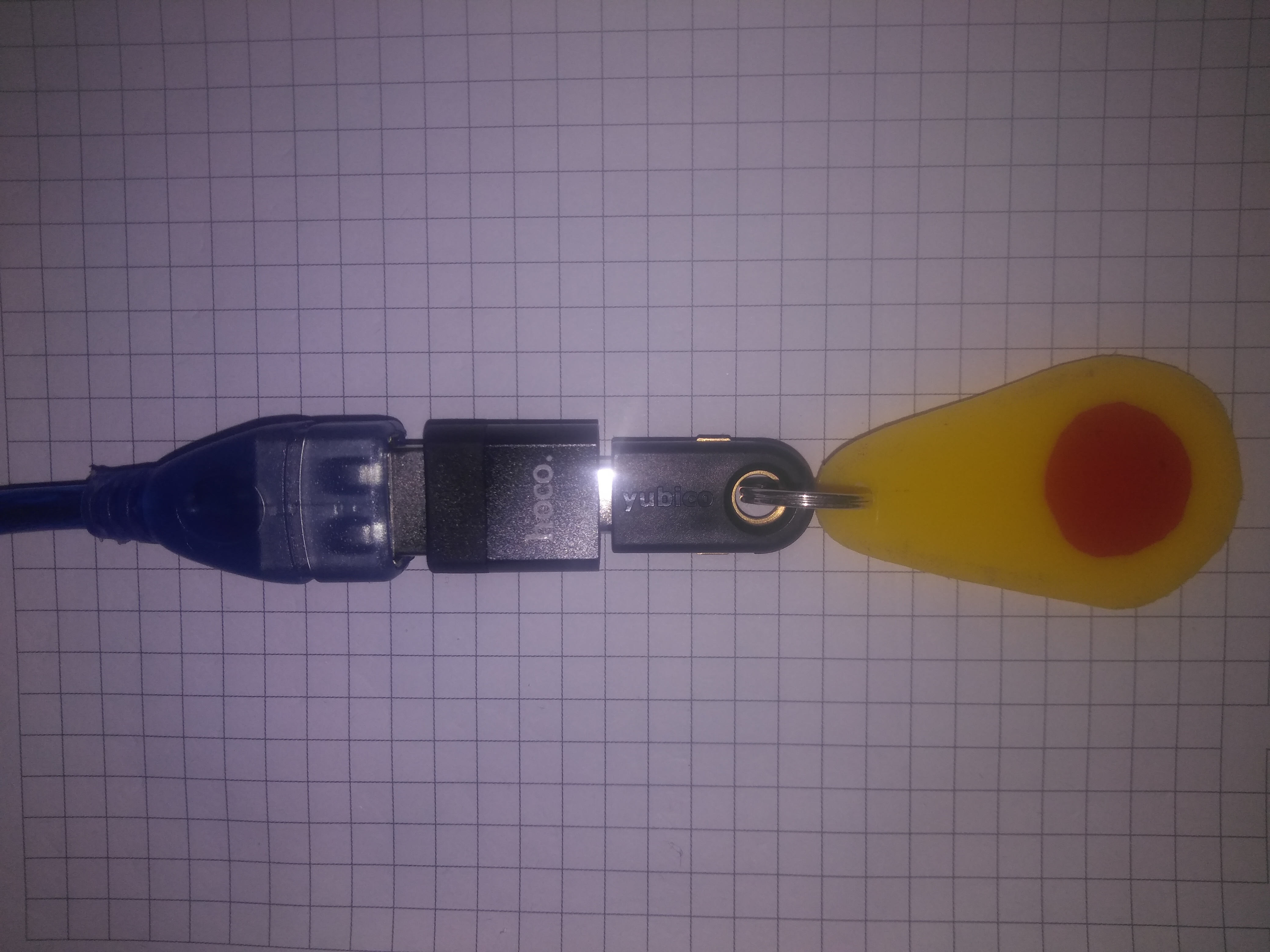
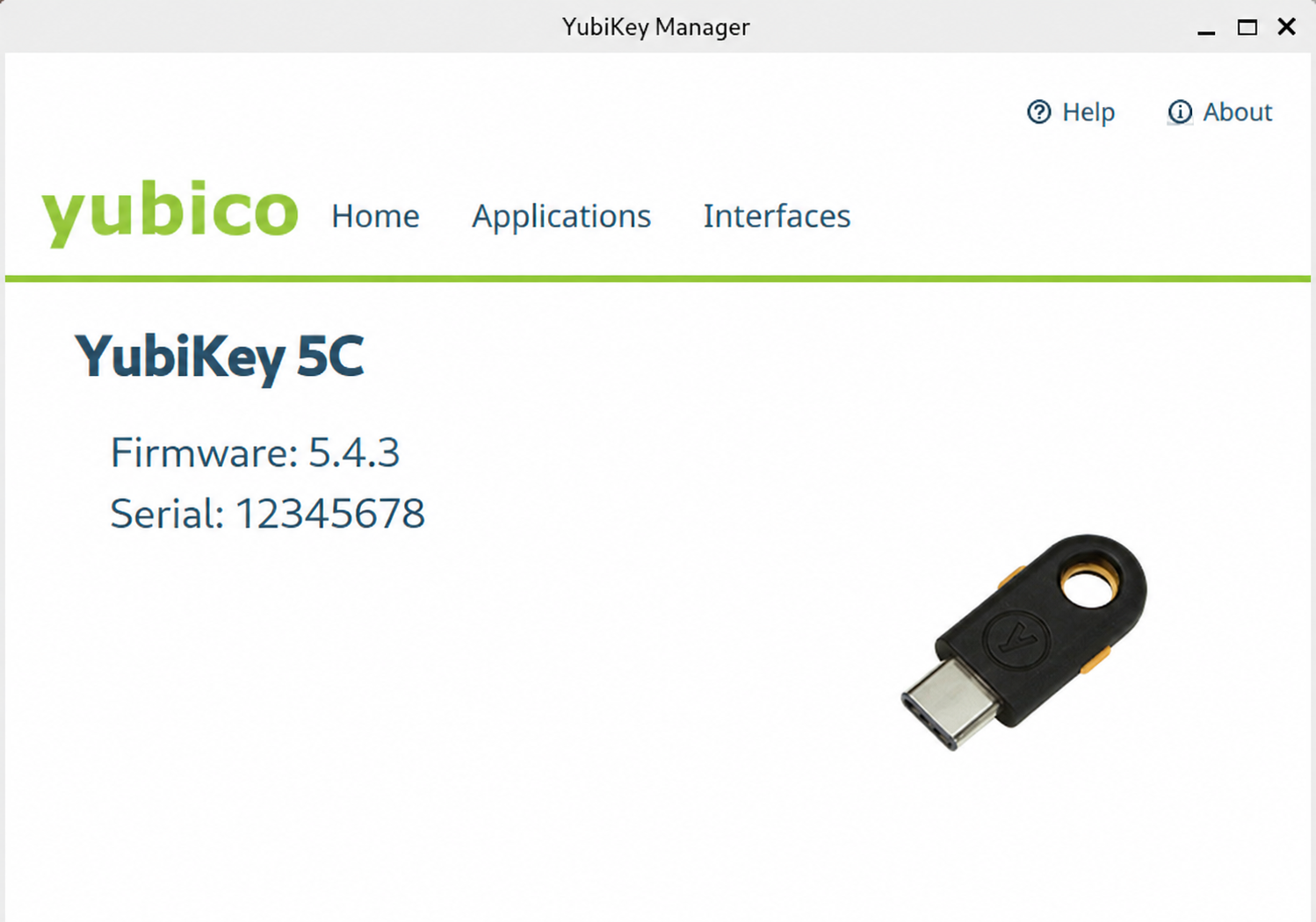
Rationale for Selection: The model with firmware 5.4.3 is a current, mass-produced product that remains on the market alongside newer versions. For personal use within the scope of this experiment and for the listed tasks, this version is optimal in terms of price/functionality ratio.
Installation of Required Software Components (Debian 13, Trixie)
On Debian 13 (Trixie), with kernel 6.12.74 and GNOME 48.7 / Wayland, the following packages, current as of August 2026, were installed:
yubikey-manager— main utility for configuring and managing the key.yubikey-personalization— tools for working with OTP slots.libpam-yubico— PAM module for integrating YubiKey with the system authentication framework.libpam-u2fandpamu2fcfg— for configuring passwordless login via FIDO U2F in the system.
Note:
- Key applications (e.g., KeePassXC, LibreWolf) were installed via Flatpak for isolation. To use the USB-connected hardware token, these applications must be granted USB access through Flatseal. If this does not resolve the issue, grant access to all devices.
- If, after disconnecting the hardware token and connecting another USB device, then disconnecting it and reconnecting the token, applications (e.g., KeePassXC) do not detect the YubiKey — the issue lies in the fact that the system service
pcscd, responsible for smart card and cryptographic token interaction, does not always correctly handle the reconnection event. In this case, the service must be forcibly restarted:
sudo systemctl restart pcscdToken Configuration on the Key
In the YubiKey Manager utility, Slot 2 (OTP) was configured for use in Challenge-Response mode:
- A new secret key was generated.
- For convenience, the "Require touch" option was disabled. This allows the key to be used without physical contact when opening the database, which was determined to be a more convenient scenario.
This slot is used to establish a cryptographic link between the YubiKey and KeePassXC, serving as a second factor.
Configuring KeePassXC: Hardware Key as Second Factor
The previously used key file was replaced by hardware token-based access to the password database:
- In the database security settings (
Database → Database Security), "YubiKey Challenge-Response" protection was added. - The database now requires, for unlocking, the simultaneous provision of:
- Master password.
- YubiKey hardware key (connected to the computer).
Result: The key file was removed as an outdated and less secure method. Database security is now based on a combination of "something you know" (password) and "something you have" (YubiKey).
Current Issue: When unlocking the KeePassXC database (Flatpak), a brief "lag" is observed. This issue is related to the way the pam_u2f module works and is known in the community as a multithreading bug. The workaround used is the "minimize-restore" window method, which bypasses the freeze without loss of functionality.
Configuring Passwordless System Login (PAM)
Selective (password OR YubiKey) GNOME (GDM) login was configured for users user and user-sl. This allows logging in and unlocking the screen without entering a password, simply by touching the key's sensor.
Steps Performed:
Key Registration for Users:
For each user, a file~/.config/Yubico/u2f_keyswas created in their home directory. This was done by switching to useruser-sl, then touser, and executing the command:pamu2fcfg > ~/.config/Yubico/u2f_keysThe key was successfully registered for both users, confirmed by the absence of errors. A FIDO2 PIN was also set for additional protection.
PAM (Pluggable Authentication Modules) Configuration:
In the login manager configuration file/etc/pam.d/gdm-password, before the line@include common-auth, the following line was added:auth sufficient pam_u2f.so nouserok cueThe keyword
sufficientin this line means that if authentication via YubiKey is successful, login will be granted. If the key is not connected or the user does not touch it, the system will fall back to the standard authentication method (common-auth), i.e., prompt for the regular password.
Result: The system now supports two equivalent login methods:
- Using YubiKey: Insert the key into a USB port and touch its gold sensor on the login screen.
- Using Password: Enter your regular password.
This provides both a high level of security and flexibility of access, especially in situations where the key is not at hand.
Note: With passwordless login (for example, using a YubiKey hardware token), some applications may request access to the system password store. In Debian 13 with the GNOME desktop environment, this store is called GNOME Keyring.
Because the keyring is not unlocked automatically during passwordless login (the PAM module pam_gnome_keyring.so does not receive the account password), applications that use libsecret (such as Firestorm Viewer or Chromium) will trigger an unlock prompt.
To resolve this issue, install the graphical keyring management utility — Seahorse (displayed in the GNOME menu as "Passwords and Keys"):
sudo apt install seahorseBefore launching the application that requests access to the system password store, start Seahorse, select the "Login" keyring, and enter your account password. This unlocks the keyring for the entire current session, and application prompts will stop until the next reboot or login.
Triple Redundancy Access System
Following the integration of the hardware token, a legitimate question arose: what if the key fails or is lost? Without it, access to the password database and many accounts would be lost. To avoid this, a redundancy system was implemented, built on three independent layers.
Layer 1: Backup Codes
During the setup of two-factor authentication on each service (Google, Proton, GitHub), backup codes were generated and saved. They serve as the "last line of defense" and allow access to the account even if other methods are unavailable. All these codes are stored encrypted in the KeePassXC database.
Layer 2: TOTP Authenticator on Smartphone
Proton Authenticator (or any other TOTP application) is installed on the smartphone. It generates six-digit codes that change every 30 seconds. This provides mobile access to accounts in cases where the hardware key is unavailable. TOTP is a convenient backup option that works even without an active internet connection.
Layer 3: YubiKey Hardware Token
The primary and most phishing-resistant method. It is used as a second factor for logging into the Debian system, unlocking the KeePassXC database, and for authenticating to web services. By design, this key permanently remains at home, reducing the risk of loss.
Additional Redundancy for KeePassXC
For the password database, a separate backup plan is in place in case the primary YubiKey breaks:
- Current Solution: The password database (
*.kdbx) was imported into the Bitwarden password manager. This ensures backup access to passwords via a cloud service. - Planned: A second YubiKey hardware token (identical model) will be purchased in the near future and configured as a full duplicate of the first. This will allow both keys to be used for Challenge-Response in KeePassXC, ensuring uninterrupted access to the database even if one key is lost or damaged.
How It Works Together:
This system is designed so that the failure of any single component does not lead to loss of access:
- Loss of Phone: Access is provided via YubiKey or backup codes.
- Breakage or Loss of YubiKey: Access is provided via TOTP from the phone or backup codes.
- Loss of Backup Codes: Access can be recovered via TOTP or YubiKey.
Thus, a balance is achieved between high security and system reliability, where no single device is critical to maintaining access.
Final Conclusion
The system configuration has been supplemented with a reliable two-factor hardware key. YubiKey integration enabled the following:
- Strengthened password database protection by replacing the key file with a hardware token.
- Significantly simplified and accelerated system login and screen unlocking.
- Introduced an authentication method resistant to phishing attacks, consistent with the "attack vector coverage" logic described in the article.
2.5.2 CONFIGURATION 4 Software
2.5.2-A Strategic Logic of Configuration 4 Software
Transition to the Next Phase
Since the software-based protection capabilities at the host level have been exhausted, focus shifts to software-based protection measures at the network level, as well as to hardware component analysis — firmware, RAM, and other low-level system elements.
In parallel, the use of advanced adversary behavior analysis tools from the Kali Linux, Black Arch Linux, and other specialized distributions is planned. Some of the tools and methods used in the course of further investigation will not be disclosed in the text for strategic reasons — either mentioned only in general terms, with final conclusions based on their results provided.
2.5.2-B Tool Installation Report
Installation Date: 2026-08-22
| Tool | Purpose | Key Capabilities |
|---|---|---|
| Nmap | Network scanner and inventory tool | Device discovery, open port detection, OS fingerprinting. |
| Wireshark | Deep network traffic analyzer | Real-time packet capture and interactive analysis. |
| netsniff-ng | High-performance packet processing toolkit | Zero-copy traffic capture, packet generation, network statistics. |
| Binwalk | Firmware analyzer and data extractor | Search for embedded filesystems and hidden data in binary images. |
| Radare2 | Reverse engineering framework | Disassembly, debugging, binary file analysis. |
| Zeek (Bro) | Powerful network traffic analyzer | Transforms network traffic into structured event logs for security analysis. |
| Suricata (Docker) | High-performance intrusion detection system (IDS) with deep packet inspection (DPI) support. |
Installation was performed via Docker using the Installation and startup: Version 7.x and above is incompatible with the processor in use (AMD Athlon II X2 220) due to the Additional capabilities |
| OpenVAS (Docker) | Open-source vulnerability scanner (Greenbone Vulnerability Management). |
Installation was performed via Docker using the Installation and startup: Using After container startup, OpenVAS automatically loads the latest vulnerability databases, which may take a considerable amount of time on the first run. The web interface is available at |
Important: After installation, verify that system security mechanisms (including nftables, AppArmor, SELinux, as well as kernel and network stack parameters) do not interfere with the operation of the installed components. If any blocking is detected, adjust the relevant settings to ensure the correct functioning of the analysis tools.
Brief Summary
All listed tools are installed on the system and ready for use. They provide a complete analysis cycle: from network scanning and traffic interception to deep reverse engineering of suspicious files.
2.5.2-C Capturing traffic of all network devices via router mirroring with PC routing through USB modem
This chapter describes a method for complete control over the network traffic of all devices in the local network, including hidden traffic that cannot be detected by the analyzed system's own means. The key idea of the method: all traffic from the PC is forcibly routed through a smartphone (USB modem) connected to the router's Wi-Fi, and the router mirrors all traffic passing through it back to the PC via a LAN cable → PC network card. The router also mirrors to the PC all traffic from other devices connected to the router. Thus, traffic cannot bypass the router and always reaches the capture point.
This configuration is set up manually each time before capture. It was decided not to make this configuration persistent, so that after disconnecting the USB modem (smartphone) and enabling the system's default configuration, all temporary settings are automatically reset by the system and do not create confusion in the system settings. If needed, the settings can be easily restored via the terminal within a few minutes.
Step 1. Checking the initial network state
Before connecting the USB modem, we check the current routing state. There should be only one default route — through the router.
ip route showExpected result:
default via 192.168.0.1 dev enp0s7 proto dhcp src 192.168.0.5 metric 100
172.17.0.0/16 dev docker0 proto kernel scope link src 172.17.0.1 linkdown
192.168.0.0/24 dev enp0s7 proto kernel scope link src 192.168.0.5 metric 100
Step 2. Connecting the smartphone as a USB modem
Conditions:
- The smartphone is connected to the router's Wi-Fi network (
MyHomeWiFi). - Mobile internet is disabled (so that traffic goes through Wi-Fi, not the cellular network).
- The smartphone is connected to the PC via USB cable (data cable).
Steps on the smartphone:
- Connect the USB cable.
- In the USB notification, select "USB tethering".
- Make sure mobile internet is disabled.
- Make sure the smartphone is connected to the router's Wi-Fi.
⚠️ To avoid overheating of the mobile device, it is recommended to remove the case and position it so that during USB modem operation the device contacts air on all sides as much as possible. Do not place it under direct sunlight or near heat sources.
Checking that the USB interface appears on the PC:
ip link showExpected result: a new interface appears, for example:
4: enp0s2f1u6: <BROADCAST,MULTICAST,UP,LOWER_UP> ...
    link/ether e6:51:6c:53:a5:77 brd ff:ff:ff:ff:ff:ff
Step 3. Checking the IP on the USB interface
NetworkManager automatically requests an IP for the USB interface. We check:
ip -4 addr show enp0s2f1u6Expected result:
inet 192.168.124.18/24 brd 192.168.124.255 scope global dynamic noprefixroute enp0s2f1u6
       valid_lft 3477sec preferred_lft 3477sec
If the IP was not obtained — request it manually:
sudo dhclient enp0s2f1u6Step 4. Checking the routes
After connecting the USB modem, NetworkManager automatically creates two default routes:
ip route showExpected result:
default via 192.168.0.1 dev enp0s7 proto dhcp src 192.168.0.5 metric 100
default via 192.168.124.212 dev enp0s2f1u6 proto dhcp src 192.168.124.18 metric 101
172.17.0.0/16 dev docker0 proto kernel scope link src 172.17.0.1 linkdown
192.168.0.0/24 dev enp0s7 proto kernel scope link src 192.168.0.5 metric 100
192.168.124.0/24 dev enp0s2f1u6 proto kernel scope link src 192.168.124.18 metric 101
Note: the route through the router has metric 100, through USB — 101. This means that by default traffic goes through the router.
Step 5. Checking the external IP
We check which interface the default traffic goes through:
curl -s --max-time 5 ifconfig.meExpected result: the provider's IP (for example, 176.98.8.198).
We check that the USB modem also works:
curl -s --interface enp0s2f1u6 --max-time 5 ifconfig.meExpected result: the same provider IP. This means that the smartphone, connected to the router's Wi-Fi, forwards traffic through the router to the provider — that is, the USB modem is an intermediate link, not a separate internet outlet. This is normal behavior for this scheme.
Step 6. Configuring USB priority
In order for PC traffic to be forcibly routed through the USB modem (and not directly through the router), we need to change the route metrics. This guarantees that all PC traffic passes through the smartphone → Wi-Fi → router → provider, and will be mirrored by the router back to the PC.
# Remove old routes
sudo ip route del default via 192.168.0.1 dev enp0s7 2>/dev/null
sudo ip route del default via 192.168.124.212 dev enp0s2f1u6 2>/dev/null

# Add new routes
# USB — priority (metric 50)
sudo ip route add default via 192.168.124.212 dev enp0s2f1u6 metric 50

# Router — backup (metric 200)
sudo ip route add default via 192.168.0.1 dev enp0s7 metric 200
Checking the routes:
ip route show | grep defaultExpected result:
default via 192.168.124.212 dev enp0s2f1u6 metric 50
default via 192.168.0.1 dev enp0s7 metric 200
Step 7. Checking that traffic goes through USB
We check the default external IP:
curl -s --max-time 5 ifconfig.meThe external IP remains the same (provider), but now traffic goes through the USB modem → Wi-Fi → router. This is confirmed by the fact that the default route is now through enp0s2f1u6 with metric 50.
Checking router availability via LAN:
ping -I enp0s7 -c 3 192.168.0.1Expected result: 0% packet loss — the router is reachable.
Step 8. Enabling mirroring mode on the router
Steps in the router web interface (192.168.0.1):
- Go to the Port Mirroring section.
- Configure:
| Parameter | Value |
|---|---|
| Mirrored Port | LAN port where the smartphone is connected (Wi-Fi) |
| Mirroring Port | LAN port where the PC is connected (LAN 2) |
| Direction | Both (incoming + outgoing) |
| Status | Enable |
- Save the settings.
- Reboot the router (if required).
Connection diagram:
Step 9. Capturing mirrored traffic
Start capture on enp0s7 (LAN port with mirror):
sudo tshark -i enp0s7 -w /var/log/tsharklogs/pc_capture_$(date +%Y%m%d_%H%M).pcapngStop capture: Ctrl+C
Step 10. Verifying the capture using unique markers
To confirm the capture is correct, unique domain markers were used — sites that were opened on the PC and other devices on the network. If these domains appear in the mirrored traffic, the capture is working.
Identify the latest file:
PCAP=$(ls -t /var/log/tsharklogs/pc_capture_*.pcapng 2>/dev/null | head -1)
echo "File: $PCAP"
General information:
capinfos "$PCAP" | head -15All unique domains (DNS + SNI):
{
    tshark -r "$PCAP" -Y "dns.qry.name" -T fields -e dns.qry.name 2>/dev/null
    tshark -r "$PCAP" -Y "tls.handshake.extensions_server_name" -T fields -e tls.handshake.extensions_server_name 2>/dev/null
} | grep -v "^$" | sort -u
Check markers (DeepSeek, GitHub, Proton):
{
    tshark -r "$PCAP" -Y "dns.qry.name" -T fields -e dns.qry.name 2>/dev/null
    tshark -r "$PCAP" -Y "tls.handshake.extensions_server_name" -T fields -e tls.handshake.extensions_server_name 2>/dev/null
} | grep -v "^$" | sort -u | grep -iE "deepseek|github|proton|bitwarden|mozilla|debian"
All unique external IPs:
tshark -r "$PCAP" -T fields -e ip.dst 2>/dev/null | grep -vE "192.168\.|10\." | sort | uniq -c | sort -nrAll MAC addresses (sources):
tshark -r "$PCAP" -T fields -e eth.src 2>/dev/null | sort -uResult
Capture confirmed:
- ✅ PC traffic goes through the USB modem.
- ✅ The router mirrors all traffic to the PC.
- ✅ Domain markers (DeepSeek, GitHub, Proton) are visible in the capture.
- ✅ Traffic from all devices in the LAN (tablet, phone) is visible.
Key advantage of the method: all traffic from all interfaces, including the PC itself, is forcibly routed through the router and mirrored to the PC. This means that any hidden traffic that cannot be detected by the system's internal means (for example, by analyzing traffic with a program installed on the same system) will be mirrored to the PC for capture. Traffic cannot bypass the router.
⚠️ Important notes
- The smartphone must be connected to the router's Wi-Fi, not to the mobile network.
- Mobile internet on the smartphone must be disabled.
- Mirroring works only for LAN traffic. WAN traffic may not be captured in the mirror.
- Route metrics determine priority: lower metric = higher priority.
- The Netis W1 router does not support IPv6, so all traffic goes through IPv4.
- Verification by markers is a mandatory step to confirm the capture is correct.
Configuring persistent priority of the USB modem over the wired connection
By default, NetworkManager assigns route metrics automatically, and priority may go to the wired connection. For stable operation of the capture scheme (where PC traffic must go through the USB modem), route metrics must be set manually. These settings are saved after reboot and applied automatically when interfaces are connected.
1. Check current metrics
nmcli connection show "Wired connection 1" | grep route-metric
nmcli connection show "Wired connection 2" | grep route-metric
Expected result (before configuration):
ipv4.route-metric:                      -1
ipv6.route-metric:                      -1
ipv4.route-metric:                      -1
ipv6.route-metric:                      -1
A value of -1 means the metric is assigned automatically.
2. Set metrics
# USB modem (enp0s2f1u6) — priority
sudo nmcli connection modify "Wired connection 2" ipv4.route-metric 50

# Wired connection (enp0s7) — backup
sudo nmcli connection modify "Wired connection 1" ipv4.route-metric 200
3. Apply settings
sudo nmcli connection up "Wired connection 2"
sudo nmcli connection up "Wired connection 1"
4. Check new metrics
nmcli connection show "Wired connection 1" | grep route-metric
nmcli connection show "Wired connection 2" | grep route-metric
Expected result:
ipv4.route-metric:                      200
ipv6.route-metric:                      -1
ipv4.route-metric:                      50
ipv6.route-metric:                      -1
5. Check routes
ip route show | grep defaultExpected result:
default via 192.168.3.6 dev enp0s2f1u6 proto dhcp src 192.168.3.18 metric 50
default via 192.168.0.1 dev enp0s7 proto dhcp src 192.168.0.5 metric 200
Result:
- USB modem (
enp0s2f1u6) — metric 50 → priority. - Wired connection (
enp0s7) — metric 200 → backup. - Settings are persistent and survive reboot.
- When the USB modem is disconnected, NetworkManager automatically switches to the wired connection.
- When the USB modem is reconnected, priority returns to USB.
⚠️ Practical Conclusion Based on Configuration 3
When system compromise is suspected, the primary task is to perform an analysis of network traffic and local network topology. For this purpose, specialized tools are used: tshark, zeek, suricata, nmap, and similar solutions. During the analysis, the following indicators of illegitimate activity should be identified: connections to unauthorized domains, connections to suspicious IP addresses, network anomalies, regularly repeating patterns (beaconing), and protocols or ports uncharacteristic of normal operation.
At the initial stage, the application of baseline firewall policies is acceptable (for example, a default DROP policy). However, fine-grained filtering rules based on unconfirmed hypotheses should not be created. Such an approach leads to a false sense of security and may block legitimate traffic. Priority should be given to data collection and correlation of network activity in order to identify the type of threat (targeted APT attack, malware, unauthorized access) before taking targeted countermeasures.
It should also be taken into account that regular, prolonged, and unexpected traffic captures followed by their thorough analysis constitute a psychological weapon capable of exerting a demoralizing effect on the attacker. If, during such a capture, at least one or several packets are intercepted — whether traveling from the attacker's server to your device or from your device to the attacker's server — and are subsequently identified as malicious activity during analysis, modern analysis tools make it possible to extract a significant amount of information about the attacker's technical means and infrastructure from even a single packet. Moreover, such packets can serve as direct evidence of the fact of hacker activity.
2.5.2-D Exclusion of Google infrastructure from traffic
Hypothesis about camouflaging malicious traffic as Google telemetry
Since traffic analysis did not reveal any signs of the attacker's activity, while the fact of this activity itself has been reliably established, an assumption is put forward that the malicious activity traffic is camouflaged as legitimate in a manner unknown at present. Given that Google's infrastructure actively collects telemetry, the following hypotheses are being considered: the traffic is either masked as Google telemetry collection, or the attacker has infiltrated Google's infrastructure, or is in some other way parasitizing it, carrying out aggressive telemetry collection and/or intercepting legitimate telemetry collection.
Current traffic filtering configuration
In the current configuration, the traffic of the user user is routed through the local proxy server Squid, as in the previous configurations. However, filtering of TCP traffic by a blacklist of Google infrastructure domains has now been added. UDP traffic is not filtered at this stage.
For the user-sl user, restrictions on access to Google infrastructure are not applied. This user is used in a separate graphical session. The exception is made deliberately, within the framework of the current experiment configuration.
In the future, it is planned to deepen the experiment: UDP traffic will also be filtered through a local SOCKS5 proxy server. Two implementation options are being considered: either a separate SOCKS5 server for UDP traffic, or a single SOCKS5 server that will filter both TCP and UDP traffic simultaneously, excluding any requests to Google's infrastructure.
The configuration files for this configuration are provided below.
nftables configuration
In the nftables configuration, the root user continues to use the same access control model from Configuration 3. For this user, access is allowed only to the narrow whitelist of Debian infrastructure and other repositories related to the legitimate software used in the system.
#!/usr/sbin/nft -f

flush ruleset

table inet filter { # Opening the ruleset file

    # === Adding a container for system dynamic IP addresses of websites ===
    set whitelist_fqdn_system {
        type ipv4_addr
        flags interval
    }


  # ============================================
  # START OF THE INPUT CHAIN
  # ============================================

  # = Main chain policy =
  chain input {
    type filter hook input priority 0;
    policy drop;

    # = Set of general rules =
    # 🌀 Allow the loopback interface (internal processes)
    iif "lo" accept

    # == 🔁 Allow established and related connections ==
    ct state established,related accept

    # == 🔒 Proper protection against aggressive inbound traffic (anti-DDoS) ==
    # We do NOT allow traffic, we only destroy on the fly anything that exceeds the limit.
    # If the rate exceeds 100 per second, the packet is logged and dropped right here.
    # If the rate is normal — the packet passes below, where it will be met by the reliable default DROP.
    ip saddr 0.0.0.0/0 ct state new limit rate over 100/second burst 200 packets log prefix "🔥 BAN: too many conn " flags all drop

    # == 🛡️ Ping rate limiting ==
    ip protocol icmp icmp type echo-request limit rate 1/second accept
    ip protocol icmp icmp type echo-request log prefix "🔥 BAN: ICMP flood " flags all
    ip protocol icmp icmp type echo-request drop

    # == 🚫 Blocking SSDP and mDNS (local broadcast protocols) ==
    ip daddr 239.255.255.250 udp dport 1900 drop   # ❌ SSDP (UPnP/device discovery)
    ip daddr 224.0.0.251 udp dport 5353 drop       # ❌ mDNS (Bonjour, Avahi)

    # == 🛑 Blocking NetBIOS and LLMNR (intra-network Windows/systemd protocols) ==
    udp dport 137 drop    # ❌ NetBIOS Name Service (Windows network names)
    udp dport 138 drop    # ❌ NetBIOS Datagram Service (LAN discovery)
    udp dport 5355 drop   # ❌ LLMNR (Link-Local Multicast Name Resolution)

    # = Set of rules for blocking IP addresses and ranges =

    # == 🧱 Blocking known botnets and proxies ==
    ip saddr {
      45.9.20.0/24,
      89.248.160.0/19,
      185.220.100.0/22,
      198.96.155.0/24,
      185.107.56.0/24,
      185.129.62.0/23
    } log prefix "🔥 BAN: known bots " flags all
    ip saddr {
      45.9.20.0/24,
      89.248.160.0/19,
      185.220.100.0/22,
      198.96.155.0/24,
      185.107.56.0/24,
      185.129.62.0/23
    } drop

    # == 🚫 Blocking strange TCP flags (XMAS, NULL scan and others) ==
    tcp flags & (fin|syn|rst|psh|ack|urg) == 0 drop        # NULL scan
    tcp flags & (fin|psh|urg) == (fin|psh|urg) drop          # XMAS scan
    tcp flags & (fin|syn) == (fin|syn) drop                  # SYN-ACK scan
    tcp flags & (syn|rst|fin) == (syn|rst|fin) drop          # Xmas scan
    tcp flags & (syn|fin|rst|psh|ack) == (syn|rst|fin|ack) drop # Xmas scan

    # == 🚫 Blocking fragmented packets — often used to bypass filters ==
    ip frag-off & 0x1fff != 0 drop

    # == 📱 Allow file exchange via LocalSend within the home network ==
    # The rule is placed strictly BEFORE anti-spoofing so that home IPs have time to authenticate
    iifname "enp0s7" ip saddr 192.168.0.0/28 tcp dport 53317 accept
    iifname "enp0s7" ip saddr 192.168.0.0/28 udp dport 53317 accept

    # == 🔒 Blocking packets with spoofed IPs (spoofing) ==
    ip saddr 127.0.0.0/8 drop          # localhost
    ip saddr 10.0.0.0/8 drop           # private network
    ip saddr 172.16.0.0/12 drop        # private network
    ip saddr 192.168.0.0/16 drop       # private network
    ip saddr 169.254.0.0/16 drop       # APIPA
    ip saddr 0.0.0.0/8 drop            # invalid address
    ip saddr 224.0.0.0/4 drop          # multicast
    ip saddr 240.0.0.0/5 drop          # reserved
  }

  # ============================================
  # END OF THE INPUT CHAIN
  # ============================================


  # ============================================
  # START OF THE OUTPUT CHAIN
  # ============================================

  chain output {
    # = Main chain policy =
    type filter hook output priority 0;
    policy drop;

    # === ECHELON 0: ANTI-HIJACKING OF INTERFACES ===
    # Destroy any traffic going past the physical card enp0s7, the loopback lo and the USB modem network
    oifname != { "lo", "enp0s7", "enp0s2f1u6" } counter drop comment "🔥 BLOCK_HIDDEN_INTERFACE"

    # === ECHELON 1: LOCAL LOOPBACK AND BASIC PROTECTION ===
    oifname "lo" accept
    ct state invalid drop comment "🔥 INVALID_OUT_PACKET"

    # = THE VERY FIRST - critically important rules =
    # explanation

    ct state established,related accept
    oif "lo" accept

    # Drop any outgoing packets that conntrack has marked as invalid
    # This will ensure immediate destruction of invalid packets
    # before the rest of the filtering rules are applied.
    ct state invalid log prefix "🔥 INVALID_OUT_PACKET: " drop

    # =======================================================================
    # 1. GENERAL PROTECTIVE DOME (Only rate-limit blocking!)
    # =======================================================================

    # ATTENTION: There is NO accept word here. This rule does NOT release packets to the internet.
    # The "!" sign means: if the rate exceeds the limit, then perform the action LOG and DROP.
    # If the rate is normal, the packet simply silently flies below — into your IP whitelist.
    # ATTENTION: meta l4proto { tcp, udp } and th dport cover both TCP and UDP (HTTP/3) with the dome

    # Dome A: Blocking frantic creation of NEW web sessions (TCP/UDP 80,443)
    meta l4proto { tcp, udp } th dport { 80, 443 } ct state new limit rate over 150/second burst 300 packets log prefix "🔥 OUT_WEB_LIMIT_BURST: " drop

    # Dome B: Rate limiting of high-speed UDP media stream (for all states)
    # Cuts off anomalous speed dead (for example, hidden file exfiltration by malware)
    udp dport 13000-13050 meta skuid { user, user-sl } limit rate over 150/second burst 300 packets log prefix "🔥 OUT_UDP_FLOOD_DROP: " drop


    # =========================================================================
    # 🔒 SMART INSPECTION OF ESTABLISHED SESSIONS (Protection against Connection Hijacking)
    # =========================================================================

    # Allow continuation of sessions ONLY if the packets inside them were created by You, your Browser, APT or Root.
    # System ghosts (nobody, daemon) are completely expelled from here.
    ct state established,related meta skuid { user, proxy, user-sl, _flatpak, _apt, root, systemd-timesync } accept

    # ⬇️ INSTANT CUT-OFF: If an outsider system process tried to inject into your session
    ct state established,related log flags skuid prefix "🔥 HIJACK_ATTEMPT_DROP: " drop

    # =========================================================================
    # 2. DNS SERVICE
    # Strict binding only to Quad9 at IP 9.9.9.9
    # Control of length, users and backup servers
    # =========================================================================

    # 2.1. Over UDP we pass only short queries (<=150 bytes) and strictly from trusted parties
    ip daddr { 9.9.9.9, 31.43.43.243, 31.43.43.143 } udp dport 53 meta length <= 150 meta skuid { proxy, user-sl, _apt, root, systemd-timesync } ct state new accept

    # 2.2. Over TCP we do not limit length (for heavy DNSSEC responses), but we check the user ironclad
    ip daddr { 9.9.9.9, 31.43.43.243, 31.43.43.143 } tcp dport 53 meta skuid { proxy, user-sl, _apt, root, systemd-timesync } ct state new accept

    # === Backup DNS Quad9 (9.9.9.0/24) ===
    ip daddr 9.9.9.0/24 udp dport 53 meta skuid { proxy, user-sl, _apt, root, systemd-timesync  } accept

    # === Backup DNS Quad9 (149.112.0.0/16) ===
    ip daddr 149.112.0.0/16 udp dport 53 meta skuid { proxy, user-sl, _apt, root, systemd-timesync  } accept

    # 2.3. All other attempts by any rogue services (or long UDP) — log and destroy
    ip daddr { 9.9.9.9, 31.43.43.243, 31.43.43.143 } meta l4proto { tcp, udp } th dport 53 log flags skuid prefix "🔥 OUT_BLOCK_LEAK_DNS: " drop

    # =========================================================================
    # RULES FOR THE ICMP PROTOCOL
    # =========================================================================

    # == Critically important ICMP for the network ==
    ip protocol icmp icmp type { destination-unreachable, time-exceeded, parameter-problem } accept

    # == Important ICMPv6 for IPv6 ==
    ip6 nexthdr icmpv6 icmpv6 type { 1, 2, 3, 4 } accept
    ip6 nexthdr icmpv6 icmpv6 type { 135, 136 } accept  # NS/NA
    ip6 nexthdr icmpv6 icmpv6 type { 133, 134 } accept  # RS/RA


    # =========================================================================
    # BLOCKING RARE PROTOCOLS
    # =========================================================================
    # All rare protocols (SCTP, DCCP and others) are automatically blocked
    # by the policy drop. Explicit rules for them are not required.
    # =========================================================================


    # ═══════════════════════════════════════════════════════════════════════════
    # 🎮 BLOCK OF RULES FOR THE user USER (Scheme with Local Squid Proxy)
    # ═══════════════════════════════════════════════════════════════════════════

    # 1. Allow the Squid proxy server to go out into the world over HTTP/HTTPS
    tcp dport { 80, 443 } meta skuid proxy ct state new accept

    # 2. Allow outgoing TCP connections of the user user to the local Squid
    ip daddr 127.0.0.1 tcp dport 3128 meta skuid user ct state new accept


    # =========================================================================
    # MAIN CONTROL OF TCP & UDP PROTOCOLS
    # =========================================================================

    # ⬇️ HERE WE CONNECT THE CONTENTS OF THE @whitelist_fqdn_system LIST

        # Traditional web traffic (TCP)
        tcp dport { 80, 443 } meta skuid { user-sl, _flatpak } ct state new accept

        # Modern accelerated web traffic QUIC / HTTP.3 (UDP) - SAFE
        udp dport 443 meta skuid { user-sl, _flatpak } ct state new accept

        # List of system services: Debian, update mirrors and other repositories
        ip daddr @whitelist_fqdn_system tcp dport { 80, 443 } meta skuid { _flatpak, _apt, root } ct state new accept

    # ⬆️ INSERTION ENDED

    # === Router web interface ===
    ip daddr 192.168.0.1 tcp dport 80 meta skuid { user, _flatpak, root } ct state new accept

    # === ⏰ Allow system time synchronization (NTP) ===
    # The rule is paranoid: UDP port 123 is open EXCLUSIVELY for this one process.
    # Not a single backdoor on behalf of root or nobody will be able to use this loophole.
    udp dport 123 meta skuid systemd-timesync ct state new accept


    # ═══════════════════════════════════════════════════════════════════════════
    #  Second Life Infrastructure
    # ═══════════════════════════════════════════════════════════════════════════

    # 1. Main game stream of Second Life simulators to the world (TCP)
    tcp dport { 12043, 12046, 13000-13050 } meta skuid user-sl ct state new accept

    # 2. Allow ports 12043, 12046 and 13000-13050 for the proxy user
    tcp dport { 80, 443, 12043, 12046, 13000-13050 } meta skuid proxy ct state new accept

    # 3. Main game stream of Second Life simulators to the world (UDP)
    udp dport 13000-13050 meta skuid { user, user-sl } ct state new accept


    # ═══════════════════════════════════════════════════════════════════════════
    #  LocalSend Infrastructure
    # ═══════════════════════════════════════════════════════════════════════════

    # == 📱 Allow sending LocalSend only to the /28 pool and only for the user user ==
    oifname "enp0s7" ip daddr 192.168.0.0/28 tcp dport 53317 meta skuid { user, user-sl } ct state new accept
    oifname "enp0s7" ip daddr 192.168.0.0/28 udp dport 53317 meta skuid { user, user-sl } ct state new accept


  } #  The penultimate bracket closes the ruleset file of the output chain. Do not delete!

  # ============================================
  # END OF THE OUTPUT CHAIN
  # ============================================

} #  The last bracket closes the ruleset file of the entire config. Do not delete!
Script for resolving IP addresses from the whitelist
The script performs resolution of domain names from the whitelist and forms pools of allowed IP addresses for subsequent transfer to nftables. The block for resolving non-system IP addresses for the user user is commented out. The block for resolving system IP addresses for the root user is left unchanged.
#!/bin/bash

# Paths to utilities
DIG="/usr/bin/dig"
NFT="/usr/sbin/nft"

# Paths to domain files
USER_DOMAINS="/etc/nftables.d/nftables.domains"
SYSTEM_DOMAINS="/etc/nftables.d/nftables.domains-system"

# Temporary files for collecting subnets
TMP_USER=$(mktemp)
TMP_SYSTEM=$(mktemp)

# Hard pause of 15 seconds during automatic system boot via cron
if [ "$1" != "manual" ]; then
    sleep 15
fi

# =====================================================================
# BLOCK 1: USER LIST (Social networks, media, banks)
# =====================================================================
# if [ -f "$USER_DOMAINS" ]; then
#     while read -r domain; do
#         [[ -z "$domain" || "$domain" =~ ^# ]] && continue
#
#         ips=$($DIG +short "$domain" 2>/dev/null | grep -E '^[0-9.]+$')
#         for ip in $ips; do
#             if [[ "$domain" =~ "telegram" || "$domain" == "t.me" || "$domain" =~ "facebook" || "$domain" =~ "wixmp" || "$domain" =~ "bing" || "$domain" =~ "microsoft" || "$domain" =~ "flathub" ]]; then
#                 subnet=$(echo "$ip" | cut -d'.' -f1-2)".0.0/16"
#             else
#                 subnet=$(echo "$ip" | cut -d'.' -f1-3)".0/24"
#             fi
#             echo "$subnet" >> "$TMP_USER"
#         done
#     done < "$USER_DOMAINS"
#
#     if [ -s "$TMP_USER" ]; then
#         sort -u "$TMP_USER" -o "$TMP_USER"
#         $NFT flush set inet filter whitelist_fqdn
#         while read -r sub; do
#             $NFT add element inet filter whitelist_fqdn { "$sub" }
#         done < "$TMP_USER"
#     fi
# fi
#
# =====================================================================
# BLOCK 2: SYSTEM LIST (apt update repositories)
# =====================================================================
if [ -f "$SYSTEM_DOMAINS" ]; then
    while read -r domain; do
        [[ -z "$domain" || "$domain" =~ ^# ]] && continue

        ips=$($DIG +short "$domain" 2>/dev/null | grep -E '^[0-9.]+$')
        for ip in $ips; do
            # For system repositories we always use a strict /24 mask for security
            subnet=$(echo "$ip" | cut -d'.' -f1-3)".0/24"
            echo "$subnet" >> "$TMP_SYSTEM"
        done
    done < "$SYSTEM_DOMAINS"

    if [ -s "$TMP_SYSTEM" ]; then
        sort -u "$TMP_SYSTEM" -o "$TMP_SYSTEM"
        $NFT flush set inet filter whitelist_fqdn_system
        while read -r sub; do
            $NFT add element inet filter whitelist_fqdn_system { "$sub" }
        done < "$TMP_SYSTEM"
    fi
fi

# Cleaning up temporary files
rm "$TMP_USER" "$TMP_SYSTEM"
Domain whitelist
The configuration uses a domain whitelist that includes the Debian infrastructure and other legitimate repositories necessary for the regular updating and functioning of the system.
# Official Debian infrastructure and update mirrors
debian.org
deb.debian.org
ftp.debian.org
security.debian.org
incoming.debian.org
snapshot.debian.org

# Servers for apt-listbugs (package bug checking)
bugs.debian.org

# OS and software update repositories
repo.librewolf.net
repo.protonvpn.com

# openSUSE infrastructure (Zeek Repository)
opensuse.org
download.opensuse.org
mirrorcache-eu.opensuse.org
Configuration of the local Squid proxy server
Configuration file of the local Squid proxy server. Traffic filtering is applied by a domain blacklist.
# ═══════════════════════════════════════════════════════════════════════════
# 🖥️ MAIN SQUID PROXY CONFIGURATION (Debian 13 / user-sl)
# ═══════════════════════════════════════════════════════════════════════════

# Port that the proxy will listen on (strictly on the local interface)
http_port 127.0.0.1:3128

# Standard basic ACLs for network port security
acl Safe_ports port 80          # Standard HTTP
acl Safe_ports port 443         # Standard HTTPS (SSL)
acl Safe_ports port 12043       # HTTP for Second Life inventory
acl Safe_ports port 12046       # HTTPS for Second Life inventory
acl Safe_ports port 13000-13050 # Additional game TCP traffic SL

# CRITICALLY IMPORTANT: Allow the CONNECT method (HTTPS tunnel) to game ports
acl SSL_ports port 443
acl SSL_ports port 12043        # FIXED: Allow Capabilities tunnels of game simulators
acl SSL_ports port 12046
acl SSL_ports port 13000-13050
acl CONNECT method CONNECT

# Permanently block requests to non-standard ports
http_access deny !Safe_ports
# Block CONNECT only if the port is NOT in the SSL_ports list
http_access deny CONNECT !SSL_ports

# ═══════════════════════════════════════════════════════════════════════════
# 🛡️ FILTERING BY DOMAIN BLACKLIST
# ═══════════════════════════════════════════════════════════════════════════

# Describe the source: domain blacklist from our external file
acl squid_domains_blacklist dstdomain "/etc/squid/squid_domains_blacklist.txt"

# Deny access only to these domains
http_access deny squid_domains_blacklist

# Allow everything else
http_access allow all

# ═══════════════════════════════════════════════════════════════════════════
#  PRIVACY AND LOGGING
# ═══════════════════════════════════════════════════════════════════════════

# Disable sending X-Forwarded-For for privacy
via on
forwarded_for off

# Complete disabling of logs (speeding up operation and reducing disk load)
access_log none
cache_log /dev/null
cache_store_log none
logfile_rotate 0

# Disable caching completely:
# In this scheme Squid is used as a TCP traffic filter,
# there is no need for caching
cache deny all

# Speeding up shutdown to prevent conflicts with the system during power-off
shutdown_lifetime 5 seconds
The domain blacklist includes Google and YouTube infrastructure.
# ═══════════════════════════════════════════════════════════════════════════
# BLACKLIST OF SERVERS FOR THE SQUID PROXY SERVER
# ═══════════════════════════════════════════════════════════════════════════

# ═══════════════════════════════════════════════════════════════════════════
# 📺 GROUP 1: GOOGLE INFRASTRUCTURE (YouTube, Search, Gmail, API, Gemini)
# ═══════════════════════════════════════════════════════════════════════════
.google.com                # Base domain of the search engine and Google accounts
.youtube.com               # Main domain of the YouTube video hosting
.youtu.be                  # Short YouTube video sharing links
.youtube-nocookie.com      # Embedded videos on third-party sites (without cookies)
.googlevideo.com           # Video stream delivery servers (YouTube streaming)
.ytimg.com                 # YouTube static servers (thumbnails, icons, avatars)
.googleusercontent.com     # User content (photos, Google Drive files)
.gstatic.com               # Google static components (fonts, scripts, styles)
.googleapis.com            # Google API (authorization, maps, libraries, Gemini API)
.doubleclick.net           # Google advertising network (tracking, ad display)
.app-measurement.com       # Firebase Analytics (mobile app telemetry)
.crashlytics.com           # Firebase Crashlytics (app crash reports)
📋 TL;DR — 2.4.2 Configuration 4 Software
Observing the progress of the Configuration 4 experiment
📋 TL;DR — Hardening Chronicle and Attacks
- CONFIGURATION 1 (Debian 12/MATE): Attack confirmed on 2026-12-26 — compromise included reading correspondence, KeePassXC, and image access. System wiped.
- CONFIGURATION 2 (Debian 13/GNOME/Wayland): Hardening implemented: Flatpak isolation, strict nftables, OpenSnitch with rules, AppArmor, USBGuard. Status: under testing; not all vulnerabilities have been closed.
- CONFIGURATION 3 (Debian 13/GNOME/Wayland): Radical outbound control enhancement: OUTPUT policy changed to DROP, only trusted IP addresses allowed (whitelist), DNS forcibly switched to Quad9 (9.9.9.9) with changes locked via chattr. Status: testing, awaiting data on the effectiveness of C2 channel disruption.